Connecting to a Jeep is not just about turning the key and driving off. Today, Jeeps come packed with smart features, advanced electronics, and connectivity options. Whether you want to link your phone, set up Bluetooth, or access remote services, knowing how to connect to your Jeep makes your drive safer and more enjoyable. For new owners or those upgrading to a newer model, the process can seem confusing. This guide explains the key ways to connect to your Jeep, what you’ll need, and tips to avoid common mistakes.
Types Of Jeep Connectivity
Modern Jeeps offer several ways to connect. Understanding these options helps you get the most out of your vehicle.
Bluetooth Connection
Bluetooth lets you pair your smartphone for hands-free calls, music, and messages. Most Jeeps after 2015 include this feature.
Usb And Aux Ports
Older and newer Jeeps have USB and AUX ports to connect your device for charging and audio playback.
Uconnect System
The Uconnect system is Jeep’s multimedia platform. It supports navigation, apps, Apple CarPlay, Android Auto, and more.
Remote Services
Newer Jeeps may offer remote start, vehicle tracking, and diagnostics through mobile apps like Uconnect Access or Jeep Connect.
How To Connect Your Phone Via Bluetooth
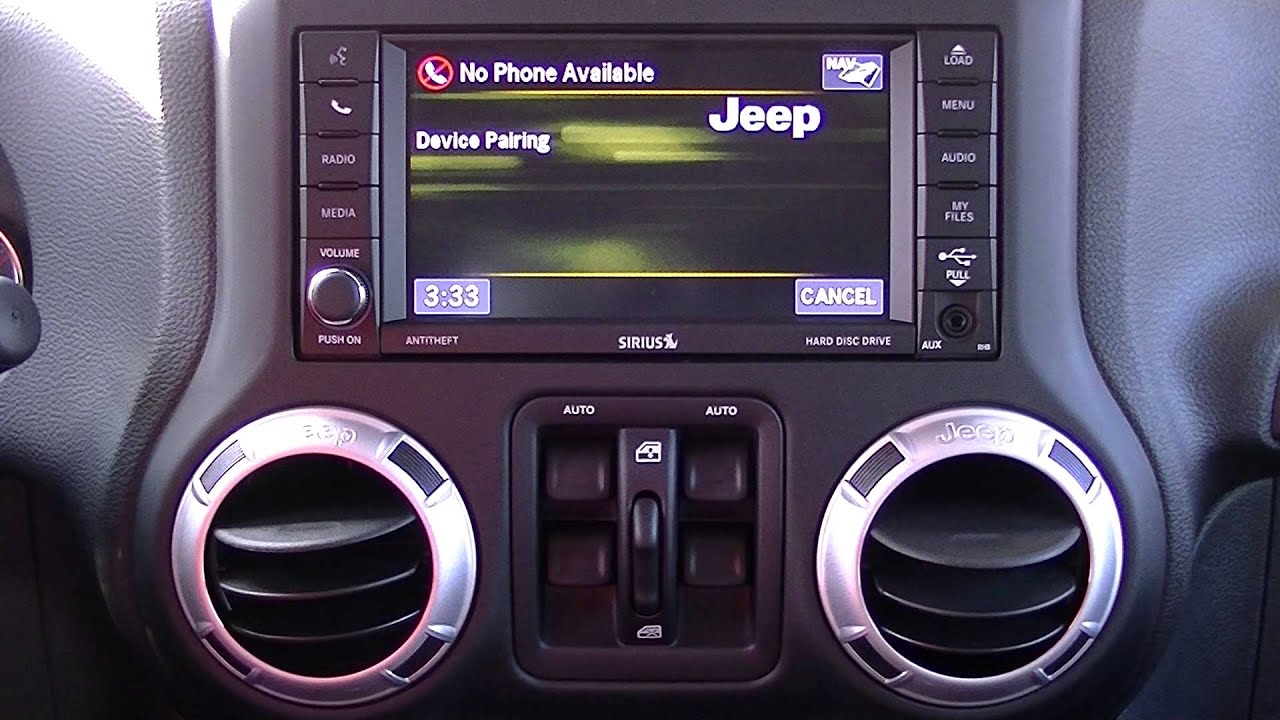
Pairing your phone with your Jeep is simple once you know the steps. Here’s a quick guide:
- Turn on your Jeep and set it in Park.
- Make sure Bluetooth is enabled on your phone.
- On your Uconnect screen, tap Phone > Pair a Device.
- On your phone, search for your Jeep in Bluetooth settings.
- Select your Jeep and confirm the pairing code appears on both screens.
- Accept the connection on both your phone and the Uconnect system.
If you have problems pairing, try restarting your phone or resetting the Uconnect system.
Common Bluetooth Issues
- Device not found: Make sure your phone is discoverable.
- Connection drops: Remove old pairings and try pairing again.
- Audio problems: Confirm audio output is set to Uconnect.

Using Usb And Aux Connections
These ports are for both charging and audio.
- USB: Plug your phone or flash drive into the port. The Uconnect screen should detect your device.
- AUX: Use a standard audio cable to connect from your phone’s headphone jack to the Jeep’s AUX input.
Some newer models may require a USB-C adapter.
| Connection Type | Audio Quality | Charging Support |
|---|---|---|
| Bluetooth | Good | No |
| USB | Excellent | Yes |
| AUX | Good | No |
Setting Up Apple Carplay And Android Auto
These features allow you to use your phone’s apps on your Jeep’s screen.
- Plug your phone into the USB port.
- When prompted, allow access to CarPlay or Android Auto.
- Follow on-screen instructions.
Not all Jeep models support wireless CarPlay or Android Auto. Check your vehicle manual for details.
Key Benefits
- Use maps and navigation from your phone.
- Send and receive messages hands-free.
- Access music and podcasts easily.

Connecting To Jeep Remote Services
If your Jeep is a 2018 model or newer, you may have remote services. These let you start your car, lock/unlock, or check vehicle status from your phone.
How To Set Up
- Download the Jeep mobile app (Uconnect or Jeep Connect).
- Register your vehicle using your VIN.
- Follow the activation steps in the app.
Some services require a paid subscription after a trial period.
| Service | Free Trial | Paid Subscription |
|---|---|---|
| Remote Start | Yes (1 year) | Yes |
| Vehicle Location | Yes | Yes |
| Diagnostics | Yes | Yes |
What To Do If You Can’t Connect
Sometimes, connecting isn’t straightforward. Here are steps to troubleshoot:
- Restart your device and Jeep’s system.
- Delete old devices from the Uconnect menu.
- Update your phone’s operating system and the Uconnect software.
- Check that cables and ports are working if using USB or AUX.
- If using an app, uninstall and reinstall it.
If problems continue, contact your local Jeep dealer or visit the official Jeep connectivity page for further help.
Non-obvious Tips For Jeep Connectivity
- Update Uconnect regularly: Many owners forget software updates. These can fix bugs and add features.
- Pair multiple devices: Some Jeeps allow more than one phone to be paired, useful for families.
- Privacy settings: Check what data is shared when using remote services, especially location tracking.
- Use voice commands: Uconnect supports voice control for safer, hands-free operation.
Comparison Of Connectivity Features By Jeep Model
Understanding which features your Jeep has can save time. Here’s a general look at recent Jeep models.
| Model | Bluetooth | CarPlay/Android Auto | Remote Services |
|---|---|---|---|
| Wrangler (2022) | Yes | Yes | Yes |
| Grand Cherokee (2021) | Yes | Yes | Yes |
| Renegade (2019) | Yes | Yes | No |
Always check your vehicle’s manual or the dealership for exact features.
Frequently Asked Questions
How Do I Reset My Uconnect System If It Stops Working?
Hold the volume and tuner knobs on your Uconnect screen for about 10 seconds. The system will reboot. This solves many minor issues.
Can I Connect More Than One Phone To My Jeep?
Yes, most newer Jeeps let you pair multiple phones. However, only one phone can be active for calls and media at a time.
Why Does My Phone Not Connect After An Update?
This happens if the phone or Uconnect needs new software. Update both devices and try pairing again. Sometimes deleting and re-adding the device helps.
Is It Safe To Use Remote Services?
Remote services use encrypted connections but always use a strong password and keep your app updated for security.
Which Jeeps Support Apple Carplay And Android Auto?
Most 2018 and newer models support both features. Some older models may need a software update or special hardware.
Connecting to your Jeep is about more than convenience it’s about safety, entertainment, and making the most of your vehicle’s features. Take a few minutes to set up your connections properly, and you’ll enjoy every drive with more comfort and confidence.
If you ever have trouble, don’t hesitate to reach out to a Jeep professional or check official resources. With the right setup, your Jeep becomes a true extension of your digital world.