Connecting your phone to a Jeep Grand Cherokee 2012 is not just about playing music or making calls. It’s about convenience, safety, and making your driving experience smoother. Many owners struggle with pairing their smartphones, so this guide walks you through every step—no jargon, no confusion. Whether you want hands-free calling or want to stream music, you’ll learn how to set up your phone quickly and avoid common mistakes.
Understanding Your Jeep’s Bluetooth System
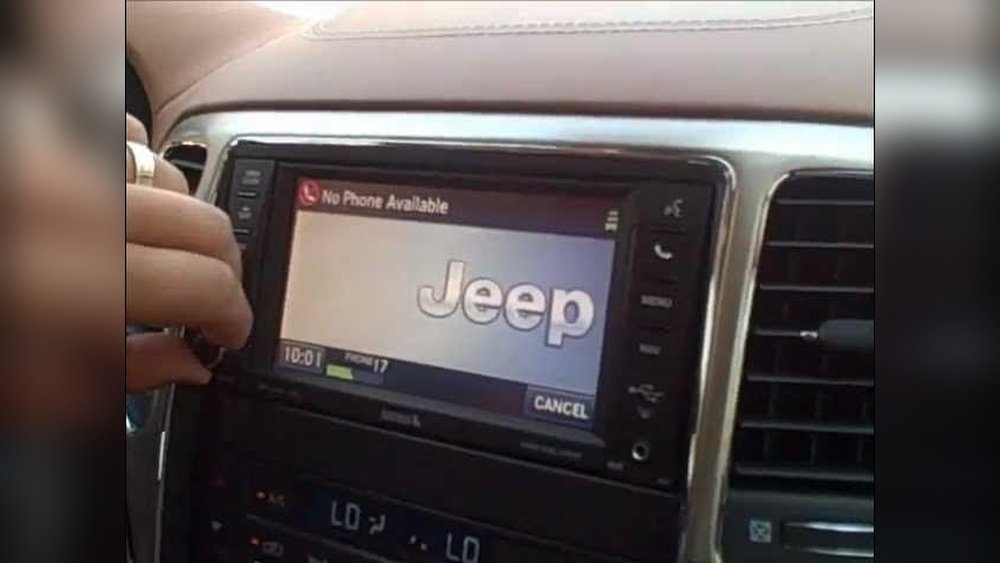
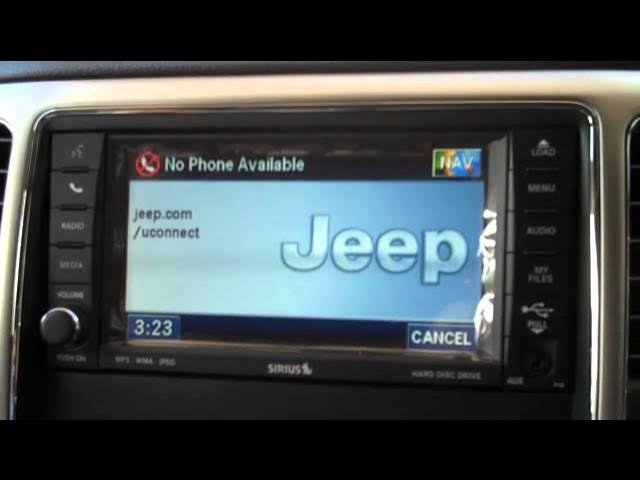
The 2012 Grand Cherokee uses the Uconnect system for Bluetooth connectivity. This system allows you to pair your phone, access contacts, make calls, and stream audio. Not every Jeep trim has Bluetooth, so first check if your vehicle has Uconnect. Look for a phone button on the steering wheel or a “Uconnect” logo on the dashboard screen.
Key Features You Get With Connection
- Hands-free calling
- Audio streaming
- Voice commands
- Contact access
Most drivers use these daily, but many miss out on advanced functions like reading texts aloud or accessing navigation apps.
Steps To Connect Your Phone
Follow these simple steps to pair your phone with your Jeep Grand Cherokee 2012. The process works for both iPhones and Android phones.
- Turn on Bluetooth on your phone. Go to Settings > Bluetooth and switch it on.
- Start your Jeep and ensure Uconnect is powered.
- Access the Uconnect system by pressing the phone button on the dashboard or steering wheel.
- Select “Add Device” on the Uconnect screen.
- Search for devices on your phone. The Jeep should appear as “Uconnect” or “Jeep.”
- Tap to connect on your phone.
- Enter the PIN shown on the Jeep screen, if prompted.
- Confirm pairing on both the phone and Jeep screen.
Your phone should now be connected. If the connection fails, restart both devices and try again.
Some phones require you to allow access to contacts and media always accept these prompts.
Troubleshooting Common Connection Issues
Many users face problems while connecting their phones. Here are the most common issues and how to fix them.
| Problem | Solution | Extra Tip |
|---|---|---|
| Bluetooth not found | Restart phone and Uconnect | Check if Jeep has Bluetooth |
| Pairing fails | Delete old pairings, retry | Keep devices close |
| Calls drop | Update phone software | Disable battery saver |
| Audio not streaming | Set phone as media device | Adjust volume on both devices |
A non-obvious insight: Some older phones don’t support advanced Bluetooth functions. If your phone is outdated, consider upgrading for full compatibility.
Advanced Tips For Better Connectivity
Once you connect your phone, you can improve your experience with a few advanced settings.
- Sync contacts: Allow Uconnect to access contacts for hands-free dialing.
- Use voice commands: Press the voice button and say “Call [name].”
- Stream music: Open your music app and select Uconnect as audio output.
- Switch between devices: Disconnect and reconnect if you use multiple phones.
Some drivers don’t realize that Uconnect can connect to multiple devices (up to 7). However, only one device can be active at a time. If you switch phones often, delete unused devices to avoid confusion.
Comparing Phone Compatibility
Not all phones work equally well with Uconnect. Here’s a comparison of how common phones perform:
| Phone Model | Connection Stability | Feature Support |
|---|---|---|
| iPhone 13 | Excellent | Full |
| Samsung Galaxy S21 | Very Good | Full |
| Google Pixel 6 | Good | Almost Full |
| Older Android (2015) | Fair | Limited |
If your device is older, check for updates or look up Uconnect compatibility lists online for best results.
Making The Most Of Uconnect
After pairing your phone, explore extra features. Many users never use voice dialing or contact syncing. To get the most from Uconnect:
- Store favorite contacts for quick calls.
- Check call history directly from the Jeep screen.
- Adjust audio settings for clearer calls and music.
- Enable Do Not Disturb to avoid distractions while driving.
Another insight: Uconnect’s software can be updated. If you have trouble, ask your dealer about updates. Updated systems fix bugs and improve performance.
Comparing Uconnect With Other Car Bluetooth Systems
To see how Uconnect stacks up, here’s a quick comparison:
| Feature | Uconnect (Jeep) | SYNC (Ford) | Entune (Toyota) |
|---|---|---|---|
| Hands-free calls | Yes | Yes | Yes |
| Voice commands | Good | Excellent | Average |
| Music streaming | Yes | Yes | Yes |
| App integration | Limited | Full | Full |
Uconnect is strong in calling and streaming, but less advanced in app integration compared to newer systems.
Safety And Privacy Considerations
When connecting your phone, remember to protect your privacy. Delete your device from Uconnect before selling your Jeep.
Always set your phone to hide sensitive notifications while driving. If you use rental cars, avoid syncing contacts to unfamiliar systems.
Frequently Asked Questions
How Many Phones Can Uconnect Connect To At Once?
Uconnect can pair with up to 7 phones, but only one can be active for calls and streaming at a time.
Does Uconnect Support All Smartphones?
Uconnect works best with modern smartphones. Some older phones may have limited compatibility or miss features like audio streaming.
Can I Update Uconnect Software Myself?
Most software updates require a visit to your dealer. Some updates can be downloaded from the Jeep website. Learn more at Jeep Official Uconnect.
Why Does My Phone Disconnect Randomly?
Random disconnections are often caused by software bugs or interference. Try updating your phone, disabling battery-saving modes, and keeping devices close.
Is My Contact List Safe When Connected?
Uconnect stores contacts temporarily for hands-free dialing. Remove your phone from the system before selling or trading your vehicle to protect your privacy.
Connecting your phone to your Jeep Grand Cherokee 2012 is easy with the right steps. With Uconnect, you gain more than just basic Bluetooth functions you get a safer and more enjoyable drive.
Take time to explore all features, update your devices, and manage your privacy.
You’ll be surprised by how much smoother your daily driving can be.


















