Connecting Bluetooth to your Jeep Wrangler 2014 can transform your driving experience. It lets you play music wirelessly, make hands-free calls, and use voice commands. Many drivers don’t realize how simple this process is, even if you’re not tech-savvy. This guide will walk you through every step, highlight common mistakes, and share useful tips. By the end, your Jeep will be ready for a safer and smarter drive.
Understanding Jeep Wrangler 2014 Bluetooth Features
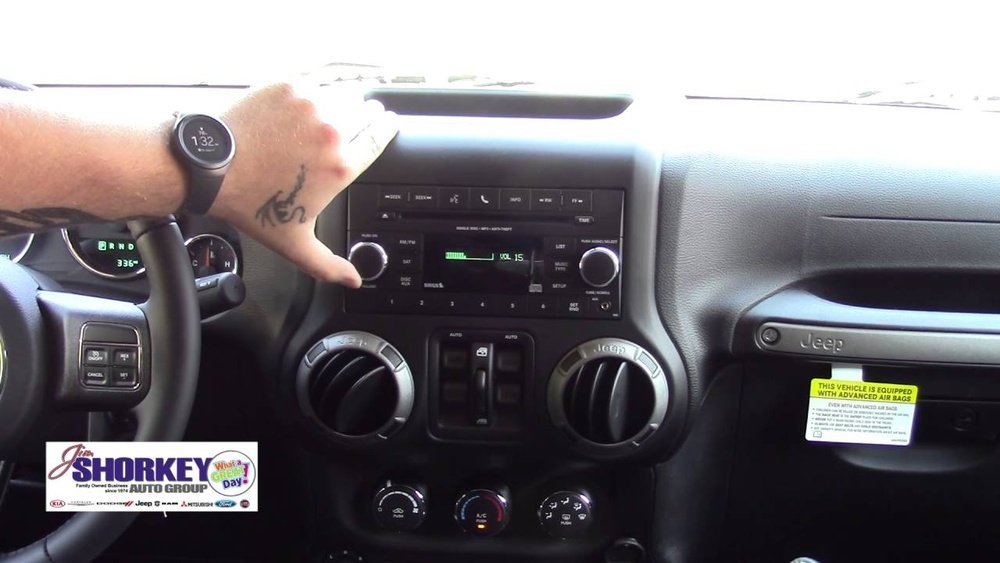
The 2014 Jeep Wrangler comes with the Uconnect system in most trims. This system handles Bluetooth pairing, audio streaming, and phone calls. However, not all Wranglers have Uconnect. If you have the basic radio (no touch screen), Bluetooth may not be available. Always check your owner’s manual or look for the Uconnect logo on your dashboard.
Here’s a quick comparison of Bluetooth features in different Wrangler trims:
| Trim | Bluetooth Calling | Bluetooth Audio | Voice Commands |
|---|---|---|---|
| Sport | Optional | Optional | No |
| Sahara | Standard | Standard | Yes |
| Rubicon | Standard | Standard | Yes |
If you have the Uconnect system, you can connect Bluetooth. If not, you may need a Bluetooth adapter (more on this later).
Step-by-step: Connecting Bluetooth To Jeep Wrangler 2014
Follow these steps to connect Bluetooth on most 2014 Jeep Wranglers:
1. Start Your Jeep
Turn on the ignition. The Uconnect system needs power to work.
2. Access Uconnect Bluetooth Settings
Press the Phone button on your dashboard or steering wheel. The screen will display options.
3. Enable Bluetooth On Your Phone
Go to your phone’s settings and turn on Bluetooth. Make sure your phone is visible to other devices.
4. Pairing Process
Select “Add Device” or “Pair New Device” on the Uconnect screen. The system will show a list of nearby devices.
5. Select Your Jeep In Phone Settings
On your phone, look for “Uconnect” or “Jeep” under available devices. Tap to connect.
6. Enter The Pin
Uconnect will display a PIN code. Enter this code on your phone if requested. The pairing process may take a few seconds.
7. Confirm Connection
Once paired, your phone’s name appears on the Uconnect screen. You’ll hear a confirmation sound.
8. Test The Connection
Try making a call or playing music. If you hear audio through the Jeep speakers, the connection is successful.
Here’s a table to compare the steps and time needed:
| Step | Estimated Time | Difficulty |
|---|---|---|
| Start Jeep | 10 seconds | Easy |
| Access Settings | 30 seconds | Easy |
| Enable Bluetooth | 20 seconds | Easy |
| Pair Devices | 60 seconds | Medium |
| Enter PIN | 15 seconds | Easy |
| Test Connection | 30 seconds | Easy |
Common Problems And Solutions
Many beginners face trouble during Bluetooth pairing. Here are some issues and fixes:
- Connection Fails:
Restart both your phone and Jeep’s Uconnect. Try pairing again.
- Bluetooth Not Showing:
Make sure your phone’s Bluetooth is visible. On some phones, you must manually set visibility.
- Audio Not Working:
Check the volume settings on both the phone and the Jeep. Some music apps may need extra permissions.
- Multiple Devices:
Uconnect can store several paired devices, but only one can be active at a time. Remove old devices if needed.
- Uconnect Not Responding:
Sometimes, the system freezes. Hold the power button for 10 seconds to reset.
One insight many users miss: Bluetooth range is limited. If you walk away with your phone, connection drops. Also, some phone models have compatibility issues. Check your phone’s software updates if pairing fails.
Adding Bluetooth If Your Jeep Lacks It
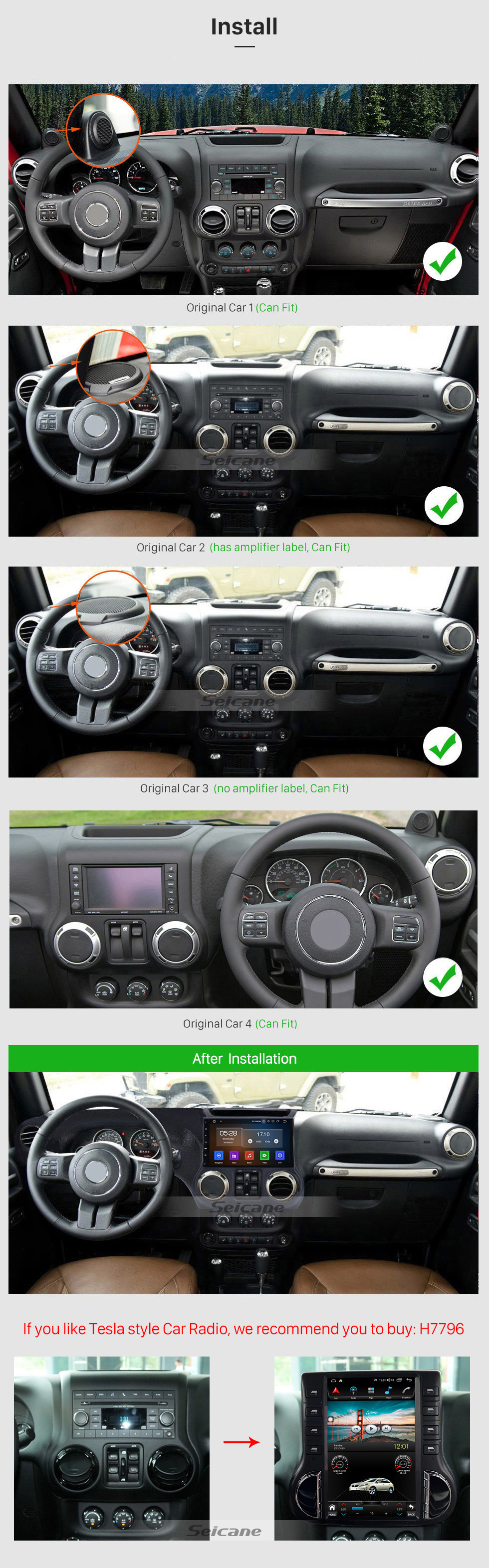
If your Jeep Wrangler 2014 doesn’t have Uconnect, you can still add Bluetooth. Buy a Bluetooth adapter that plugs into the AUX or USB port. These adapters are affordable and easy to install.
Key features to compare:
| Adapter Type | Audio Quality | Price Range | Ease of Use |
|---|---|---|---|
| AUX Adapter | Good | $20–$50 | Plug and Play |
| USB Adapter | Excellent | $30–$70 | Plug and Play |
| FM Transmitter | Fair | $15–$40 | Needs tuning |
For most drivers, the AUX adapter works best. It’s simple, works with any phone, and doesn’t affect your radio.

Tips For Safe And Easy Bluetooth Use
- Always pair your phone before driving.
- Use voice commands when possible to keep hands on the wheel.
- Keep your phone’s software updated for best compatibility.
- If you switch phones, delete old devices from Uconnect.
- Avoid using Bluetooth for video calls or streaming video while driving.
A useful tip: If you use multiple phones (work and personal), set one as the priority device in Uconnect. This prevents confusion during calls.
Frequently Asked Questions
How Do I Know If My Jeep Wrangler 2014 Has Bluetooth?
Look for the Uconnect logo on your radio or check your owner’s manual. If you see a phone button on your dashboard, you likely have Bluetooth.
Can I Play Music From Any App Through Jeep Bluetooth?
Yes, most apps like Spotify, Apple Music, and Pandora work. If music doesn’t play, check your phone’s audio settings and app permissions.
What Should I Do If The Bluetooth Won’t Connect?
Restart your phone and Jeep, make sure Bluetooth is enabled, and try pairing again. Remove old devices from Uconnect if needed.
Is It Possible To Connect Multiple Phones?
Uconnect can store several devices, but only one can be active at a time. Set your preferred phone as the priority for incoming calls.
Where Can I Find More Help With Jeep Bluetooth Problems?
Visit the official Jeep support site or read guides at Jeep Official Support for detailed troubleshooting.
Connecting Bluetooth to your Jeep Wrangler 2014 isn’t complicated. With these steps, tips, and solutions, you’ll enjoy hands-free calls and music in no time.
Always prioritize safety and keep your system updated for the best performance.



















