A 2012 Grand Cherokee Bluetooth setup depends on the Uconnect radio fitted to the vehicle and the phone you are pairing. Start with the Jeep parked, clear old pairings when necessary, and follow the prompts shown by the radio or voice system.
Quick Answer
The official 2012 Grand Cherokee guide includes Uconnect phone pairing instructions. Pair the phone while parked, enable Bluetooth on the phone, follow the Uconnect prompts, confirm the passkey, and test a call before driving.
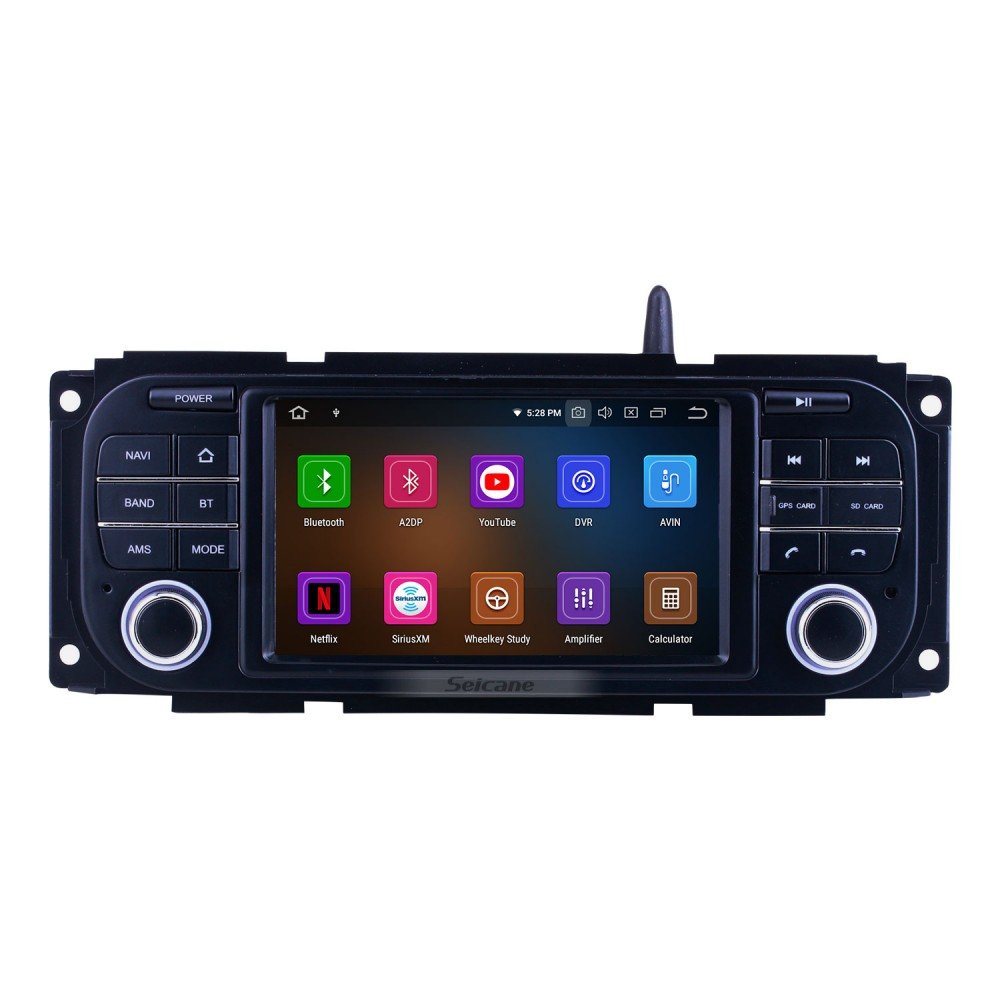
Identify the Radio
The 2012 Grand Cherokee was offered with different electronics. Check the radio screen, buttons, and manual section before following a video made for another unit.
Park Before Pairing
Pairing requires attention. Complete the setup while the Jeep is safely parked and the phone is unlocked.
Enable Bluetooth Visibility
Open the phone Bluetooth settings and make the device discoverable when the pairing process requests it.
Follow the Uconnect Prompts
The radio or voice system may ask for a passkey, device name, or priority. Confirm the same code on the phone and vehicle.
Test Audio and Calls
Make a short test call and check media audio separately. A phone may pair for calls while audio streaming behaves differently.
Key Details to Check
| Item | What to verify | Why it matters |
|---|---|---|
| Radio | Exact Uconnect unit | Determines the menu path |
| Phone | Bluetooth enabled and visible | Allows discovery |
| Passkey | Matching code on phone and Jeep | Confirms pairing |
| Priority | Primary phone selection | Controls automatic connection |
| Test | Calls and audio | Verifies the setup |
Step-by-Step Review
- Park the Grand Cherokee and keep the phone unlocked.
- Open the matching Uconnect pairing section.
- Turn on Bluetooth on the phone.
- Start the pairing process from the radio or voice system.
- Select the Uconnect device on the phone.
- Confirm the passkey and device priority.
- Test a call, then test audio streaming if supported.
Common Mistakes to Avoid
- Pairing while driving.
- Following instructions for a newer Uconnect screen.
- Leaving too many old devices stored.
- Confirming mismatched passkeys.
- Assuming call pairing proves every audio feature works.
When Old Devices Block the Setup
If the radio will not accept another device, review the stored-phone list and remove unused pairings. Keep the primary phone at a clear priority level so the Jeep does not connect to an old device first.
Phone Permission Check
Modern phones may ask for contact, call, or audio permissions after pairing. Review the permissions on the phone.
A connected device with blocked permissions may look like a failed pairing.
Reconnect After a Phone Update
When pairing stops after a phone update, restart the phone, restart the Jeep, and test again. If the issue remains, remove the pairing from both sides and build a fresh connection.
Keep a Useful 2012 Grand Cherokee Bluetooth Pairing Record
Save the model year, VIN, mileage, one clear photo, and the final result related to 2012 Grand Cherokee Bluetooth pairing. Add the manual page, receipt, scan result, or part number when relevant.
For this topic, record radio and phone before the Jeep returns to normal use. A focused 2012 Grand Cherokee Bluetooth pairing record gives the next owner or workshop a stronger starting point and prevents the same checks from being repeated without context.
Pairing Notes for Multiple Drivers
When several drivers use the Grand Cherokee, decide which phone should connect first and remove devices that are no longer used. Write down the radio type and pairing path for the household.
If the system connects to the wrong phone after startup, review priority settings before deleting everything. A short pairing record saves time after phone upgrades.
Bluetooth Reset Without Losing Track
If pairing remains unreliable, remove the stored connection from the phone and the Uconnect list, restart both devices, and pair again while parked. Make one change at a time.
Note whether calls, contacts, and audio streaming work after the fresh connection. This creates a useful record if the radio needs further diagnosis or a later software-related check.
Clear Pairing Notes Before Selling
Before selling the Grand Cherokee, remove stored phones and personal contacts from the Uconnect system. Test the radio afterward so the next owner receives a clean setup.
Privacy cleanup is a small but important part of transferring an older connected vehicle.
Frequently Asked Questions
Why does the Jeep connect to the wrong phone?
Review stored devices and priority settings.
Why do calls work but music does not?
Calls and audio streaming may use separate profiles or radio capabilities.
Should I pair while driving?
No. Park first.
Final Takeaway
Pair the 2012 Grand Cherokee while parked, use the correct Uconnect menu, confirm the passkey, and test calls plus audio. Remove stale devices when automatic connection becomes unreliable.