Many Jeep owners love their vehicles for their durability and style, but sometimes simple tasks can feel confusing. One common challenge is adjusting the clock, especially if you drive a 2015 Jeep Patriot. Whether it’s after daylight saving time changes or a battery replacement, knowing how to change the time is essential. The process is quick, but the right steps make all the difference. Let’s walk through exactly how to set your Jeep’s clock, avoid common mistakes, and make sure your settings are accurate all year round.
Understanding The Clock System In The 2015 Jeep Patriot
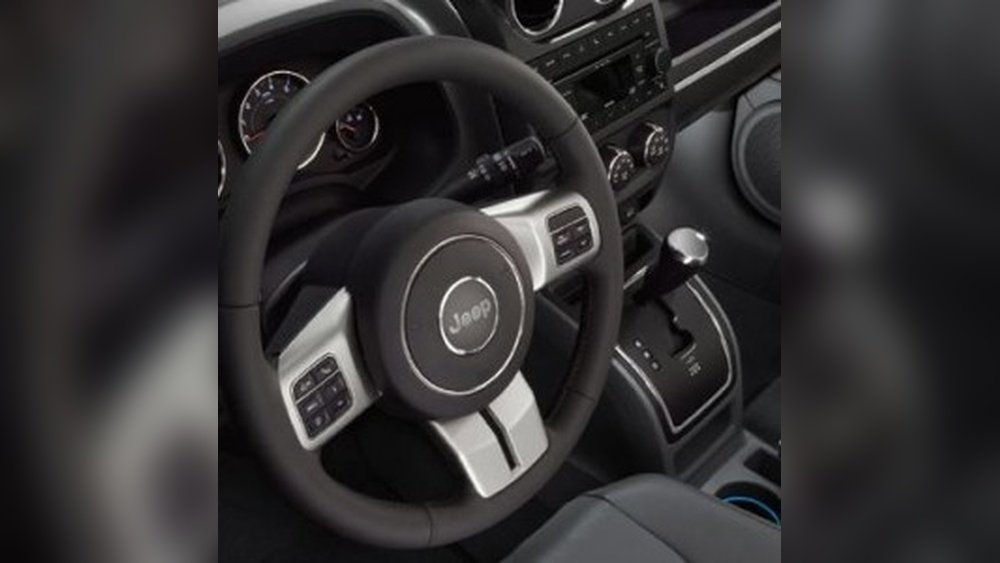
The 2015 Jeep Patriot comes with a basic digital clock integrated into the radio display. Some models have the standard radio, while others may feature a touch-screen unit. The steps for setting the time are similar for both, but slight differences can occur based on your radio type.
Most Patriots use a manual clock adjustment system. This means you do not need special tools or dealer support just your hands and a few minutes.
Step-by-step Guide: How To Change The Time
Here’s how to change the time on your 2015 Jeep Patriot:
- Turn on the ignition. The radio and clock will light up. You don’t need to start the engine.
- Locate the clock button. On most models, you’ll find a button labeled “Time” or “Clock.” This is often part of the radio control panel.
- Press and hold the Time button. After a few seconds, the time display will start flashing.
- Adjust the hours. Use the “Seek” or “Tune” buttons to move the hour up or down.
- Adjust the minutes. Press the Time button again to switch to minutes, then use “Seek” or “Tune” to set the correct minute.
- Finalize the setting. Press the Time button one last time to save your changes.
Note: In some touch-screen models, you might need to go into the “Settings” menu and select “Clock” to adjust the time.

Key Differences In Clock Adjustment Methods
To help you see the differences between clock adjustment methods, here’s a quick comparison:
| Radio Type | Adjustment Buttons | Menu Navigation |
|---|---|---|
| Standard (Non-Touch) | Time, Seek/Tune | No menu needed |
| Touch-Screen | On-screen arrows | Settings > Clock |
If you’re unsure which system you have, check your owner’s manual or look for the “Menu” or “Settings” button on your dashboard.
Common Issues And How To Fix Them
Many drivers run into small problems when setting their clock. Here are some solutions:
- Buttons don’t respond: Make sure the ignition is in the “On” or “Run” position.
- Time won’t save: Repeat the steps, ensuring you press the Time button to confirm.
- Clock resets randomly: This often means your car battery is weak or connections are loose.
Pro Tip: If your radio is aftermarket (not Jeep’s original), the steps may be different. Always check the radio’s manual if the standard steps don’t work.
Why Accurate Time Matters
You might think a few minutes off won’t matter, but accurate time is important for:
- Scheduled reminders: Some Patriots have alerts for maintenance that depend on the clock.
- Navigation: GPS or trip computers sometimes use the clock for logging trips.
- Safety: Accurate time helps you keep track during long drives and plan rest stops.
Tips For Keeping Your Jeep’s Clock Correct
- Check after battery changes. The clock may reset to 12: 00 or another default.
- Adjust for daylight saving time. Mark your calendar to update the clock twice a year.
- Set to the nearest minute. This helps with travel planning and syncing with devices.
- Check for radio firmware updates. Rare, but some newer radios may get updates that affect the clock.
Many drivers forget step 3, but being precise helps, especially if you rely on your vehicle as your main time reference.
Quick Reference: Steps At A Glance
Here’s a simple overview for those who want a fast reminder:
| Step | Action |
|---|---|
| 1 | Ignition On |
| 2 | Press and Hold Time/Clock |
| 3 | Set Hours |
| 4 | Set Minutes |
| 5 | Press Time/Clock to Save |
What Beginners Often Miss
Many new owners overlook two important details. First, the clock won’t update automatically when you cross time zones or during daylight saving switches. Always remember to adjust it manually.
Second, not all radio systems in the 2015 Jeep Patriot are the same. Some limited edition models have a different interface.
If you get stuck, checking the owner’s manual or contacting a dealer can save time.

When To Seek Professional Help
If you follow the steps and your clock still doesn’t set, there may be an electrical issue. Signs include a fading display or other dash lights not working.
In these cases, visiting a certified mechanic is best.
For more official information, you can visit the Jeep Owners Site.
Frequently Asked Questions
How Do I Know If My Patriot Has The Standard Or Touch-screen Radio?
Check your dashboard. If your radio has physical buttons and a basic display, it’s the standard type.
If you see a color screen and on-screen buttons, it’s touch-screen.
Why Does My Jeep Clock Keep Resetting?
A clock that won’t hold time often points to a weak battery or loose wiring. If you’ve just replaced your battery, double-check the connections.
Can I Set The Clock While Driving?
For safety, always set the clock while parked. Some models may lock out clock settings if the car is moving.
Does The 2015 Jeep Patriot Clock Adjust For Daylight Saving Time Automatically?
No. You need to change the clock manually in spring and fall.
Automatic updates are not available on most 2015 Patriot radios.
If buttons are unresponsive, try turning the car off and on. If the issue remains, the radio may need a reset or professional service.
Setting the correct time in your 2015 Jeep Patriot only takes a few minutes but makes a big difference on the road. With these steps, you’ll never be late—or confused—because of your car’s clock again.


















