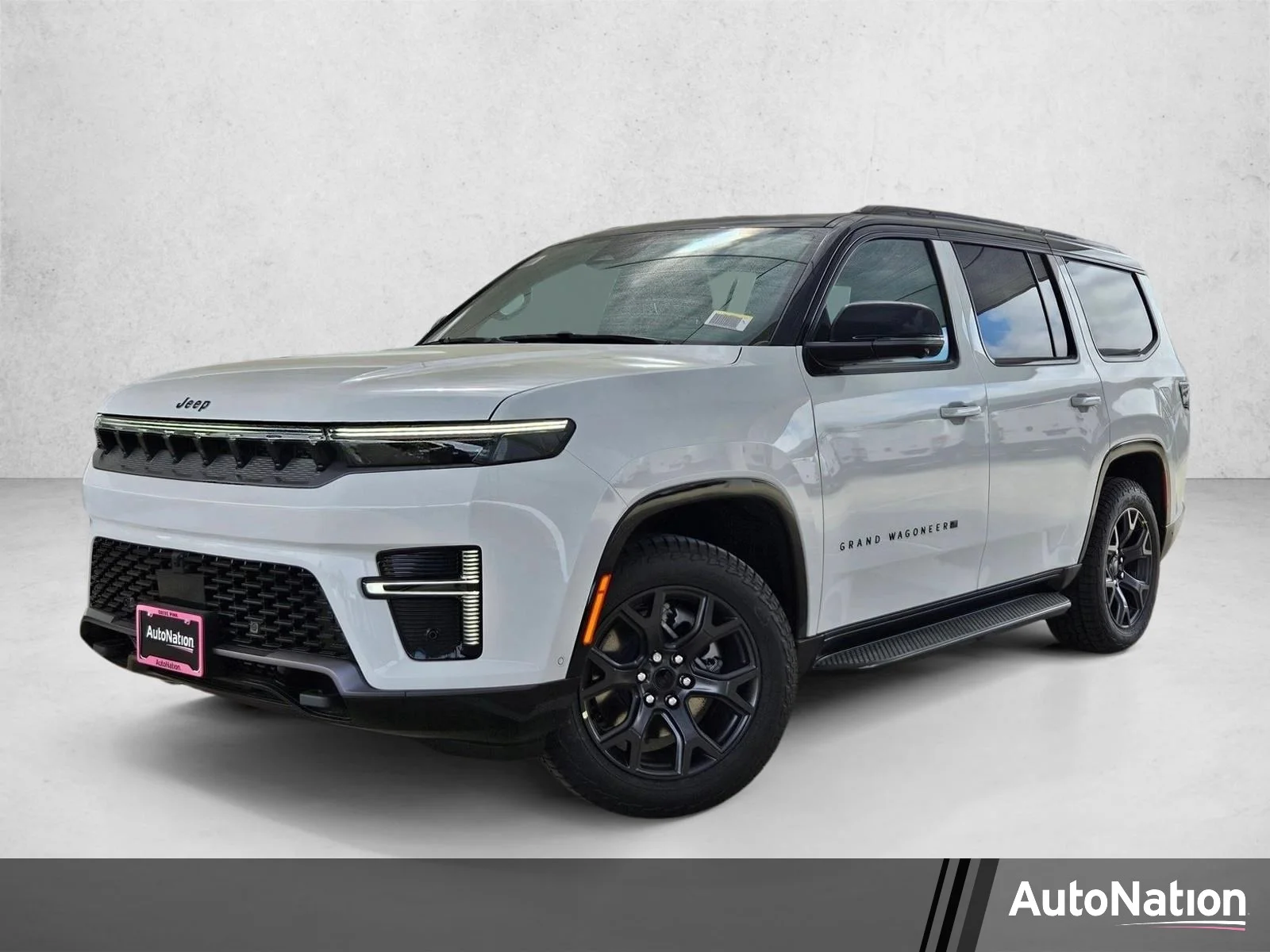
Changing your home address on a Jeep’s navigation system is more than a simple update it’s a smart way to ensure accurate directions and save time.
Whether you’ve moved to a new house or want to fix an old entry, knowing how to update your Jeep’s navigation helps you avoid wrong turns and wasted trips.
Many Jeep owners feel frustrated when their navigation sends them to their previous home, but the solution is clear and easy to follow.
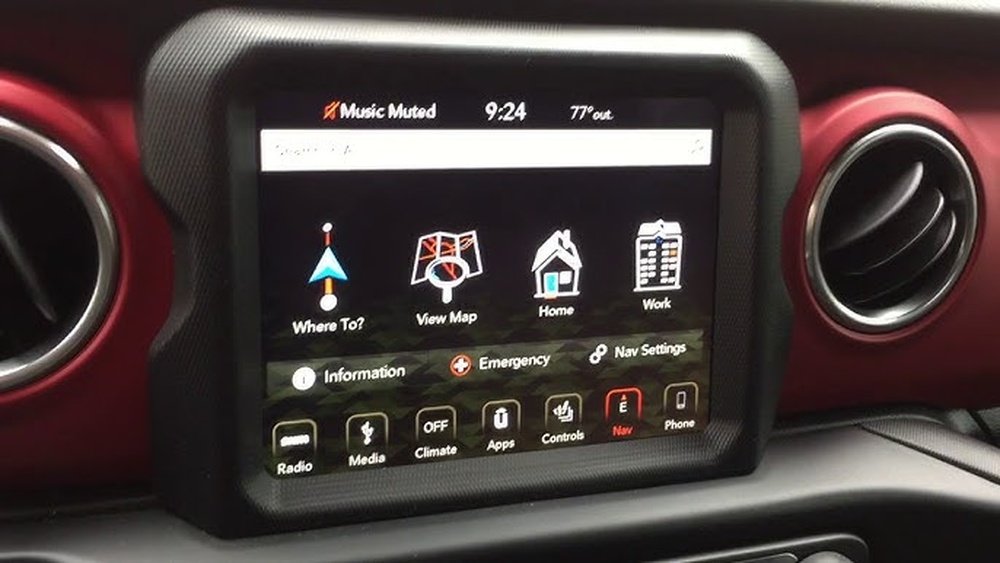
Jeep vehicles use different navigation systems depending on the model and year. Most recent models use Uconnect, an advanced infotainment system that combines navigation, media, and smartphone integration. Older Jeeps may rely on simpler built-in navigation screens. Knowing your system type is important, because the steps can vary.
Here’s a quick comparison of common Jeep navigation systems:
| System Name | Main Features | Common Models |
|---|---|---|
| Uconnect 4C NAV | Touchscreen, voice commands, real-time traffic | Grand Cherokee, Wrangler (2018+) |
| Uconnect 5 NAV | Improved interface, wireless connectivity, larger screen | Wagoneer, Grand Cherokee (2021+) |
| Basic Navigation | Simple map, manual input | Older Compass, Patriot |
If you’re unsure which system your Jeep uses, check your owner’s manual or the startup screen. This information helps you follow the right steps.
Step-by-step Guide: Changing Your Home Address
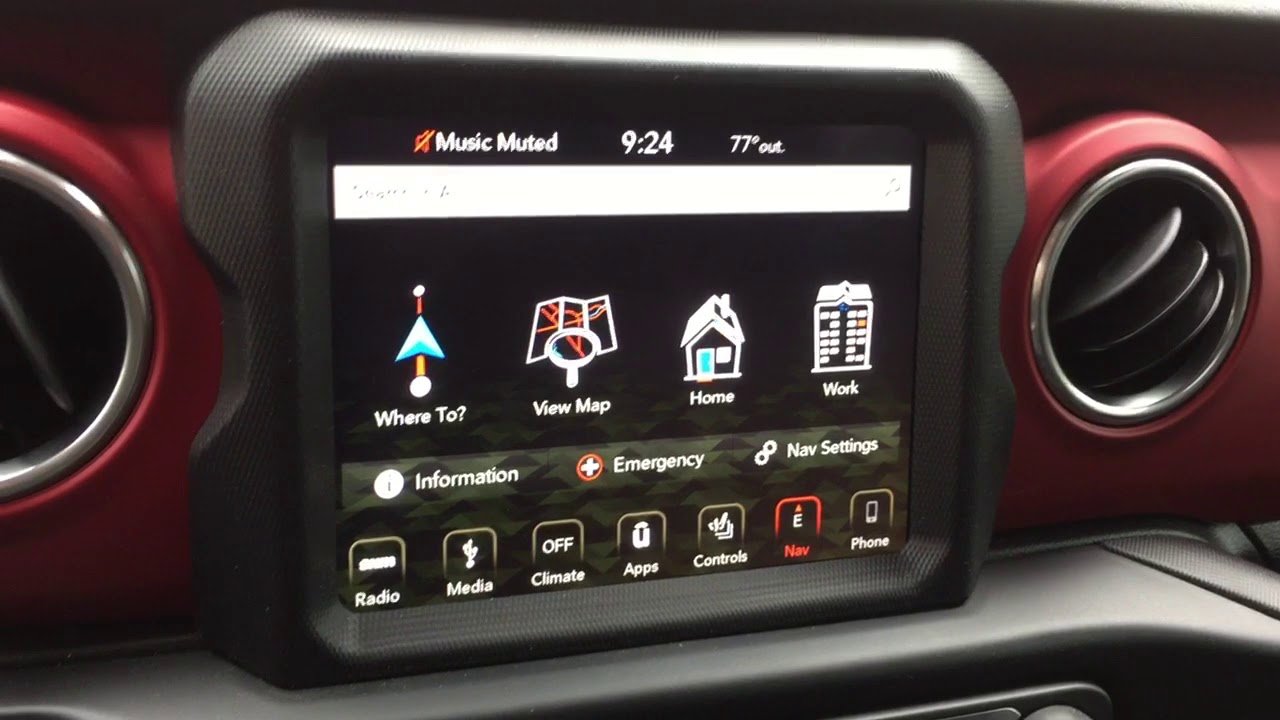
Most Jeep navigation updates follow a similar process. Here’s how to change your home address on a Uconnect system:
- Turn on the vehicle. Make sure the navigation screen is active.
- Access the Navigation Menu. Tap the ‘Nav’ or ‘Navigation’ button on the touchscreen.
- Open Settings. Look for a gear or menu icon, often found in the lower corner.
- Select ‘Home Address.’ Choose ‘Edit Home’ or ‘Set Home Location.’
- Enter New Address. Use the keyboard to type your new home address. Double-check the spelling and number.
- Confirm and Save. Tap ‘Save’ or ‘OK’ to store the new address.
For older systems, the steps may involve physical buttons. In these cases, use the navigation arrows and ‘Enter’ button to scroll through menus and type your address.
Example: Changing Address On Uconnect 5
Suppose you drive a 2022 Jeep Grand Cherokee with Uconnect 5 NAV. The screen prompts you to set a home location. Follow these steps:
- Tap ‘Navigation.’
- Open ‘Favorites.’
- Select ‘Home’ and tap ‘Edit.’
- Enter your new address, including street, city, and zip.
- Press ‘Save.’
Your new home address is now active. The system will use it for directions, weather, and traffic updates.
Common Mistakes And How To Avoid Them
Many Jeep owners make small errors when updating their navigation. Here are some tips to prevent issues:
- Incorrect Formatting. Always use the full address, including city and zip code. Partial entries can cause wrong results.
- Outdated Maps. If your maps are old, new streets or addresses may not appear. Update your navigation maps regularly.
- Saving Without Confirmation. Double-check that your changes are saved. Some systems require an extra confirmation.
- Ignoring System Updates. Software updates fix bugs and add features. Check for updates before changing your address.
A surprising insight: Some users forget to remove their old home address from ‘Favorites,’ which can cause confusion when selecting destinations. Always delete outdated entries.
If your new address isn’t found, your maps may be outdated. Updating your Jeep navigation maps is essential for accuracy. Here’s how you can do it:
- Visit the Jeep or Uconnect official website.
- Download the latest map updates to a USB drive.
- Insert the USB into your vehicle’s port.
- Follow on-screen instructions to update.
Map updates usually take 20-30 minutes. Always keep your engine running during the update to avoid interruptions.
Here’s a comparison of map update sources:
| Source | Update Frequency | Cost |
|---|---|---|
| Jeep Official Website | Annual | Often Free for 1 Year |
| Uconnect Portal | Quarterly | Subscription Required |
| Third-Party Vendors | Varies | Fees Apply |
Practical Tips For A Smooth Update
Changing your address can be easy, but here are some expert tips:
- Check GPS Signal: Make sure your Jeep is parked in an open area. Poor signal can cause errors.
- Review Address Details: Avoid typos, especially in street numbers and zip codes.
- Restart System: After saving your new address, restart the navigation system for changes to apply.
- Backup Favorites: If you have other favorite locations, consider backing them up before making changes.
Most owners overlook the importance of restarting the system. This ensures the navigation uses the new address immediately.
Data Security And Privacy
When you change your home address, your Jeep stores it securely. However, if you sell or trade your vehicle, always delete personal addresses.
This prevents privacy risks and keeps your information safe.
Here’s a quick guide for removing personal addresses:
| Action | Navigation Menu | Security Benefit |
|---|---|---|
| Delete Home Address | Favorites > Home > Delete | Protects privacy |
| Clear Navigation History | Settings > History > Clear All | Removes travel records |
| Factory Reset | Settings > System > Reset | Wipes all data |
Where To Get More Help
If your navigation system doesn’t accept your new address, or you face technical errors, contact your Jeep dealer or check the official Uconnect support site. For more details on map updates and troubleshooting, visit Jeep Uconnect.
Frequently Asked Questions
Map updates are recommended at least once a year. If you drive in new areas or your address changes, update sooner for accuracy.
Can I Set Multiple Home Addresses?
Most Jeep systems allow only one home address. You can add other locations as ‘Favorites’ for quick access.
What Should I Do If My New Address Isn’t Recognized?
First, check for map updates. If your address is very new, contact Jeep support for assistance or use the nearest recognized address.
Is It Possible To Change The Address Using Voice Commands?
Some newer Uconnect systems support voice input. Try saying “Set Home Address” and follow the prompts, but manual entry is usually more reliable.
Will Changing My Home Address Affect Other Settings?
No, updating your home address only changes navigation-related data. Other settings, like radio presets and Bluetooth connections, remain unchanged.
Changing your Jeep navigation home address is simple, but it makes a big difference in daily driving. With regular updates and careful entry, you’ll enjoy accurate directions and peace of mind every time you start your Jeep.