Losing power in your 2018 Jeep Compass key fob can be frustrating, especially if it happens at the wrong moment. The good news is, changing the battery is simple and takes only a few minutes.
You don’t need special tools or advanced skills.
Whether your key fob isn’t unlocking the doors, or you get a dashboard message about a low key battery, this guide shows you every step. We’ll cover exactly which battery you need, how to open your fob, and tips to avoid mistakes.
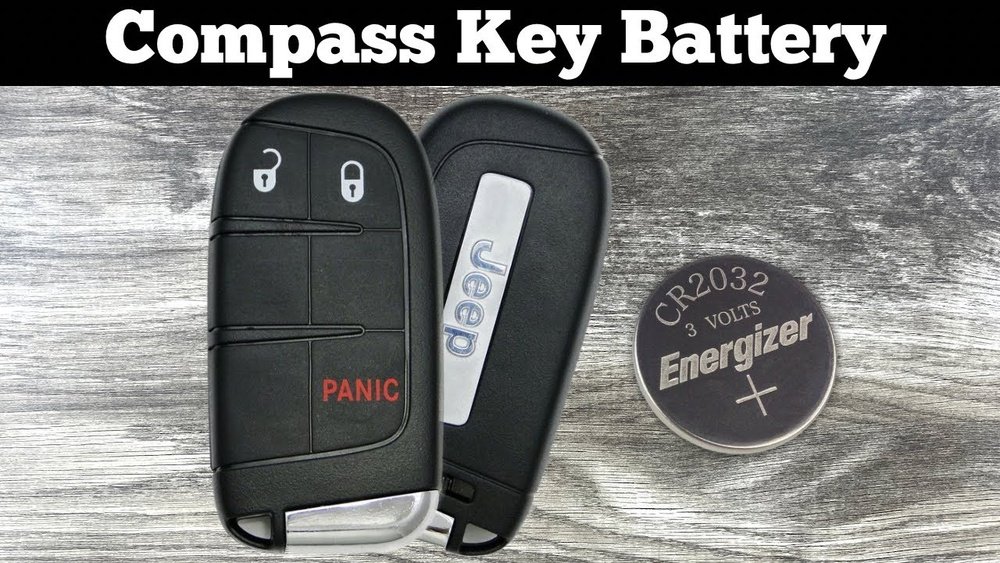
Let’s get your key fob working like new again.
Signs Your Key Fob Battery Is Low
You might not notice the battery dying right away. Here are common signs:
- Reduced range: You need to be closer to the car for it to work.
- Delayed response: Doors unlock more slowly.
- Warning light: Your Jeep may display a “Key Fob Battery Low” message.
- No response: The fob stops working completely.
Changing the battery as soon as you notice these signs helps avoid getting locked out or needing emergency help.
What You Need
Before you begin, get these items ready:
- CR2032 battery (one piece, 3V lithium coin cell)
- Small flat-head screwdriver or plastic prying tool
- Clean cloth (optional)
Using the right battery is important. The CR2032 is the standard for most Jeep key fobs.
Check your owner’s manual or the number on your old battery if you’re unsure.
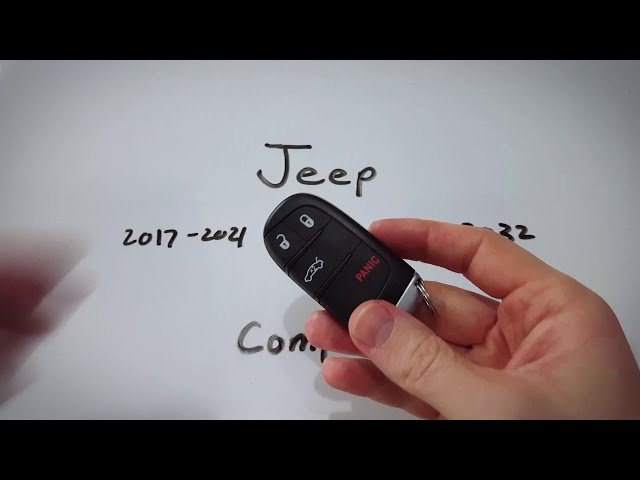
Step-by-step: Changing The Battery
Follow these steps to swap the battery in your 2018 Jeep Compass key fob.
1. Remove The Mechanical Key
Most Jeep key fobs have a small mechanical key inside for emergencies.
- Find the release button on the back of the fob.
- Press the button and slide the mechanical key out.
This step makes the next part easier and prevents breaking the fob.
2. Pry Open The Fob
- Look for a small notch along the seam of the fob.
- Insert the flat-head screwdriver or a plastic prying tool into the notch.
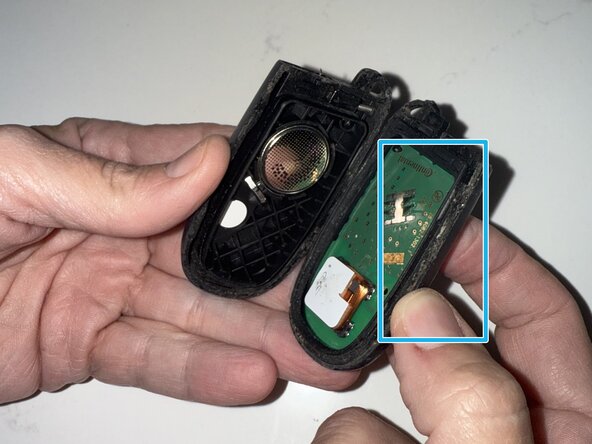
- Gently twist the tool to separate the two halves of the fob.
Be patient don’t force it. Too much pressure can crack the plastic.
3. Locate And Remove The Battery
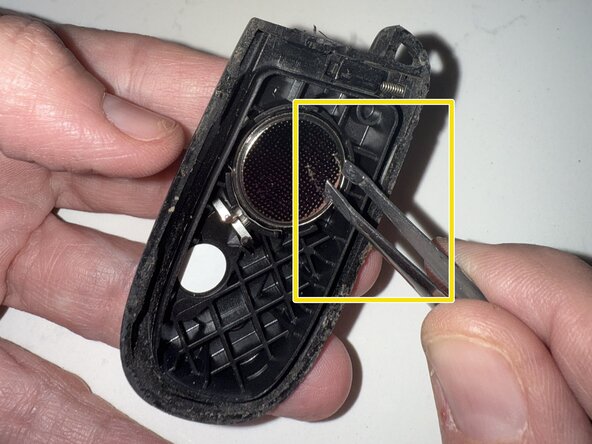
Inside, you’ll see the CR2032 battery. Remember the orientation (which side is up).
- Use your tool to carefully lift the old battery out.
- Avoid touching the circuit board or metal contacts.
4. Insert The New Battery
- Place the new battery in, matching the positive (+) side as before.
- Press gently until it’s seated firmly.
5. Snap The Fob Back Together
- Align the two halves of the fob.
- Press firmly until you hear a click.
Make sure there are no gaps. If it doesn’t close smoothly, check the battery’s position.
6. Reinsert The Mechanical Key
Slide the mechanical key back into place. Test the buttons to make sure everything works.
Practical Tips And Common Mistakes
Many people rush the process and end up with a broken fob. Here’s how to avoid common problems:
- Don’t use metal tools aggressively—plastic prying tools are safer and prevent scratches.
- Check battery orientation twice before closing the fob. Reversing it won’t work and could cause damage.
- Clean contacts with a dry cloth if you see dirt. Dirty contacts can stop the fob from working even with a new battery.
- Test all buttons before leaving home. If something feels loose, open the fob and try again.
One thing beginners often miss is that some fobs may need a reset after battery change. If yours isn’t working, try locking and unlocking the car manually, then test the remote again.
Why Battery Quality Matters
Not all coin cell batteries are the same. Cheaper brands may not last as long or fit as well. For the 2018 Jeep Compass key fob, always use a quality CR2032 battery from a trusted brand like Energizer, Panasonic, or Duracell.
Here’s a quick comparison of popular CR2032 battery brands:
| Brand | Typical Lifespan | Price Range (USD) | Leak Protection |
|---|---|---|---|
| Energizer | 3-5 years | $2-$4 | Yes |
| Panasonic | 3-5 years | $2-$4 | Yes |
| Generic | 1-2 years | $1-$2 | No |
It’s better to pay a little more for peace of mind.
When To Replace The Entire Key Fob
Sometimes, a new battery doesn’t fix the problem. This could mean:
- Internal damage from water or drops
- Worn out buttons
- Circuit board failure
If your fob still doesn’t work after a battery change and cleaning, you may need a replacement. A dealer can program a new key fob, but it’s more expensive.
Local locksmiths sometimes offer this service at a lower cost.
How Long Does It Take?
Changing the battery usually takes 5–10 minutes if you have everything ready. Most people can do it on their first try.
Here’s a quick breakdown:
| Step | Estimated Time |
|---|---|
| Remove mechanical key | 1 minute |
| Pry open fob | 2 minutes |
| Swap battery | 1 minute |
| Reassemble & test | 2–3 minutes |
Recycling Old Batteries
Don’t throw used batteries in the trash. CR2032 batteries contain small amounts of chemicals that can harm the environment. Many auto parts stores and supermarkets have recycling bins for coin cell batteries.
Frequently Asked Questions
How Do I Know If My Jeep Compass Key Fob Battery Is Dead?
If your key fob doesn’t unlock the car, needs to be very close, or if you see a “Key Fob Battery Low” message on your dash, the battery is likely dead.
What Type Of Battery Does The 2018 Jeep Compass Key Fob Use?
It uses a CR2032 3V lithium coin cell battery. Always check the old battery or your owner’s manual to confirm.
Can I Change The Key Fob Battery Myself Or Do I Need A Dealer?
You can easily change the battery yourself with a small screwdriver or plastic tool. No dealer visit is needed.
What Should I Do If The Key Fob Still Doesn’t Work After Changing The Battery?
Check the battery orientation, clean the contacts, and make sure the fob snapped together tightly. If it still doesn’t work, the fob may be damaged and might need replacement.
Where Can I Find More Information On Key Fob Maintenance?
Visit the official Jeep Owners website for manuals and support.
A working key fob gives you peace of mind and makes using your Jeep Compass easy. With these steps, you can replace the battery in minutes and avoid unnecessary stress or dealer visits.


















