Activating Uconnect on your Jeep is more than just pushing a button it’s your gateway to navigation, hands-free calls, music streaming, and real-time vehicle info. Many Jeep owners feel confused about getting started with Uconnect, especially when the tech feels overwhelming.
This guide walks you through the activation process, helps you avoid common mistakes, and explains how to unlock the full power of Uconnect. You’ll learn the steps for different Jeep models, see key differences in features, and get practical tips for a smooth setup.
Even if you’re new to in-car technology, you’ll finish this article feeling confident about using Uconnect.
What Is Uconnect And Why It Matters
Uconnect is the infotainment system in Jeep vehicles. It combines navigation, Bluetooth connectivity, voice controls, and smartphone integration in one place. According to Jeep, over 80% of new Jeep buyers use Uconnect regularly, making it a core part of the driving experience.
With Uconnect, you can:
- Make hands-free calls
- Stream music from your phone
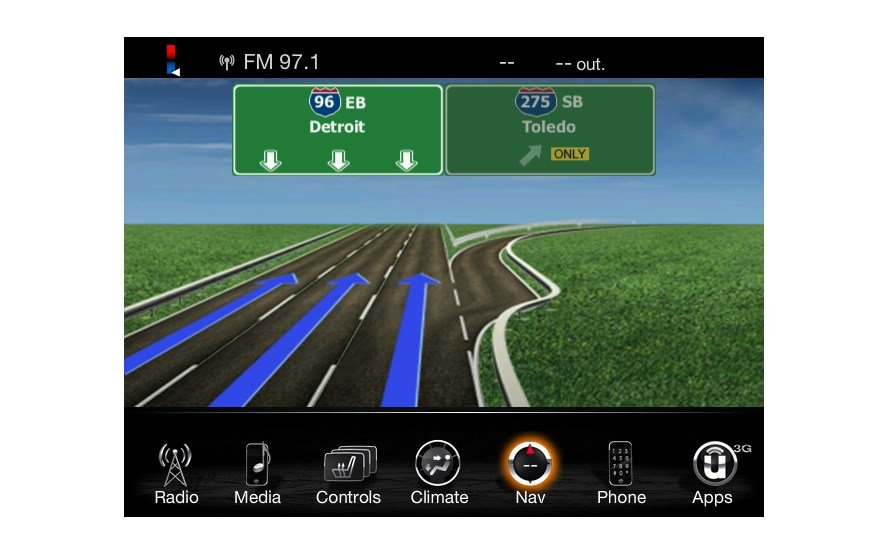
- Access navigation and traffic updates
- Use voice commands to control features
- Connect to apps like Apple CarPlay and Android Auto
Most Jeep models from 2017 onward come with Uconnect, but activation steps may vary. Knowing the exact process saves time and frustration.
Step-by-step: How To Activate Uconnect On Jeep
Activating Uconnect takes just a few minutes if you follow the right steps. Here’s how to do it:
1. Start Your Jeep
Turn on your vehicle and wait for the Uconnect screen to power up. Some systems take up to 30 seconds to fully load.
Tap the Uconnect touchscreen. Look for the “Phone” or “Connect Device” icon.
3. Pair Your Smartphone
Turn on Bluetooth on your phone. On Uconnect, select “Add Device” and search for your phone’s name. Enter the pairing code shown on the Uconnect screen into your phone.
4. Register Your Uconnect Account
Go to the Uconnect website or app. Create an account using your email and Jeep’s VIN (Vehicle Identification Number).
5. Connect To Wi-fi Or Mobile Data
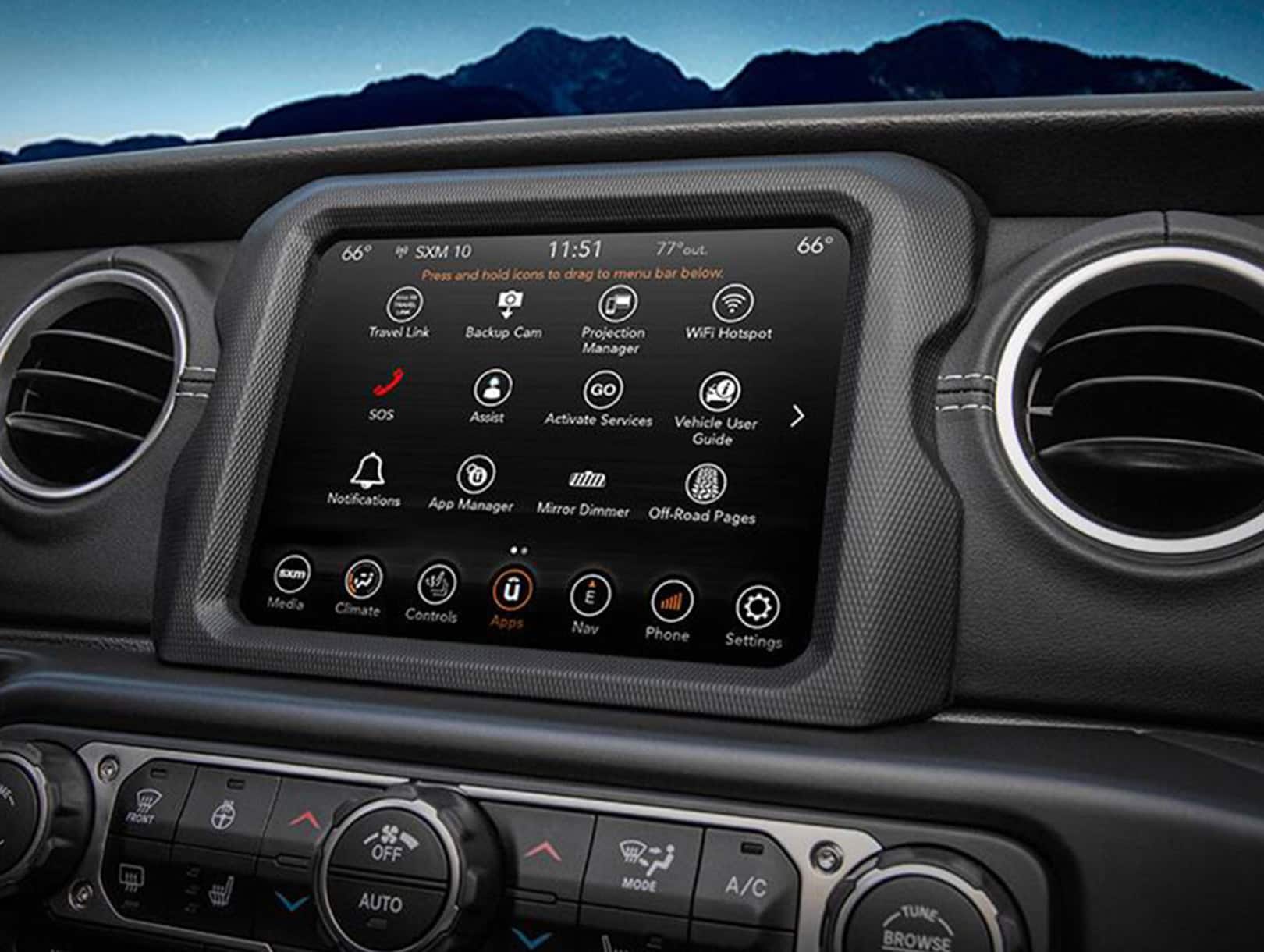
For advanced features like navigation updates and streaming, connect Uconnect to Wi-Fi. Some Jeeps support mobile hotspot. Tap “Settings” > “Wi-Fi” and enter your home network password.
6. Activate Services
Depending on your Jeep model, you might need to activate SiriusXM, navigation, or remote services. Follow on-screen prompts or visit the Jeep/Uconnect portal.
Common Mistakes To Avoid
- Pairing the wrong phone: Always use the phone you’ll drive with most.
- Skipping account registration: Without an account, you miss remote features.
- Ignoring software updates: Update Uconnect regularly for bug fixes and new features.
Uconnect Features: Comparing Jeep Models
Different Jeep models come with different Uconnect versions. Here’s a quick comparison:
| Jeep Model | Uconnect Version | Main Features |
|---|---|---|
| Jeep Wrangler | Uconnect 4 | Apple CarPlay, Android Auto, Navigation |
| Jeep Grand Cherokee | Uconnect 5 | Wireless CarPlay, Alexa, HD Maps |
| Jeep Compass | Uconnect 4C | Bluetooth, SiriusXM, Voice Commands |
Knowing your Uconnect version helps you find the right instructions and features.
Practical Tips For Smooth Activation
Many Jeep owners miss these simple steps:
- Update your phone’s OS before pairing. Old versions can cause errors.
- Restart both your phone and Uconnect if pairing fails.
- Keep your VIN handy—it’s needed for account setup.
- Use a strong Wi-Fi signal for faster updates.
If you run into trouble, check the Jeep owner’s manual or visit the official Uconnect support page.
Uconnect Subscription And Data Usage
Some Uconnect features require a subscription, especially advanced navigation, remote start, and Wi-Fi hotspot. Pricing varies by model and region, but most plans start at $20/month.
| Feature | Requires Subscription | Data Usage (Approx.) |
|---|---|---|
| Navigation Updates | Yes | 50 MB/month |
| Streaming Music | No (via Bluetooth) | Depends on app |
| Wi-Fi Hotspot | Yes | 1–5 GB/month |
| Remote Start | Yes | Minimal |
Always check which features are included in your plan before activating.
Example: Activating Uconnect On A Jeep Grand Cherokee
Let’s walk through a real example:
- Start the Jeep and open Uconnect.
- Select “Phone” on the touchscreen.
- Turn on Bluetooth on your iPhone.
- Tap “Add Device” in Uconnect, pick your phone from the list.
- Enter the pairing code.
- Register your Uconnect account online.
- Activate navigation and Wi-Fi hotspot in settings.
Most users finish setup in under 10 minutes. If you get stuck, restarting the system usually solves pairing issues.
Unlocking Advanced Uconnect Features
Once basic activation is done, try these advanced options:
- Voice Commands: Press the steering wheel button and say “Call John” or “Navigate to Starbucks.”
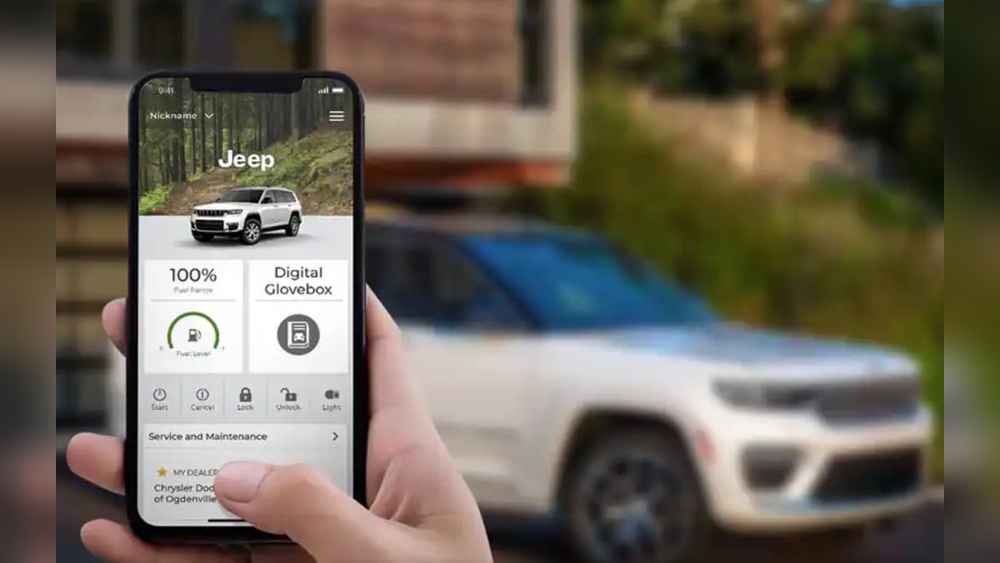
- Remote Control: Use the Uconnect app to start your Jeep, lock doors, or check fuel from your phone.
- Personalization: Change themes, set favorite radio stations, and adjust climate controls.
These features make your daily drive easier and safer.
Uconnect Security And Privacy
Uconnect uses encrypted connections to protect your data. Always set a strong password for your account. Jeep updates security regularly, but don’t share your VIN or login info with others.
According to a 2023 survey, less than 5% of Jeep owners reported security issues with Uconnect. Still, update your software as soon as you see a notification.
Troubleshooting Uconnect Activation
If Uconnect won’t activate:
- Check Bluetooth settings on your phone.
- Restart both devices.
- Make sure Wi-Fi or mobile data is on.
- Update Uconnect software via “Settings” > “System Updates.”
- Contact Jeep support if problems persist.
Frequently Asked Questions
How Do I Find My Jeep’s Vin For Uconnect Registration?
You’ll find your VIN on the driver’s side dashboard, just below the windshield, or inside the driver’s door. It’s a 17-character code unique to your vehicle.
Is Uconnect Activation Free For All Jeep Models?
Basic Uconnect services are usually free, but features like navigation, remote start, and Wi-Fi hotspot require a paid subscription.
Can I Activate Uconnect Without A Smartphone?
Some basic features work without a phone, but most functions—like hands-free calling and app integration—need a smartphone connected via Bluetooth.
How Often Should I Update Uconnect Software?
Check for updates every 3–6 months. Updates fix bugs, add features, and improve security. You can update manually in the settings menu.
Where Can I Get Official Help With Uconnect Activation?
Visit the official Jeep Uconnect support page at Jeep Uconnect for guides, troubleshooting, and chat support.
Activating Uconnect on your Jeep opens up a world of convenience and safety. With clear steps and a little patience, you’ll enjoy hands-free calls, easy navigation, and smart features every day.
If you follow the advice here, you’ll avoid common mistakes and get the most from your Uconnect system.


















