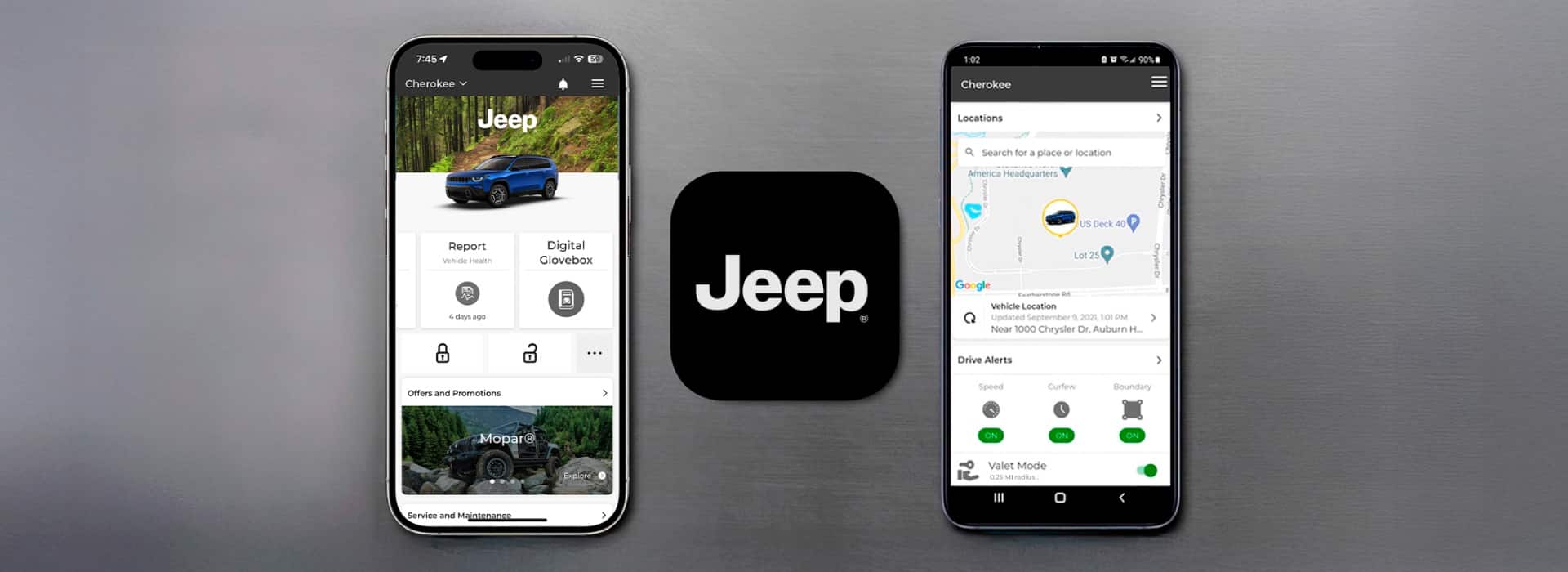
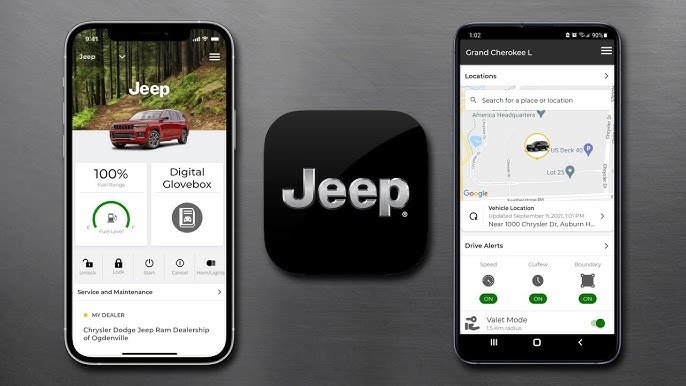
Activating the Jeep app can transform how you interact with your vehicle. With features like remote start, vehicle health reports, and real-time location tracking, the Jeep app offers both convenience and peace of mind.
Many Jeep owners, especially those new to smart car technology, find the activation process a bit confusing.
This guide will show you, step by step, how to activate the Jeep app and get the most from its features even if you’re not a tech expert.

What Is The Jeep App And Why Activate It?
The Jeep app (known as Jeep Connect or Uconnect in some markets) is a smartphone application that connects you to your Jeep vehicle. After activation, you can:
- Start or stop your engine remotely
- Lock or unlock doors
- Check fuel level and tire pressure
- Find your parked vehicle on a map
- Get vehicle health reports and alerts
According to recent data, over 70% of new Jeep buyers use the app within their first year of ownership. Most say the main benefits are time saved and increased security. Activating the app also makes it easier to schedule service appointments and receive recall notifications.
What You Need Before You Start
Before trying to activate the Jeep app, make sure you have:
- A compatible Jeep model (usually 2018 or newer)
- Your vehicle identification number (VIN)
- A smartphone (iOS or Android)
- An active mobile data connection
- Access to your email
If you don’t know where to find your VIN, check the lower left of your windshield or your vehicle’s registration documents.
Here’s a simple comparison between different Jeep models and app feature support:
| Model | Year | Remote Start | Vehicle Health | Location Services |
|---|---|---|---|---|
| Wrangler | 2020 | Yes | Yes | Yes |
| Grand Cherokee | 2019 | Yes | Yes | Yes |
| Renegade | 2017 | No | Limited | No |

Step-by-step: How To Activate The Jeep App
1. Download And Install The App
- Go to the Apple App Store or Google Play Store.
- Search for Jeep Connect or Uconnect (choose the official app).
- Tap Install and open the app when finished.
2. Create Your Account
- Tap Sign Up or Create Account.
- Enter your name, email, and create a secure password.
- Accept the terms of service.
- Check your email for a verification link and click it to confirm your account.
3. Add Your Vehicle
- Log in to the app.
- Tap Add Vehicle or the plus (+) sign.
- Enter your VIN. Double-check the number to avoid errors.
- Some users report that entering the wrong VIN is a common mistake that delays activation.
4. Pair Your Phone With Your Jeep
- The app will guide you to your vehicle. Sit inside with your phone.
- Start your Jeep and keep it in Park.
- Follow the on-screen instructions to pair your phone using Bluetooth or by scanning a unique QR code on your dashboard screen.
5. Activate Connected Services
- Select the services you want to enable (remote start, location, alerts).
- Some features may require a subscription after a free trial period.
6. Finalize And Test
- The app will confirm when activation is complete (usually within minutes).
- Test basic features like locking/unlocking and remote start.
- If features do not work, check your Jeep’s cellular connection or restart the app.
Common Problems And How To Fix Them
Even if you follow all the steps, you might face issues. Here’s a quick guide to common problems:
| Problem | Possible Cause | Solution |
|---|---|---|
| App won’t connect to vehicle | Weak signal or outdated software | Move to an open area and update app/vehicle software |
| Cannot add VIN | Typing error or unsupported model | Double-check VIN, verify model compatibility |
| Features not working | Expired subscription | Renew subscription in app |
A non-obvious insight: Your Jeep’s battery must be healthy for remote features to work. If your battery is weak, remote start may fail even though the app is activated.
Another tip: If multiple users want to use the app, each must create their own account and link the same vehicle. This can be helpful for families sharing a Jeep.
Maximizing Your Jeep App Experience
After activation, explore these features to get more value:
- Set custom alerts for speed, location, or service needs.
- Use the navigation feature to send destinations directly from your phone to your Jeep’s GPS.
- Check for software updates in the app regularly; new features are added often.
Some Jeep owners overlook the concierge service, which can help you with roadside assistance or finding nearby gas stations. These extras are especially useful when traveling.
Security And Privacy Tips
When using the Jeep app, keep your account secure:
- Use a strong password and change it every year.
- Enable two-factor authentication if available.
- Never share your login details.
- If you sell your Jeep, remove it from your app and reset the vehicle’s system.
For more on how connected car apps work, see this guide from the Consumer Reports.
Frequently Asked Questions
How Do I Know If My Jeep Supports The App?
Check your owner’s manual or look for a “Connected Services” button on your dashboard screen. Most 2018+ models are compatible.
Is The Jeep App Free To Use?
The app itself is free, but some features like remote start may need a paid subscription after a trial period.
What If I Can’t Find My Vin?
Look on your dashboard (driver’s side, near the windshield) or inside the driver’s door. Your insurance card or registration also lists your VIN.
Can I Activate The App On More Than One Phone?
Yes, multiple users can activate the app for the same Jeep. Each user should create their own account and link the vehicle.
What Happens If I Sell My Jeep?
Before selling, remove your vehicle from the app and perform a system reset in your Jeep. This keeps your information private.
Getting the Jeep app running is easier than most people think just follow each step carefully. Once activated, you’ll enjoy a smarter, safer, and more connected driving experience.


















