If you own a Jeep vehicle, you may have heard about the Jeep mobile app, sometimes called the Jeep Connect or Uconnect app. This app lets you control parts of your car from your phone—like starting the engine, locking the doors, or checking vehicle health. But before downloading, many drivers ask: how much does the Jeep app subscription really cost? Pricing can be confusing, with different plans, features, and even some free trials. Let’s break it all down so you know exactly what to expect and whether the service is worth your money.
What Does The Jeep App Do?
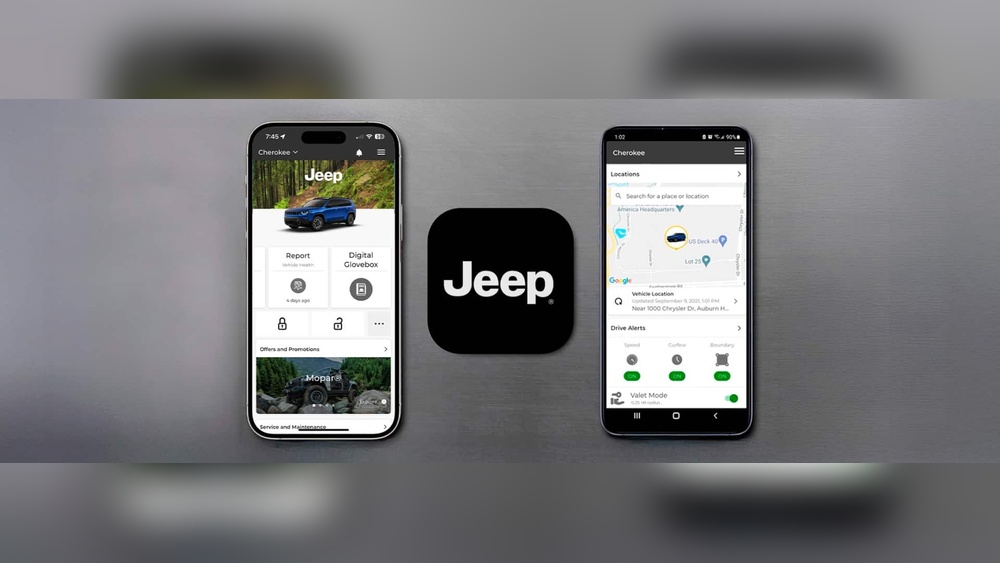
The Jeep app is more than just a remote starter. It connects your phone to your Jeep, giving you access to a range of features:
- Remote start and stop
- Lock/unlock doors from anywhere
- Check fuel level and tire pressure
- Find your vehicle in crowded parking lots
- Send navigation directions to your car’s screen
- Get maintenance alerts and schedule service
These features depend on your Jeep’s model year and trim. Newer models often support more functions.
Jeep App Subscription Plans And Pricing
Jeep offers its app services through two main plans: Safety & Security and Remote Access. Pricing can differ by region and dealer, but here’s what most US owners see.
| Plan | Main Features | Monthly Cost | Annual Cost |
|---|---|---|---|
| Safety & Security | Automatic SOS, Roadside Assistance, Alerts | $19.99 | $199 |
| Remote Access | Remote start, Lock/Unlock, Vehicle location | $14.99 | $149 |
You can choose monthly or yearly billing. Yearly plans usually save you about 15-20%. Sometimes, Jeep bundles both plans together for around $24.99/month or $249/year.
Free Trials And Included Services
Most new Jeep vehicles come with a free trial of the app subscription, lasting from 6 months to 1 year. This lets you test features before paying. After the trial ends, you’ll need to enter your payment details to keep using premium services.
Some basic features, like maintenance reminders or checking vehicle health, may stay free after the trial. However, remote start and lock/unlock functions usually require a paid plan.
How To Check Your Jeep’s Free Trial
To see if you have a free trial:
- Open the Jeep app and log in.
- Tap your vehicle’s profile.
- Look for “Subscription” or “Trial” details.
If you bought a used Jeep, the free trial may have expired already.
What Affects The Jeep App Price?
Not every Jeep owner pays the same price. Here are key factors that change the cost:
- Model year: Older models may only support basic features or have cheaper plans.
- Trim level: High-end trims often include longer free trials or more functions.
- Dealer offers: Some dealerships extend the free trial or add discounts.
- Bundled services: Adding Wi-Fi or navigation can raise the monthly fee.
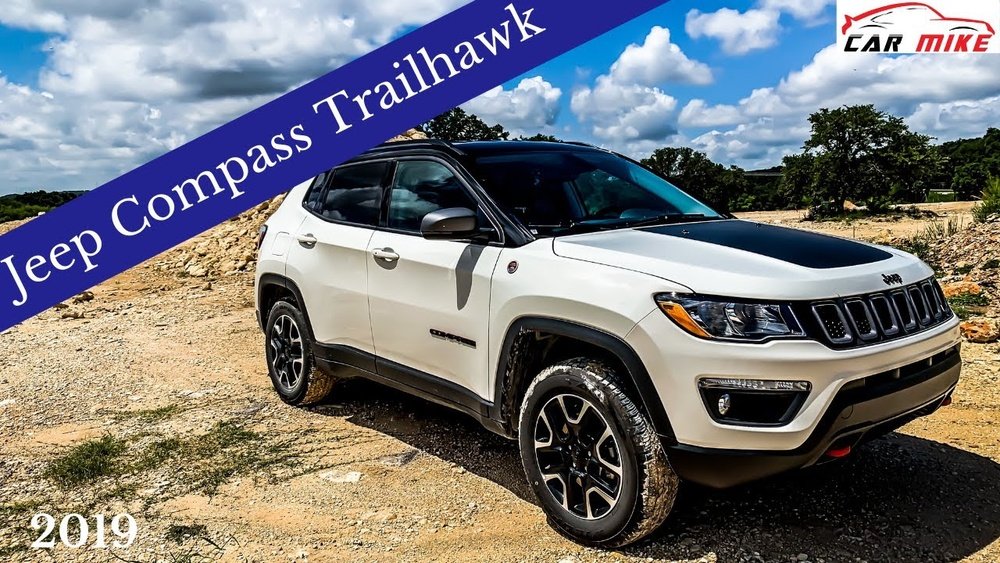
For example, a 2023 Jeep Grand Cherokee might get a year of free Remote Access, while a 2019 Jeep Compass may only have 6 months.

Comparing Jeep App With Other Brands
How does the Jeep app’s subscription price compare to similar services from other car makers? Here’s a quick look:
| Brand | App Name | Monthly Price | Main Features |
|---|---|---|---|
| Jeep | Jeep/Uconnect | $14.99–$19.99 | Remote start, Lock/Unlock, SOS |
| Ford | FordPass | Free–$9.99 | Remote start, Scheduling, Alerts |
| Toyota | Remote Connect | $8–$16 | Remote start, Lock/Unlock, Find vehicle |
Jeep’s subscription is on the higher end, but its Safety & Security features are more advanced than many competitors.
How To Subscribe And Manage Your Plan
It’s easy to start or change your Jeep app subscription:
- Download the Jeep app and sign in.
- Tap the “Subscriptions” tab.
- Choose your plan and payment method.
- Confirm and activate.
You can cancel anytime, and your plan will stop at the end of the billing cycle. Always check for promos or loyalty discounts before renewing.
Is The Jeep App Subscription Worth It?
This depends on your needs. If you value convenience—like starting your car in winter or finding it in a big parking lot—the Remote Access plan can be a big help. The Safety & Security plan is useful if you drive often in remote areas or want extra peace of mind.
Two insights many new owners miss:
- Remote features need cell service. If your Jeep is parked underground or outside cell range, some app functions won’t work.
- Multiple drivers can use the app. You can add family members to your account, so everyone gets access.
If you only need basic alerts or maintenance info, you may not need to pay after your free trial.
Extra Tips For Saving Money
- Check for loyalty deals: Jeep sometimes sends renewal discounts to existing users.
- Annual plans save more: Paying for the year can cost less overall.
- Bundle services: If you use Wi-Fi or navigation, bundle them for a lower combined rate.
Frequently Asked Questions
How Do I Know If My Jeep Supports The App?
Most Jeep vehicles from 2018 and newer support the app, but features depend on the model and trim. Check your owner’s manual or the Jeep app for details.
Can I Use The Jeep App Without A Subscription?
You can use some basic features, like maintenance reminders, for free. However, remote start and lock/unlock need a paid plan after the trial ends.
Yes, you can add multiple users to your Jeep app account. Each person can download the app and log in with your account details.
What Happens If I Sell My Jeep?
Cancel your subscription in the app or contact Jeep customer support. The new owner can start their own subscription if they want.
Where Can I Learn More About Jeep App Features And Updates?
For the latest details, visit the official Jeep Uconnect Services page.
The Jeep app can make your driving experience safer and more convenient. Take advantage of your free trial to see if the features fit your needs. With the right plan, you’ll get more control over your vehicle right from your phone.