Thinking about buying a Jeep Wrangler or upgrading your current model? Many drivers wonder if the Jeep Wrangler includes a backup camera. This feature is now standard in most cars, but with Jeep’s rugged history, it’s not always clear what’s included. Let’s break down which Wranglers have backup cameras, how they work, and what owners should know about compatibility, installation, and safety.
When Did The Jeep Wrangler Get A Backup Camera?
Backup cameras became a required feature in the US for all new cars starting May 2018, due to new federal safety rules. For the Wrangler, this feature arrived with the release of the JL generation in 2018. Before this, most Wranglers did not come with a backup camera from the factory.
Here’s a quick look at how backup camera availability changed by Wrangler model:
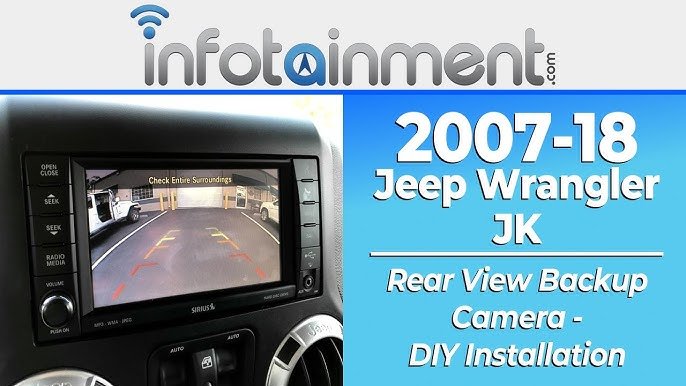
| Generation | Model Years | Backup Camera Factory Option |
|---|---|---|
| TJ | 1997-2006 | No |
| JK | 2007-2018 | No (except late 2018 models) |
| JL | 2018-present | Yes (standard) |
If you have a JK or older model like the TJ or XJ, you likely don’t have a built-in backup camera unless someone added one after buying. The JL (2018+) has a backup camera as standard equipment.
How The Jeep Wrangler Backup Camera Works
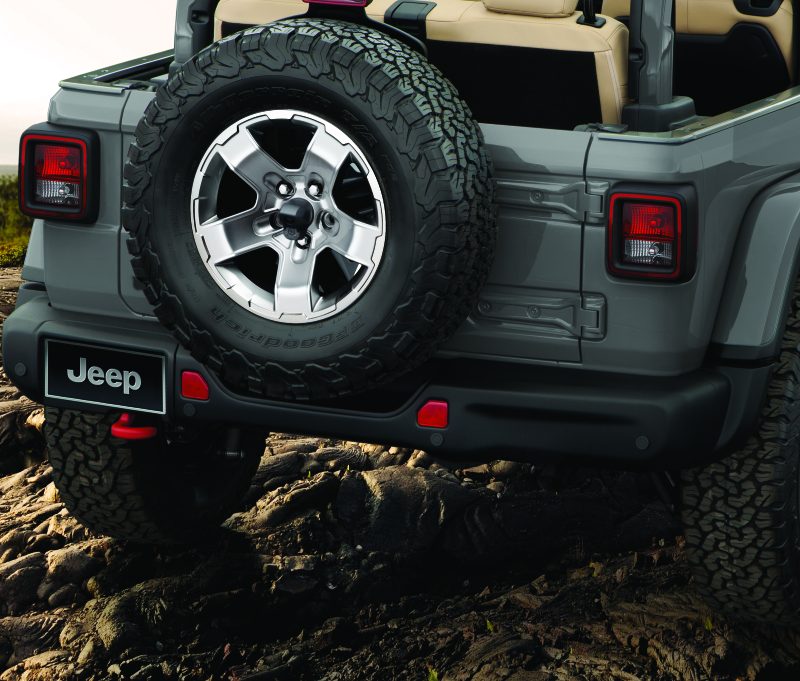
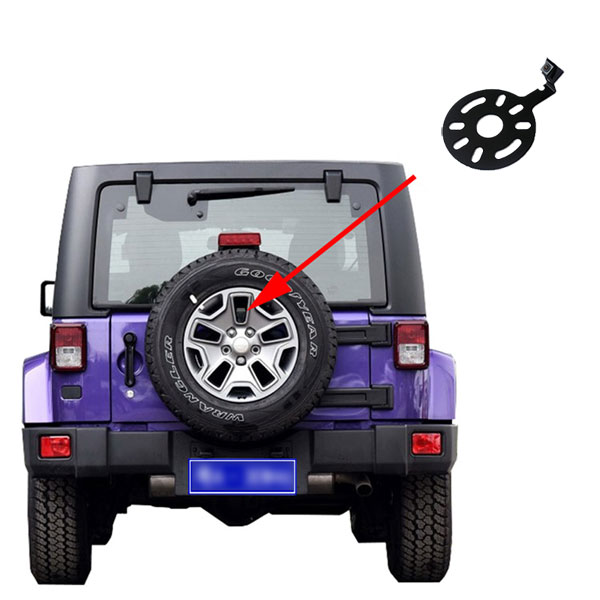
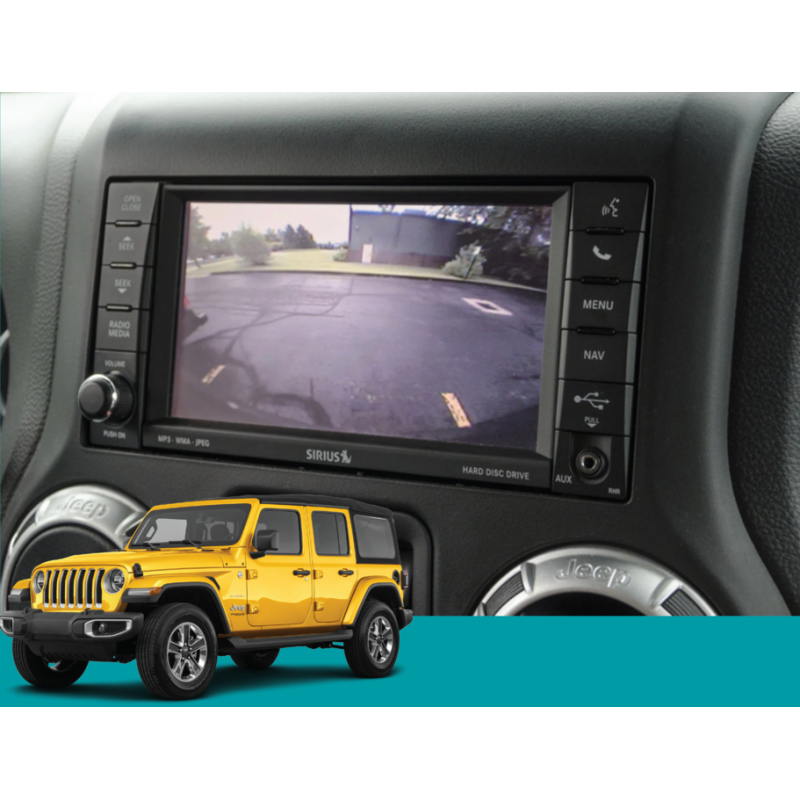
On the JL Wrangler, the backup camera is placed at the center of the spare tire on the rear door. When you shift into reverse, the image appears on the dashboard touchscreen. This helps you see behind the vehicle, making parking and reversing much safer.
Key features include:
- Wide-angle view to spot obstacles
- Guidelines on the display for easier alignment
- Low-light capability for night use
Many drivers like that the camera is protected inside the spare tire, reducing the chance of damage on trails or in parking lots.
Differences Between Wrangler Generations
Wrangler Jk (2007–2018)
- No standard backup camera before 2018
- Some late 2018 JKs may have dealer-installed cameras
- Aftermarket kits are available for upgrade
Wrangler Jl (2018–present)
- All trims include a backup camera
- Image displays on the Uconnect touchscreen (5-inch, 7-inch, or 8.4-inch depending on trim)
- Works with all engines and transmissions, including the 2.0L turbo, 3.6L V6, 3.0L EcoDiesel, and 4xe plug-in hybrid
Wrangler Tj, Xj, And Others
- No factory cameras
- Only possible to add with aftermarket kits
Backup Camera Features By Trim Level
The quality of the camera and the display size can change depending on your Wrangler’s trim. Here’s a comparison of camera and screen features for the JL generation:
| Trim | Screen Size | Camera Features |
|---|---|---|
| Sport | 5-inch | Standard view, fixed guidelines |
| Sahara | 7-inch or 8.4-inch | Dynamic guidelines, higher resolution |
| Rubicon | 7-inch or 8.4-inch | Dynamic guidelines, higher resolution |
Higher trims offer bigger screens and extra features, making it easier to see objects when backing up.
Installing A Backup Camera On Older Wranglers
If you own a JK, TJ, or XJ, you can still get a backup camera by installing an aftermarket kit. Here’s what to consider:
- Compatibility: Make sure the kit fits your Wrangler’s year and model.
- Display: Some kits use your existing radio display. Others come with a small screen that mounts on your dash or mirror.
- Wiring: Installation often requires running wires from the rear of the Jeep to the front display.
- Spare Tire Mount: Most Wrangler kits mount the camera in the center of the spare tire, just like the factory JL camera.
- Cost: Expect to pay $100–$400 for parts. Professional installation can add $100–$300.
A big advantage of the Wrangler is the community support. Many owners share detailed guides and videos to help with do-it-yourself installs.
Safety Benefits And Real-world Use
Backup cameras help prevent accidents, especially when parking or reversing in crowded areas. The National Highway Traffic Safety Administration reported that backup cameras can reduce backover crashes by over 50%. In real-world Jeep use, the camera also helps on trails—spotting rocks, logs, or other hazards that may not be visible through mirrors.
Keep in mind:
- Mud or snow can cover the camera lens, so clean it regularly.
- Aftermarket cameras may not offer the same wide view or low-light quality as factory units.
Common Problems And Maintenance
While backup cameras are reliable, owners sometimes face issues. Here’s what to watch for:
- Blurry or foggy image: Usually caused by a dirty lens. Wipe the lens with a soft cloth.
- No image on screen: Check wiring connections or blown fuses.
- Camera not working after rain: Seals may be damaged, allowing water inside.
If you have repeated problems, a visit to a trusted mechanic or Jeep dealer is a good idea.
How To Upgrade Or Replace Your Wrangler Camera
If your Wrangler’s camera is damaged or not working well, you have two options:
- Replace with OEM parts: Most reliable but can be expensive.
- Install an aftermarket camera: Offers more options and sometimes better image quality.
Always check that the camera and display are compatible with your Wrangler’s year and infotainment system. Some owners prefer the flexibility of aftermarket kits, while others want the fit and finish of factory parts.
Quick Comparison: Factory Vs. Aftermarket Backup Cameras
Here’s a comparison to help you choose between a factory-installed and an aftermarket backup camera:
| Feature | Factory Camera | Aftermarket Camera |
|---|---|---|
| Image Quality | High, optimized for Wrangler | Varies by brand |
| Integration | Seamless | May need extra display |
| Warranty | Covered by Jeep | Varies by manufacturer |
| Price | Higher | Lower to medium |
Frequently Asked Questions
Does Every Jeep Wrangler Have A Backup Camera?
No. Only the JL generation (2018–present) has a backup camera as standard. Older models like JK, TJ, and XJ do not have one unless it was added after purchase.
Can I Add A Backup Camera To My Older Wrangler?
Yes. Many aftermarket kits are available for JK, TJ, and XJ models. Check that the kit matches your year and trim for best results.
Where Is The Backup Camera Located On A Jl Wrangler?
The factory backup camera is installed at the center of the spare tire on the rear door. This keeps it safe and gives a good view behind your Jeep.
Is The Wrangler Backup Camera Good For Off-roading?
Yes. It helps spot rocks, logs, or sudden drops when reversing on trails. Just remember to keep the lens clean for a clear view.
What Should I Do If My Camera Stops Working?
First, clean the lens and check for loose wires or blown fuses. If the problem continues, contact a mechanic or Jeep dealer.
The backup camera is now a must-have feature for most drivers, and Jeep has made it easy to enjoy this technology. Whether you’re upgrading an older model or enjoying your JL’s standard camera, you’ll have safer, easier reversing on every adventure.
Meta Description:
Does the Jeep Wrangler have a backup camera? Learn which models include it, features by trim, upgrade options, and tips for safe reversing in your Wrangler.
Suggested internal-link anchor texts:
- Jeep Wrangler trim levels
- How to install a backup camera
- Wrangler JL vs JK differences