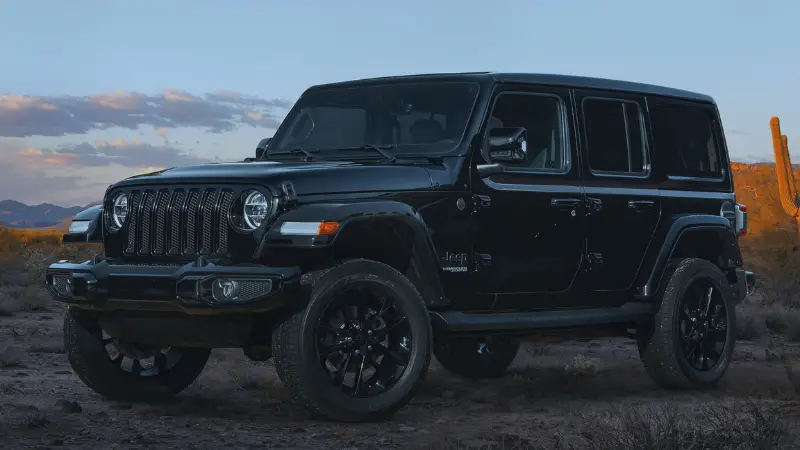
The Jeep Wagoneer is a premium full-size SUV known for its comfort, technology, and strong road presence. One question many buyers ask is: Does Jeep Wagoneer have Apple CarPlay?
With more drivers wanting seamless smartphone connectivity, this is an important feature. Let’s dive into what the Wagoneer offers, how Apple CarPlay works in this SUV, and what you can expect from the in-car experience.
Apple Carplay In The Jeep Wagoneer
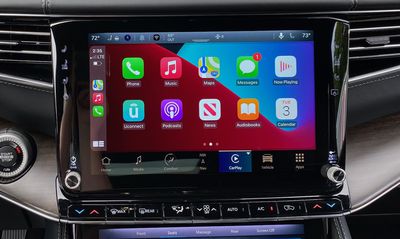
Apple CarPlay is a feature that lets you mirror your iPhone’s key apps on your car’s touchscreen. It allows hands-free control, safer texting, music streaming, navigation, and more. In the Jeep Wagoneer, Apple CarPlay comes standard on all trim levels.
This means you do not need to pay extra or choose a higher trim to access Apple CarPlay. Whether you buy the base Wagoneer or the more luxurious Wagoneer Series III, you get this feature included.
Jeep knows that drivers expect advanced tech, so they made sure CarPlay is available from the start.
How Does Apple Carplay Work In The Wagoneer?
The Wagoneer uses the Uconnect 5 infotainment system, one of the latest in the auto industry. Apple CarPlay works wirelessly, so you don’t need to plug in your phone with a cable. Simply pair your iPhone via Bluetooth, and the CarPlay interface appears on the Wagoneer’s large touchscreen.
You can access:
- Apple Maps for navigation
- IMessage for voice-to-text messaging
- Spotify, Apple Music, and other streaming apps
- Phone calls using Siri voice control
The Wagoneer’s system supports multitasking, so you can view maps and music at the same time. The display is sharp, with smooth touch controls and quick response times.
Key Features: Jeep Wagoneer And Apple Carplay
The Wagoneer’s CarPlay integration is more than just basic mirroring. Here are some important details:
- Wireless Connectivity: No cables needed for Apple CarPlay. Your phone connects automatically after the first setup.
- Large Touchscreen: The Wagoneer offers a 10.1-inch or optional 12-inch touchscreen, making CarPlay easy to see and control.
- Voice Control: Use Siri to send texts, make calls, or get directions without taking your hands off the wheel.
- Multiple Device Support: The Uconnect 5 system can remember and quickly switch between different user profiles and iPhones.
Comparison: Wagoneer Infotainment Vs. Main Competitors
Here’s a side-by-side look at the Wagoneer compared to other large SUVs when it comes to Apple CarPlay:
| Model | Apple CarPlay | Wireless CarPlay | Touchscreen Size |
|---|---|---|---|
| Jeep Wagoneer | Standard | Yes | 10.1″ / 12″ |
| Chevrolet Tahoe | Standard | Yes | 10.2″ |
| Ford Expedition | Standard | Yes (some trims) | 12″ |
| Toyota Sequoia | Standard | Yes | 8″ / 14″ |
As the data shows, the Wagoneer stands out with its large screen and full wireless support on every trim.

Setting Up Apple Carplay In Your Wagoneer
Connecting Apple CarPlay is simple, but there are a few steps to follow:
- Make sure your iPhone is running iOS 14 or newer.
- Turn on Bluetooth on your phone.
- Start your Wagoneer and enable wireless CarPlay from the Uconnect 5 menu.
- On your iPhone, select the Wagoneer from the list of available devices.
- Accept the pairing prompt on both the car screen and your phone.
- CarPlay will launch automatically.
You can then use the touchscreen or voice commands for most tasks. If you ever have issues, restarting your phone or the infotainment system usually solves them.
Practical Tips
- Always keep your phone’s iOS updated for best performance.
- Some apps require you to unlock your phone once before they appear in CarPlay.
- Not all third-party apps are supported; check app compatibility for CarPlay.
Real-world Benefits For Wagoneer Drivers
Many buyers choose the Wagoneer for family trips, towing, or daily commutes. Apple CarPlay makes these journeys safer and more enjoyable. Navigation is more accurate with real-time traffic updates from Apple Maps or Google Maps (if installed). You can listen to podcasts, audiobooks, or your favorite playlists with just a voice command.
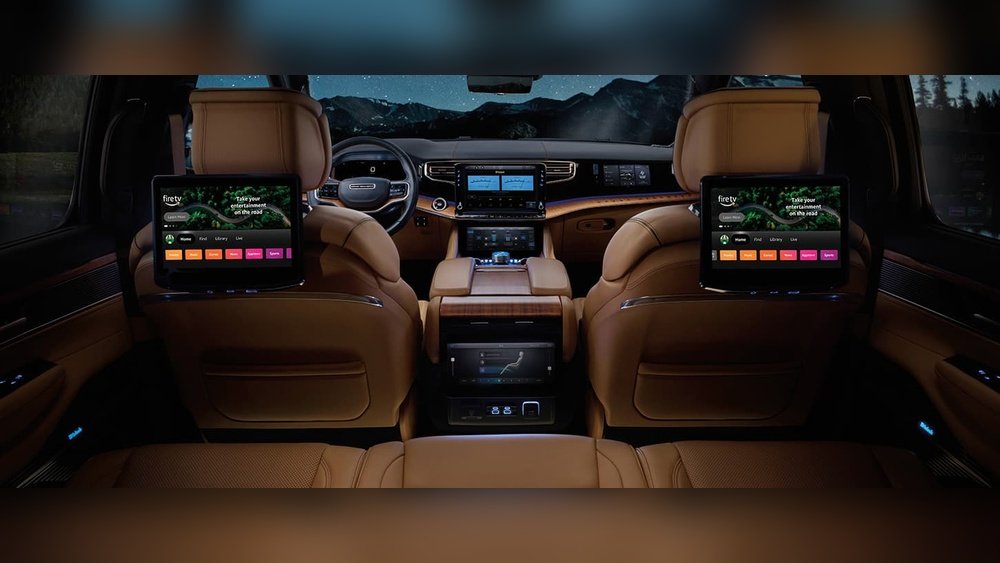
A non-obvious benefit: The Wagoneer’s multiple USB ports in all three rows mean everyone can keep devices charged, even when CarPlay is in use. Passengers can connect their own devices to the rear screens, while the driver uses CarPlay upfront. This level of tech integration is rare in large SUVs.
Another detail new owners sometimes miss: The Wagoneer can store multiple iPhones. This is great for families who switch drivers, as the system remembers settings and CarPlay preferences for each user.
Limitations And Considerations
While Apple CarPlay is a powerful tool, it’s not perfect. Here are some things to keep in mind:
- Some features (like certain apps or Siri functions) may need an active internet connection.
- If you use wireless CarPlay for long periods, your iPhone battery may drain faster. It’s smart to keep your device plugged in for longer trips.
- Wireless CarPlay performance can sometimes lag if many Bluetooth devices are connected at once.
Despite these minor points, most Wagoneer owners find Apple CarPlay easy and reliable. The system rarely crashes, and Jeep’s regular software updates continue to improve the experience.
Jeep Wagoneer Technology Overview
The Wagoneer isn’t just about Apple CarPlay. Its tech package is one of the most advanced in the segment. Standard features include:
- Android Auto (wireless)
- Amazon Alexa integration
- Up to 75 inches of total display area inside the cabin (with rear screens)
- Over-the-air software updates
Here’s a quick look at available screens and tech in the Wagoneer:
| Screen Location | Size | Function |
|---|---|---|
| Main Touchscreen | 10.1″ / 12″ | Infotainment, CarPlay |
| Passenger Screen | 10.25″ | Navigation, Media, Camera Views |
| Rear Entertainment | 10.1″ (each) | Streaming, HDMI, Games |
| Driver Cluster | 10.25″ | Speed, Vehicle Info |
You can find more details about Uconnect 5 and tech options on the official Jeep Wagoneer site.

Frequently Asked Questions
Does The Jeep Wagoneer Have Wireless Apple Carplay?
Yes, wireless Apple CarPlay is standard on all Jeep Wagoneer trims. You do not need a USB cable to connect your iPhone.
Is Apple Carplay Available On Older Wagoneer Models?
Apple CarPlay is available on all new Wagoneers starting from the 2022 model year. The classic Wagoneer models from the past do not have this feature.
Can I Use Google Maps On Apple Carplay In The Wagoneer?
Yes, you can use Google Maps and other navigation apps through Apple CarPlay, as long as they are installed on your iPhone.
Does The Wagoneer Support Android Auto As Well?
Yes, the Wagoneer supports wireless Android Auto in addition to Apple CarPlay. This works for most newer Android phones.
What Should I Do If Apple Carplay Isn’t Working In My Wagoneer?
First, make sure your iPhone is updated and Bluetooth is on. Try restarting your phone and the Uconnect system.
If the issue continues, check Jeep’s support site or visit your dealership for help.
The Jeep Wagoneer is designed for modern drivers. With Apple CarPlay built in, you get easy access to your favorite apps, navigation, and more—making every drive more connected and enjoyable.