If you’re looking at the 2019 Jeep Cherokee and wondering whether it comes with Apple CarPlay, you’re not alone. Many drivers today want to connect their iPhones to their vehicles, using navigation, music, and hands-free messaging through their car’s touchscreen. But not all cars or trims offer this feature, and it can be confusing to figure out what’s included. Let’s clear up exactly what the 2019 Jeep Cherokee offers, how Apple CarPlay works in this SUV, and what you need to know before buying or using one.
Does The 2019 Jeep Cherokee Have Apple Carplay?
The answer is: Yes, but with some conditions. Not every 2019 Jeep Cherokee comes with Apple CarPlay. It depends on the trim level and the infotainment system installed.
Which Trims Have Apple Carplay?
Jeep offered the 2019 Cherokee in several trims:
- Latitude
- Latitude Plus
- Limited
- Trailhawk
- Overland
Apple CarPlay is standard on the Latitude Plus, Limited, Trailhawk, and Overland trims. The base Latitude trim does not include CarPlay unless upgraded with the right package.
What Infotainment System Is Required?
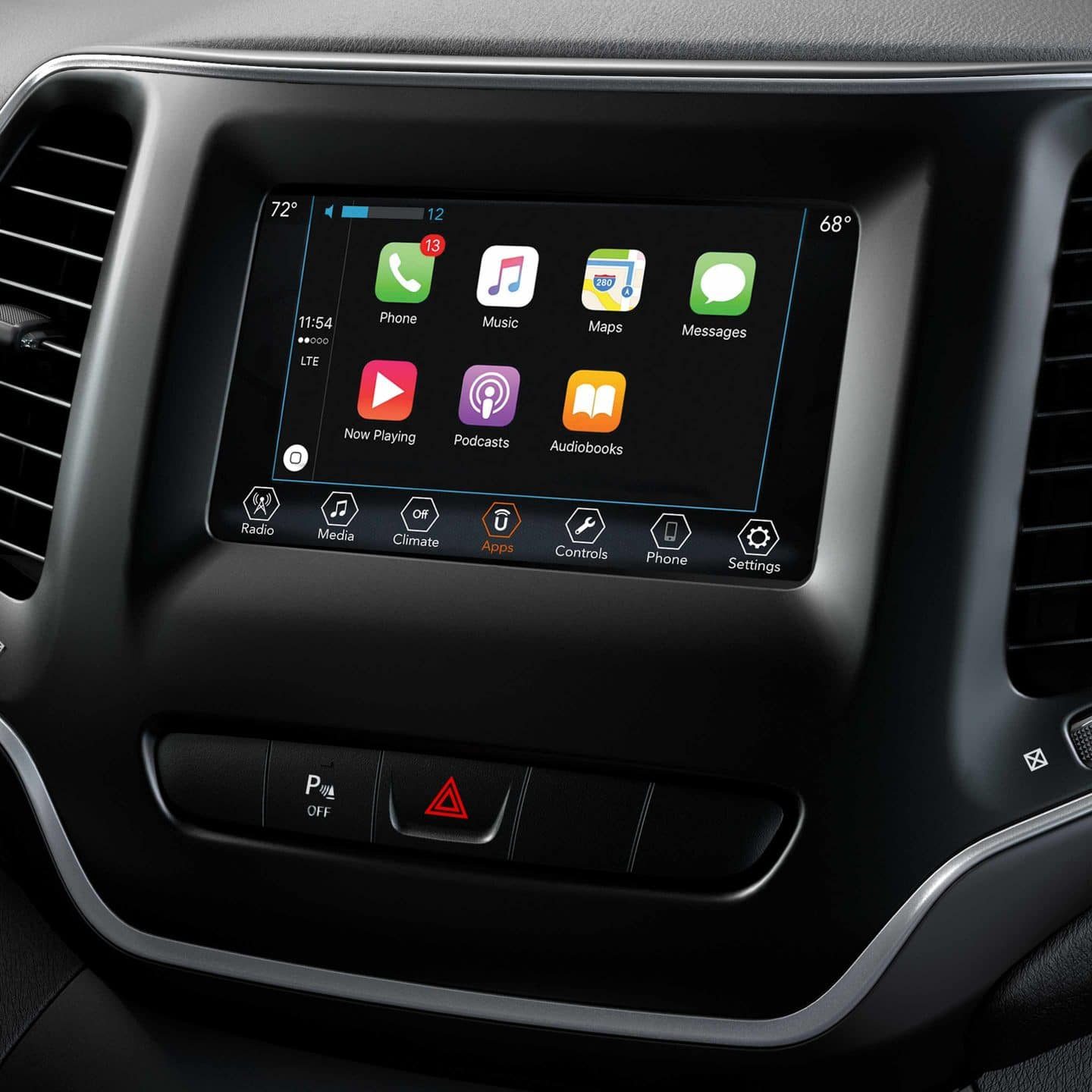
To use Apple CarPlay in the 2019 Cherokee, your vehicle must have the Uconnect 4 infotainment system with a 7-inch or larger touchscreen. The base system in the Latitude trim is Uconnect 4 with a 7-inch touchscreen, which supports CarPlay if equipped. Higher trims often come with Uconnect 4C with an 8.4-inch display, which also supports CarPlay.
Here’s a quick comparison of the infotainment systems:
| System | Screen Size | Apple CarPlay |
|---|---|---|
| Uconnect 4 | 7-inch | Yes |
| Uconnect 4C | 8.4-inch | Yes |
| Uconnect 3 | 5-inch | No |
So, if your Cherokee has the 5-inch Uconnect 3 system, it will not support Apple CarPlay. The majority of 2019 Cherokees on the road have at least the 7-inch Uconnect 4, making CarPlay widely available.
How To Use Apple Carplay In A 2019 Jeep Cherokee
Getting started with Apple CarPlay in your 2019 Cherokee is simple. Here’s how you do it:
- Connect your iPhone: Use a standard Lightning cable to plug your phone into the USB port in the vehicle.
- Allow CarPlay: The first time, you may see a message on your phone asking for permission to use CarPlay. Tap “Allow.”
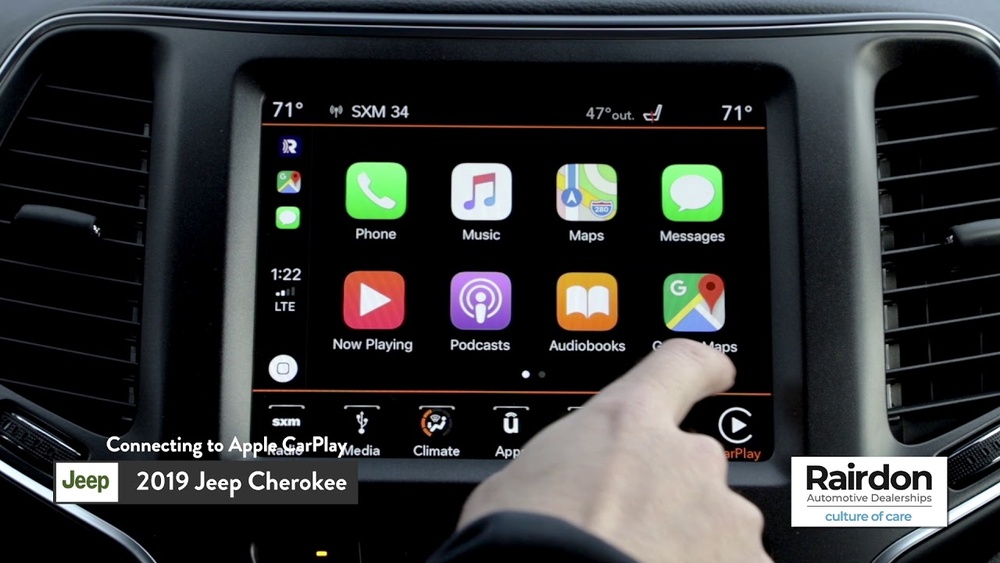
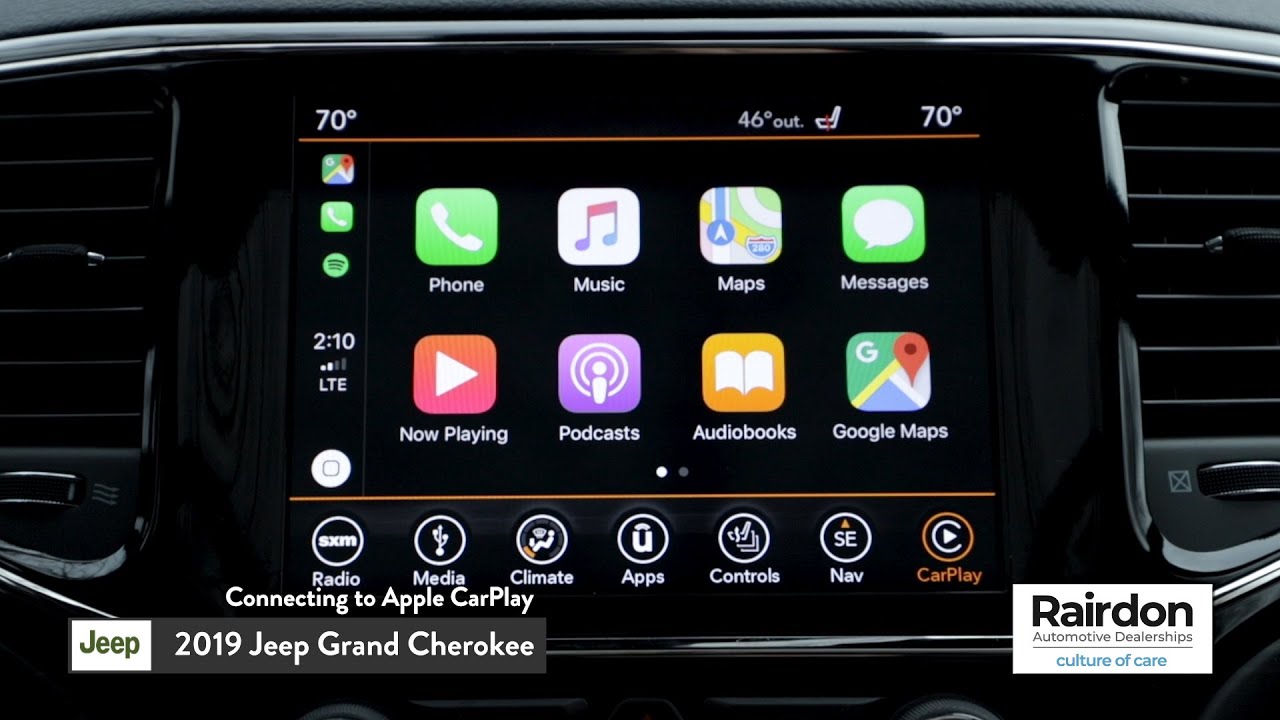
- Select CarPlay: The Uconnect screen will show the CarPlay icon. Tap it to open.
- Start using apps: Now you can access apps like Maps, Music, Messages, Podcasts, and more, all through the car’s touchscreen or voice commands.
One helpful feature is that you can also use Siri for hands-free control, making it safer to get directions or send messages while driving.

What You Can Do With Apple Carplay
Apple CarPlay brings several useful features to your drive:
- Navigation: Use Apple Maps, Google Maps, or Waze for turn-by-turn directions.
- Music and Podcasts: Play songs from Apple Music, Spotify, or other audio apps.
- Messaging: Send and receive texts hands-free with Siri.
- Phone Calls: Make and answer calls without touching your phone.
- Third-party Apps: Many audio and navigation apps now support CarPlay.
This integration makes your drive easier, safer, and more enjoyable.
Limitations And Things To Know
While Apple CarPlay in the 2019 Jeep Cherokee is very useful, there are a few limitations and common beginner mistakes:
- No wireless CarPlay: The 2019 Cherokee only supports wired CarPlay. You must use a USB cable.
- Not all apps work: Only certain apps are compatible. Games and most video apps are blocked.
- One device at a time: You can only connect one iPhone at a time.
- Location of USB port: Some drivers miss the USB port location—it’s usually in the center console or near the dashboard controls.
A non-obvious tip: If CarPlay doesn’t connect, try a different Apple-certified cable. Non-certified cables often cause problems.
Comparing With Other Suvs
How does the 2019 Jeep Cherokee stack up against similar SUVs when it comes to Apple CarPlay?
| SUV Model | Apple CarPlay Availability | Wireless CarPlay? |
|---|---|---|
| Jeep Cherokee 2019 | Most trims | No |
| Honda CR-V 2019 | EX and above | No |
| Toyota RAV4 2019 | All trims | No |
| Ford Escape 2019 | SE and above | No |
Most mainstream SUVs in 2019 offered Apple CarPlay, but none had wireless CarPlay that year. The Cherokee compares well with its competitors in this area.
Upgrading Or Adding Apple Carplay
If your 2019 Jeep Cherokee does not have Apple CarPlay, adding it is not always simple. The base Uconnect 3 system cannot be upgraded to CarPlay. Some aftermarket head units support CarPlay, but these can be expensive and may void your warranty. Always check with a certified Jeep dealer before making changes.
Practical Tips For New Owners
- Check your trim and screen size before buying to ensure CarPlay is included.
- Always use a high-quality Lightning cable for the best connection.
- Update your iPhone and Uconnect system regularly to avoid bugs.
- If you frequently use navigation, download maps for offline use in case of poor cell coverage.
- Remember that CarPlay settings can be customized in your iPhone’s Settings > General > CarPlay menu.
Frequently Asked Questions
Does Every 2019 Jeep Cherokee Have Apple Carplay?
No, only trims with the Uconnect 4 (7-inch) or Uconnect 4C (8. 4-inch) touchscreens support CarPlay. Base models with Uconnect 3 do not.
Can I Add Apple Carplay To A Base 2019 Cherokee?
You cannot add CarPlay to the Uconnect 3 system. Aftermarket upgrades are possible, but check with a Jeep dealer first.
Is Android Auto Also Available In The 2019 Cherokee?
Yes, Android Auto is supported on the same trims and infotainment systems that offer Apple CarPlay.
Does The 2019 Cherokee Support Wireless Apple Carplay?
No, only wired CarPlay is available. You must connect your iPhone with a USB cable.
Where Can I Find More Details About Jeep Uconnect?
You can learn more at the official Jeep Uconnect page.
The 2019 Jeep Cherokee offers Apple CarPlay on most trims, making it a smart choice for iPhone users who want seamless smartphone integration.
Just be sure to check your trim level and infotainment system before you buy or drive, so you can enjoy all the benefits CarPlay brings to your daily commute.