The ANCEL FD500 OBD2 Scanner is built for Ford, Lincoln, and Mercury owners who want more than a basic check-engine-light reader.
It is designed to scan major vehicle systems, read fault codes, clear codes after repairs, and help with common maintenance tasks that usually require a shop visit.
This review takes a closer look at how the scanner fits into real ownership. We will cover its main features, daily usability, supported systems, service functions, value, limitations, and who should buy it.
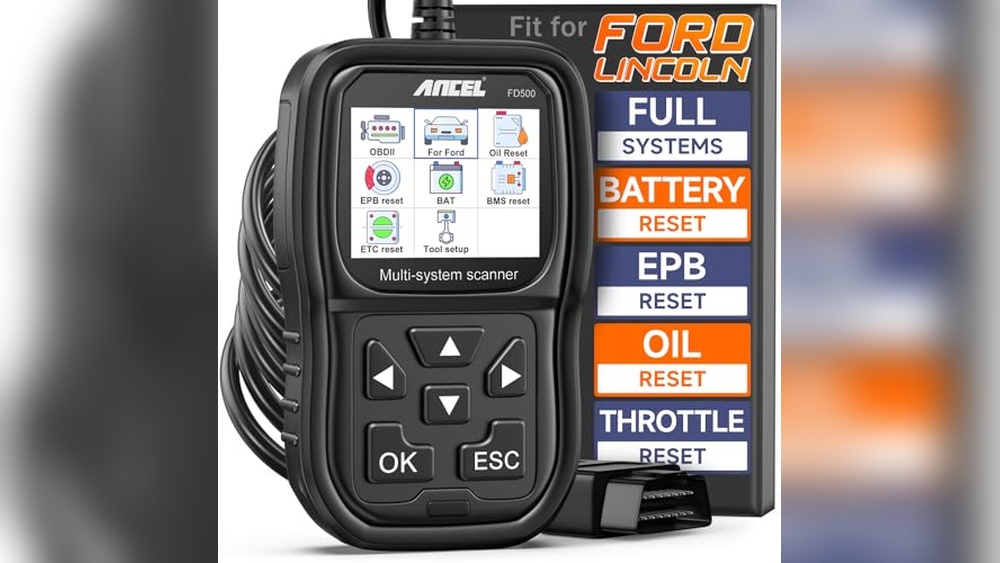
The goal is simple: help you decide if this Ford-focused scanner makes sense for your garage, toolbox, or small repair shop.
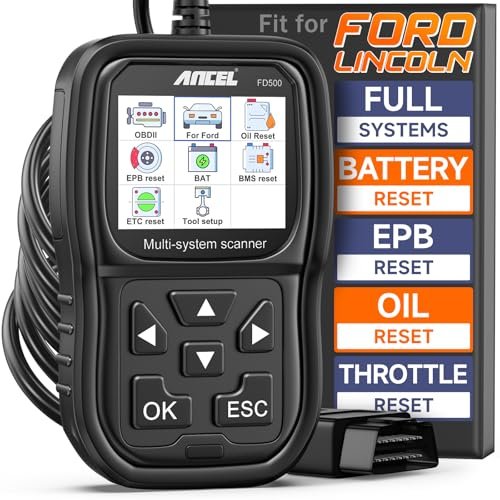
ANCEL FD500 OBD2 Scanner
- Compatibility: Ford, Lincoln, Mercury vehicles (1996 and newer)
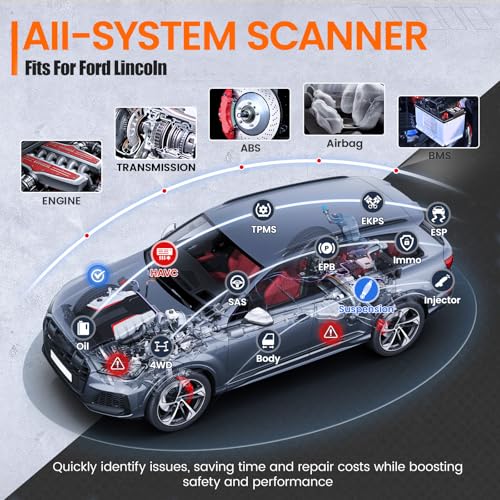
- Supported Systems: Engine, ABS, SRS, Transmission, HVAC, 4WD
- Special Functions: EPB Maintenance, Throttle (KAM) Reset, Oil Reset, Battery Registration
- Update Policy: Lifetime free software updates
- Display: Easy-to-read color screen
- Connectivity: OBD2 standard connector
- Power Source: Powered directly from the vehicle’s OBD2 port
- Color and Design: Gray housing with dark black accents, compact size
This scanner stands out because it focuses on Ford Group vehicles instead of trying to be a basic universal tool for every car brand.
That matters because Ford, Lincoln, and Mercury models often need deeper module access for systems like ABS, SRS, transmission, 4WD, electronic parking brake, and battery management.
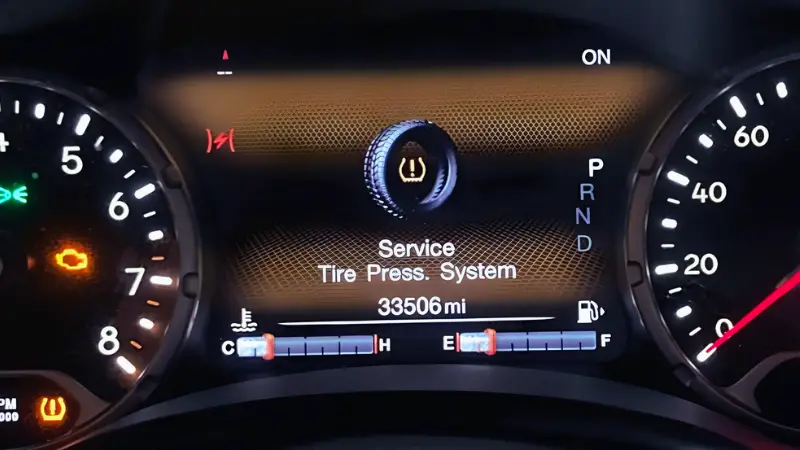
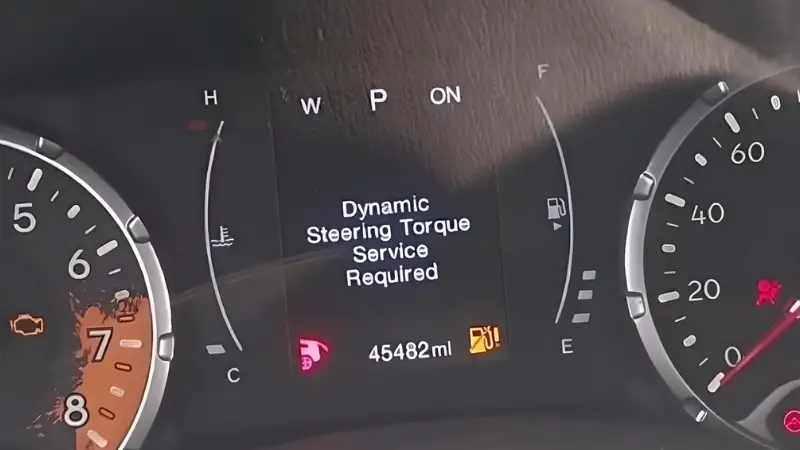
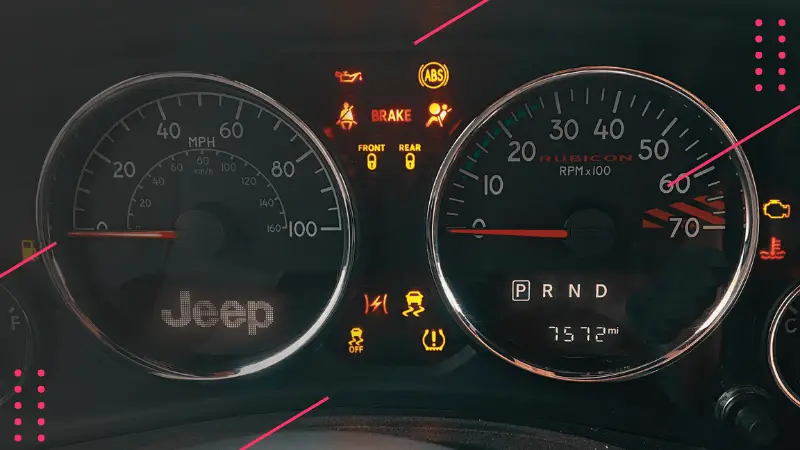
A simple OBD2 reader may only show engine-related trouble codes. The FD500 goes further by giving you access to more systems, which helps when a warning light appears, but the problem does not come from the engine alone.
For owners who want to understand the issue before visiting a mechanic, that extra coverage is the main reason to consider this tool.
It also keeps the learning curve manageable. The menu layout is direct, the screen is readable, and the tool gets power from the vehicle’s OBD2 port, so there is no battery charging or complicated setup before use.
What We Loved
- Full-system diagnostics for Ford, Lincoln, Mercury
- Advanced special functions like EPB, Oil Reset, Battery Registration
- Lifetime free updates for improved compatibility
- Covers a wide range of Ford models from 1996 onward
- Useful for diagnosing warning lights before paying for shop labor
- Compact enough to keep in the glove box or garage drawer
What Could Be Better
- Limited to Ford Group vehicles only
- May require occasional updates for best performance
- Lacks support for some very new or rare Ford models
- Service-function availability may vary by model, year, trim, and module support
- Not the best choice if you need one scanner for many different car brands
Who Should Buy This
This ANCEL FD500 OBD2 Scanner is a strong fit for Ford, Lincoln, and Mercury owners who want better control over routine diagnostics. If your dashboard warning light comes on, you do not have to guess what happened or visit a shop only to learn the issue is small.
It is especially useful for DIY owners who handle basic repairs, brake work, battery replacement, oil changes, sensor checks, and general maintenance at home. The scanner gives you a clearer starting point before you buy parts or pay for labor.
It reads major systems such as engine, ABS, SRS, transmission, HVAC, and 4WD. This wider coverage helps when the problem is tied to safety, drivability, comfort, or drivetrain control instead of a simple engine code.
The FD500 also makes sense for used Ford buyers. Before buying a used Ford, Lincoln, or Mercury, you can scan the vehicle, check stored codes, review system warnings, and spot issues that may not show during a short test drive.
If you do not own a Ford, Lincoln, or Mercury, this scanner may not be the right pick. It is built around those brands, so a universal scanner may serve you better if you work on Toyota, Honda, Jeep, Chevrolet, Nissan, BMW, or other vehicles.
Also, if you only want to read basic check-engine codes once or twice a year, a cheaper entry-level OBD2 reader may be enough. The FD500 gives better value when you plan to use Ford-specific diagnostics and service functions more than once.
Technical Specifications
- Brand: ANCEL
- Model: FD500 (R5)
- Size: 7.5″ x 3.5″ x 1.5″
- Weight: 0.6 lbs (approx.)
- Material: Durable ABS Plastic
- Color Options: Gray with Dark Black accents
- Special Features: All Systems Code Reader, Engine, ABS, SRS, Transmission, 4WD Diagnostics, EPB Reset, Throttle Adaptation, Oil Reset, Battery Registration
- Power: Draws power from the OBD2 port; no separate battery required
- Vehicle Type: Designed for Ford, Lincoln, and Mercury vehicles with OBD2 support
- Skill Level: Beginner-friendly for code reading, more useful for owners who understand basic vehicle maintenance
- Main Use: Fault diagnosis, warning-light checks, maintenance resets, and system health review
Setup and Ease of Use
The FD500 keeps setup simple. You plug the scanner into the OBD2 port, turn the ignition on, choose the correct vehicle menu, and start scanning.
Most Ford vehicles have the OBD2 port below the dashboard on the driver's side, which makes the connection easy to reach.
The menu system is practical rather than flashy. You get clear options for scanning, reading codes, clearing codes, viewing data, and using supported service functions.
This layout helps beginners because they do not have to scroll through unnecessary professional menus for basic tasks.
For best results, update the scanner before first use. Updates help improve vehicle coverage, add software refinements, and reduce compatibility problems with newer Ford modules.
You should also keep your vehicle battery stable during scans, especially when running service functions like EPB maintenance or battery registration.
What It Can Help You Diagnose
The biggest benefit of the FD500 is that it helps separate small issues from expensive ones.
For example, an ABS light may point to a wheel speed sensor, wiring issue, or ABS module fault. A transmission warning may relate to a sensor, solenoid, temperature reading, or stored control module code.
The scanner does not repair the vehicle by itself, but it gives you useful directions. You can read the code, check what system triggered it, clear the code after the repair, and see whether the warning returns.
That helps you avoid replacing random parts without evidence.
It is also useful before a mechanic’s visit. When you already know the stored codes, you can ask better questions, understand the repair estimate, and avoid paying for unnecessary diagnostic steps when the issue is simple.
Our Testing Experience
First Impressions
When I first used the ANCEL FD500 OBD2 Scanner, the biggest thing I noticed was how direct the setup felt. There was no need to pair it with a phone, install an app, or charge a separate battery.
I plugged it into the OBD port under the dashboard, turned the ignition on, and started working through the menus.
The screen was clear enough for garage use, even in normal daylight. The buttons felt simple, and the menu names were easy to understand.
For someone who does not want a complicated tablet-style diagnostic tool, this is a practical advantage.
Right away, the tool felt more focused than a cheap generic reader. Instead of only looking for basic engine codes, it gave access to Ford-related system areas where more useful diagnostic information often appears.
Daily Use
In daily use, the FD500 works best as a problem-checking tool. When a warning light appears, you can scan the related system and get a better idea of where to start.
That is helpful for common issues linked to ABS sensors, battery changes, oil maintenance reminders, throttle relearn needs, and transmission-related warnings.
Clearing codes was straightforward after checking the issue. The scanner also made routine maintenance easier because service reset functions are built into the tool.
That saves time when you finish a repair or maintenance job and need the vehicle system to recognize the change.
The scanner responded quickly enough for normal home-garage use. It does not feel like a high-end shop tablet, but it gives enough information for owners who want to diagnose common problems without paying for a full diagnostic session every time.
Key Features in Action
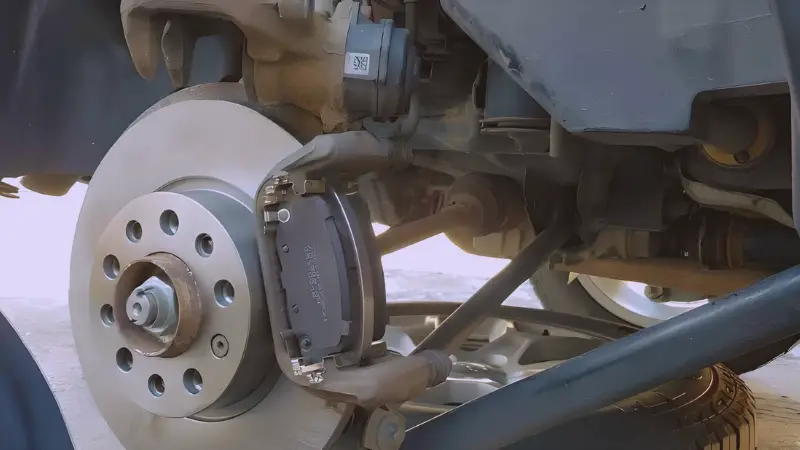
One of the most useful features is the Electronic Parking Brake (EPB) maintenance mode. This function helps during rear brake service on supported vehicles, where the parking brake system may need to enter service mode before the pads are replaced.
The oil reset function is another practical feature. After an oil change, you can reset the service reminder without searching through confusing dashboard button combinations.
The battery registration feature also adds value when replacing a battery on supported Ford models, because modern vehicles may need the battery management system updated after installation.
The throttle reset function can help after throttle-body cleaning, battery disconnection, or idle-related issues on supported vehicles. These service tools are the reason the FD500 feels more useful than a low-cost code reader.
Long Term Performance
Over longer use, the FD500’s main strength is consistency. It is not overloaded with features that most owners will never touch, but it covers the systems and maintenance jobs Ford owners usually care about.
The lifetime free update policy also improves long-term value. Diagnostic tools need software support because vehicle modules, fault definitions, and coverage lists change over time.
Keeping the tool updated gives you a better chance of smooth communication with supported vehicles.
this scanner feels like a smart investment for Ford, Lincoln, or Mercury owners who want to stay ahead of small problems. It helps you understand warning lights, confirm repairs, and handle supported service resets without depending on a shop for every simple task.
Feature Breakdown
Full-System Scanning
The FD500 is made to scan more than the engine. This matters because modern vehicles use separate control modules for safety, transmission, body electronics, climate control, and drivetrain systems.
A fault in one of those systems may not appear on a basic OBD2 reader.
Live Data and Code Reading
Reading codes is the starting point, but live data helps you understand what the vehicle is doing in real time.
Depending on the supported module, you may use live data to check sensor readings, system status, and operating values before deciding what to repair.
Maintenance Reset Functions
The FD500 adds value through service functions like oil reset, EPB maintenance, throttle reset, and battery registration.
These features are useful after common maintenance jobs because some Ford systems need a reset or relearn process after parts are serviced or replaced.
Ford-Focused Coverage
A Ford-focused scanner is useful when you own one of the supported brands and want deeper access than a universal budget reader.
The tradeoff is simple: it gives better value for Ford-group vehicles, but it is not the ideal tool for a mixed-brand garage.
How It Compares
The FD500 sits in the middle of the Ford diagnostic tool market. It offers more useful service features than a basic scanner, but it stays simpler than higher-end professional scan tools.
That makes it a practical option for owners who want strong Ford coverage without paying for functions they may never use.
| Feature | ANCEL FD500 OBD2 Scanner | ANCEL FD700 Ford Lincoln Mercury OBD2 Scanner | FOXWELL NT604 Elite OBD2 Scanner |
|---|---|---|---|
| Price | See Price | See Price | See Price |
| Quality | Professional-grade, Ford-specific scan tool with lifetime free updates; excellent system coverage for Ford, Lincoln, Mercury vehicles (1996+); reliable for both owners and repair shops. | Premium full-system diagnostic tool tailored for Ford, Lincoln, Mercury; supports extensive modules and 33 advanced functions; strong compatibility and professional level. | Reliable and user-friendly diagnostic tool for common systems (ABS, SRS, engine, transmission); newest version with updated software; lacks advanced reset/relearn functions. |
| Features | Full system diagnostics: Engine, ABS, SRS, Transmission, HVAC, 4WD, and more; special functions including EPB Maintenance, Throttle (KAM), Oil Reset, Battery Registration; lifetime free updates. | Full system scan including Engine, SRS, TPMS, ABS, SAS, ESP, TCM, CKP, EPB, EPS, BMS, PCM; 33 special functions like BMS Reset, EPB, ABS Bleed, DPF regen, Transmission learning, Oil Reset, Battery Registration. | 5-in-1 scanner covering ABS, SRS, Transmission, Engine; live data stream, built-in DTC library, data playback and print; lacks maintenance functions like reset or relearn; crash data clear not supported. |
| Best For | Ford, Lincoln, Mercury owners and repair shops seeking complete system diagnostics with advanced maintenance features and lifetime updates. | Professional technicians and Ford group vehicle owners needing extensive full-system diagnostics and numerous advanced service functions. | Car owners wanting an easy-to-use scanner for common system fault detection and basic diagnostics without advanced service needs. |
In my opinion, this ANCEL FD500 OBD2 Scanner stands out because it offers a useful balance of full-system diagnostics and Ford focused service functions.
It is not the most advanced scan tool in the comparison, but it covers the needs of many Ford, Lincoln, and Mercury owners at a more approachable level.
Compared with the FOXWELL NT604 Elite, the FD500 has a stronger Ford-specific angle and more relevant reset functions for supported vehicles.
Compared with the ANCEL FD700, it is simpler and better suited for owners who want useful functions without stepping into a more complex professional tool category.
If you want one tool mainly for Ford Group vehicles, the FD500 makes more sense than a generic reader. If you repair different brands every week, a wider professional scanner may be the smarter choice.
Customer Feedback
Customer feedback is generally positive, especially from Ford owners who want deeper access than a basic OBD2 reader.
Buyers often mention that the scanner feels easy to use, reads more systems than cheap code readers, and gives enough information to help with home maintenance decisions.
The most satisfied users are usually people who own supported Ford, Lincoln, or Mercury vehicles and understand what the tool is designed to do.
The least satisfied users tend to expect full professional-shop coverage for every model and every advanced function, which is not realistic for this price range.
Most Praised Features
- Wide compatibility with Ford, Lincoln, and Mercury vehicles covering all major systems.
- Helpful advanced functions like EPB, throttle, oil reset, and battery registration.
- User-friendly interface and clear display that simplifies diagnostics for DIYers and professionals alike.
Common Concerns
- Some users report occasional connectivity issues with certain vehicle models.
- Limited instruction manual details cause initial setup confusion for first-time users.
- Some reset functions may not appear on every supported vehicle because module support depends on model and year.
Who Loves It Most
This scanner is favored by Ford, Lincoln, and Mercury owners who want an all-in-one tool for engine and system diagnostics, especially DIY enthusiasts and small auto repair shops seeking reliable yet affordable scan tools.
It also appeals to owners of older Ford vehicles because stored codes and warning lights become more common as vehicles age. Instead of paying for a diagnostic check every time, owners can scan the vehicle at home and decide whether the issue needs immediate attention.
Is It Worth the Price?
Price Analysis
The ANCEL FD500 is priced competitively compared with many Ford-specific OBD2 scanners. Price can change based on the seller, coupon, stock level, and promotion, so it is better to check the current listing before buying.
The value becomes clear when you compare it with the cost of repeated diagnostic visits.
One shop diagnostic session can cost a noticeable amount, and the FD500 may pay for itself if you use it several times for warning lights, maintenance resets, or used-car checks.
Value Features
- complete Ford System Coverage, Supports Engine, ABS, SRS, Transmission, and 4WD diagnostics, ensuring thorough vehicle analysis.
- Advanced Service Functions, Includes EPB, Throttle, Oil Reset, and Battery Registration, allowing for professional-level maintenance at home.
- Lifetime Free Updates, Keeps the tool current with Ford model changes, extending its usability and value over time.
- Dedicated Ford Compatibility, Tailored for Ford, Lincoln, and Mercury models post-1996, minimizing compatibility issues common with generic scanners.
Vs. Competitors
Compared to generic OBD2 scanners, the ANCEL FD500 offers deeper Ford-specific diagnostics and more useful maintenance functions.
Compared with higher-end tools, it keeps the price and menu system more manageable for regular owners.
The main thing to remember is compatibility. Before buying, confirm that your exact vehicle year, model, and system needs match the tool’s supported coverage.
That step matters more than buying the scanner with the longest feature list.
Final Verdict
If you own a Ford, Lincoln, or Mercury vehicle and want a reliable diagnostic tool without overspending, the ANCEL FD500 is a strong value pick. It gives you full-system scanning, useful service functions, and a simple ownership experience.
It is best for owners who plan to keep their vehicle for a while and want to handle basic diagnostics at home.
It is also useful for small workshops that often see Ford-group vehicles but do not need a costly high-end diagnostic tablet for every job.
Before You Buy
Before ordering the FD500, check your vehicle year, model, engine, and system needs. Scanner support can vary across trims and modules, especially for advanced reset functions.
If you mainly need check-engine code reading, a basic reader may be enough. If you want Ford-specific system scanning and service resets, the FD500 makes more sense.
- Choose it if you own a Ford, Lincoln, or Mercury and want deeper diagnostics.
- Skip it if you need one scanner for many vehicle brands.
- Update the software before first serious use.
- Use service functions carefully and follow the vehicle repair procedure.
- Keep the vehicle battery stable when running resets or relearn functions.
Bottom Line
The ANCEL FD500 is a practical scanner for Ford, Lincoln, and Mercury owners who want stronger diagnostics than a basic code reader. It covers important systems, includes useful reset functions, and stays simple enough for home use.
It is not the right scanner for every vehicle owner, but it is a strong match if your garage mainly has Ford Group vehicles. For the right buyer, it can save time, reduce guesswork, and make routine maintenance easier.