When the service light comes on in your Jeep Renegade, it’s more than just a glowing symbol—it’s a reminder your vehicle needs attention. This light can signal regular maintenance, such as an oil change, or alert you to other issues. Many drivers feel uncertain when they see the light, especially if they’ve just performed maintenance but the light stays on. Resetting the service light correctly is important for keeping accurate track of your vehicle’s health and avoiding confusion later. This guide will help you understand why the service light comes on and show you, step by step, how to reset it—without making common mistakes.
What Does The Jeep Renegade Service Light Mean?
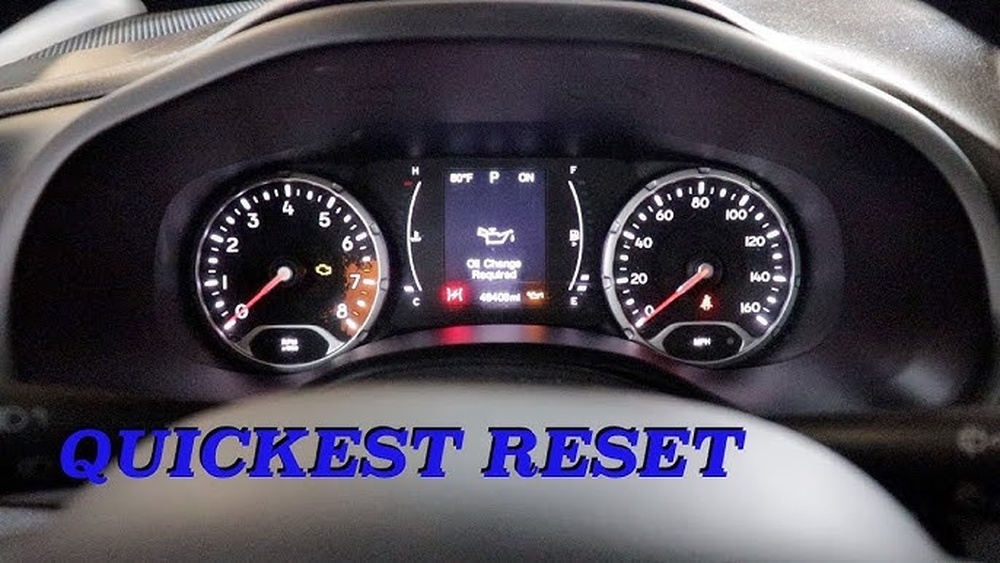
The service light in a Jeep Renegade is a small warning indicator on your dashboard. Unlike the check engine light, which often signals a problem, the service light usually reminds you that scheduled maintenance is due. This might include:
- Oil changes
- Tire rotation
- Fluid checks
- General inspections
If you ignore the service light, you may forget important maintenance tasks. Over time, this can reduce your Jeep’s performance and even lead to expensive repairs.
When Should You Reset The Service Light?
You should only reset the service light after completing the required maintenance. Resetting it too early can confuse the system and make you miss the next service. If you’ve just changed your oil or finished regular maintenance, it’s safe to reset the light.
Important: If the light comes on unexpectedly, and you haven’t reached your maintenance interval, check for other issues first. Resetting the light without solving the underlying problem can hide real faults.
How To Reset The Jeep Renegade Service Light
Resetting the service light doesn’t require special tools. You can do it yourself in just a few steps. The process is similar for most Jeep Renegade models from 2015 onward, but always check your owner’s manual for exact instructions.
Step-by-step Reset Instructions
- Switch the Ignition to ON (Do Not Start the Engine)
- Insert your key or press the start button once without pressing the brake. All dashboard lights should come on.
- Navigate to the Vehicle Info Screen
- Use the controls on your steering wheel (usually the left side) to scroll through the menu.
- Find the “Vehicle Info” or “Service” section.
- Select the Oil Life or Service Reminder
- Scroll until you see the oil life or service indicator.
- Reset the Oil Life
- Press and hold the “OK” or right arrow button until the oil life resets to 100%.
- This may take a few seconds.
- Turn Off the Ignition
- Switch the ignition off and then start the engine to confirm the light is gone.
Tips For A Successful Reset
- If the reset doesn’t work, try repeating the steps slowly.
- Some models may require holding the reset button longer.
- If your Renegade has a touchscreen, check the “Settings” menu for a maintenance reset option.
Example Scenario
Imagine you changed your oil at 5,000 miles. After the oil change, the service light stays on. By following the steps above, you reset the light and the dashboard now shows 100% oil life. The next reminder will appear at your next interval.
Common Mistakes And How To Avoid Them
Resetting the service light seems simple, but even experienced drivers make mistakes. Here are some common errors:
- Resetting Before Maintenance: Never reset the light before completing the service. This can lead to missed oil changes or other maintenance.
- Not Holding the Button Long Enough: The reset won’t work if you release the button too quickly. Hold it for at least 5–10 seconds.
- Wrong Menu Selection: It’s easy to select the wrong menu item. Make sure you’re on the oil life or service reminder screen.
- Ignoring Other Warning Lights: If other lights (like the check engine light) are on, do not reset the service light until you address those issues.
Pro Tip: Always double-check your work. Start the engine and confirm the light is off before driving.
Comparing Manual Vs. Dealer Reset
Some drivers wonder if it’s better to reset the service light themselves or let the dealer handle it. Here’s a quick comparison:
| Method | Cost | Time Needed | Control | When to Use |
|---|---|---|---|---|
| Manual (DIY) | Free | 1–2 minutes | Full | After simple maintenance (oil change, etc.) |
| Dealer | Usually included in service fee | Up to 1 hour (including wait) | Dealer | After major repairs or updates |
Doing it yourself saves time and money, but the dealer reset is useful if you’re getting complex service or software updates.
When The Service Light Won’t Reset
Sometimes, the service light stays on even after you try to reset it. Here’s what to do:
- Double-Check the Steps: Repeat the reset process carefully.
- Inspect for Fault Codes: If other warning lights are on, use an OBD-II scanner to check for codes.
- Check for Software Updates: Sometimes, the car’s system needs an update from the dealer.
- Battery Issues: A weak battery can cause dashboard glitches, including stubborn service lights.
- Consult a Professional: If you can’t reset the light after multiple tries, visit your dealer or a trusted mechanic.

The Difference Between Service Light And Check Engine Light
Many people confuse the service light with the check engine light. Here’s how they differ:
| Light | Color | Meaning | Action Needed |
|---|---|---|---|
| Service Light | Yellow/Amber | Maintenance reminder | Schedule service soon |
| Check Engine Light | Yellow/Amber | System fault detected | Diagnose immediately |
If the check engine light is on, it’s a sign of a more serious issue, such as engine misfire or sensor failure. In this case, do not just reset the service light get a diagnosis first.
Why Accurate Service Tracking Matters
Resetting the service light is not just about turning off a warning. Accurate service records help you:
- Maintain your Jeep’s value
- Avoid costly repairs
- Prove regular maintenance if you sell the car
Many buyers ask for maintenance records. If the service light history and your records don’t match, it can raise doubts.
Keeping Track: Manual Records Vs. Digital Tracking
You can track your Renegade’s service history in different ways:
| Method | Pros | Cons |
|---|---|---|
| Manual Log (Paper/Notebook) | Simple, works offline | Easy to lose, not searchable |
| Digital Apps | Easy to update, reminders, searchable | Needs phone or computer |
| Dealer Database | Official records, easy transfer | Not all services are recorded (DIY jobs may be missed) |
Using more than one method helps you stay organized and gives extra proof of good maintenance.
Non-obvious Insights Most Owners Miss
- Resetting the service light does not fix real problems. Many drivers think turning off the light means the car is fine. If you skip maintenance or ignore other warning signs, you risk bigger issues later.
- Service lights can be triggered by battery changes or power interruptions. If you recently replaced your battery and the service light came on, it may not mean maintenance is due. Always check your maintenance schedule before resetting.
- Some service reminders are mileage-based, others are time-based. For example, you may need an oil change every 5,000 miles or every six months, whichever comes first. Don’t rely only on the light—check your manual.
Resetting For Different Model Years
While the reset process is similar for most Jeep Renegade models, some differences exist, especially for earlier or newer versions:
- 2015–2018 Models: Use the steering wheel buttons to navigate menus.
- 2019–2023 Models: Some include a touchscreen menu for resets.
- Hybrid/Electric Versions: Check your manual, as the reset process may involve extra steps for battery or hybrid system maintenance.
If your vehicle doesn’t match the common steps, the owner’s manual or a quick search on the official Jeep website can help.
Resetting Other Maintenance Reminders
Besides the oil life/service light, your Jeep Renegade may show reminders for:
- Tire rotation
- Brake inspection
- Transmission service
The reset method is usually similar: navigate to the correct screen and hold the reset button. Always check which service you’re resetting to avoid confusion.
What If You’re Leasing Your Jeep Renegade?
Leased vehicles often require proof of maintenance. If you reset the service light yourself, keep all receipts and logs. Some leasing companies may charge fees if there is no evidence of proper maintenance, even if the light is off.
How Dealers And Mechanics Reset The Service Light
Professional shops may use special diagnostic tools to reset service reminders and check for stored fault codes. This is especially useful after major repairs. However, for basic maintenance, the manual reset is enough.
Tip: Ask your mechanic to show you how to reset the light during your next service. This knowledge can save you time and worry in the future.
How To Tell If The Reset Worked
After resetting, turn the ignition off and then start the vehicle. The dashboard should show 100% oil life or no service warning. If the light comes back after a short drive, double-check your steps or ask a professional.
Real-world Example: Service Light Reset Gone Wrong
A Jeep Renegade owner performs an oil change, resets the service light, but ignores a small oil leak. A month later, the engine develops problems because the leak was not fixed.
This shows why it’s important to address all maintenance needs, not just reset the light.
Useful Resources
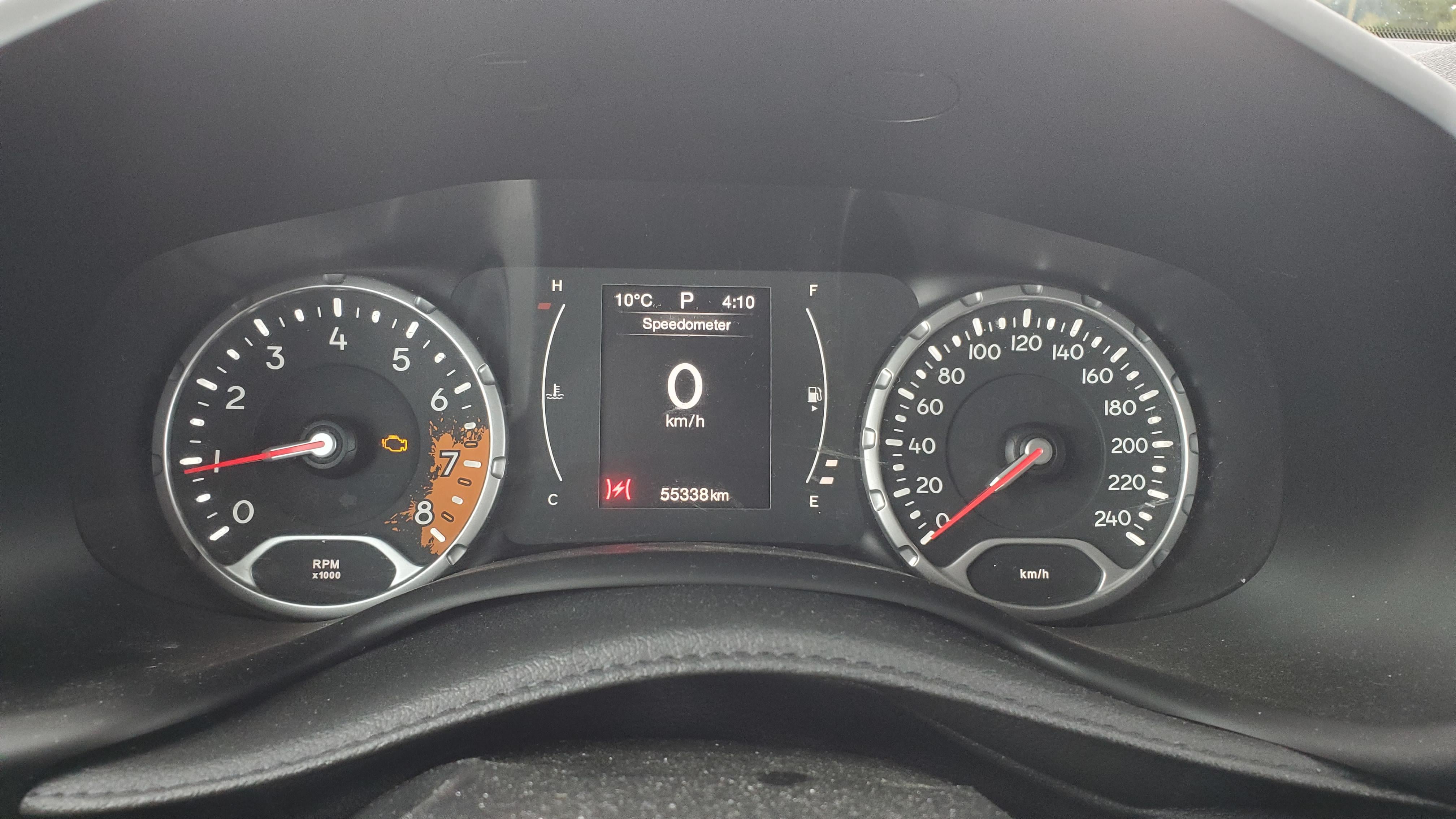
The official Jeep website and owner’s manual have detailed guides and maintenance schedules. For more technical details and the latest updates, visit Jeep’s Official Maintenance Schedule.
Frequently Asked Questions
How Often Should I Reset The Jeep Renegade Service Light?
Reset the service light only after each scheduled maintenance, such as an oil change. Do not reset it in between services, as this can cause you to miss important maintenance intervals.
Can I Reset The Service Light Without Doing The Maintenance?
Technically, yes, but it is not recommended. Resetting the service light without performing the required maintenance can lead to serious car problems and may void your warranty.
What If The Service Light Keeps Coming Back After Reset?
If the service light returns immediately or soon after resetting, there may be an unresolved issue or sensor problem. Check for fault codes using an OBD-II scanner or consult a mechanic.
Is The Service Light The Same As The Check Engine Light?
No. The service light is a reminder for routine maintenance, while the check engine light signals a problem with your vehicle’s systems. Do not ignore the check engine light.
Can I Drive With The Service Light On?
You can usually drive short distances with the service light on, but schedule maintenance as soon as possible. Ignoring the light for too long increases the risk of mechanical damage.
Taking care of your Jeep Renegade’s service light is a small task that brings big benefits. It keeps your vehicle running smoothly and helps you avoid problems down the road.
With these practical steps and tips, you can reset the service light with confidence and keep your Renegade in top shape.