If your Jeep Cherokee is showing warning lights, acting strangely, or you just replaced the battery, you might need to reset something. Resets can solve all sorts of small problems. But not every Cherokee reset is the same. Some are quick, while others need more attention. This article will explain the main ways to reset your Jeep Cherokee. We’ll cover different model years, what to expect, and some extra tips that most people miss.
When Should You Reset Your Jeep Cherokee?
There are a few common situations when a reset helps:
- After a battery change: Sometimes, the system might act odd or show errors.
- Check Engine light: A reset can clear the light after repairs.
- Faulty sensors: If a sensor seems stuck, a reset might fix it.
- Infotainment system issues: Freezes, Bluetooth problems, or screen glitches.
It’s important to know that a reset is not a magic fix. If there’s a real mechanical problem, the warning will come back.
Main Ways To Reset Your Jeep Cherokee
The right method depends on the system you want to reset. Below are the most common types.
1. Resetting The Engine/ecu
This is the main computer in your Jeep. A reset can clear error codes and sometimes fix rough performance.
Quick Battery Disconnect Method
- Turn off your Jeep. Remove the key from the ignition.
- Open the hood and locate the battery.
- Use a wrench to disconnect the negative (black) battery cable.
- Wait at least 15 minutes. This drains power from the system.
- Reconnect the negative cable and tighten it.
- Start your Jeep. The system should reset.
This method works for most models from 2014 to 2023. If you have an older or newer model, check your manual for changes.
What’s Really Happening?
Disconnecting the battery wipes temporary memory. But some codes stay in the system. If your check engine light comes back quickly, you have a deeper problem.
2. Resetting The Uconnect/infotainment System
Jeep’s Uconnect system controls your radio, navigation, and more. Problems here are common, especially after updates.
Soft Reset
- Hold the volume and tuner knobs at the same time for about 10–15 seconds.
- The screen will go black, then the Jeep logo will appear.
- Let go. The system should reboot.
Factory Reset
If the soft reset fails, try this:
- Tap Settings on the Uconnect screen.
- Go to System Information or Reset.
- Choose Restore Factory Defaults.
- Confirm your choice.
Warning: This erases all your settings and saved data.
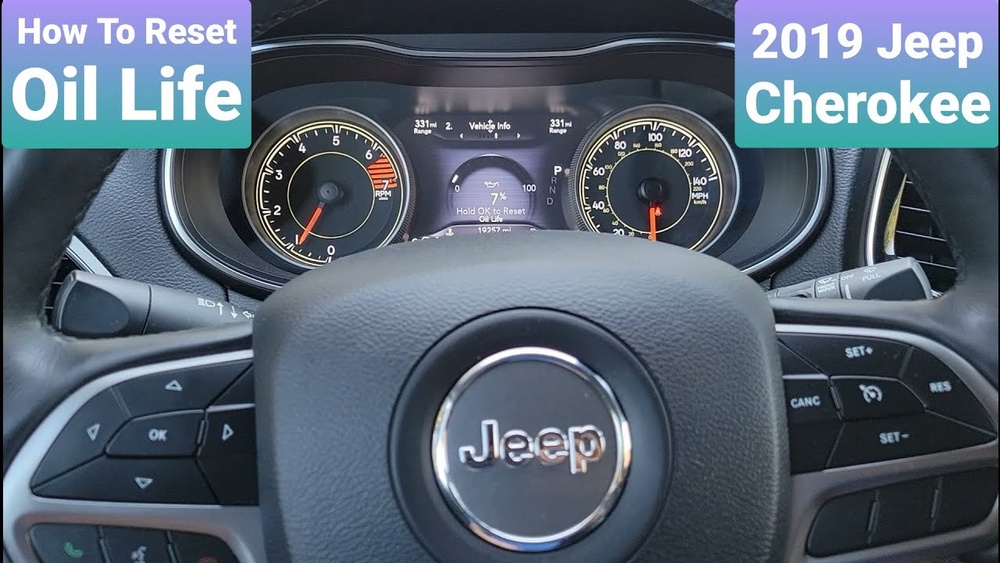
3. Resetting Oil Change Light
After an oil change, the reminder needs a reset.
Steps:
- Turn the ignition to ON (don’t start the engine).
- Press the gas pedal slowly three times within 10 seconds.
- Turn off the ignition.
- Start the engine. The oil light should be gone.
This works on most modern Cherokees. Some older models use a different process.
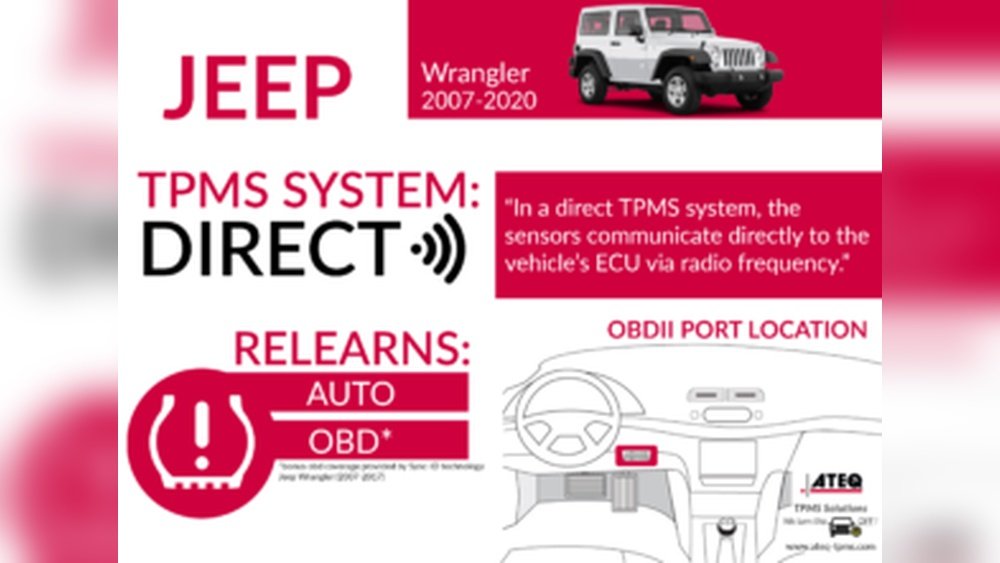
4. Resetting Tire Pressure Monitoring System (tpms)
TPMS errors happen often, especially with temperature changes.
- Inflate tires to the correct pressure.
- Drive above 15 mph for at least 10 minutes.
- The warning should disappear.
If not, a scan tool may be needed.
5. Using An Obd-ii Scanner
For stubborn codes, use an OBD-II scanner.
- Plug the scanner into the port under your dashboard.
- Turn on the ignition.
- Select “Erase Codes” or “Clear DTCs” on the scanner.
- Follow the prompts.
This is the most direct way to clear error codes.
Reset Methods Comparison
Here’s a quick look at which reset works for what:
| Reset Type | Best For | Difficulty |
|---|---|---|
| Battery Disconnect | Engine/ECU issues | Easy |
| Uconnect Reset | Infotainment problems | Very Easy |
| Oil Light Reset | Maintenance reminders | Very Easy |
| TPMS Reset | Tire sensor errors | Easy |
| OBD-II Scanner | Check Engine codes | Moderate |
Common Problems And What To Watch Out For
Many people miss a few details when resetting their Jeep Cherokee:
- Radio presets and clock: These may reset after disconnecting the battery. Write them down first.
- Security codes: Some infotainment systems need a code after reset. Find yours before starting.
- Battery health: If your battery is weak, resetting may not solve the problem. A new battery could be the real fix.
- Loose battery cables: Tighten them well to avoid electrical problems.
Quick Troubleshooting Table
If your reset didn’t work, check this guide:
| Problem | Possible Cause | What To Do |
|---|---|---|
| Check Engine light stays on | Ongoing issue | Scan for codes, repair needed |
| Uconnect frozen after reset | Software glitch | Try a factory reset, update software |
| Car won’t start after reset | Loose battery cable | Reconnect and tighten cables |
| TPMS won’t reset | Bad tire sensor | Replace sensor, visit mechanic |
| Settings lost | Reset erased memory | Reprogram settings manually |
Two Insider Tips Most Owners Miss
- Memory systems need time to relearn. After a battery reset, things like idle speed or transmission shifting may feel strange. Give your Jeep a few drives to relearn your driving style.
- Software updates matter. Many Uconnect problems are fixed by updating the system. Check the Jeep website or your dealer for the latest version.

When Not To Reset
Never use a reset to ignore real problems. If your Jeep keeps warning you, visit a mechanic. Resets are good for clearing minor glitches, not for hiding faults.
Where To Find More Help
For official instructions, visit the Jeep Owner’s Manual. This is the best source for your specific model and year.

Frequently Asked Questions
How Do I Reset My Jeep Cherokee After Changing The Battery?
Disconnect the negative battery terminal for at least 15 minutes, then reconnect. This resets the ECU and can clear most errors.
Why Does My Jeep Cherokee’s Uconnect Keep Freezing?
This is often a software glitch. Try a soft reset by holding the volume and tuner knobs. If it keeps happening, update your Uconnect software or do a factory reset.
Can I Clear The Check Engine Light Without A Scanner?
Yes, by disconnecting the battery for several minutes. But if the problem remains, the light will come back. A scanner gives more details about the real issue.
How Do I Reset The Oil Change Light On My Jeep Cherokee?
Turn the ignition to ON, press the gas pedal slowly three times, then turn off the ignition. Start the engine to confirm the light is gone.
Is It Safe To Reset My Jeep Cherokee Myself?
It’s safe for most minor resets. But if you’re unsure or have a major problem, consult a mechanic. Mistakes can cause more issues, especially with electronics.
Resetting your Jeep Cherokee is simple for most problems, but always pay attention to warning signs. A quick reset can save you time and money, but it’s not a fix for everything. If you follow these steps and still have trouble, don’t hesitate to get expert help.
Your Jeep will thank you with smoother drives and fewer surprises.