Syncing your iPhone with your Jeep Grand Cherokee can unlock features like hands-free calling, music streaming, and navigation. Many drivers miss out on these functions because they find the process confusing or worry about compatibility. But with the right steps, you can connect your devices quickly and make your driving experience smarter and safer. This guide explains how to sync your iPhone to your Jeep Grand Cherokee, covers common problems, and shares tips for using the system effectively.
Understanding Jeep Grand Cherokee Connectivity
The Jeep Grand Cherokee comes with a Uconnect infotainment system. This system lets you connect your smartphone using Bluetooth or Apple CarPlay. Not all Grand Cherokee models offer the same technology, so knowing your model year and features is important.
| Model Year | Uconnect Version | Apple CarPlay Support | Bluetooth Audio |
|---|---|---|---|
| 2014-2017 | Uconnect 4 | No | Yes |
| 2018-2022 | Uconnect 4C / 5 | Yes | Yes |
| 2023+ | Uconnect 5 | Yes | Yes |
Apple CarPlay is available only in newer models (2018 and up). If your Jeep is older, you can still connect via Bluetooth for calls and music.
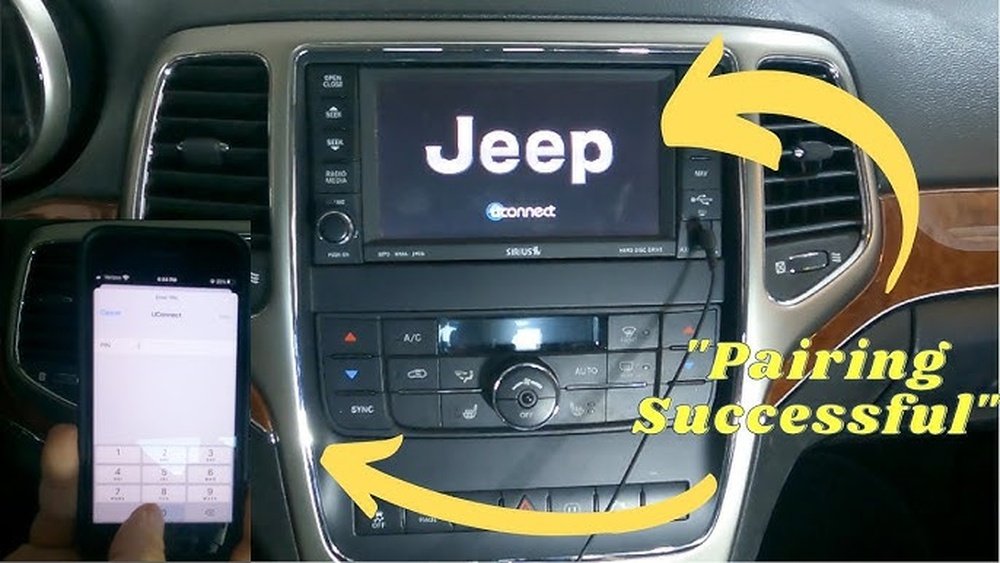
How To Sync Your Iphone Via Bluetooth
Bluetooth pairing is the most common way to connect your iPhone to your Jeep Grand Cherokee. Here’s how to do it:
- Turn on Bluetooth: On your iPhone, open Settings, select Bluetooth, and make sure it’s turned on.
- Start Uconnect: In your Jeep, turn on the ignition and tap the Uconnect screen.
- Access Phone Settings: Select ‘Phone’ or ‘Settings’ on the Uconnect display.
- Add Device: Tap ‘Add Device’ or ‘Pair New Device’.
- Search for Jeep: Your iPhone will show a list of available devices. Select ‘Jeep’ or ‘Uconnect’.
- Confirm Pairing Code: A code will appear on both screens. Confirm that the code matches.
- Allow Permissions: Accept requests to sync contacts and messages.
After pairing, your iPhone will connect automatically when you start your car. You can make calls, stream music, and access Siri with voice commands.
| Function | Bluetooth | Apple CarPlay |
|---|---|---|
| Hands-Free Calls | Yes | Yes |
| Music Streaming | Yes | Yes |
| Navigation Apps | No | Yes |
| Messaging | Limited | Full |
| Siri Voice Control | Yes | Yes |

Using Apple Carplay For Advanced Features
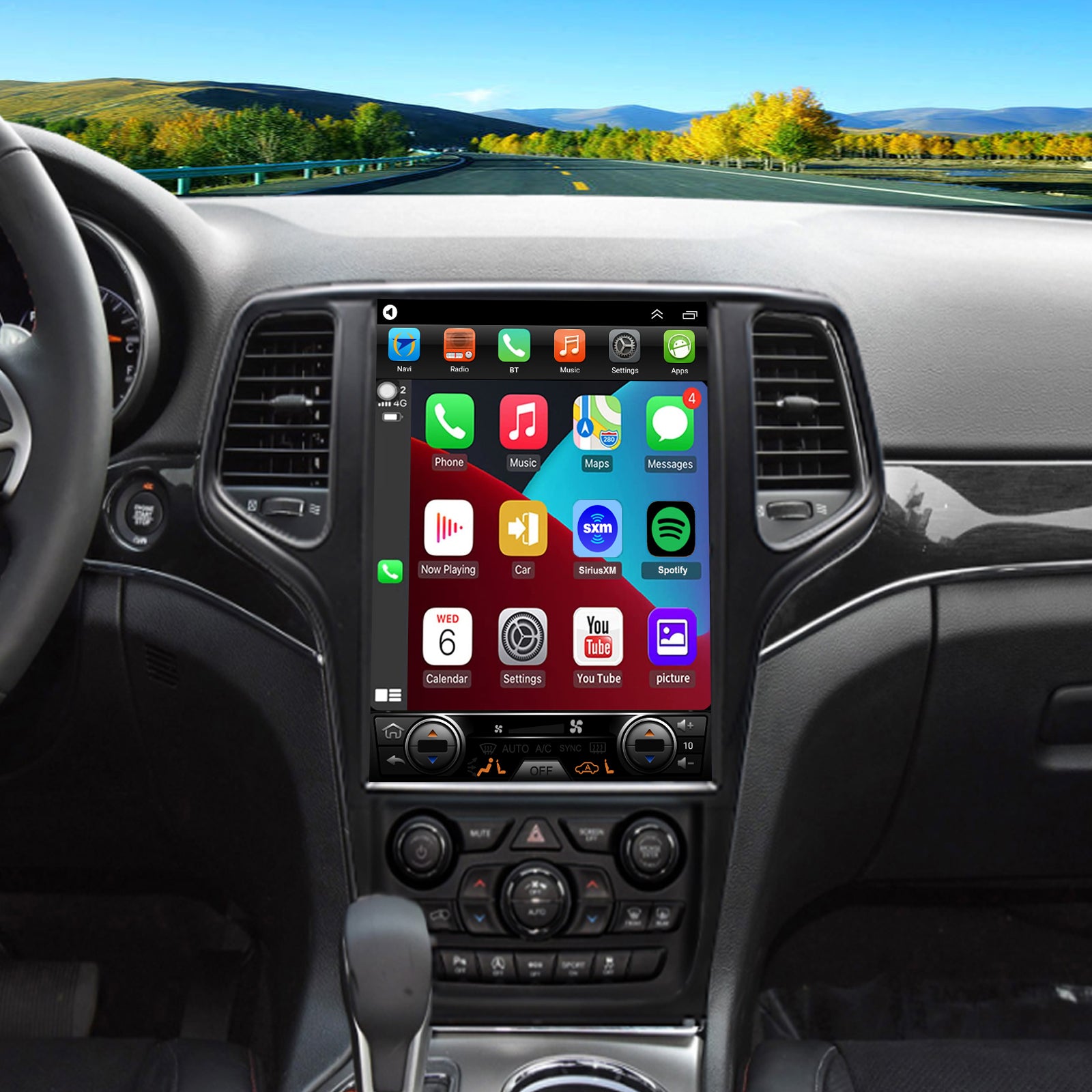
If your Jeep supports Apple CarPlay, you can access more iPhone apps on the Uconnect screen. Here’s how to connect:
- Plug in your iPhone: Use a certified Lightning cable to connect your phone to the USB port (usually found in the center console).
- Allow CarPlay: A message may pop up on your phone. Tap ‘Allow’.
- CarPlay Launches: The Uconnect screen will show the CarPlay interface.
- Select Apps: Tap icons for Maps, Messages, Music, and other apps.
CarPlay lets you use navigation apps like Apple Maps or Google Maps right on your dashboard. Voice commands with Siri make driving safer by keeping your hands on the wheel.
Common Sync Problems And Solutions
Sometimes pairing fails or disconnects. Here are frequent issues and fixes:
- Bluetooth won’t connect: Restart your iPhone and Uconnect. Delete old pairings and try again.
- CarPlay not working: Use a different USB cable. Check if your phone and Uconnect software are updated.
- No sound or dropped calls: Move other electronic devices away from your car, as interference can cause problems.
- Contacts not syncing: Make sure your iPhone allows Uconnect to access contacts under Bluetooth settings.
Most problems can be solved by updating your iPhone and Uconnect. It’s also helpful to restart both devices before troubleshooting.

Tips For Smooth Syncing
Many drivers overlook these points:
- Update software: Old Uconnect versions sometimes block new phones. Update your Jeep’s system regularly.
- Use official cables: Non-certified cables can cause CarPlay to fail.
- Limit paired devices: Too many phones paired with Uconnect can confuse the system. Remove unused devices.
- Enable Siri: Activate Siri for hands-free features. Go to iPhone settings, tap Siri & Search, and turn it on.
For more details on CarPlay compatibility, check the official Apple CarPlay page.
Safety And Privacy Considerations
Syncing your iPhone adds convenience, but also shares your contacts and messages with your car’s system. Always:
- Delete your phone from Uconnect before selling your Jeep.
- Turn off message sync if you don’t want notifications in your car.
- Lock your phone while driving to avoid distractions.
Frequently Asked Questions
How Do I Know If My Jeep Grand Cherokee Supports Apple Carplay?
Check your Jeep’s model year. Most 2018 and newer Grand Cherokees support Apple CarPlay. You can also look for a CarPlay icon on the Uconnect screen or consult your owner’s manual.
Can I Sync More Than One Iphone To My Jeep?
Yes, you can pair multiple phones, but only one will be active for calls and media at a time. Remove unused devices to avoid confusion.
What Should I Do If My Phone Won’t Connect?
Restart both your iPhone and Uconnect system. Make sure Bluetooth is enabled on both devices. Delete previous pairings and try again. Update your phone and Uconnect software if possible.
Is Syncing My Iphone Safe For My Privacy?
Uconnect stores some contact and message data for convenience. Always remove your phone from the system before selling your Jeep. Turn off message sync if you don’t want notifications in your car.
If your Jeep supports CarPlay, you can use navigation apps like Apple Maps and Google Maps on the Uconnect screen. With Bluetooth only, navigation is not displayed on the screen.
Connecting your iPhone to your Jeep Grand Cherokee is straightforward once you know the steps. Whether you use Bluetooth or Apple CarPlay, following these tips will help you enjoy safer, smarter driving. Take a few minutes to check your Jeep’s features, update your software, and pair your devices carefully. You’ll unlock the full power of your infotainment system and stay connected on the road.