Keeping your Jeep Grand Cherokee’s GPS up to date is more important than many drivers realize. Outdated navigation maps can lead to missed turns, longer routes, or even unsafe driving situations. Modern roads change quickly—new highways open, old roads close, and points of interest (like gas stations or restaurants) come and go. If your Jeep Grand Cherokee’s GPS hasn’t been updated in a year or more, you could be missing out on the fastest routes, the latest traffic information, and improved features that make every drive smoother and safer.
Why Gps Updates Matter In Your Jeep Grand Cherokee
GPS updates are not just about new roads. They impact how effectively your navigation system works every day. An updated system can help you:
- Avoid traffic jams with the latest traffic data
- Find new businesses that didn’t exist last year
- Reach destinations faster with optimized routing
- Reduce fuel use by taking more efficient routes
Jeep recommends updating your GPS at least once a year, or more often if you frequently drive in areas with lots of development.
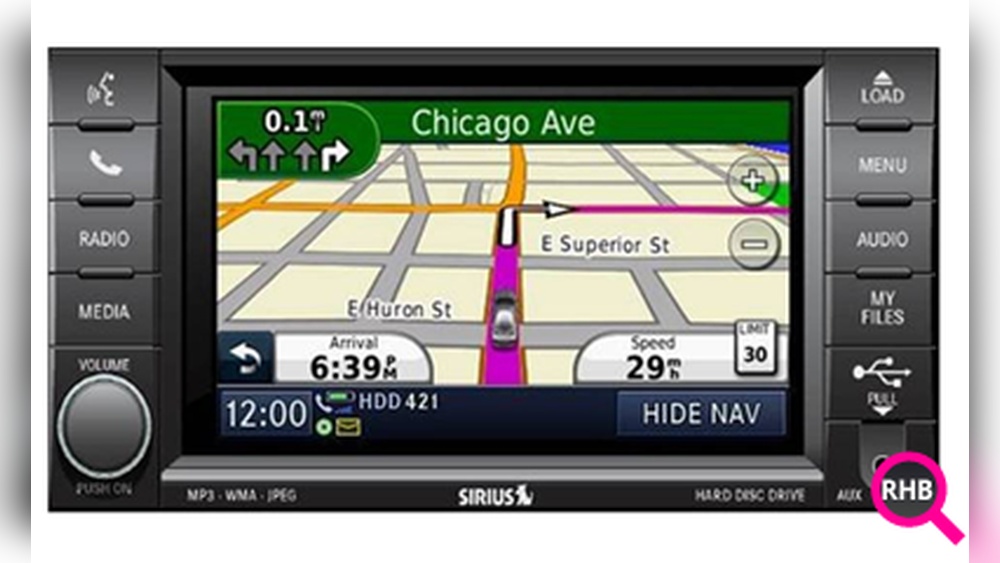
Methods To Update Gps In Jeep Grand Cherokee
There are a few main ways to update the navigation system in your Grand Cherokee. The exact method can depend on your model year and the type of Uconnect system you have.
1. Uconnect System Updates (most Common)
Most Jeep Grand Cherokees from 2014 onward use the Uconnect infotainment system. Updates can be done in two ways: via USB or over-the-air.
Updating Via Usb
- Check your current map version. Go to ‘Navigation Settings’ > ‘Map Information’ on your Uconnect screen.
- Visit the official map update site. Go to the Jeep or Uconnect website and enter your Vehicle Identification Number (VIN).
- Purchase or download the latest map update. Most updates are paid, but some may be free under warranty.
- Download the update to a USB drive. Use a blank USB drive (at least 16GB is recommended).
- Insert the USB into your Jeep. Plug it into the USB port with the car running (not just in accessory mode).
- Follow the on-screen instructions. The system will guide you through the update process.
Over-the-air Updates
Some newer Grand Cherokee models (2021 and later) support over-the-air (OTA) updates.
- Connect your vehicle to Wi-Fi.
- Go to ‘Settings’ > ‘System Information’ > ‘Software Updates.’
- If an update is available, follow the prompts to install it. This process may take 30–60 minutes.
2. Dealer-assisted Updates
If you prefer not to update the system yourself, most Jeep dealerships offer GPS updates as a service. The dealer will handle the download and installation, usually while you wait. This option is best if you are not comfortable with technology or if your system requires special tools.
Some drivers use a phone-based navigation app (like Google Maps or Waze) as a backup. While these apps are always up to date, they don’t integrate with your Jeep’s built-in navigation display. However, newer Uconnect systems support Apple CarPlay or Android Auto, allowing you to mirror these apps on your vehicle screen.
Comparing Update Methods
Here’s how the main update methods stack up in terms of convenience, cost, and speed.
| Method | Cost | Time Required | User Skill Needed |
|---|---|---|---|
| USB Update | $100–$200 (typical) | 1–2 hours | Basic computer skills |
| Over-the-Air (OTA) | Often free | 30–60 minutes | Very easy |
| Dealer Update | $150–$300 | 1–3 hours (plus wait time) | None (dealer handles it) |
Step-by-step: Usb Map Update Example
If your Grand Cherokee uses a USB map update, follow these steps for a smooth process:
- Prepare a clean USB drive (at least 16GB, formatted to FAT32).
- Go to the official Uconnect update page.
- Enter your VIN to check update eligibility.
- Download the update software onto your computer, then transfer to the USB.
- Start your Jeep and keep it running. Do not turn off the engine during the update.
- Plug the USB into the port labeled ‘Media’ or ‘USB’.
- Wait for the system to detect the update. Follow prompts—never remove the USB until told.
- System reboots after completion. Check ‘Map Information’ to confirm the new version.
Common Mistakes To Avoid
Many drivers run into problems during updates. Here are some frequent errors:
- Using the wrong USB format. Always use FAT32, not exFAT or NTFS.
- Turning off the engine. The vehicle must stay on during the update.
- Removing the USB too early. Wait until the system says it is safe to remove.
- Skipping steps on the website. Double-check you are downloading the correct update for your model.
How Often Should You Update?
It’s smart to update once per year for best results. If you live in a city with lots of construction or new developments, consider checking every six months. Frequent updating keeps your maps current and your drives hassle-free.

Real-world Benefits: A Quick Comparison
Let’s look at what you get when you keep your Jeep Grand Cherokee’s GPS updated versus not updating.
| With Update | Without Update |
|---|---|
| Accurate new roads | Missing or incorrect routes |
| Latest traffic information | Outdated traffic data |
| Efficient fuel use | Longer, less direct routes |
| Better points of interest | Old or closed businesses |
Two Insights Most Owners Miss
- Map updates are not just about roads—they also improve the performance of your navigation system, like voice commands and search results.
- A single missed update can mean hundreds of outdated addresses or missing safety features, so skipping even one year can have a bigger impact than you might expect.

Where To Get Official Updates
Always download updates from the official Uconnect or Jeep websites to avoid scams or faulty software. For more details, the official site at Jeep Uconnect has step-by-step guides and support.
Frequently Asked Questions
How Much Does It Cost To Update Gps In A Jeep Grand Cherokee?
Costs vary by update method. USB updates usually cost $100–$200, dealer updates can be $150–$300, and some over-the-air updates are free on newer models.
Can I Use Google Maps Instead Of The Built-in Gps?
Yes, if your Jeep supports Apple CarPlay or Android Auto. However, built-in navigation works even if you don’t have cell service, which can be important in remote areas.
How Long Does The Update Process Take?
A USB update can take 1–2 hours. Over-the-air updates are quicker, usually 30–60 minutes. Dealer updates may take longer if there’s a wait.
Do I Need To Update Every Year?
It’s recommended to update annually for the best accuracy, especially if you drive in changing areas or rely heavily on navigation.
What Happens If I Interrupt The Update?
Interrupting an update (for example, turning off your Jeep) can cause the system to malfunction. Always keep the engine running and follow all instructions during an update.
Keeping your Jeep Grand Cherokee GPS updated is an easy way to enjoy safer, faster, and more reliable journeys. With just a little effort, you’ll always know the best way to your next destination.