If you own a Jeep Wrangler 2014 and rely on its Uconnect system, you already know how important this touchscreen hub is. It controls your music, navigation, Bluetooth, and even climate settings. But sometimes, Uconnect can freeze, glitch, or stop responding. If this happens, resetting Uconnect can solve many problems—without needing a trip to the dealer. Here’s a practical guide to help you reset Uconnect safely and efficiently, plus tips and answers to common questions.
What Is Uconnect And Why Reset It?
Uconnect is the infotainment system installed in most Jeep Wranglers since 2011. It manages radio, phone calls, GPS, apps, and more. Like any tech device, it can run into issues:
- Touchscreen freezes
- Bluetooth won’t connect
- Apps not loading
- Audio not working
Resetting Uconnect usually fixes these problems. Think of it as restarting your smartphone after it gets slow or buggy.
Quick Vs. Factory Reset: What’s The Difference?
There are two main ways to reset Uconnect on your Jeep Wrangler 2014: soft reset and factory reset. Let’s compare them:
| Reset Type | What It Does | When To Use |
|---|---|---|
| Soft Reset | Restarts the system without deleting settings | Minor glitches, touch issues, Bluetooth not working |
| Factory Reset | Erases all settings and restores default | Major issues, system stuck, after failed updates |
A soft reset is safer and faster. Factory reset removes all your customizations, so use it only if you must.
How To Soft Reset Uconnect Jeep Wrangler 2014
Soft reset is the first step for most problems. It’s easy and takes less than 5 minutes.
- Turn on your vehicle: Start the Jeep and keep it in park.
- Press and hold both the volume and tuner knobs: These are usually located just below the touchscreen.
- Wait for the screen to go black: Hold both knobs for about 10–15 seconds.
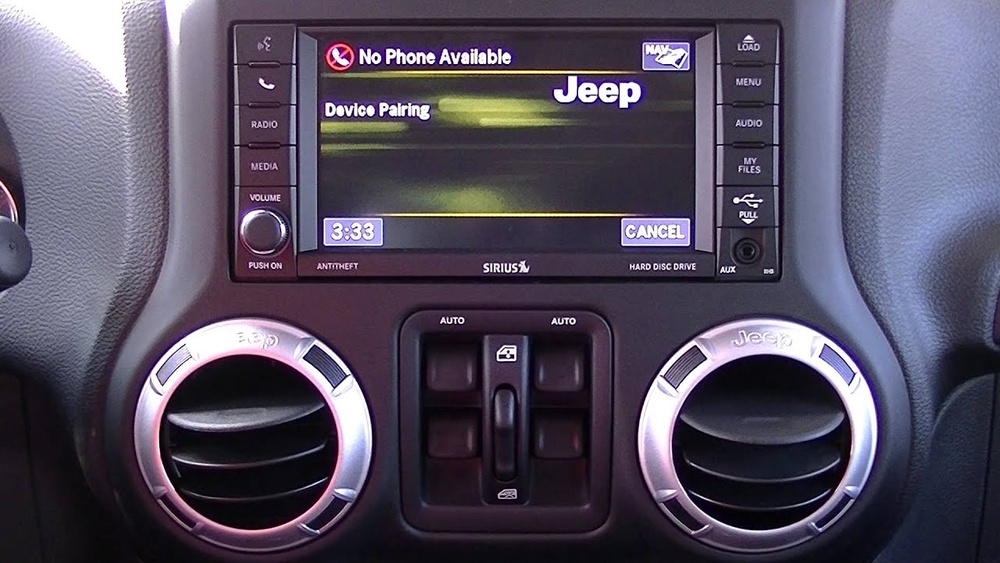
- Release the knobs: The system will reboot automatically. The Jeep logo appears, followed by the Uconnect home screen.
Most minor issues should now be fixed. If not, try repeating the steps once more.
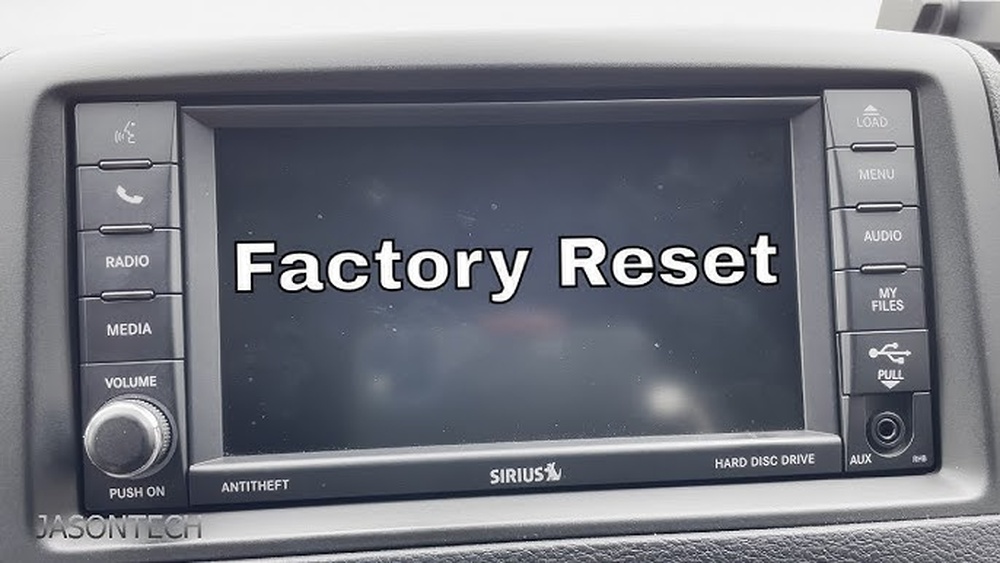
How To Factory Reset Uconnect Jeep Wrangler 2014
If a soft reset doesn’t work, a factory reset may be necessary. This process restores the original Uconnect software and deletes all personal data.
- Go to the Uconnect main menu: Tap the screen to access settings.
- Select “Settings”: Look for the gear icon.
- Find “System Information” or “Reset”: The label may vary.
- Tap “Restore Factory Settings”: Confirm your choice.
- Wait for the reboot: The system will shut down and restart. This takes 2–3 minutes.
After the reset, you’ll need to re-pair your phone, set up radio presets, and customize preferences again. It’s a good idea to note important settings before starting.

Common Problems And Solutions
Some issues are more stubborn. Here are a few examples and what to try:
- Bluetooth won’t pair: Delete the Jeep from your phone’s Bluetooth list and try pairing after a soft reset.
- Navigation errors: Check for map updates or try a factory reset if the GPS keeps failing.
- Frozen touchscreen: If the screen stays black after a reset, disconnect the battery for 10 minutes before reconnecting.
- Audio not working: Make sure mute is off and try both resets. If still silent, there may be a hardware issue.
Here’s a simple comparison of how different issues respond to each reset:
| Problem | Soft Reset | Factory Reset |
|---|---|---|
| Bluetooth issues | Usually fixes | Always fixes |
| Frozen screen | Sometimes fixes | Usually fixes |
| Navigation errors | Rarely fixes | Often fixes |
| Audio problems | Often fixes | Always fixes |
Practical Tips For A Smooth Reset
Resetting Uconnect isn’t risky, but a few smart steps make it easier:
- Backup contacts: If you store numbers in Uconnect, write them down before a factory reset.
- Check battery: Make sure your Jeep’s battery is healthy—interrupting the reset can cause software errors.
- Update Uconnect: Sometimes, issues come from outdated software. Visit the Jeep website for updates after resetting.
- Avoid quick presses: When holding the knobs, don’t release early—wait for the screen to fully turn off.
A non-obvious tip: If your Uconnect has a USB port, disconnect any devices before resetting. This prevents software conflicts that can block the reboot.
Is Diy Reset Safe?
Most owners worry about breaking something. Good news: resetting Uconnect is safe and doesn’t void your warranty. If you follow the steps, you won’t harm the system. However, if you see error messages or the screen stays black for more than 10 minutes, it’s time to consult a dealer.
According to a recent survey, over 80% of Jeep owners fixed their Uconnect issues at home, saving time and money. Only about 10% needed dealer help for hardware repairs or deep software faults.
When Should You Visit A Dealer?
Some problems are too severe for DIY resets. If your Uconnect:
- Shows error codes after reset
- Won’t turn on at all
- Has physical damage (cracked screen, broken buttons)
- Freezes repeatedly even after factory reset
Then, it’s best to visit a certified Jeep technician. They can run diagnostic tests and update Uconnect using professional tools. For more details on Jeep service, check the official Jeep Care site.

Frequently Asked Questions
How Often Should I Reset Uconnect?
You don’t need to reset Uconnect often. Only reset it when you notice glitches, freezes, or connectivity issues. Regular resets are not recommended.
Will Resetting Delete My Music And Contacts?
A soft reset won’t delete anything. A factory reset will erase saved contacts, radio presets, and paired devices. Your music on USB or SD cards stays safe.
Can I Update Uconnect Myself?
Yes, you can download updates from Jeep’s official website and install via USB. Always check your system version before updating.
Does Resetting Uconnect Affect My Warranty?
No, resetting Uconnect as described is safe and won’t affect your warranty. But avoid tampering with internal hardware.
What If The Reset Doesn’t Work?
If both soft and factory resets fail, disconnect the battery for 10 minutes, then reconnect. If the system still won’t start, visit a dealer.
Resetting your Uconnect Jeep Wrangler 2014 can solve many annoying issues and restore your infotainment system to full power. With these steps and tips, you can fix most problems at home—saving a trip to the dealership and keeping your Jeep ready for adventure.