Getting a bullet antenna for your Jeep Wrangler is a popular upgrade. It offers a rugged look, better durability, and often improves radio reception. Many Jeep owners choose this accessory to replace the factory antenna, which is long and easy to break. If you’re considering this change, you might wonder how to do it yourself, what tools you need, and what mistakes to avoid. Installing a bullet antenna is simple, but there are details you should know to get the best result.
Why Upgrade To A Bullet Antenna?
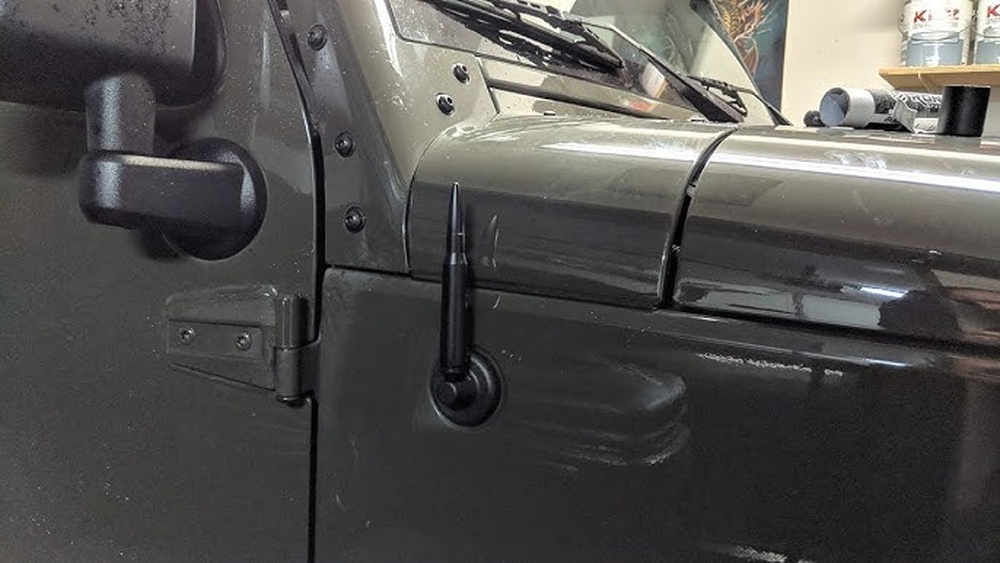
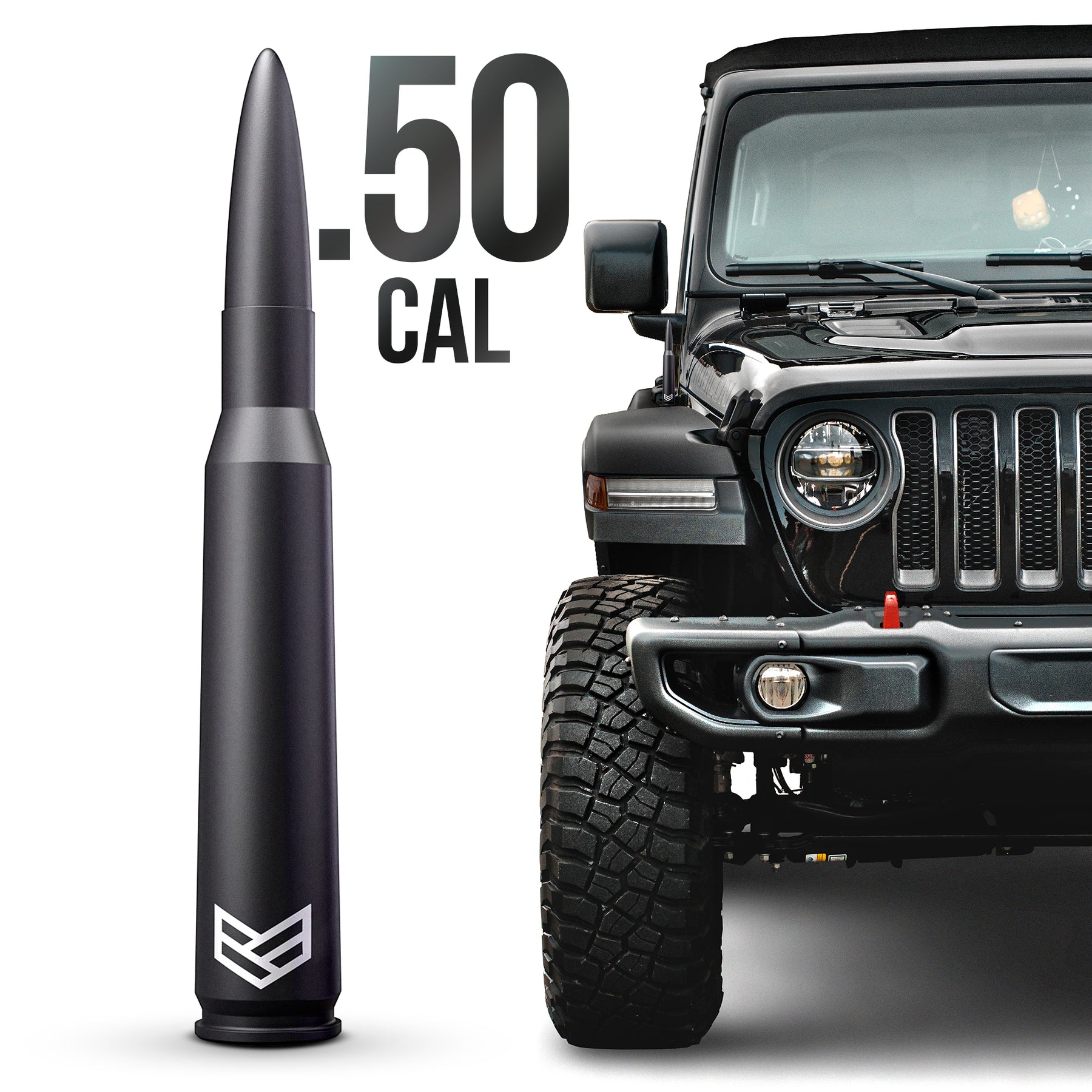
The factory antenna on a Jeep Wrangler is usually over 15 inches long. It can bend, snap, or get caught on tree branches. A bullet antenna is much shorter (about 5–7 inches), made from tough materials like aluminum, and designed to survive rough conditions.
Here’s a quick look at the benefits:
- Improved durability: Bullet antennas resist bending and breakage.
- Stylish appearance: Many Jeep owners prefer the compact, sporty design.
- Easy maintenance: No more worrying about branches or car washes.
Let’s compare the factory and bullet antenna in a clear way:
| Feature | Factory Antenna | Bullet Antenna |
|---|---|---|
| Length | 15–18 inches | 5–7 inches |
| Material | Steel | Aluminum/Alloy |
| Durability | Can bend or break | Very tough |
| Reception | Good | Varies (usually good) |
| Looks | Traditional | Modern, rugged |
Tools And Parts You Need
Before starting, gather these items:
- Bullet antenna kit (includes antenna and adapters)
- Wrench or pliers
- Thread locker (optional, for extra hold)
- Clean cloth (to protect paint)
Most bullet antenna kits come with multiple adapters. These adapters help the antenna fit different Jeep Wrangler models, including JK, JL, TJ, and YJ. Be sure to check your Jeep’s year and model before buying.
Here’s a quick reference for adapter compatibility:
| Jeep Model | Year Range | Adapter Size |
|---|---|---|
| JK | 2007–2018 | M6/M7 |
| JL | 2018–present | M6/M7 |
| TJ | 1997–2006 | M6 |
| YJ | 1987–1995 | M6 |
Step-by-step Installation Guide
Installing a bullet antenna is easy, but pay attention to each step for the best result.
1. Remove The Old Antenna
Use a wrench or pliers to unscrew the factory antenna at the base. Turn counterclockwise. Hold the base steady to avoid scratching paint.
2. Clean The Area
Use a clean cloth to wipe the area around the antenna base. This keeps dirt from getting trapped under the new antenna.
3. Select The Correct Adapter
Check your bullet antenna kit for adapters. Match the size to your Jeep model (see the table above). Test fit the adapter in the antenna base.
4. Attach The Adapter
Screw the adapter into the base by hand. Tighten gently with a wrench if needed. Do not overtighten—this can damage threads.
5. Install The Bullet Antenna
Screw the bullet antenna onto the adapter. Make sure it sits straight and snug.
6. Apply Thread Locker (optional)
If you drive off-road or use automatic car washes, a drop of thread locker can help secure the antenna.
7. Test Radio Reception
Turn on your radio. Check AM and FM stations for signal quality. Reception may vary slightly compared to the factory antenna.
Common Mistakes And How To Avoid Them
Many beginners make simple mistakes when installing a bullet antenna. Here are tips to avoid problems:
- Choosing the wrong adapter: Always check your model and year. Using the wrong size can cause loose fitting.
- Overtightening: Tightening too hard can strip the threads or crack the base.
- Skipping cleaning: Dirt or rust at the base can interfere with reception.
- Not testing radio: Always check signal after installation. If reception is poor, try another adapter or adjust the antenna.

Practical Tips For Better Results
- For cold climates, warm the base area before removing the old antenna. This helps prevent paint chipping.
- If you notice weak reception, experiment with different adapters from your kit.
- Some bullet antennas have rubber rings for water protection. Make sure these are in place.
One non-obvious insight: bullet antennas often perform better in cities, where radio signals are strong. In remote areas, a longer antenna may still do better for weak stations.
What To Expect After Installation
Most Jeep Wrangler owners report no loss in radio quality after switching to a bullet antenna. Others notice a slight drop in AM reception, especially in rural zones. The new antenna will look much cleaner and can survive many car washes and trail rides.
Here’s a quick overview of expected changes:
| Aspect | Before | After |
|---|---|---|
| Radio Reception | Strong | Usually strong (AM may drop slightly) |
| Appearance | Long, old-fashioned | Short, modern |
| Durability | Can bend/break | Very durable |
| Maintenance | Needs care | Low-maintenance |

Frequently Asked Questions
What Size Bullet Antenna Should I Buy For My Jeep Wrangler?
Most bullet antennas are 5–7 inches. Check your Jeep’s model and year. Make sure the kit offers the right adapter. For JK and JL models, M6/M7 adapters are common.
Will A Bullet Antenna Affect My Radio Reception?
Usually, FM reception stays strong. AM reception may drop a bit, especially in rural areas. In cities, most owners notice no difference.
Can I Install A Bullet Antenna Without Any Tools?
You need a wrench or pliers to remove the old antenna and tighten the new one. Some kits are hand-tightened, but tools help prevent stripping threads.
Is A Bullet Antenna Legal For All Jeep Models?
Yes, bullet antennas are legal and safe for Jeep Wranglers. Just make sure you buy a kit designed for your specific model and year.
Where Can I Find Trusted Bullet Antennas?
Look for brands with good reviews on auto parts sites. For more info on Jeep accessories, see Consumer Reports.
Switching to a bullet antenna is one of the easiest ways to upgrade your Jeep Wrangler’s look and toughness. With careful installation and the right adapter, you’ll enjoy strong radio, less maintenance, and a fresh style. Take your time, double-check fitment, and enjoy your new accessory on every drive.