Unlocking your Jeep from your phone can feel like magic. Imagine standing in a parking lot, arms full of groceries, and with a tap on your screen, your Jeep unlocks itself. This feature, once rare, is now becoming standard in many modern vehicles.
If you own a Jeep and wonder how to use your phone as a key, this guide will help you understand the technology, steps, and what to expect.
Jeep’s Phone Unlock Technology Explained
Jeep has introduced digital solutions for vehicle access. The main tool is the Uconnect app, which connects your smartphone to your Jeep. This system uses cloud technology, Bluetooth, and your vehicle’s onboard computer. By linking your phone to your Jeep, you can unlock doors, start the engine, and even locate your vehicle.
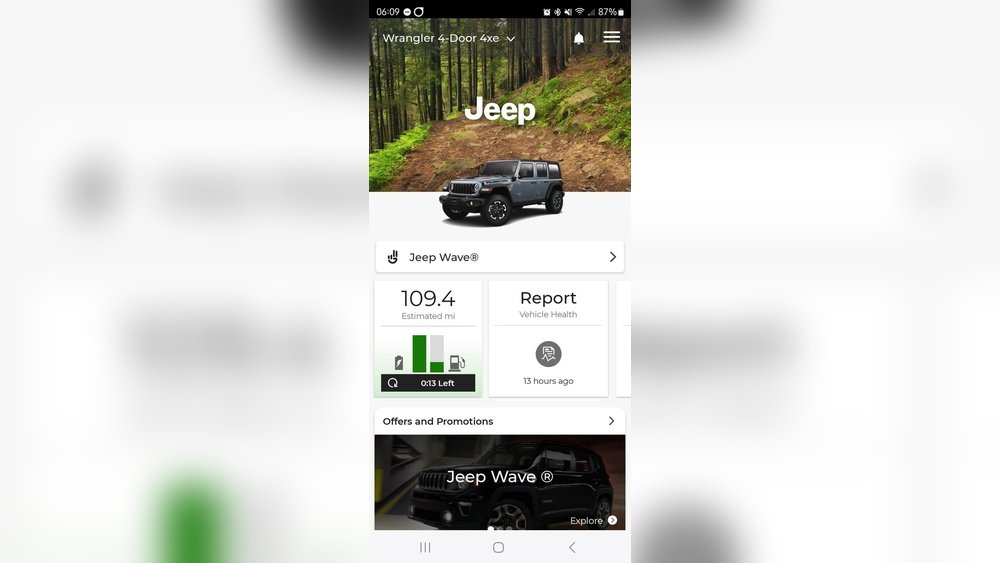
Uconnect Access is available on many Jeep models from 2014 onwards. Newer models offer even more features through Jeep Connect. The app is available for both iOS and Android, making it accessible for most users.
Here’s a quick comparison of phone unlock features across Jeep models:
| Model Year | Uconnect Access | Remote Unlock | Push Start |
|---|---|---|---|
| 2014-2017 | Optional | Yes | No |
| 2018-2020 | Standard | Yes | Yes |
| 2021+ | Advanced | Yes | Yes |
If your Jeep was manufactured before 2014, this feature may not be available.
Setting Up Phone Unlock For Your Jeep
Getting started requires a few steps. Many users overlook the importance of proper setup, which causes frustration. Here’s what you need:
- Check Compatibility: Not all Jeeps support phone unlock. Look in your owner’s manual or on Jeep’s official site.
- Download the Uconnect App: Find it in the App Store or Google Play.
- Register and Link Your Vehicle: Create a Uconnect account and enter your Jeep’s VIN (Vehicle Identification Number).
- Activate Services: Some features require a subscription. Jeep offers free trials, but after that, a monthly fee applies.
- Connect Your Phone: Follow the app’s instructions to link your smartphone to your Jeep.
Here’s a table showing subscription costs and features:
| Plan | Monthly Cost | Unlock Feature | Other Features |
|---|---|---|---|
| Basic | $15 | Yes | Vehicle location |
| Premium | $25 | Yes | Remote start, security alerts |
| Advanced | $35 | Yes | Personal assistant, Wi-Fi hotspot |
A common mistake is skipping the VIN step, which prevents the app from recognizing your vehicle.
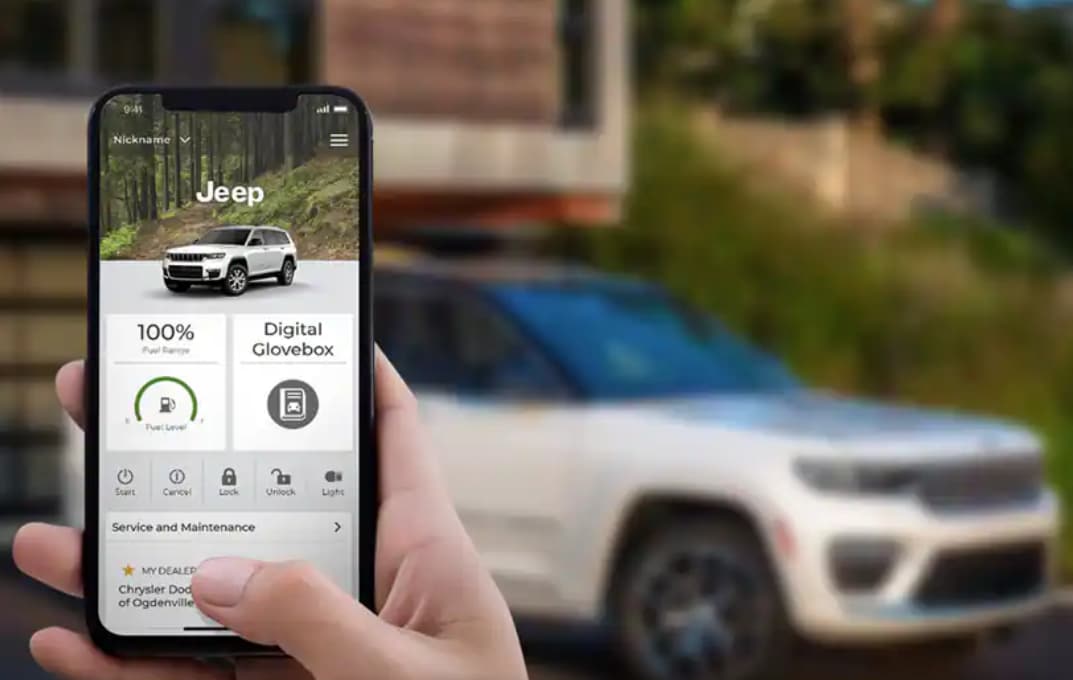
How To Unlock Your Jeep With Your Phone
Once setup is complete, unlocking your Jeep is simple:
- Open the Uconnect App on your phone.
- Select Your Vehicle if you have more than one registered.
- Tap the “Unlock” button.
- Wait for confirmation—usually a beep or a message on your phone.
- Your Jeep’s doors unlock remotely.
If you’re in a poor signal area, unlocking may take longer. Bluetooth unlocking works faster but only when you’re close to the vehicle.
Some users worry about security. Jeep uses encrypted communications and two-factor authentication, so only registered users can unlock the vehicle. Still, keep your phone secure and update passwords regularly.
Practical Tips And Common Mistakes
Unlocking from your phone is easy, but you can run into problems if you don’t prepare:
- Don’t forget to activate your subscription after the trial ends. Otherwise, remote features stop working.
- Always update your app. Outdated versions can fail to communicate with your Jeep.
- Keep your phone charged. The app won’t work if your phone is dead.
- Try Bluetooth unlock if cellular signal is weak. It works when you’re near your Jeep.
- Set up notifications for security alerts. This keeps you updated if someone tries to access your Jeep.
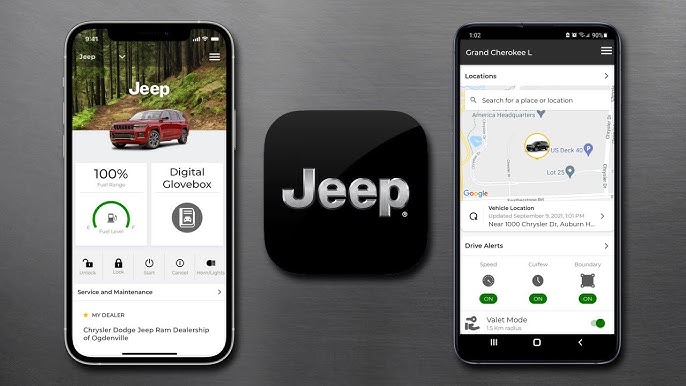
A non-obvious tip: Use the app’s “location” feature to find your Jeep in busy parking lots. Also, some models allow you to set up a “guest” account for family members, so they can unlock the Jeep without your main login.
Security And Privacy Considerations
Many people worry about safety. Jeep’s system uses encrypted data and multi-step verification. Even if someone steals your phone, they can’t unlock your Jeep without your password or PIN.
Here’s a table comparing security features in Jeep’s phone unlock system with other brands:
| Brand | Encryption | Two-Factor Auth | Remote Lockout |
|---|---|---|---|
| Jeep | Yes | Yes | Yes |
| Ford | Yes | No | No |
| Toyota | Yes | Yes | No |
Jeep stands out by offering a remote lockout feature. If your phone is stolen, you can disable access instantly through your Uconnect account.
Frequently Asked Questions
Can I Unlock My Jeep From Anywhere?
Yes, as long as your phone has internet access and your Jeep is in range of cellular data. The app works globally, but remote areas may have slower response times.
Is There A Fee For Using Phone Unlock?
Most Jeeps require a subscription after a free trial. Prices range from $15 to $35 per month. Check the Uconnect app for details.
What Happens If My Phone Dies?
You won’t be able to unlock your Jeep with the app, but your physical key fob still works. Always carry your fob as backup.
Can Multiple Phones Unlock The Same Jeep?
Yes, you can register several users. Set up a guest account for family or friends in the Uconnect app.
Is It Safe To Unlock My Jeep From My Phone?
Jeep uses encrypted signals and two-factor authentication. Only authorized users can unlock the vehicle. For extra safety, use strong passwords and keep your phone secure.
Unlocking your Jeep from your phone is a convenient feature that combines technology and security. With a simple setup, you can access your vehicle with ease, avoid fumbling for keys, and enjoy peace of mind. For more details on Uconnect and Jeep technology, visit Jeep’s official Uconnect page.