Using the Jeep app can make owning a Jeep vehicle much simpler. Whether you want to check your car’s health, remote start your engine, or find your parked Jeep, the app brings useful tools to your phone. Many Jeep owners never use all these features because they seem confusing at first. In reality, the Jeep app is easy to set up and can save you time, money, and stress. This guide will show you step-by-step how to use the app, unlock its best features, and avoid common mistakes.
Getting Started With The Jeep App
The Jeep app is available for free on both iOS and Android. Before you begin, make sure you have your Jeep vehicle identification number (VIN) handy. This VIN is often needed to connect your car to the app.
- Download the App: Search for “Jeep” in the App Store or Google Play and install the official app called Jeep®.
- Create Your Account: Open the app and follow prompts to register. Use a strong password.
- Add Your Vehicle: Enter your VIN and follow the instructions. You may need to scan a QR code from your vehicle’s display.
- Verify Ownership: Some features require proof of ownership. You may receive a verification email or a code to enter.
- Enable Permissions: Allow location and notification access for full functionality.
Pro Tip: Write down your login details. Many users forget these and get locked out during updates.
Key Features And How To Use Them
The Jeep app has several powerful tools. Here is a quick comparison of the most-used features:
| Feature | What It Does | Why It Matters |
|---|---|---|
| Remote Start | Start engine from your phone | Pre-cool or pre-heat car, save time |
| Lock/Unlock Doors | Control locks remotely | Extra safety, no keys needed |
| Vehicle Health Report | Shows car status and issues | Prevent breakdowns |
| Find My Car | Locate your parked Jeep | Never lose your car in large lots |
Remote Start
Open the app, tap “Remote Start,” and hold the button for two seconds. Your car’s engine will start, and you’ll see a confirmation. This is perfect for heating or cooling the car before you get in.
Common mistake: Forgetting to lock the doors before remote start. The Jeep app requires the doors to be locked for remote starting.
Lock And Unlock
Tap the lock or unlock icon. The app sends a signal to your Jeep within seconds. You’ll hear the locks engage or disengage, and a notification confirms the action. This is handy if you leave your keys inside.
Vehicle Health Report
Once your vehicle is connected, tap “Vehicle Health. ” You’ll see tire pressure, oil level, battery status, and any warnings. This report updates every time you drive. For example, if your oil is low, you’ll see a yellow alert.
Non-obvious insight: The app also keeps a service history log, so you can check when your Jeep last had maintenance.
Find My Car
In a crowded parking lot, open the app and tap “Find My Car. ” You’ll see your Jeep’s location on a map. Walk toward the pin until you find your car. If your phone’s GPS is off, this feature may not work well.

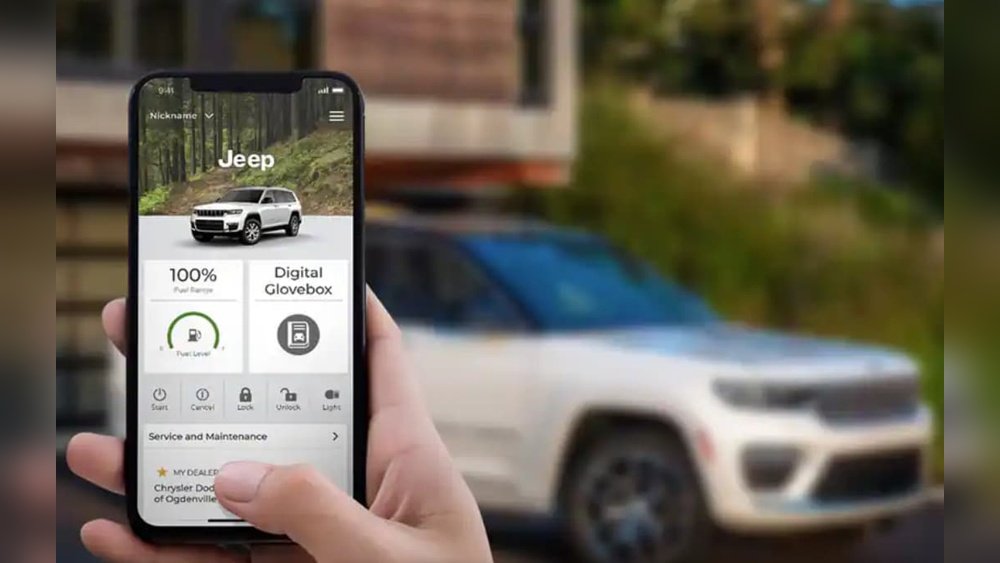
The Jeep app dashboard puts all key information in one place. Here’s how it looks and what you can do:
| Section | Main Info Shown | Quick Actions |
|---|---|---|
| Home | Vehicle name, location, health | Remote start, lock/unlock |
| Map | Jeep’s real-time location | Navigate, Find My Car |
| Service | Maintenance reminders | Book service, view history |
| Notifications | Alerts and updates | Read, dismiss |
Tip: Check the dashboard weekly. This helps you catch small issues before they become expensive problems.
Advanced Features And Customization
The Jeep app does more than basic controls. Here’s how to use some advanced features:
- Schedule Remote Start: Set your car to start automatically at a certain time. Good for cold mornings.
- Send Destinations to Navigation: Find a location in the app and send it to your Jeep’s navigation system.
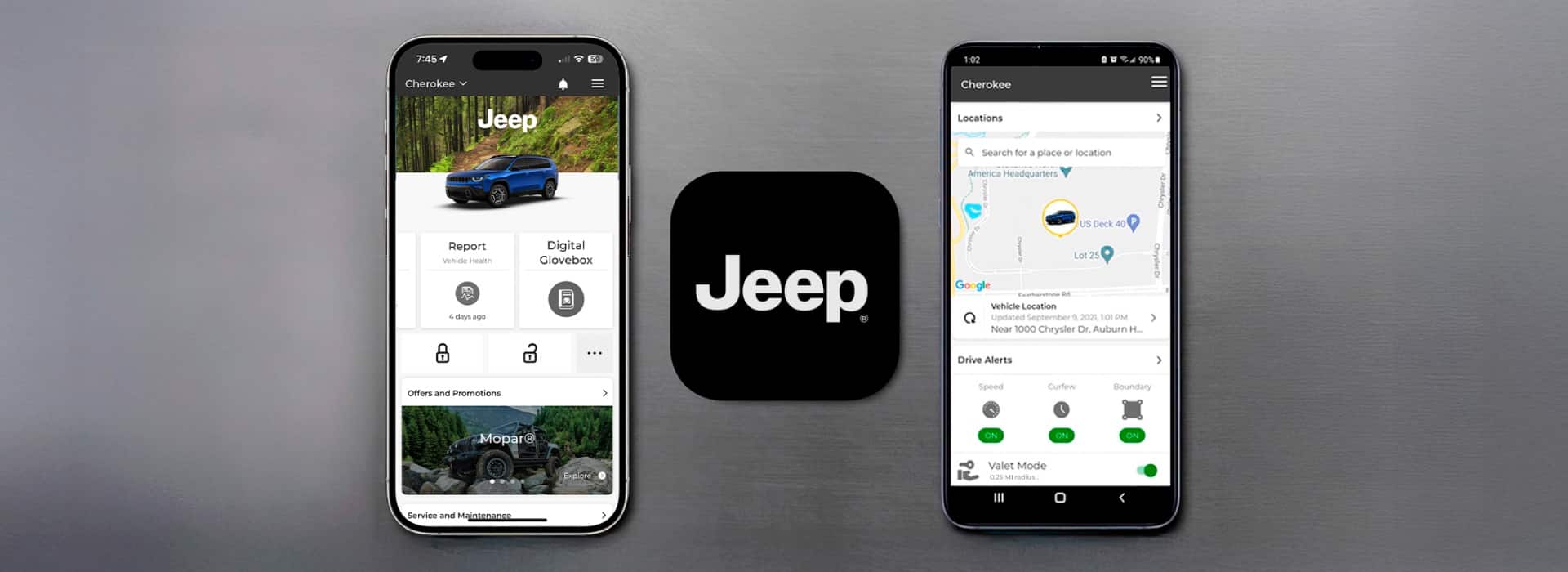
- Set Speed Alerts: If someone else drives your Jeep, the app can alert you if they go over a set speed.
- Valet Mode: Lock access to your glove box and trunk when handing your keys to a valet.
To set these up, go to the “Settings” section in the app and follow the prompts.
Insight: Many owners don’t realize you can connect multiple Jeeps to one app account. This is useful for families.
Troubleshooting And Tips
If the Jeep app is not working as expected, try these solutions:
- Update the App: Many bugs are fixed with updates.
- Check Bluetooth and Internet: The app needs a stable connection.
- Restart Your Phone: This solves most minor glitches.
- Re-link Your Vehicle: If the app won’t connect, remove your Jeep and add it again.
When To Contact Support
If you see error codes or can’t access main features, contact Jeep support through the app. They can help with deeper issues like VIN mismatch or missing features.
Data Privacy And Safety
Many users worry about privacy. The Jeep app uses encryption to protect your data. Only you and authorized users can control your vehicle. Always keep your app updated to get the latest security patches. For more on Jeep app security, see the official Jeep Uconnect guide.

Frequently Asked Questions
How Do I Reset My Jeep App Password?
Open the app, tap “Forgot Password,” and follow the instructions. Check your email for a reset link. If you don’t see it, check your spam folder.
Can I Use The Jeep App For Older Jeep Models?
The app works best with 2018 and newer models. Some features may be limited or unavailable for older Jeeps. Check your manual or the app for compatibility.
Is The Jeep App Free To Use?
The app is free to download and use for basic features. Some advanced functions may require a subscription after a trial period.
What Should I Do If The App Cannot Find My Vehicle?
Ensure your phone and Jeep both have good internet connections. Try restarting both devices and re-linking the vehicle. If the problem continues, contact Jeep support.
Yes, you can add other users by inviting them through the app. They will need their own accounts and permissions.
Using the Jeep app can transform your ownership experience. With a few taps, you gain control, convenience, and peace of mind. Explore its features and keep your Jeep running smoothly, no matter where your adventures take you.