Connecting your Bluetooth device to a Jeep Wrangler can transform your driving experience. With hands-free calling, music streaming, and voice commands, you gain both convenience and safety. Many drivers struggle with the process, especially when dealing with older models or unfamiliar technology. This guide will walk you through each step, highlight common mistakes, and offer practical advice so you can enjoy wireless connectivity in your Jeep Wrangler.
Understanding Jeep Wrangler Bluetooth Compatibility
Before pairing, it’s important to know which Bluetooth features your Jeep Wrangler supports. Most Wranglers from 2011 and later have Uconnect systems, which support Bluetooth for phones and audio. However, some older models or basic trims may lack built-in Bluetooth.
Here’s a quick reference for Bluetooth availability:
| Year | Bluetooth Supported | Uconnect Version |
|---|---|---|
| 2011-2017 | Yes (most trims) | Uconnect 3.0/4.0 |
| 2018-2024 | Yes (all trims) | Uconnect 4/5 |
| 2007-2010 | No (unless aftermarket) | N/A |
If your Wrangler doesn’t have Bluetooth, you can use aftermarket kits like Bluetooth adapters or new head units.
Preparing To Pair Your Device
Pairing goes smoother when you prepare both your Jeep and your device:
- Ensure your phone/tablet’s Bluetooth is turned on.
- Check that your Jeep is parked and running; pairing is easier when stationary.
- If your phone has previously paired with another car, turn off that car’s Bluetooth to avoid interference.
- Make sure your device’s software is updated.

Step-by-step: Adding Bluetooth Device To Jeep Wrangler
Follow these steps to connect your Bluetooth device:
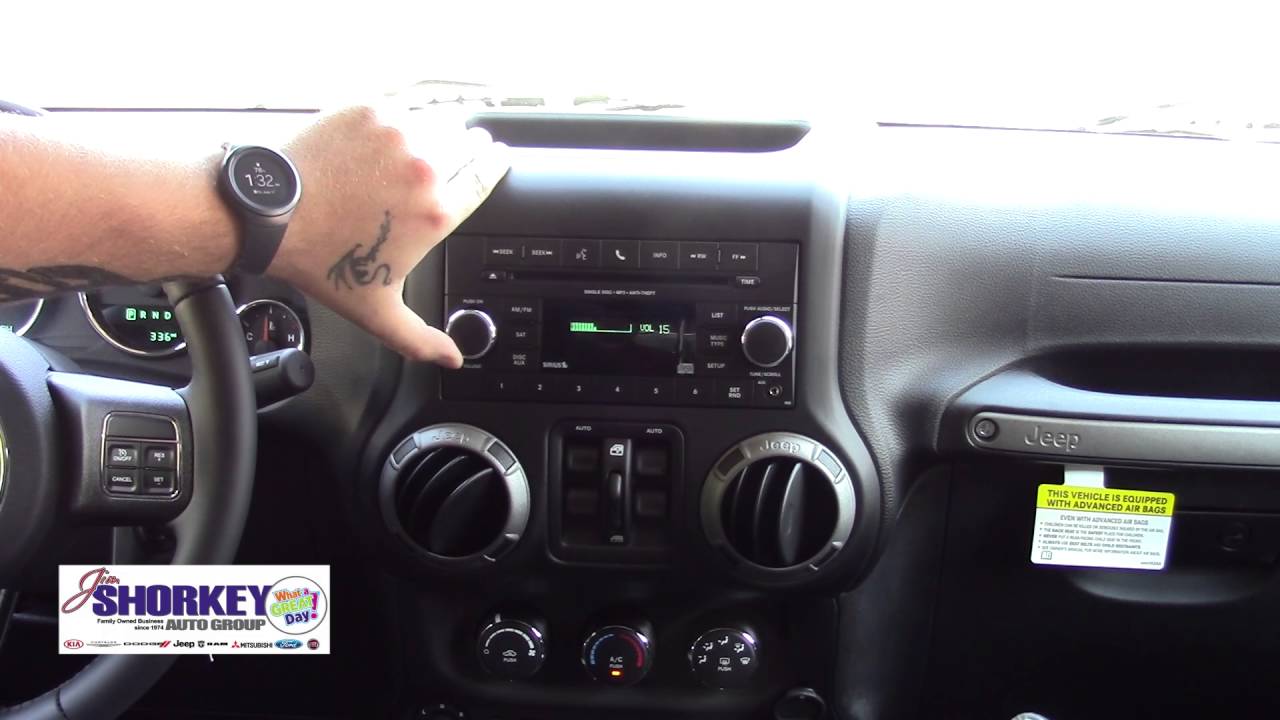
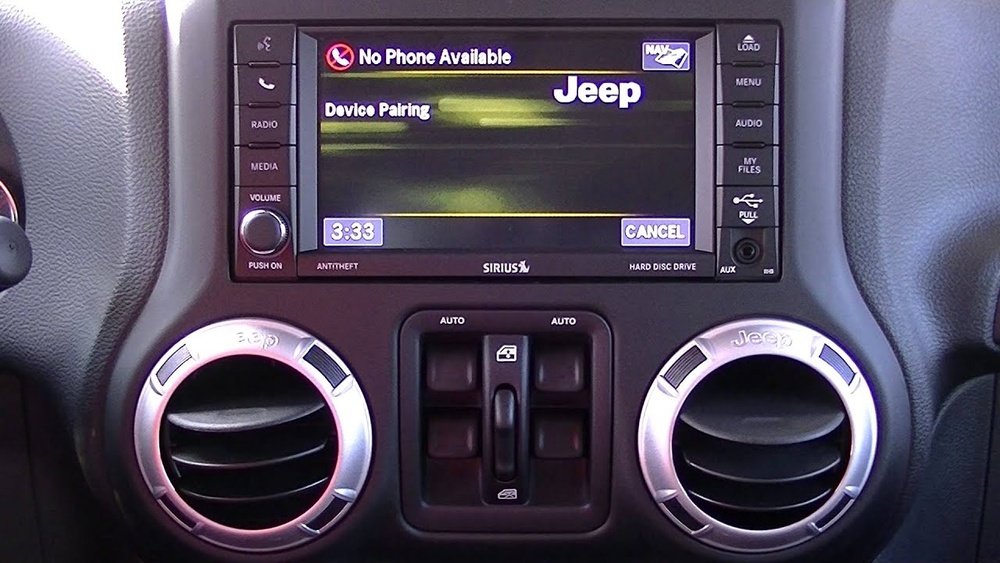
On your steering wheel or dashboard, press the Uconnect or Phone button.
2. Select ‘pair New Device’
On the display screen, choose ‘Pair New Device’ or ‘Add Device’.
3. Activate Bluetooth On Your Device
Open your device’s Bluetooth settings. Look for available devices.
4. Choose ‘uconnect’ From The List
Your phone will show ‘Uconnect’ or ‘Jeep Wrangler’ under available devices.
5. Enter The Pin
The system will display a 4-digit PIN. Enter this PIN on your device if required.
6. Confirm Pairing
Both your Jeep and device will show a confirmation message. Accept it.
7. Test Connectivity
Make a call or play music to ensure everything works.
Here’s a comparison of the pairing process for two common Uconnect systems:
| Uconnect 4 | Uconnect 5 |
|---|---|
| Touchscreen interface | Faster touchscreen, voice control |
| Manual PIN entry | Automatic PIN pairing |
| Supports up to 7 devices | Supports up to 10 devices |
Troubleshooting Bluetooth Connection Issues
Sometimes pairing doesn’t work on the first try. Here are solutions for common problems:
1. Device Not Found
Restart Bluetooth on your phone. Restart your Jeep’s infotainment system.
2. Pairing Fails
Delete old paired devices from Uconnect. Try pairing again.
3. Audio Drops Or Static
Move your phone closer to the system. Avoid other wireless devices nearby.
4. Contacts Not Syncing
Allow Uconnect access to your contacts during pairing. Check your phone’s permissions.
If problems persist, check the Jeep Wrangler manual or visit the official Jeep Uconnect support.

Adding Bluetooth To Older Jeep Wranglers
If your Jeep Wrangler doesn’t have built-in Bluetooth, aftermarket solutions are available:
- Bluetooth FM Transmitters plug into the cigarette lighter and connect via FM radio.
- Bluetooth Head Units replace the factory radio with a modern unit.
- Bluetooth Adapters connect to the AUX port for audio streaming.
Here’s a quick comparison:
| Adapter Type | Cost Range | Features |
|---|---|---|
| FM Transmitter | $20-$40 | Calls & music, easy install |
| Head Unit | $150-$400 | Full Bluetooth, modern features |
| AUX Adapter | $30-$60 | Music only, simple |
A head unit offers the most advanced features but costs more. FM transmitters are budget-friendly but may have lower sound quality.
Non-obvious Tips For Reliable Pairing
- Delete Old Devices: Uconnect can only store a limited number of devices. Remove unused devices for smoother pairing.
- Keep Devices Updated: Outdated phone software can cause Bluetooth glitches.
- Avoid Multiple Pairings at Once: Pair only one device at a time to prevent confusion.
- Reset the System: If all else fails, a factory reset on Uconnect often solves stubborn issues.
Many drivers forget to update their phone’s operating system. This simple step can fix invisible bugs that block Bluetooth connections.
Real-world Example
Sarah owns a 2017 Jeep Wrangler. She tried to pair her phone but saw “Device Not Found. ” After deleting old devices from Uconnect and restarting her phone, pairing succeeded. She also updated her phone’s software, which improved stability. This shows that small steps, like removing old devices and updating software, can make a big difference.
Frequently Asked Questions
How Many Devices Can I Pair With Jeep Wrangler Bluetooth?
Most Jeep Wranglers with Uconnect support up to 7 paired devices. Uconnect 5 increases this to 10 devices. You can switch between them easily, but only one can be active at a time.
Can I Stream Music Through Bluetooth In All Jeep Wranglers?
You can stream music in Wranglers with Uconnect 3.0 or newer. Some older models only support hands-free calling. If your Wrangler lacks audio streaming, consider a Bluetooth AUX adapter.
What Should I Do If My Phone Doesn’t Connect?
First, restart both your phone and the Jeep’s infotainment system. Delete old devices from the pairing list. If issues persist, check for software updates or consult Jeep Uconnect support.
Is It Safe To Use Bluetooth While Driving?
Yes, Bluetooth enables hands-free calling and voice commands, which improves safety. Still, always focus on driving. Set up and pair devices while parked.
Can I Add Bluetooth To A Jeep Wrangler Without It?
Absolutely. Use Bluetooth FM transmitters, AUX adapters, or upgrade to a Bluetooth head unit. These solutions make older Wranglers compatible with modern devices.
Connecting a Bluetooth device to your Jeep Wrangler opens up a safer, more enjoyable ride. With the right preparation and troubleshooting, pairing is easy—even for beginners. Remember to keep your devices updated, remove old pairings, and use aftermarket solutions if your Wrangler doesn’t have built-in Bluetooth. Enjoy the freedom of wireless connectivity wherever your Jeep takes you.