If you drive a Jeep, you probably noticed the touchscreen in the center console. This is called Uconnect, and it’s more than just a radio. Uconnect gives you navigation, hands-free calling, music streaming, and vehicle controls—all in one place. Many Jeep owners aren’t sure how to use it fully. If you learn the basics, you’ll drive safer, enjoy more comfort, and unlock features that make your life easier. This guide will show you step-by-step how to use Uconnect in your Jeep, plus some expert tips most drivers miss.
Getting Started With Uconnect
Every Jeep model comes with a different version of Uconnect. The most common are Uconnect 4, Uconnect 4C NAV, and Uconnect 5. Before you start, check your Jeep’s manual to find your exact version.
To turn on Uconnect, simply press the power button on the touchscreen. The system boots up in a few seconds. If you want to use voice commands, press the voice button on your steering wheel.

What You Need
- A compatible smartphone (Android or iPhone)
- Your Jeep key fob (for remote services)
- A stable Bluetooth connection
First-time Setup
- Pair your phone: On the Uconnect screen, go to “Phone” > “Add Device.” Enable Bluetooth on your phone and select your Jeep from the list.
- Sync contacts: Allow Uconnect to access your contacts. This lets you make hands-free calls.
- Set up Wi-Fi: Some Uconnect versions support Wi-Fi hotspots. Go to “Settings” > “Wi-Fi” and follow prompts.
The navigation feature is one of Uconnect’s best tools. If you have Uconnect 4C NAV or Uconnect 5, you get built-in maps and traffic updates.
Entering A Destination
- Tap “Nav” or “Navigation” on the main screen.
- Choose “Where To?” and enter your address or search for a place.
- Select your route and tap “Go.”
Uconnect provides turn-by-turn directions, voice guidance, and estimated arrival time. You can zoom in or out using the plus/minus buttons.
Here’s a quick comparison:
| Feature | Uconnect Navigation | Smartphone (Google Maps/Apple Maps) |
|---|---|---|
| Offline Maps | Yes | No (need internet) |
| Traffic Alerts | Real-time | Real-time |
| Integration | Full (vehicle controls) | Limited |
Most Jeep owners prefer Uconnect for long trips, since you don’t need a phone signal. But for city driving, smartphone apps are sometimes faster for rerouting.
Connecting Your Phone And Using Apps
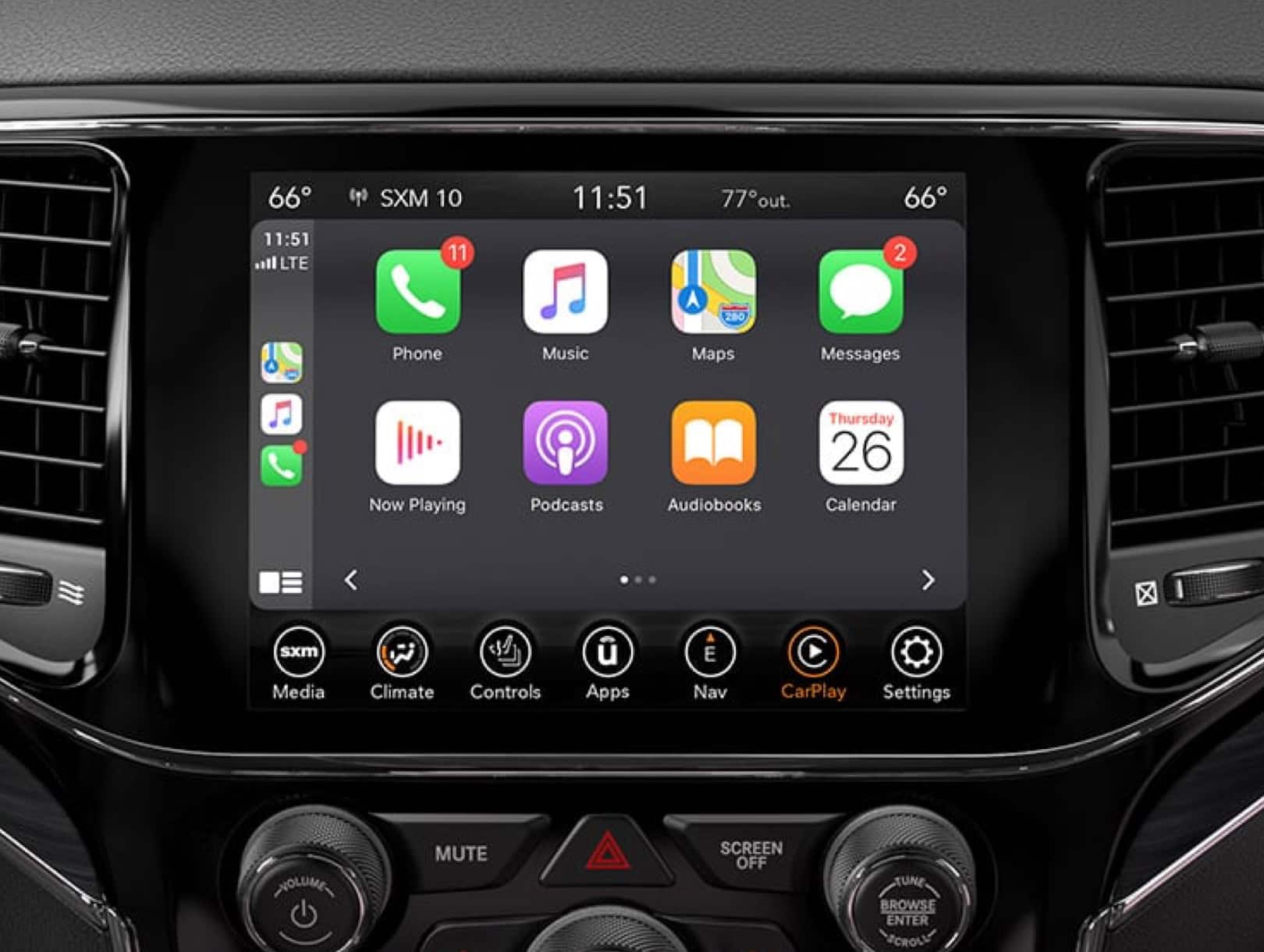
Uconnect lets you connect your phone for Apple CarPlay or Android Auto. This means you can use your favorite apps on the touchscreen.
How To Connect
- Plug your phone into the USB port with a cable.
- Wait for the Uconnect screen to show “Apple CarPlay” or “Android Auto.”
- Tap the icon to launch your phone’s interface.
You can now control music, podcasts, maps, and calls using the touchscreen or voice commands. It’s safer and easier than holding your phone.
Popular Uconnect Apps
- Spotify: Stream music with simple voice commands.
- Waze: Get fast traffic updates and hazard alerts.
- Siri/Google Assistant: Use voice to send texts, ask questions, or get directions.
A common mistake is forgetting to update your apps. Old versions may cause glitches or crash during use.
Customizing Uconnect Settings
Many Jeep owners never touch their Uconnect settings. But customizing them can make your experience much better.
Key Settings To Adjust
- Display brightness: Change for night or day driving.
- Language: Set to your preferred language.
- Sound equalizer: Adjust bass, treble, and balance for your favorite music.
To Access These, Tap “settings” > “display” Or “audio.”
Useful Tips
- Set up Do Not Disturb mode for fewer distractions while driving.
- Use Valet Mode to lock certain features when others drive your Jeep.
- Change the home screen layout to put your most-used features front and center.
Here’s a table comparing popular Uconnect customization options:
| Setting | Default | Most Useful Customization |
|---|---|---|
| Audio | Balanced | Boost bass for music |
| Display | Medium brightness | Dim for night |
| Home Screen | Standard layout | Custom icons |
Using Uconnect Remote Services
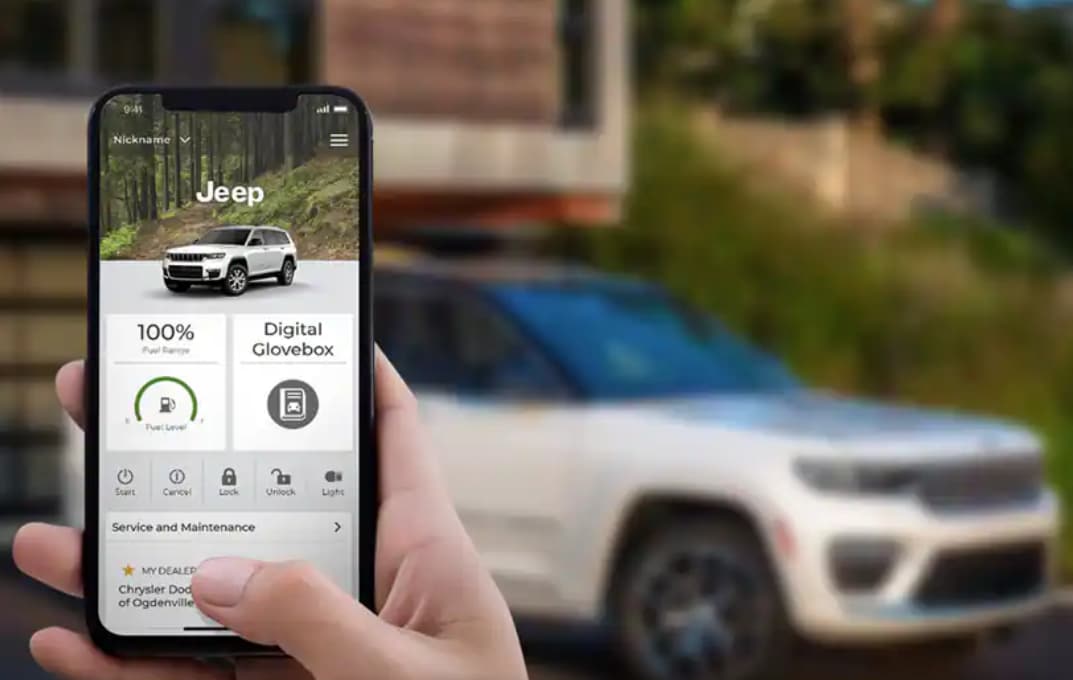
If your Jeep supports Uconnect Access or Uconnect Remote, you can control your vehicle from anywhere. This includes starting the engine, unlocking doors, or finding your Jeep in a parking lot.
How To Use Remote Services
- Download the Uconnect app on your smartphone.
- Register your vehicle and set a PIN.
- Use the app to send commands like “Start Engine,” “Lock Doors,” or “Honk Horn.”
Some features, like remote start, are only available if your Jeep has an automatic transmission. Always check compatibility.
Real-world Example
Imagine you’re leaving work in winter. You use the app to start your Jeep, so the cabin is warm when you arrive. This saves time and makes your drive more comfortable.
Troubleshooting Common Uconnect Issues
Even the best systems have problems sometimes. Here are the most frequent issues with Uconnect, plus solutions.
Bluetooth Problems
- Issue: Phone won’t connect or drops calls.
- Solution: Delete the pairing and reconnect. Update your phone’s software.
Frozen Screen
- Issue: Touchscreen does not respond.
- Solution: Hold the power button for 10 seconds to reset.
- Issue: Maps lag or route updates are slow.
- Solution: Check for system updates in “Settings.” Clear old destinations.
Some Jeep owners forget to check for software updates. Updated systems work faster and fix bugs. For official troubleshooting, visit Jeep Uconnect.

Frequently Asked Questions
How Do I Update Uconnect Software?
Go to “Settings” > “System Information” > “Update. ” Follow on-screen instructions. Updates improve speed, add new features, and fix bugs.
Can I Use Uconnect Without A Smartphone?
Yes. You can use radio, navigation, and some vehicle controls. But for hands-free calling and apps, a phone is needed.
Is Uconnect Safe To Use While Driving?
Uconnect is designed for safety. Use voice commands or steering controls to avoid distractions. Never type addresses or texts while driving.
What Should I Do If Uconnect Won’t Turn On?
Check your Jeep’s battery and fuses. Try holding the power button for 10 seconds. If it still fails, contact your dealer.
How Much Does Uconnect Cost?
Basic features are free. Advanced services like remote start or Wi-Fi may need a subscription. Prices vary by model and service.
Uconnect can transform your Jeep experience if you take a few minutes to learn its features. Start with the basics—phone pairing, navigation, and app connections. Customize your settings for comfort and safety. Don’t forget to update the software regularly. With these steps, you’ll get more from every drive and enjoy your Jeep to the fullest.