Connecting your iPhone to a Jeep Patriot can transform your driving experience. You get hands-free calls, music streaming, and easy navigation. Many drivers struggle with setup, especially if their Jeep Patriot is older or lacks modern tech. The process is easier than you think, and knowing the right steps can save time and frustration. Whether your Patriot has a basic radio or a premium Uconnect system, this guide covers all you need to know. You’ll learn practical methods, common mistakes, and some expert tips that most beginners miss.
Understanding Your Jeep Patriot’s Audio System
Before you start, check which audio system your Patriot has. There are two main types:
- Standard Radio (Basic model): Usually has AUX and USB ports, sometimes Bluetooth.
- Uconnect System: Offers Bluetooth, voice commands, and more advanced features.
Older Patriots (before 2014) often lack Bluetooth, while newer ones might include it. Knowing your system type will help you pick the best connection method.
Here’s a quick comparison of audio features by year:
| Year | Bluetooth | USB Port | AUX Input |
|---|---|---|---|
| 2011 | No | Yes | Yes |
| 2014 | Optional | Yes | Yes |
| 2017 | Yes | Yes | Yes |
Connecting Via Bluetooth
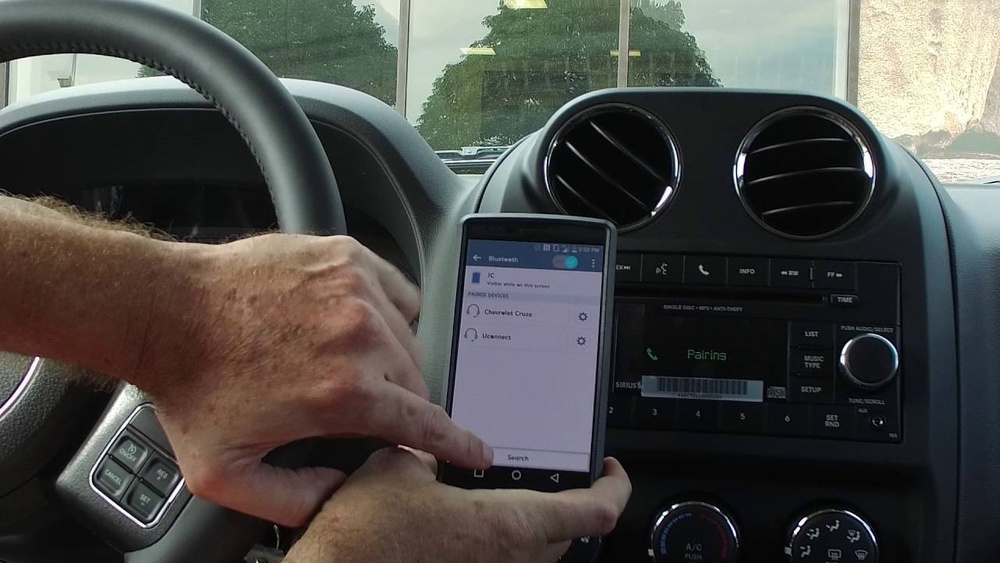
If your Jeep Patriot has Bluetooth, this is the best way to connect your iPhone wirelessly.
- Turn on Bluetooth: On your iPhone, go to Settings > Bluetooth and turn it on.
- Access Uconnect or radio menu: In your Jeep, press the ‘Phone’ or ‘Uconnect’ button.
- Pair your device: Select ‘Add Device’ or ‘Pair New Device’ on your Jeep display.
- Choose your Jeep: On your iPhone, select your Jeep Patriot from the available devices.
- Enter PIN: If prompted, enter the PIN displayed on your Jeep’s screen (usually 0000 or 1234).
- Allow permissions: Accept any permissions for contacts or media.
If the pairing fails, restart both devices and try again. Many users forget to enable Bluetooth visibility on their Jeep, so check your vehicle settings.
Here’s a quick comparison of Bluetooth vs wired connections:
| Connection Type | Hands-Free Calling | Music Streaming | Navigation Audio |
|---|---|---|---|
| Bluetooth | Yes | Yes | Yes |
| AUX Cable | No | Yes | Yes |
| USB Cable | Depends | Yes | Yes |

Connecting Using Aux Or Usb Cable
If your Jeep Patriot does not have Bluetooth, you can use an AUX cable or USB cable.
Aux Cable
- Plug one end into the iPhone’s headphone adapter.
- Plug the other end into the Jeep’s AUX port.
- Select AUX on your Jeep radio.
- Play audio from your iPhone.
You won’t get hands-free calls with AUX, but music and GPS audio work well. If your iPhone doesn’t have a headphone jack, you’ll need a Lightning-to-3. 5mm adapter.
Usb Cable
- Connect your iPhone to the Jeep’s USB port.
- Select USB as the source.
- Allow access on your iPhone if prompted.
USB often lets you control music from the Jeep’s buttons. Sometimes, older Patriots only charge the phone via USB and don’t support audio playback. Test both AUX and USB to see what works for your year and trim.
Using Aftermarket Solutions
If your Patriot lacks Bluetooth, consider aftermarket Bluetooth adapters. These plug into your AUX or USB port and give your car wireless capability.
Popular options include:
- Bluetooth FM transmitters
- AUX Bluetooth adapters
- Integrated head units (more expensive)
Most adapters cost $20–$50 and are easy to install. This is a quick fix that many Jeep owners use, especially for older models.

Common Mistakes And Tips
Many drivers face problems when connecting their iPhone for the first time. Here are some mistakes and how to avoid them:
- Wrong audio source: Always select the correct input (AUX, USB, Bluetooth) on your Jeep radio.
- Outdated software: Keep your iPhone updated. Old iOS versions can cause connection issues.
- Bluetooth interference: Turn off other Bluetooth devices nearby when pairing.
- Loose cables: Check cables for damage and secure connections.
A non-obvious tip: Use voice commands via Uconnect for safer driving. You can ask Siri to send texts or set navigation without touching your phone.
Another insight: If your Jeep’s Bluetooth doesn’t support music streaming, you can still use it for calls. Pair for calls, then connect AUX for music at the same time.
Expert Troubleshooting
If your iPhone won’t connect, try these steps:
- Reset your Jeep’s audio system by turning off the car for 5 minutes.
- Forget the Jeep device on your iPhone, then pair again.
- Update your Jeep’s firmware if possible (dealer can help).
For detailed troubleshooting, visit the official Jeep Uconnect site: Jeep Uconnect.

Frequently Asked Questions
How Do I Know If My Jeep Patriot Has Bluetooth?
Check your radio for a ‘Phone’ button or look for Bluetooth settings in the menu. If you see an option to pair devices, your Patriot supports Bluetooth.
Can I Play Music From My Iphone Using Aux?
Yes, you can play music by connecting an AUX cable. Make sure to use the right adapter if your iPhone lacks a headphone jack.
Why Won’t My Iphone Connect To Jeep Bluetooth?
Try restarting both devices and make sure Bluetooth is enabled on both. Remove old pairings and ensure your Jeep is visible to new devices.
Is There A Way To Add Bluetooth To Older Jeep Patriots?
Yes, aftermarket Bluetooth adapters can add wireless capability to your Jeep. These plug into the AUX or USB port and cost around $20–$50.
Does Connecting Via Usb Charge My Iphone?
Most Jeep Patriots with USB ports can charge your iPhone. Some models allow audio playback, while others only provide charging.
Connecting your iPhone to your Jeep Patriot is simple once you know your car’s features. Bluetooth offers the best experience, but AUX and USB are good alternatives. If your Jeep is older, aftermarket adapters work well. Always check your connections, keep your devices updated, and use voice commands for safer driving. With these tips, you’ll enjoy hands-free calls, music, and navigation every time you hit the road.