Setting the clock in your Jeep Liberty 2005 may seem like a small task, but it can make a big difference in your daily drive. Many drivers overlook this simple detail, yet having the correct time on your dashboard keeps you punctual and prevents confusion. Whether you’ve just changed your battery, traveled to a new time zone, or it’s daylight saving time, adjusting your car’s clock is a practical skill every Jeep owner should know.
In this guide, you’ll learn the exact steps to set the time, discover common mistakes to avoid, and see real examples. If you’re new to cars or worried about pressing the wrong button, don’t worry. The process is easier than you might think, and this article will walk you through every detail.
Understanding The Jeep Liberty 2005 Clock System
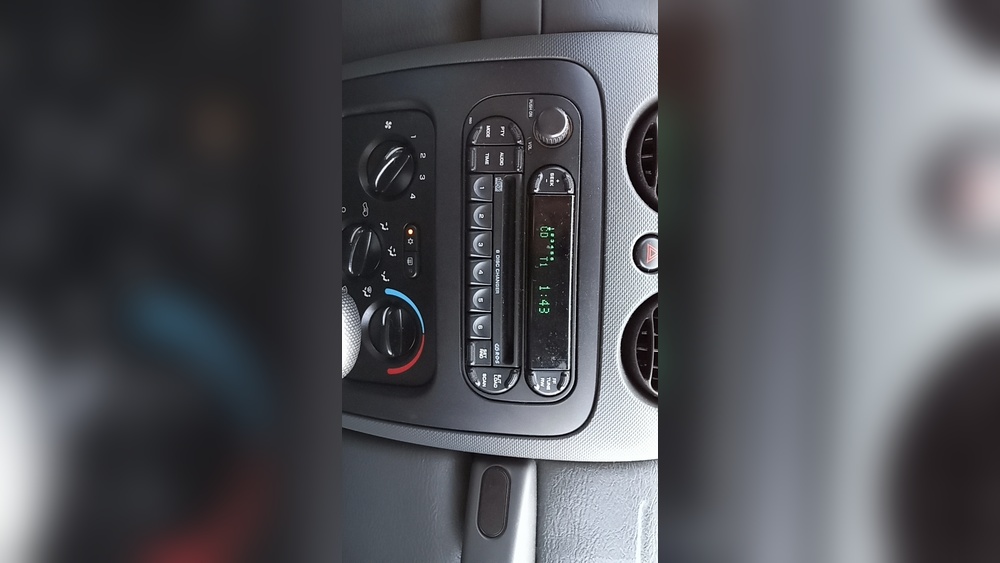
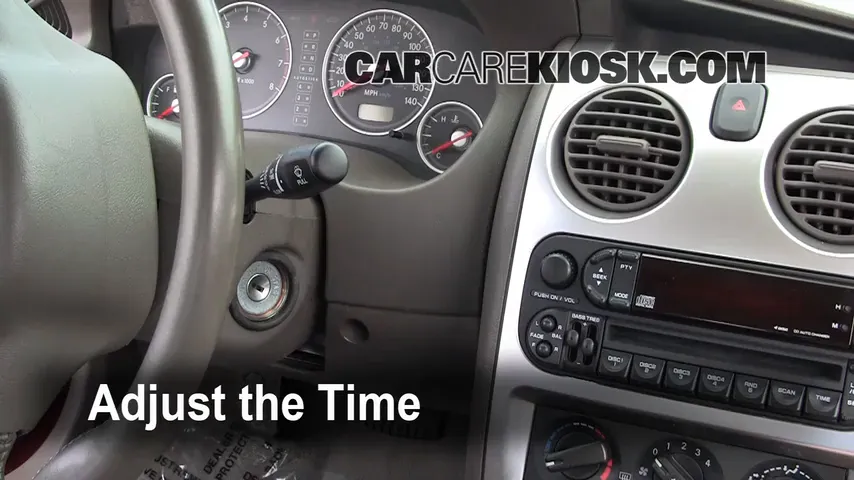
The 2005 Jeep Liberty comes with two main radio types: the standard AM/FM radio and the premium version with CD and cassette. Both have similar clock-setting methods, but the button labels can vary. Knowing your radio type helps you find the right buttons faster.
Here’s a simple comparison:
| Radio Type | Clock Button Location | Display Style |
|---|---|---|
| Standard AM/FM | Next to volume knob | Digital numbers |
| Premium (CD/Cassette) | Below display screen | Digital numbers, sometimes with AM/PM |
Tip: If you see “H” and “M” buttons, you have the standard system. If your system has a “SET” or “TIME” button, it’s likely the premium version.
Step-by-step Guide: Setting The Time
Setting the clock takes less than two minutes if you follow the right steps. Here’s how:
- Turn on the ignition. The key should be in “ACC” or “ON,” but the engine doesn’t need to run.
- Locate the clock buttons. Look for buttons labeled “H” (Hour) and “M” (Minute). On some models, you’ll see a “TIME” or “SET” button.
- Press and hold the TIME or SET button. Keep holding until the clock display blinks or changes.
- Set the hour. Press the “H” button repeatedly to increase the hour. Some radios let you hold the button for fast scrolling.
- Set the minutes. Press the “M” button to adjust the minutes.
- Finish and save. Release all buttons and wait a few seconds. The clock will return to normal mode, saving your changes.
Example Scenario
Let’s say your clock shows 3:22 but you want to set it to 4:45. Press and hold “TIME” until the display blinks. Tap “H” until you reach 4, then tap “M” until you see 45. Release both and your time is set.
Quick Reference Table
Here’s a summary for quick checks:
| Action | Button(s) to Press | What Happens |
|---|---|---|
| Enter clock setting mode | Hold “TIME” or “SET” | Display blinks |
| Set hour | “H” | Hour increases |
| Set minute | “M” | Minute increases |
| Finish | Release buttons | Time saves |
Common Mistakes And How To Avoid Them
Many drivers make simple errors when setting the time. Here are the most common issues and how to avoid them:
- Pressing the wrong button: The “SCAN” and “SEEK” buttons look similar to “H” and “M” but won’t change the clock.
- Not holding the SET/TIME button long enough: If the display doesn’t blink, try holding the button for at least three seconds.
- Adjusting while driving: For safety, set the clock while parked. The process requires focus, and distracted driving can lead to mistakes.
- Skipping AM/PM: Some premium radios need you to cycle through 12 hours to switch from AM to PM. If the time looks wrong, keep pressing “H” until the correct part of the day shows.
- Not saving the time: If you turn off the ignition too soon, your changes might not save. Wait until the display stops blinking before switching off.
Pro tip: If your radio doesn’t respond, your vehicle may have a blown fuse. Check your owner’s manual for fuse location and replacement instructions.
Why Setting The Correct Time Matters
You might think the dashboard clock isn’t important, but it plays a bigger role than you expect:
- Keeps you on schedule: Accurate time helps you avoid late arrivals.
- Improves trip planning: Time-based reminders or appointments are easier to manage.
- Safety: Glancing at an accurate clock is safer than checking your phone while driving.
- Resale value: Small details like a correct clock show you care for your vehicle, which can help if you sell or trade it.

Advanced Tips For Jeep Liberty Owners
Not all Jeep Liberty radios are identical. Some extra tips can help you:
- Power loss resets the clock: After changing your battery, you’ll need to set the time again.
- No automatic daylight saving: Manual adjustment is needed each spring and fall.
- Upgraded radios: If you installed an aftermarket radio, check its manual. Setting the time may be different from the original system.
Sometimes, the radio may develop electrical issues over time. If the clock resets often or the buttons don’t work, the radio may need servicing. Regular maintenance can prevent small problems from becoming bigger ones.
When To Seek Professional Help
If your clock won’t adjust or keeps resetting, you might have a deeper electrical problem. Signs you may need a mechanic include:
- The display stays blank
- Buttons are unresponsive
- Clock resets after every start
Professional help can prevent further damage. Most repairs are quick and affordable if handled early. For details on Jeep Liberty systems, the Wikipedia page on Jeep Liberty offers more technical background.

Frequently Asked Questions
How Do I Know If My Jeep Liberty Radio Is Factory Or Aftermarket?
Factory radios usually have the Jeep logo and standard button layouts. Aftermarket radios often have different displays or extra features like Bluetooth.
What If My Clock Keeps Resetting After Setting The Time?
This usually means there’s a power issue, such as a loose battery connection or a faulty radio fuse. Have a mechanic check the wiring and fuses.
Can I Set The Time With The Engine Off?
Yes, you can set the clock with the key in the “ACC” position. The engine does not need to be running.
Is There A Way To Set The Clock Automatically?
The 2005 Jeep Liberty does not have an automatic clock update feature. You must adjust the time manually.
Will Disconnecting The Battery Erase My Clock Settings?
Yes, disconnecting the battery resets the radio clock. You’ll need to set the time again after reconnecting.
Having the right time on your Jeep Liberty 2005 is more than just a convenience—it’s part of staying organized and safe on the road. With the steps and tips above, you can set your clock confidently in minutes. Small details like these show you care for your Jeep, and they make every drive a little smoother.