Connecting your smartphone or device to Jeep Uconnect can transform your driving experience. With Uconnect, you get access to hands-free calls, navigation, music streaming, and more—all from your Jeep’s touchscreen. Many drivers find the process confusing at first, but once you know the steps, it’s easy to use. This guide walks you through everything you need to connect to Jeep Uconnect, whether you’re using Bluetooth, Apple CarPlay, or Android Auto. You’ll also learn what makes Uconnect unique, plus some troubleshooting tips and practical insights that many beginners overlook.
What Is Jeep Uconnect?
Jeep Uconnect is the infotainment system found in most modern Jeep vehicles. It combines audio, navigation, communication, and entertainment features in one interface. Uconnect also supports voice controls and integrates with your smartphone for safer driving.
Key Features
- Touchscreen interface for easy access to apps and media
- Voice command for hands-free operation
- Navigation with real-time traffic updates (on select models)
- Bluetooth connectivity for calls and music
- Apple CarPlay and Android Auto support
Many users are surprised to learn that Uconnect updates regularly, adding new features or fixing bugs. Always check for software updates to get the latest capabilities.

Connecting Your Phone Via Bluetooth
Bluetooth is the most common way to connect your device to Uconnect. Here’s how to do it:
- Enable Bluetooth on your smartphone.
- Start your Jeep and turn on the Uconnect system.
- On the Uconnect touchscreen, tap Phone or Media.
- Select Add Device or Pair a Device.
- On your phone, search for available Bluetooth devices. Select your Jeep’s Uconnect from the list.
- A PIN will appear on both screens. Confirm the numbers match, then approve the pairing request.
Common Issues And Solutions
- If your phone doesn’t find Uconnect, make sure Bluetooth is visible and not already connected to another device.
- For older phones, update your Bluetooth driver or operating system.
- Remove old devices from the Uconnect memory if it’s full.
Bluetooth Vs. Wired Connection
Here’s a quick comparison:
| Bluetooth | Wired (USB) |
|---|---|
| Wireless convenience | More stable connection |
| Music, calls, voice commands | Full Apple CarPlay/Android Auto features |
| May lag with large files | Faster data transfer |
If you want the most features, a wired connection is sometimes the better choice.

Using Apple Carplay And Android Auto
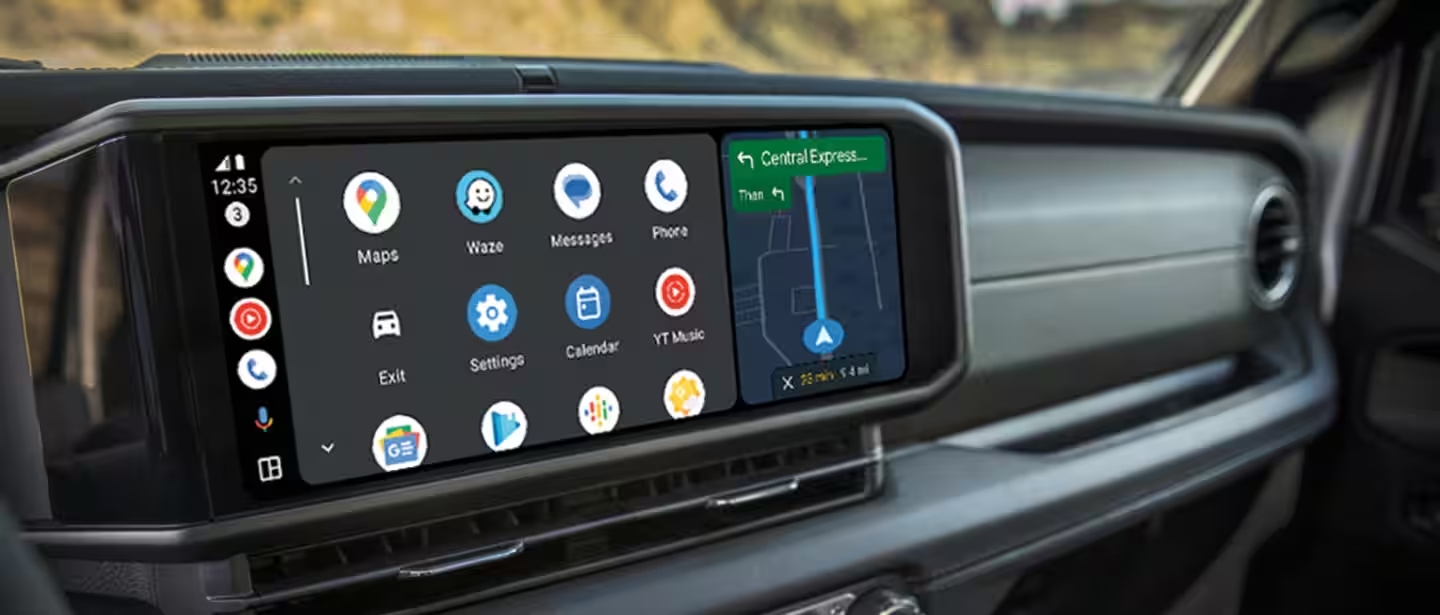
Apple CarPlay and Android Auto let you mirror your phone’s apps on the Uconnect screen. Not all Jeep models support these, so check your vehicle’s year and trim.
How To Set Up Apple Carplay
- Use an Apple-certified USB cable to connect your iPhone.
- If prompted, allow CarPlay on your iPhone.
- On the Uconnect screen, tap the CarPlay icon.
- Follow prompts to finish setup.
How To Set Up Android Auto
- Connect your Android device using a USB cable.
- Allow Android Auto access on your phone.
- Select the Android Auto icon on the Uconnect display.
- Complete any permissions or safety prompts.
Wireless Carplay And Android Auto
Some newer Jeep models support wireless CarPlay/Android Auto. To use this:
- Enable Wi-Fi and Bluetooth on your phone.
- Follow the same pairing process as for Bluetooth.
- Look for the CarPlay or Android Auto icon to appear automatically.
Pro Tip: If your connection drops frequently, use a short, high-quality USB cable and avoid third-party adapters.
Uconnect App And Remote Features
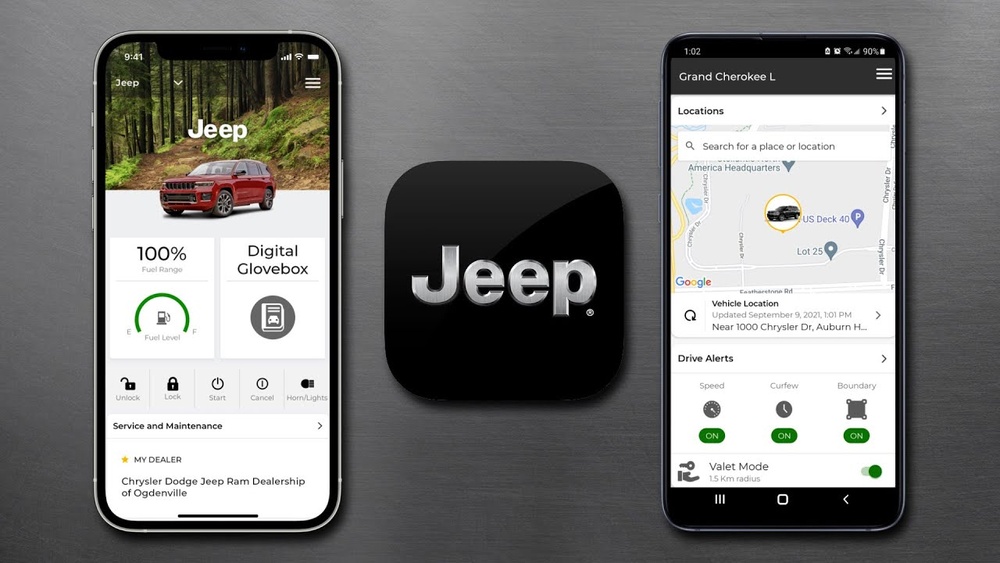
The Uconnect app adds extra features like remote start, vehicle location, and maintenance alerts. Here’s what you can do with it:
- Remote start and lock/unlock
- Find your vehicle in a crowded parking lot
- Send directions from your phone to your vehicle’s navigation system
To use these features, download the Uconnect app, sign in, and link your vehicle’s VIN.
Troubleshooting Common Connection Problems
Even experienced drivers run into problems with Uconnect. Here are practical solutions for common issues:
Uconnect Won’t Pair With Phone
- Restart both the phone and the Uconnect system.
- Delete the device from Uconnect’s saved list and try again.
- Make sure your phone’s software is up to date.
Carplay Or Android Auto Not Responding
- Check your USB cable—many connection problems come from faulty or non-certified cables.
- Try a different USB port in your Jeep.
- Update both the phone and Uconnect system software.
Audio Not Playing
- Make sure your phone’s media volume is up.
- Select the correct audio source on the Uconnect screen (Bluetooth, USB, etc. ).
- If all else fails, reset Uconnect by holding the volume and tuner knobs together for about 10 seconds.
| Problem | Likely Cause | Solution |
|---|---|---|
| No Bluetooth connection | Outdated phone OS | Update phone software |
| App crashes | Uconnect needs update | Check for system updates |
| USB not working | Damaged cable | Replace cable |
Extra Tips Most Beginners Miss
- Remove old devices: Uconnect remembers up to 10 phones. If you’ve reached the limit, new devices won’t connect until you remove some.
- Check for software updates: Regular updates solve many problems and add features. Visit your dealer or use the Uconnect website for instructions.
- Use manufacturer cables: Generic cables often cause connection issues, especially with CarPlay and Android Auto.
- App permissions: Make sure your phone allows contacts, media, and location sharing for full Uconnect functionality.
- Restart after updates: Always restart your Uconnect system after updating to avoid glitches.
Frequently Asked Questions
How Do I Know If My Jeep Supports Apple Carplay Or Android Auto?
Most Jeep models from 2017 and newer support Apple CarPlay and Android Auto. Check your owner’s manual or the official Jeep website for a compatibility list.
Why Does My Uconnect Keep Disconnecting From My Phone?
Frequent disconnections are often caused by incompatible cables, out-of-date software, or interference from other devices. Try a different cable, update your phone and Uconnect, and remove unused Bluetooth pairings.
Can I Connect More Than One Phone To Uconnect?
Yes, you can pair multiple phones, but only one can be active for calls or media at a time. To switch phones, go to the Uconnect Bluetooth settings and select the device you want to use.
Is There A Cost To Use The Uconnect App?
Basic Uconnect features are free, but some remote services require a subscription. Features like remote start or vehicle location may need an active Uconnect Access plan. Check pricing on the official Jeep Uconnect site.
Where Can I Get Help If I Can’t Connect?
If problems persist, contact your local Jeep dealer or visit the official Jeep Uconnect support page for troubleshooting guides and updates.
Getting the most out of your Jeep Uconnect system takes a few steps, but it’s worth the effort. With proper setup, you’ll enjoy safer, more connected driving every day. Remember these tips and solutions, and you’ll solve most issues before they start.