If your Jeep Compass Uconnect system is lagging, freezing, or not working as expected, you are not alone. Many owners face issues with the Uconnect infotainment system—from unresponsive touchscreens to Bluetooth glitches. Resetting Uconnect can fix most of these problems without a trip to the dealership. However, the process can seem confusing, especially if you’re not tech-savvy or English is not your first language. This guide will walk you through easy steps for resetting your Jeep Compass Uconnect, key tips, and what to expect before and after.
Why Resetting Uconnect Matters
The Uconnect system controls important features in your Jeep Compass, like navigation, music, Bluetooth, and climate. Over time, it can slow down or show errors. Resetting can:
- Restore normal function
- Remove temporary bugs
- Clear out minor software glitches
A reset is often safer and cheaper than visiting a dealer or mechanic.
Types Of Uconnect Resets
Before starting, it’s important to know there are two main ways to reset Uconnect:
- Soft Reset: Quick, does not erase saved data (radio presets, Bluetooth connections).
- Factory Reset (Hard Reset): Restores all settings to default, erases saved data.
The right choice depends on your problem. For small glitches, a soft reset is usually enough. For bigger issues—like repeated crashes—a factory reset is better.
Here’s a quick comparison:
| Reset Type | Data Loss | Time Needed | Problems Fixed |
|---|---|---|---|
| Soft Reset | No | 2-5 min | Minor bugs |
| Factory Reset | Yes (all user data lost) | 5-10 min | Major errors, system crashes |

Step-by-step: How To Reset Jeep Compass Uconnect
The steps may change slightly depending on your Jeep Compass model year and Uconnect version. Always check your owner’s manual if unsure.
Soft Reset Method
This is the safest way to start. It won’t erase saved stations or paired phones.
- Turn on your Jeep Compass. The engine can be running or in accessory mode.
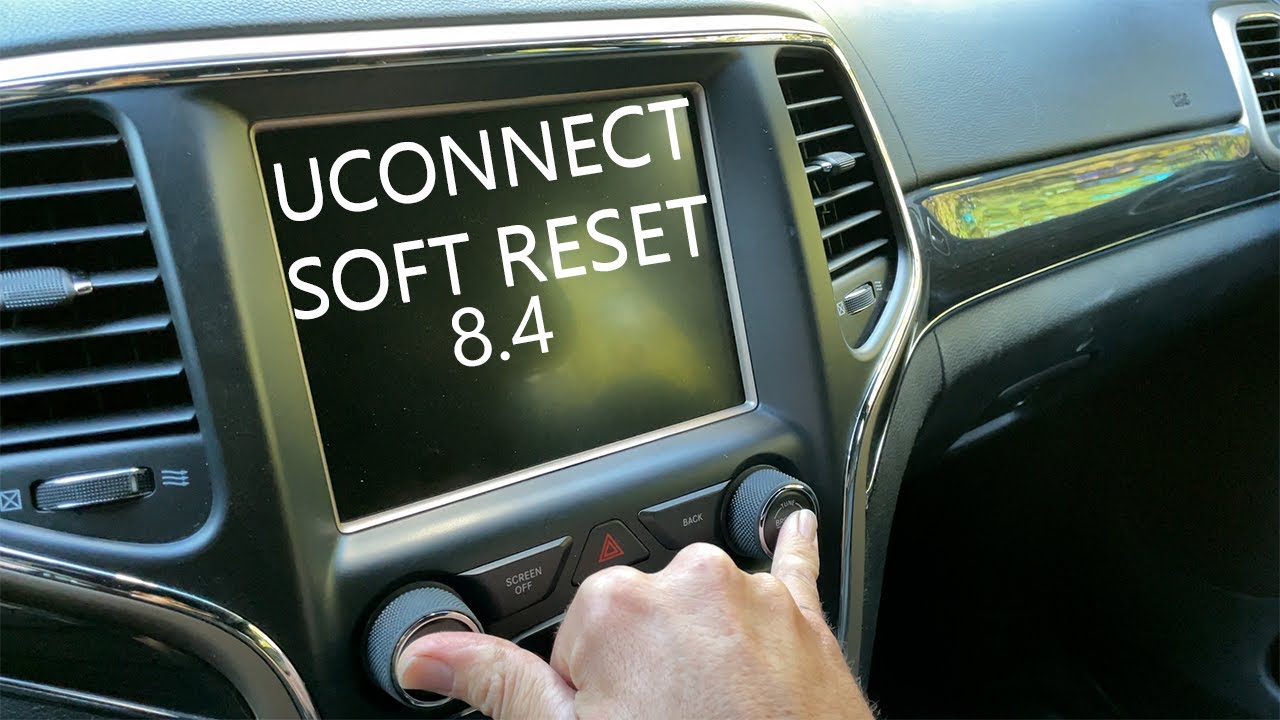
- Find the volume and tuner (browse/enter) knobs on the Uconnect screen.
- Press and hold both knobs together for about 10-20 seconds.
- Wait until the screen turns off and restarts. You should see the Jeep or Uconnect logo.
- Release the knobs. The system will reboot and return to the main menu.
Most minor glitches will be gone after this process.
Factory Reset (hard Reset) Method
If the soft reset did not solve your problem, try a factory reset. This will erase all personal data.
- Turn on your Jeep Compass and go to the Uconnect home screen.
- Press “Settings” on the Uconnect display.
- Scroll down and select “Restore Settings” or “Reset” (wording can vary).
- Enter the four-digit security code if asked. This code is usually found in your manual or paperwork.
- Confirm by selecting “Yes” to start the reset.
- Wait for the system to restart. This may take several minutes.
After this, you’ll need to set up your preferences, Bluetooth, and radio again.
Power Cycle (extra Step)
If you cannot access the screen or it is frozen, try a power cycle:
- Turn off your Jeep and open the driver’s door.
- Wait at least 60 seconds.
- Close the door and restart the vehicle.
This sometimes helps when the screen is completely unresponsive.
What To Do After Resetting
Once your Uconnect system restarts, you may need to:
- Pair your Bluetooth devices again
- Re-enter radio presets
- Check and adjust navigation settings
- Sign into Uconnect apps (if available)
If you use special apps or features, make sure your phone is updated and connected.
Here’s what you might need to set up again:
| Feature | Action Needed |
|---|---|
| Bluetooth | Pair devices again |
| Radio | Set favorite stations |
| Navigation | Input home/work addresses |
| Apps | Log in if required |
Common Mistakes To Avoid
Resetting Uconnect is simple, but some mistakes can cause frustration:
- Not waiting long enough: After holding the reset knobs, wait until the screen restarts fully.
- Forgetting to back up data: For factory resets, write down any important settings.
- Using the wrong reset method: Try a soft reset first. Only use factory reset if needed.
A non-obvious mistake is skipping software updates. Sometimes, resetting does not fix deep problems because the system needs an update. Always check for updates using the Uconnect website or your dealer.
When To Visit A Dealer
If your Uconnect system remains frozen, blank, or keeps crashing after several resets, you may have a hardware problem. Examples include:
- Touchscreen not responding at all
- No sound even after reset
- System stuck on boot logo for over 10 minutes
In these cases, resetting will not fix the issue. It’s time to contact your local Jeep dealer. Some problems may be covered under warranty if your Compass is new.
Expert Tips For Long-term Uconnect Health
- Update your system when new software releases are available.
- Avoid connecting too many phones or devices at the same time.
- Clean the touchscreen with a soft, dry cloth—no chemicals.
- Don’t force the system to shut down by disconnecting the battery unless advised by a technician.
Few owners know that leaving the vehicle in extreme heat or cold can impact the touchscreen’s performance. Parking in a garage or shade helps prevent future problems.
For official updates, you can always check the Uconnect support site.
Frequently Asked Questions
How Often Should I Reset My Jeep Compass Uconnect?
You only need to reset Uconnect when you notice problems, like freezing or slow response. Regular resets are not necessary if the system works well.
Will A Reset Erase My Saved Contacts And Maps?
A soft reset will not erase your data. A factory reset will remove all personal settings, paired devices, contacts, and saved navigation points.
My Screen Is Frozen And Won’t Respond. What Should I Do?
Try a power cycle by turning off your Jeep and waiting a minute before restarting. If that fails, attempt a soft reset using the knob method.
Can A Reset Fix All Uconnect Issues?
A reset solves most software bugs and temporary glitches. But hardware problems, like a broken touchscreen or speaker, need professional repair.
Where Can I Find My Uconnect Security Code?
Usually, the code is in your owner’s manual or original purchase documents. If you cannot find it, your Jeep dealer can provide it after verifying your ownership.
Resetting your Jeep Compass Uconnect is a simple but effective way to fix many tech issues. By following the right steps, most drivers can solve problems on their own, saving time and money. If problems continue, don’t hesitate to get professional help—your driving experience should be smooth, safe, and enjoyable.