Seeing the check engine light on your 2019 Jeep Cherokee can be frustrating and worrying. You might be asking yourself, “What’s wrong?
How do I fix this? ” The good news is, sometimes the light comes on for a minor issue that you can easily reset yourself. This guide will walk you through simple, clear steps to reset your check engine light quickly and safely.
Whether you want to clear the light after fixing a problem or just want to know how to handle it if it’s a false alert, you’ll find everything you need here. Keep reading to take control of your Jeep’s dashboard and get back on the road with confidence.
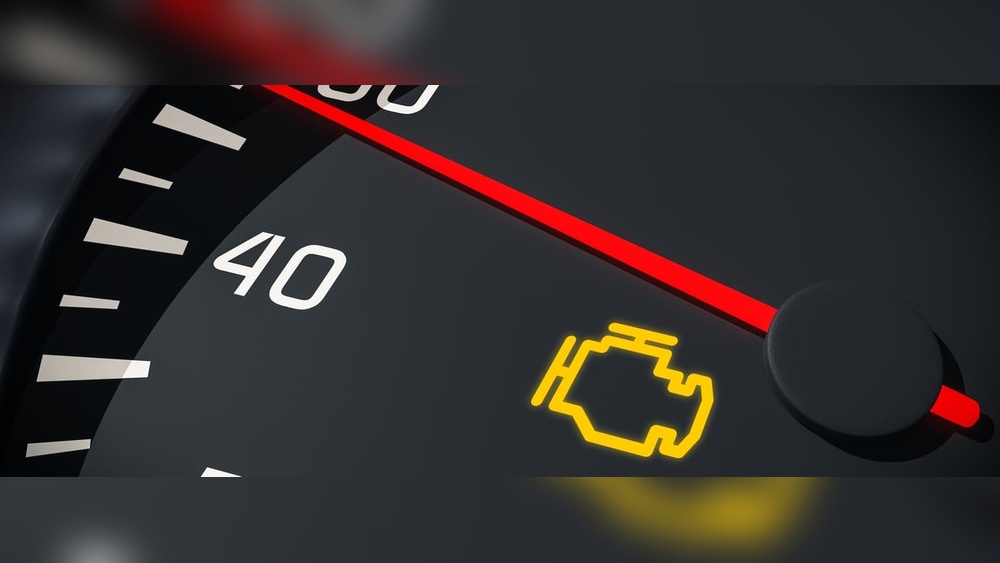
Check Engine Light Basics
Resetting the check engine light on a 2019 Jeep Cherokee by disconnecting the battery is a simple way to clear error codes. This method cuts power to the vehicle’s computer, causing it to reset. The light should turn off if the problem is fixed or no longer detected.
Before starting, follow safety steps to avoid injury or damage. Then, carefully disconnect and reconnect the battery. After that, restart your Jeep to complete the reset process.
Safety Precautions
Park your Jeep on a flat surface and turn off the engine. Engage the parking brake to stop the vehicle from moving. Wear safety glasses and gloves to protect your eyes and hands. Avoid touching battery terminals with bare hands or metal tools. Keep metal objects away from the battery to prevent sparks or shorts.
Step-by-step Battery Disconnect
Open the hood and locate the battery. Identify the negative terminal, marked with a minus (-) sign. Use a wrench to loosen the nut on the negative terminal clamp. Carefully lift the negative cable from the battery post and move it aside. Wait at least 15 minutes to allow the vehicle’s computer to reset. Do not touch the positive terminal during this time. This prevents accidental electrical issues.
Restarting Your Jeep
After waiting, reconnect the negative cable to the battery terminal. Tighten the clamp securely with your wrench. Close the hood and get inside your Jeep. Insert the key and start the engine. Check if the check engine light is off. If it stays on, the issue may still exist or need a scan tool for diagnosis.
Simple Fixes Before Resetting
Using an OBD-II scanner is a simple and effective way to reset the check engine light on your 2019 Jeep Cherokee. This tool connects to your vehicle’s computer and reads error codes. It shows what causes the warning light. After fixing the problem, the scanner can clear the codes and turn off the light. This process saves time and money by avoiding trips to the mechanic.
Locating The Obd-ii Port
The OBD-II port is usually under the dashboard on the driver’s side. Look near the steering column or just below it. It is a small, trapezoid-shaped connector. Your Jeep’s manual can help find the exact spot. No tools are needed to access it. Just sit in the driver’s seat and check around the lower dash area.
Reading And Clearing Codes
First, plug the scanner into the OBD-II port. Turn the ignition to the “on” position without starting the engine. Follow the scanner’s instructions to read the codes stored in the car’s system. These codes tell you what caused the check engine light. After repairing the issue, use the scanner to clear the codes. This action will reset the check engine light on the dashboard. If the problem is fixed, the light should stay off.
Choosing The Right Scanner
There are many OBD-II scanners available. Pick one that works with Jeep vehicles and has good reviews. Basic models can read and clear codes, which is enough for most users. More advanced scanners offer extra features like live data and freeze frame analysis. Choose based on your needs and budget. A reliable scanner is a good investment for any car owner.
Frequently Asked Questions
How To Clear A Jeep Check Engine Light Without A Scanner?
Unscrew and re-tighten the gas cap securely. Disconnect the negative battery terminal for 15 minutes, then reconnect it and start the Jeep. This resets the check engine light without a scanner.
Can I Clear My Check Engine Light Myself?
Yes, you can clear your check engine light yourself using an OBD-II scanner or by disconnecting the battery briefly. Ensure the issue is fixed first.
Will The Jeep Check Engine Light Reset Itself?
The Jeep check engine light may reset itself after fixing the issue. Otherwise, reset it using an OBD-II scanner or by disconnecting the battery briefly.
How Do I Reset The Check Engine Light On A 2019 Jeep Cherokee?
To reset the check engine light, you can use an OBD-II scanner to clear codes. Alternatively, disconnect the negative battery terminal for about 15 minutes to reset the vehicle’s computer. Ensure any underlying issues are fixed before resetting the light.
Conclusion
Resetting the check engine light on your 2019 Jeep Cherokee is simple. Start by fixing the problem causing the light. Use an OBD-II scanner to read and clear codes easily. Disconnecting the battery can also reset the light but use this method carefully.
Always ensure your Jeep is parked safely before trying any reset steps. Remember, the check engine light helps protect your vehicle. Don’t ignore it if it comes back on after a reset. Regular maintenance keeps your Jeep running smoothly and avoids future issues.