If you ever tried to upgrade your Jeep Wrangler radio, or fix wiring problems, you know it’s confusing. There are many colored wires, plugs, and connections—one wrong move and nothing works. Understanding the Jeep Wrangler radio wiring diagram is not just for mechanics. It helps owners save money, avoid mistakes, and install new radios confidently.
This guide breaks down everything you need to know about Wrangler radio wiring. It covers different models, explains wire colors and functions, gives practical troubleshooting tips, and shows you how to read and use the diagram. Whether you want to install a new stereo or fix a factory unit, you’ll find actionable advice inside.
Why The Jeep Wrangler Radio Wiring Diagram Matters
The radio wiring diagram is like a map for your Jeep’s audio system. It shows how each wire connects—power, speakers, ground, antenna, and more. Without it, you risk connecting the wrong wires, which can cause blown fuses, poor sound quality, or even damage your radio.
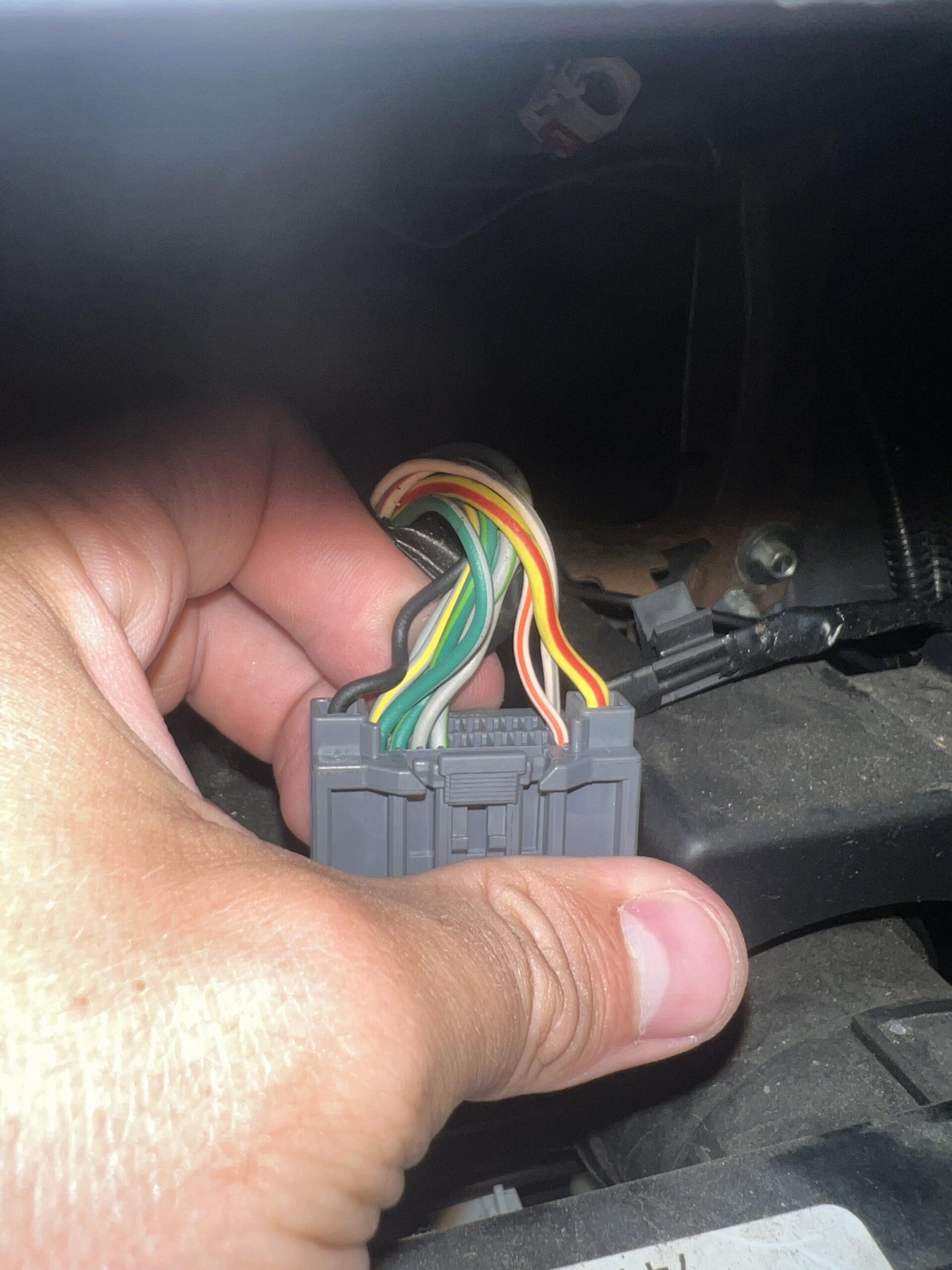
For example, if you accidentally swap the speaker wires, you might only hear sound from one side. Or, if you connect power incorrectly, the radio won’t turn on. The wiring diagram helps you avoid these problems.
There are also differences between factory radios and aftermarket units. Factory radios use certain wire colors and pins, while aftermarket radios may require adapters or extra connections. Knowing the diagram helps you match wires correctly, no matter which radio you install.
Understanding Jeep Wrangler Radio Wire Colors
Wire colors are not random—they follow a pattern. Each color represents a certain function, like power, ground, or speakers. Here’s a typical color scheme for Jeep Wrangler radios from 1997 to 2026:
| Wire Color | Function | Common Pin |
|---|---|---|
| Red | Accessory Power (12V) | Pin 12 |
| Yellow | Constant Power (Memory) | Pin 11 |
| Black | Ground | Pin 8 |
| Blue | Power Antenna/Remote | Pin 7 |
| White/White-Black | Front Left Speaker (+/-) | Pin 1/2 |
| Gray/Gray-Black | Front Right Speaker (+/-) | Pin 3/4 |
| Green/Green-Black | Rear Left Speaker (+/-) | Pin 5/6 |
| Purple/Purple-Black | Rear Right Speaker (+/-) | Pin 9/10 |
These colors are common, but some models may use different shades or extra wires for features like steering wheel controls or amplifiers. Always check your specific model before starting.
Jeep Wrangler Radio Wiring Diagram: Model Differences
Not all Jeep Wranglers use the same wiring. The diagram can change based on year, trim, and factory options. Here’s how the wiring differs across popular Jeep Wrangler generations:
| Year Range | Connector Type | Special Features |
|---|---|---|
| 1997–2006 (TJ) | Standard ISO plug | No CAN bus, simple wiring |
| 2007–2017 (JK) | Chrysler 22-pin | CAN bus, steering controls |
| 2018–2026 (JL) | Chrysler 22/24-pin | Advanced CAN bus, premium audio options |
For example, the JK series uses a 22-pin plug, which means more wires for things like hands-free calls and dash displays. The newer JL models often have extra wires for premium Alpine systems.
If you’re installing an aftermarket radio, you may need special adapters to keep features like steering wheel controls working.
How To Read And Use The Radio Wiring Diagram
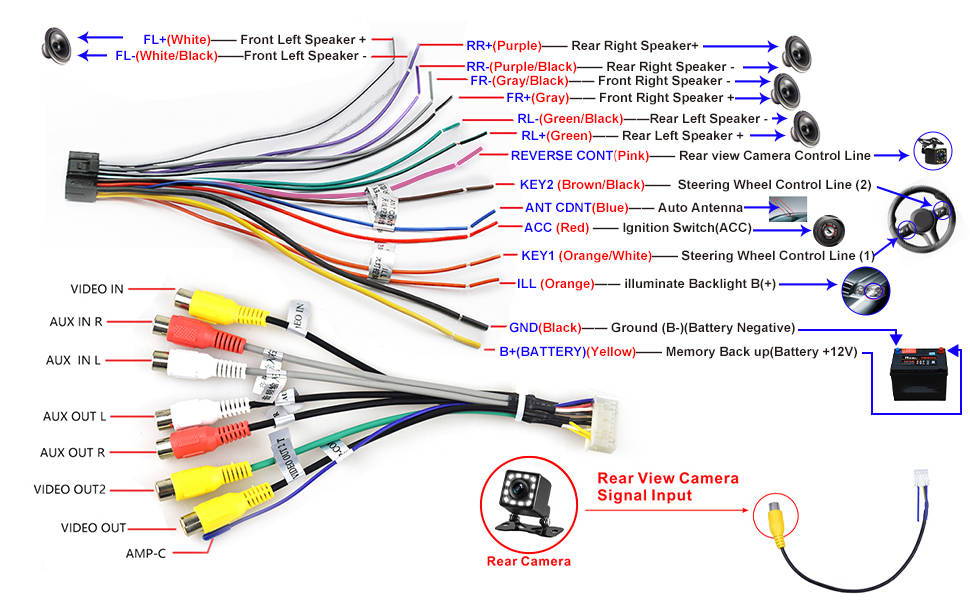
Many people look at the diagram and feel lost. The diagram usually shows a rectangle (the radio) with lines connecting to different pins. Each line has a color and label.
Here’s how to use it:
- Identify your Jeep model and year. This tells you which diagram to use.
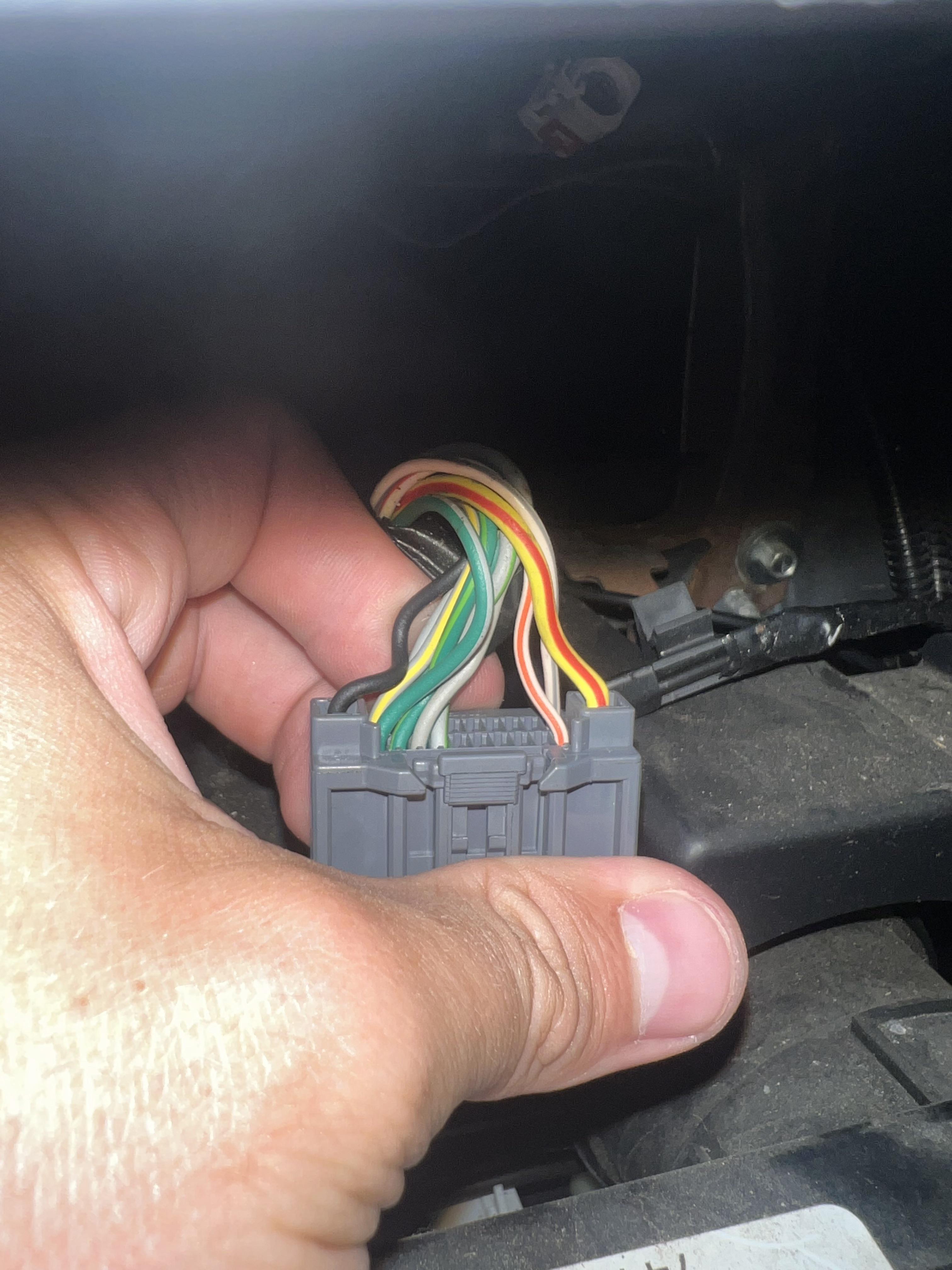
- Find the radio plug. It’s usually behind the dash, connected to the radio.
- Match wire colors with functions. Use the diagram to see which wire does what.
- Check pin numbers. Each wire connects to a certain pin. Pin numbers are often marked on the plug.
- Compare with your new radio. Aftermarket radios often use different colors, so you may need an adapter or wiring harness.
Example: If you see a red wire at Pin 12, it’s accessory power. Match it to your new radio’s red wire for power.
Non-obvious insight: Many beginners forget to check if their Jeep has a factory amplifier. If it does, you’ll need an extra wire or adapter to turn it on. Missing this step means your speakers may stay silent, even if the radio powers up.
Installing An Aftermarket Radio In Your Jeep Wrangler
Upgrading to a new stereo is popular. It improves sound and adds features like Bluetooth or Apple CarPlay. But installation can be tricky without the right diagram.
Here’s a step-by-step guide:
- Disconnect the battery. Always start by removing the negative terminal.
- Remove the factory radio. Use trim tools to avoid damaging the dash.
- Check the wiring harness. Identify all wires using the diagram.
- Match wires. Use crimp connectors or solder for strong connections.
- Install adapters. If your Jeep has CAN bus or steering controls, use a compatible adapter.
- Test the system. Before reinstalling the dash, check every function—power, speakers, controls.
- Reinstall everything. Once tested, put the dash back together.
Common mistake: Many people rush step 5, skipping adapters. As a result, steering wheel controls or factory amplifiers stop working. Always double-check compatibility.
Troubleshooting Jeep Wrangler Radio Wiring Problems
Sometimes, even with the diagram, things don’t work. Here’s how to fix common wiring issues:
- Radio won’t turn on: Check power (red/yellow wires), ground (black wire), and fuse.
- Speakers not working: Verify speaker wires (white, gray, green, purple) and check for broken connections.
- Static or noise: Make sure the ground wire is secure. Loose grounds cause interference.
- Steering controls not working: Confirm adapter is installed and wires are connected properly.
- Factory amplifier silent: Find the amp turn-on wire (often blue) and connect it to the radio’s remote wire.
Non-obvious insight: Sometimes, problems come from broken pins inside the connector. Visually inspect the plug—bent or missing pins can stop everything from working.
Jeep Wrangler Radio Wiring Diagram Example
Let’s look at a typical diagram for a 2015 Jeep Wrangler (JK):
- Pin 1: White – Front Left Speaker +
- Pin 2: White/Black – Front Left Speaker –
- Pin 3: Gray – Front Right Speaker +
- Pin 4: Gray/Black – Front Right Speaker –
- Pin 5: Green – Rear Left Speaker +
- Pin 6: Green/Black – Rear Left Speaker –
- Pin 7: Purple – Rear Right Speaker +
- Pin 8: Purple/Black – Rear Right Speaker –
- Pin 9: Red – Accessory Power
- Pin 10: Yellow – Constant Power
- Pin 11: Black – Ground
- Pin 12: Blue – Remote/Power Antenna
This matches the color scheme from earlier. If your Jeep is older or newer, check your manual or search for your model’s diagram.
Factory Vs. Aftermarket Radio Wiring: Key Differences
Factory radios are designed for your Jeep’s wiring. Aftermarket radios usually have universal wires and may need extra adapters. Here’s a comparison:
| Feature | Factory Radio | Aftermarket Radio |
|---|---|---|
| Wire Colors | Jeep-specific, consistent | Universal, may differ |
| Connectors | OEM plug | Standard ISO, may need harness |
| Compatibility | Full features (amp, steering controls) | May need adapters |
| Installation Difficulty | Plug and play | Requires matching wires |
When choosing a new radio, look for models that support your Jeep’s features. If you want to keep steering wheel controls or factory amps, buy the right adapters.
Tips For Safe And Reliable Radio Wiring
- Use wiring harness adapters. They prevent cutting factory wires and make installation easier.
- Label wires before connecting. If you lose track, you avoid mistakes.
- Solder or crimp connections. Never twist wires together—they can come loose.
- Check for shorts. Before turning on the radio, use a multimeter to check for crossed wires.
- Keep diagrams handy. Print or save the wiring diagram for quick reference.
Where To Find Jeep Wrangler Radio Wiring Diagrams
You can find diagrams in your Jeep’s owner’s manual, online forums, or official service manuals. Some websites offer detailed guides with photos and step-by-step instructions. For trusted information, visit the Jeep Official Owner’s Manual.
What Do The Wire Colors Mean In A Jeep Wrangler Radio?
Wire colors show function. Red is accessory power, yellow is constant power, black is ground, white/gray/green/purple are speaker wires. Always check your model’s wiring before connecting.
Can I Install An Aftermarket Radio Without Cutting Wires?
Yes, use a wiring harness adapter. It connects your new radio to the factory plug, so you don’t cut any wires. This makes installation easier and keeps your Jeep’s original wiring safe.
Why Is My Radio Not Turning On After Wiring?
Usually, the issue is with power wires (red/yellow), ground (black), or a blown fuse. Check connections, make sure all wires are secure, and inspect the radio fuse.
How Do I Keep Steering Wheel Controls With A New Radio?
Buy a steering wheel control adapter for your Jeep model. It connects the controls to your new radio, so you keep all functions. Some radios include this adapter, but often it’s sold separately.
Is The Radio Wiring Diagram The Same For All Jeep Wranglers?
No, diagrams change by year, model, and trim. A 2005 TJ uses a different plug than a 2020 JL. Always use the correct diagram for your Jeep.
Wiring your Jeep Wrangler radio can seem difficult, but the right diagram makes it simple. Whether you’re upgrading your stereo, fixing a broken wire, or just want to understand your system better, knowing the diagram helps you do the job right.
Take time to read your model’s wiring, use quality adapters, and test everything before finishing. With the right approach, you’ll get clear sound, safe connections, and keep your Jeep’s features working.