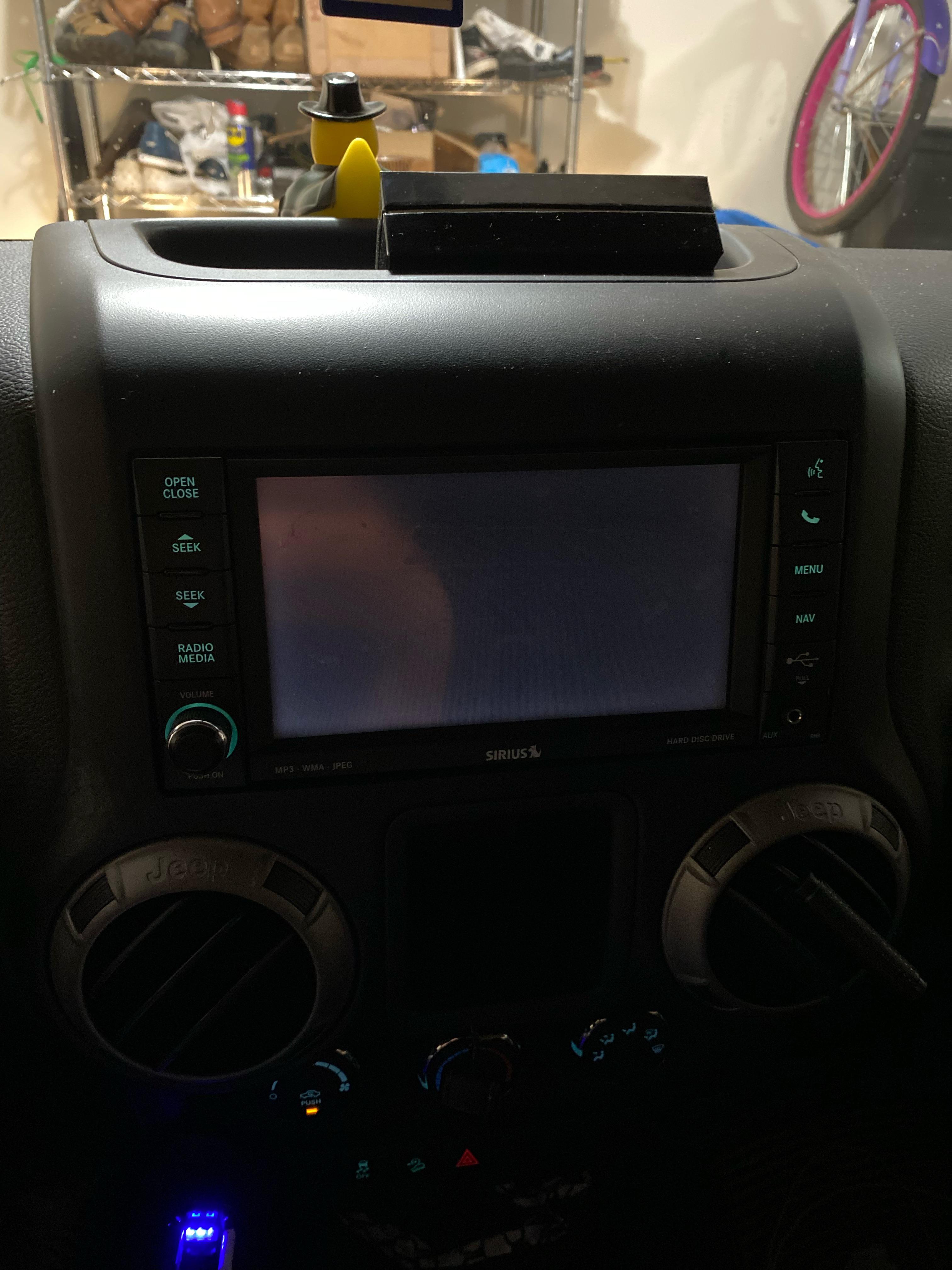
If you own a Jeep, the screen in your dashboard is more than just a luxury. It controls your music, navigation, rear camera, and even some climate settings. When that screen suddenly goes dark, it can be frustrating and even risky.
You might worry about losing important functions or think something is seriously wrong with your car. But before you panic, it’s important to know that a dark Jeep screen is a common issue. Most of the time, it’s fixable without costly repairs.
Common Reasons Your Jeep Screen Is Dark
There are several reasons why your Jeep screen might go dark. Understanding the causes helps you find the right solution quickly.
- Software Glitches: Many Jeep screens run on Uconnect or similar software. Sometimes, a simple bug or temporary error causes the screen to freeze or go blank.
- Power Supply Problems: If the screen isn’t getting enough power, it won’t turn on. This can happen if the car battery is weak, there’s a blown fuse, or a loose cable.
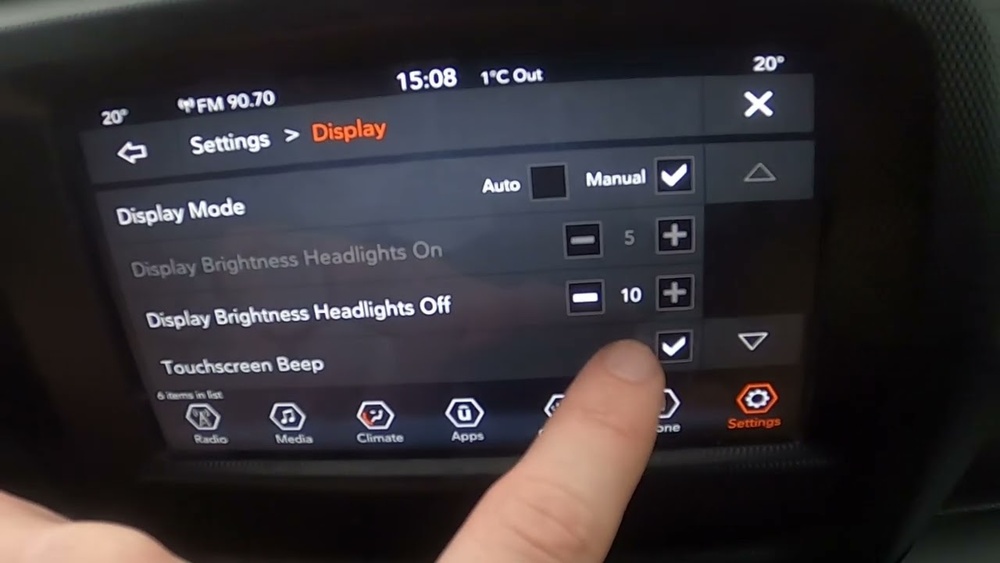
- Brightness Settings: The brightness might be set too low, especially during daytime, making the screen look dark or off.
- Faulty Display Hardware: Internal screen components can fail, especially in older Jeeps or after exposure to heat and vibrations.
- Wiring Issues: Damaged or disconnected wires behind the dashboard may cut power to the screen.
- Recent Updates: Sometimes, after a software update, the screen may need a reset or may not restart correctly.
Here’s a quick comparison of the most common causes and their typical solutions:
| Problem | How Common | Easy Fix? |
|---|---|---|
| Software Glitch | Very common | Yes, restart/reset |
| Power Issue | Common | Sometimes |
| Brightness Setting | Occasional | Yes, adjust settings |
| Hardware Failure | Less common | No, needs repair |
Step-by-step Troubleshooting
If your Jeep screen is dark, follow these steps before seeking professional help.
1. Check The Brightness And Display Settings
Sometimes the screen is on, but the brightness is set too low. This is especially true if the display is only dark during the day.
- Turn your headlights on and off. This can change the screen brightness.
- Try adjusting the brightness knob or settings in the menu (if you can see anything on the screen).
2. Restart The System
Many issues are fixed with a simple restart.
- For most Jeeps, hold the power and volume buttons together for about 10–15 seconds.
- The screen should turn off, then reboot.
3. Inspect The Fuse
A blown fuse can cut power to the screen.
- Locate the fuse box (usually under the dashboard or hood).
- Check the manual for the correct fuse for the radio/screen.
- Replace any blown fuses with the same rating.
4. Check The Battery
A weak battery can affect many electronics, including the display.
- Look for signs of a failing battery: Slow engine crank, dim lights, or warning lights on the dash.
- If the battery is more than 3 years old, have it tested at an auto shop.
5. Look For Wiring Issues
If you’re comfortable, check behind the screen for any loose or disconnected wires. If you’re not, it’s best to let a professional handle this.
6. Reset After Software Update
If the screen went dark after an update, it may need a factory reset.
- Consult your owner’s manual for the correct reset procedure.
- This often involves holding certain buttons or using a menu option.
7. Professional Diagnosis
If all else fails, the issue may be with the screen hardware itself. Jeep dealers and certified mechanics can run deeper diagnostics.
How To Prevent Future Screen Problems
You can avoid many Jeep screen issues with regular care and smart habits.
- Keep software updated: But only use official updates.
- Avoid extreme temperatures: Heat and cold can damage screens.
- Handle with care: Press buttons and touchscreens gently.
- Disconnect before battery work: Always turn off the car and disconnect the battery before electrical work.
Here’s a helpful comparison between DIY fixes and when to call a professional:
| Issue | DIY Possible? | When to Call a Pro |
|---|---|---|
| Brightness/Settings | Yes | If settings don’t respond |
| Fuse Replacement | Yes | If fuses blow repeatedly |
| Battery/Power | Yes (if simple) | If replacing battery doesn’t help |
| Wiring/Hardware | No | Always |
Two Insights Jeep Owners Often Miss
- Hidden Master Reset: Many Jeep owners don’t realize there’s a master reset option in the Uconnect system. It’s usually buried in the settings and can solve stubborn screen issues.
- Battery Health Matters: Even if your Jeep starts fine, a weak battery may still cause screen or radio glitches. Electronics are sensitive to power drops, so regular battery checks are smart.
When Is It A Sign Of Bigger Problems?
A dark screen is usually a minor issue, but not always. If the screen goes dark together with other electrical problems—like flickering dashboard lights, non-working power windows, or warning beeps—your Jeep may have a larger electrical issue. In rare cases, this could signal a failing alternator or a problem with the car’s computer. Get these checked quickly to avoid being stranded.
What If My Jeep Is Under Warranty?
If your Jeep is still under its factory warranty, screen repairs may be covered. Always check with your dealer before paying for repairs. Some extended warranties or recalls may also cover certain screen issues, especially for newer models.
For the latest recall info, you can visit the official NHTSA recall database.

Frequently Asked Questions
Why Does My Jeep Screen Only Go Dark Sometimes?
This is often due to software glitches or loose connections. If it happens after hitting bumps or only at certain times, it may be a wiring issue.
Can I Fix A Dark Jeep Screen Myself?
Yes, many problems like settings issues or blown fuses are easy for owners to fix. For deeper problems like failed hardware or wiring, it’s best to get professional help.
Will Disconnecting The Battery Reset The Screen?
Sometimes, yes. Disconnecting the battery for 10–15 minutes can reset the system. But this can also erase settings and clock, so use with caution.
Is It Safe To Drive With A Dark Screen?
Usually, yes. But if you rely on the screen for reversing or other essential controls, be extra careful. Fix the issue soon to avoid losing important functions.
How Much Does It Cost To Replace A Jeep Screen?
Replacement costs vary. A basic screen may cost $300–$600 for parts and labor, while advanced units can be over $1,000. Check your warranty or consider a used part to save money.
A dark Jeep screen can be annoying, but most causes are not serious. By following these steps, you can often solve the problem on your own. Regular care, quick attention to warning signs, and knowing when to ask for help will keep your Jeep’s tech running smoothly.