If your Jeep’s backup camera stops working, it can be frustrating and even unsafe. Many drivers rely on the rearview camera for parking and reversing.
When the camera screen goes black or shows an error, it’s not always clear what’s wrong.
This article explains the main reasons your Jeep backup camera might not work, how to troubleshoot the problem, and what you can do to fix it. You’ll also see practical examples and common mistakes Jeep owners make when dealing with this issue.
Common Reasons Your Jeep Backup Camera Is Not Working
A backup camera can stop working for different reasons. Some are simple, like dirt or water on the lens, while others involve wiring or software issues.
- Blown fuse: Many cameras share a fuse with the radio or infotainment system. If this fuse blows, the camera loses power.
- Loose or damaged wiring: Wires running from the camera to the head unit can get pinched or worn, especially if you drive off-road.
- Faulty camera: The camera itself may fail due to age, water intrusion, or impact.
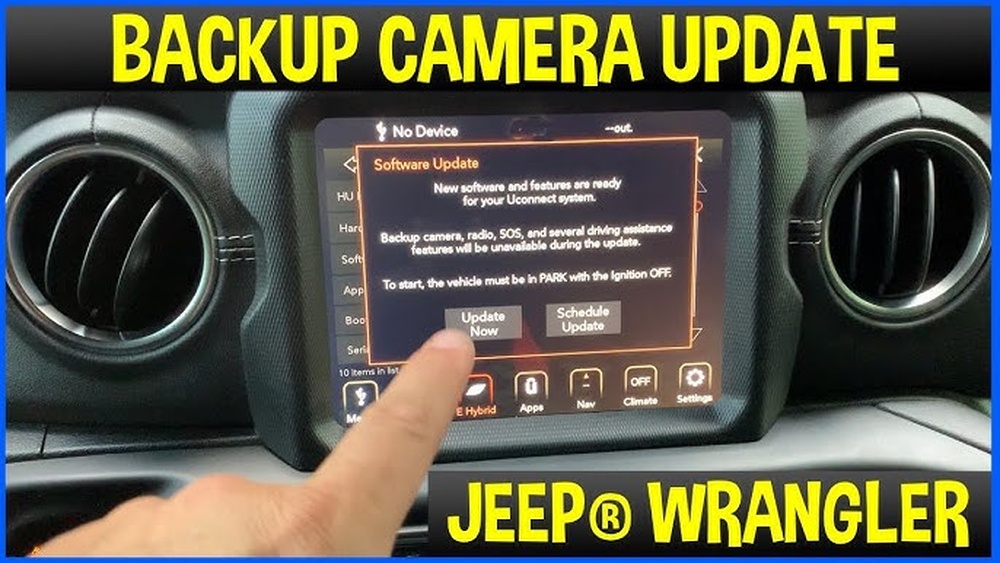
- Software glitches: Jeep infotainment systems sometimes have bugs that freeze or disable the camera feed.
- Obstructed lens: Mud, ice, or debris on the lens can make the image look black or blurry.
- Faulty display or radio unit: Sometimes the camera works, but the screen or head unit does not display the image.
- Faulty transmission switch: If your Jeep doesn’t realize it’s in reverse, the camera won’t turn on.
Many Jeep owners overlook the simple causes, like a dirty lens or a blown fuse, and jump straight to replacing expensive parts.
Troubleshooting Steps
You can often fix a Jeep backup camera problem yourself. Here’s a practical step-by-step approach:
Step 1: Inspect The Camera Lens
- Wipe the camera lens with a clean cloth.
- Check for cracks or water inside the lens.
Step 2: Check Display And Settings
- Put the Jeep in reverse and see if the display changes.
- Make sure the backup camera option is enabled in the settings menu.
Step 3: Check Fuse And Power
- Find the camera fuse in your Jeep’s fuse box (see your manual).
- Replace the fuse if it’s blown.
Step 4: Inspect Wiring
- Look for loose plugs at the camera or the radio unit.
- Check for pinched or damaged wires, especially near the tailgate.
Step 5: Reset The Infotainment System
- Restart your Jeep and the radio unit.
- Some Jeeps have a “soft reset” (press and hold the volume and tuner knobs together for 10 seconds).
Step 6: Test The Camera
- Try another camera if you have access.
- If the replacement works, the original camera is faulty.
If these steps don’t work, your Jeep may need professional diagnosis. Electrical problems can sometimes be hidden and require special tools.
Jeep Models And Common Camera Issues
Different Jeep models may have unique backup camera problems. Here’s a quick look at how popular models compare:
| Model | Common Camera Issues | Notes |
|---|---|---|
| Wrangler (JL/JLU) | Water intrusion, wiring damage | Off-road use increases risk |
| Grand Cherokee | Software glitches, blown fuses | Uconnect system resets help |
| Cherokee | Display failures, dirty lens | Lens easily gets muddy |
| Compass/Renegade | Loose connectors, fuse issues | Check tailgate wiring |
Many newer Jeeps use the Uconnect infotainment system, which can freeze and stop the camera from working. Software updates often fix these bugs.
Cost Comparison: Fixing A Jeep Backup Camera
How much it costs to fix your backup camera depends on the problem. Here’s a quick comparison:
| Repair Type | Estimated Cost (USD) | DIY Possible? |
|---|---|---|
| Replace fuse | $5–$20 | Yes |
| Clean lens | Free–$10 | Yes |
| Replace camera | $80–$250 | Yes (basic skills) |
| Repair wiring | $50–$200 | Sometimes |
| Replace display/radio unit | $400–$1,000+ | No |
Replacing the camera is possible at home if you’re comfortable with basic tools. However, fixing wiring or the radio unit is best left to a professional.
Non-obvious Insights Most Jeep Owners Miss
- Weather can ruin cameras: Extreme cold, heat, or heavy rain can damage the camera or wiring, especially if you often drive off-road or in winter.
- Wiring near hinges wears out faster: On Wranglers and Cherokees, the wires at the tailgate hinge flex every time you open or close it. This causes small breaks that are hard to see but stop the camera from working.
Many owners only check the visible wiring and forget about the hidden sections near hinges.
When To Seek Professional Help
If you’ve checked the fuse, cleaned the lens, and reset the system but the camera still doesn’t work, it’s time for a mechanic or dealership. Warning signs you need expert help include:
- Backup camera sometimes works, sometimes not (intermittent).
- Strange error messages on the Uconnect screen.
- Water inside the camera or display unit.
- Camera works with a new head unit but not the original.
An expert can run a diagnostic scan and check hidden wiring or software problems.

How To Prevent Backup Camera Problems
A little prevention can save you time and money:
- Wash the camera lens regularly.
- Avoid spraying high-pressure water directly at the lens.
- Check wiring near the tailgate hinge every oil change.
- Update your Uconnect software when Jeep releases new versions.
- Park in covered areas during heavy rain or snow if possible.
These simple habits can help your camera last longer and work more reliably.
Frequently Asked Questions
Why Does My Jeep Camera Screen Stay Black?
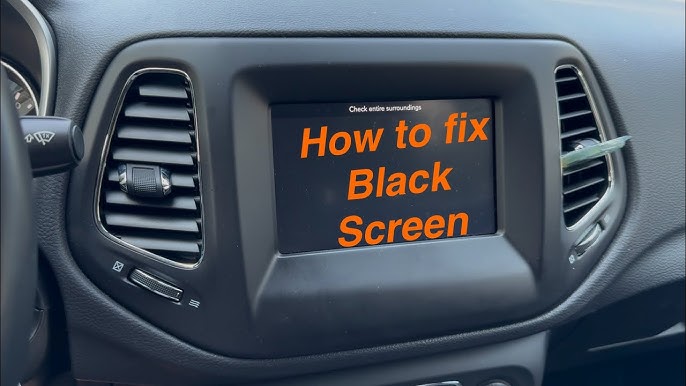
A black screen often means a power or wiring problem. Check the camera fuse and wiring connections first. If those are fine, the display unit or the camera itself could be faulty.
Can I Reset My Jeep Backup Camera?
Yes, you can try a soft reset by pressing and holding the volume and tuner knobs on the Uconnect system for 10 seconds. This restarts the system and can fix software bugs.
Is A Backup Camera Failure Covered By Warranty?
If your Jeep is still under the factory warranty, camera and wiring failures are usually covered. Always check your warranty terms or ask the dealer before paying for repairs.
Can I Install An Aftermarket Camera In My Jeep?
It’s possible to install an aftermarket backup camera, but you may lose some features or need special adapters. Make sure the new camera works with your Jeep’s infotainment system.
Where Can I Find More Help With Jeep Backup Camera Issues?
You can find more detailed guides and community advice on the official Jeep Customer Care page.
If your Jeep’s backup camera is not working, don’t ignore the problem. With the right steps, you can often fix it yourself or know when to seek help.
Regular checks and small repairs can keep your camera working smoothly and make reversing much safer.