What Is Projection Manager Jeep
Modern vehicles come packed with technology to make driving safer and more enjoyable. If you own a Jeep or are considering buying one, you may have come across the term Projection Manager in the infotainment system.
Many drivers wonder what this feature does, how it works, and whether it matters for daily use. This article will explain what Projection Manager is in a Jeep, how it compares to similar features, and what you need to know to get the most from it.
What Is Projection Manager In A Jeep?
Projection Manager is a digital interface found in many newer Jeep vehicles, especially those equipped with the Uconnect infotainment system. Its main job is to help your smartphone connect to the car’s display, letting you use certain apps and features on the dashboard screen.

Think of Projection Manager as a “bridge” between your phone and your Jeep’s infotainment unit. It is not an app by itself, but a tool inside Uconnect that manages how your phone’s apps show up and function on your Jeep’s screen.
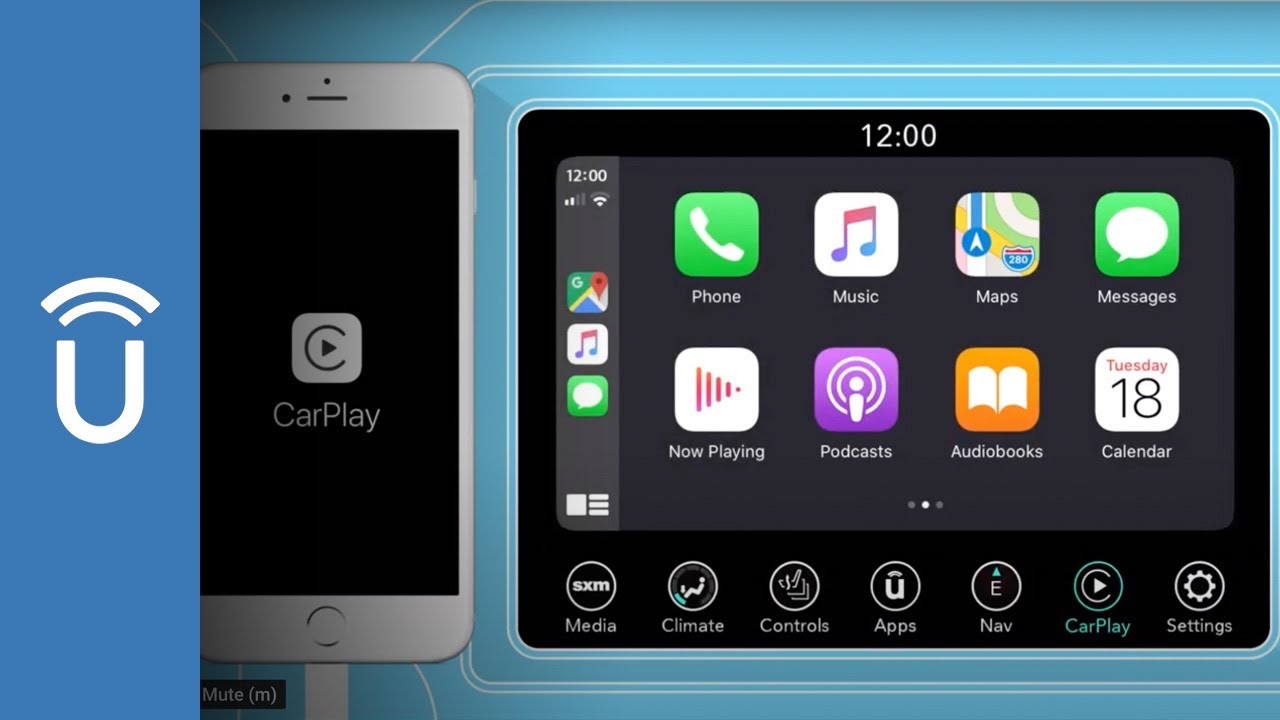
The most common use for Projection Manager is to enable Apple CarPlay and Android Auto. These are systems that mirror your phone’s interface onto the car’s touchscreen, so you can make calls, use navigation, listen to music, or send texts with voice commands—all without touching your phone.
Key Features And Benefits
Here’s what makes Projection Manager useful for Jeep owners:
- Easy App Access: Access popular apps like Maps, Spotify, or WhatsApp directly on your Jeep’s screen.
- Safer Driving: Use hands-free controls, reducing distractions and helping you keep your eyes on the road.
- Better Navigation: Get real-time navigation updates from your smartphone’s GPS apps.
- Music and Media: Stream music or podcasts from your phone without extra steps.
- Voice Commands: Use Siri or Google Assistant to control functions, send messages, or get directions.
For many drivers, these features turn the car’s infotainment system into an extension of their smartphone, making daily commutes and road trips more convenient.
How Projection Manager Works
Using Projection Manager is simple, but there are a few steps involved. Here’s a quick overview:
- Connect your phone: Use a USB cable or, for some models, a wireless connection.
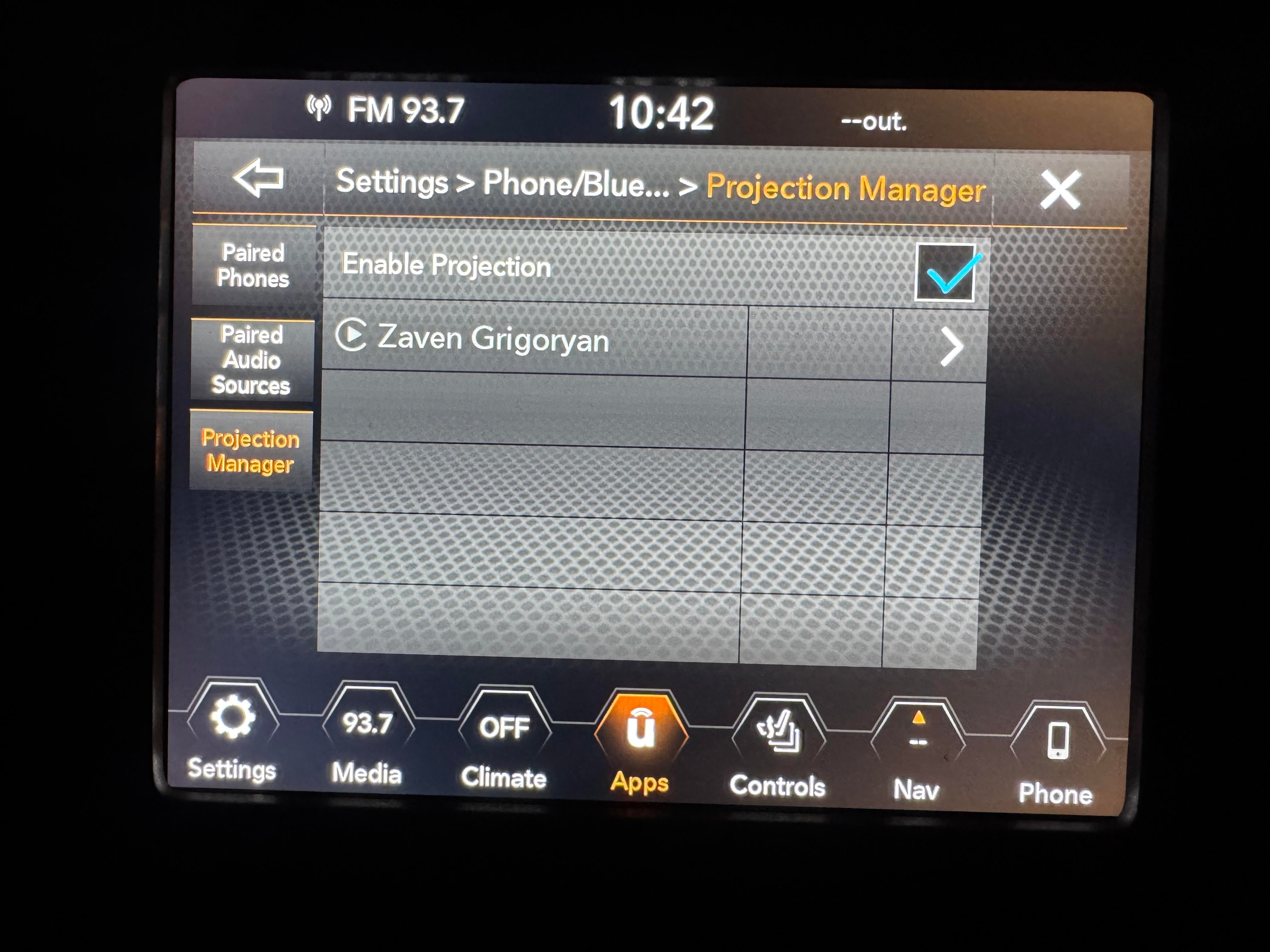
- Open Projection Manager: On your Jeep’s Uconnect screen, tap the Projection Manager icon.
- Select your system: Choose Apple CarPlay or Android Auto, depending on your phone.
- Grant permissions: Your phone may ask you to allow access to contacts, messages, or media.
- Start using apps: The interface mirrors your phone’s apps onto the Uconnect screen.
Example: Connecting An Iphone
- Plug your iPhone into the Jeep’s USB port.
- The Uconnect system will prompt you to launch Apple CarPlay through Projection Manager.
- Accept any permission requests.
- Your iPhone’s main apps (Maps, Messages, Music) appear on the Jeep’s screen.
Wireless Projection: Is It Supported?
Many 2021 and newer Jeep models support wireless connection for Apple CarPlay and Android Auto. However, this feature depends on the vehicle’s hardware and software version.
Always check your owner’s manual or the Jeep website for compatibility details.
Projection Manager Vs. Other Car Infotainment Systems
How does Jeep’s Projection Manager compare with similar systems from other brands? Here’s a quick comparison.
| Brand | Projection Feature Name | Supports Apple CarPlay/Android Auto | Wireless Option |
|---|---|---|---|
| Jeep (Uconnect) | Projection Manager | Yes | Some models |
| Ford (SYNC) | AppLink | Yes | Latest models |
| Toyota (Entune) | Projection | Yes | Selected models |
| Honda (Display Audio) | Smartphone Integration | Yes | Few models |
Common Issues And Troubleshooting
While Projection Manager is usually reliable, some users face problems such as:
- The phone not connecting or recognizing the car.
- Apple CarPlay or Android Auto not launching.
- Audio or display lag.
These issues are often caused by:
- Outdated phone or Uconnect software.
- Damaged USB cables.
- Incorrect settings on the phone.
Here’s a quick troubleshooting guide:
- Update your phone’s operating system and the Jeep’s Uconnect software.
- Use a high-quality USB cable.
- Restart your phone and the car’s infotainment system.
- Check that CarPlay or Android Auto is enabled on your phone.
- Try removing and re-adding the device in the Projection Manager settings.
If problems continue, visiting your local Jeep dealer or checking the official Jeep Uconnect Support page can help.
Jeep Models And Projection Manager Availability
Not every Jeep model or trim comes with Projection Manager. It is most common in:
- Jeep Grand Cherokee (2018 and newer)
- Jeep Wrangler (2018 and newer)
- Jeep Compass
- Jeep Cherokee
- Jeep Gladiator
Lower trims might have basic infotainment systems without smartphone projection, while higher trims almost always include it.
Quick Reference Table: Jeep Models With Projection Manager
| Jeep Model | Year Introduced | Projection Manager Standard? | Wireless Support? |
|---|---|---|---|
| Wrangler | 2018 | Most trims | 2021+ |
| Grand Cherokee | 2018 | Most trims | 2021+ |
| Cherokee | 2019 | Higher trims | Some 2021+ |
| Gladiator | 2020 | Most trims | 2021+ |

Most drivers know about the basic functions, but here are some insights many miss:
- Customize App Order: You can change which apps appear first on your Jeep’s screen using your phone’s settings for CarPlay or Android Auto.
- Multiple Devices: Some Jeep models let you pair more than one device, so passengers can also project apps or share media.
- Do Not Disturb Mode: Activate this on your phone to block calls and texts while driving, improving safety.
Many drivers don’t realize that using a high-quality USB cable can solve most connection problems. Cheap cables often fail even if they charge your phone.
Is Projection Manager Worth Using?
If you rely on your smartphone for navigation, music, or communication, Projection Manager is a valuable tool. It brings the best features of your phone to your Jeep’s dashboard, keeping you connected and safe.
For anyone who drives often, especially in busy or unfamiliar areas, this feature can make life easier.
Frequently Asked Questions
What Apps Can I Use With Projection Manager?
You can use most major apps supported by Apple CarPlay or Android Auto. These include Google Maps, Apple Maps, Spotify, WhatsApp, and more.
Do I Need A Special Cable For Projection Manager?
A regular USB cable will work, but using a certified cable is best. Cheap or old cables can cause connection problems or slow performance.
Can I Use Projection Manager Wirelessly?
Some Jeep models from 2021 or later support wireless CarPlay and Android Auto. Check your owner’s manual to see if your Jeep has this option.
Is Projection Manager Available On All Jeep Models?
No, it is mostly found on newer models and higher trims. Entry-level trims may not have the hardware needed for smartphone projection.
How Do I Update Projection Manager?
Updating the Uconnect software on your Jeep will also update Projection Manager. You can check for updates in the car’s settings or by visiting a Jeep dealer.
Projection Manager is a simple but powerful tool for Jeep owners. With the right setup, it can help you drive more safely and make every journey more enjoyable.
If you want to learn more, the official Jeep Uconnect Support site offers plenty of resources for deeper exploration.