The world of cars is changing fast, and technology now plays a big part in how we drive and manage vehicles. For Jeep owners, the Jeep app has become a popular tool, giving users more control, safety, and convenience.
But what does the Jeep app actually do? Let’s explore the main features, real benefits, and important tips for getting the most out of the Jeep app.
What Is The Jeep App?
The Jeep app—often called the Jeep Mobile App or Jeep Connect—is a smartphone application designed for Jeep vehicles. It connects your phone to your Jeep, letting you interact with your car in new ways. The app supports most newer Jeep models and is available for both iOS and Android devices.
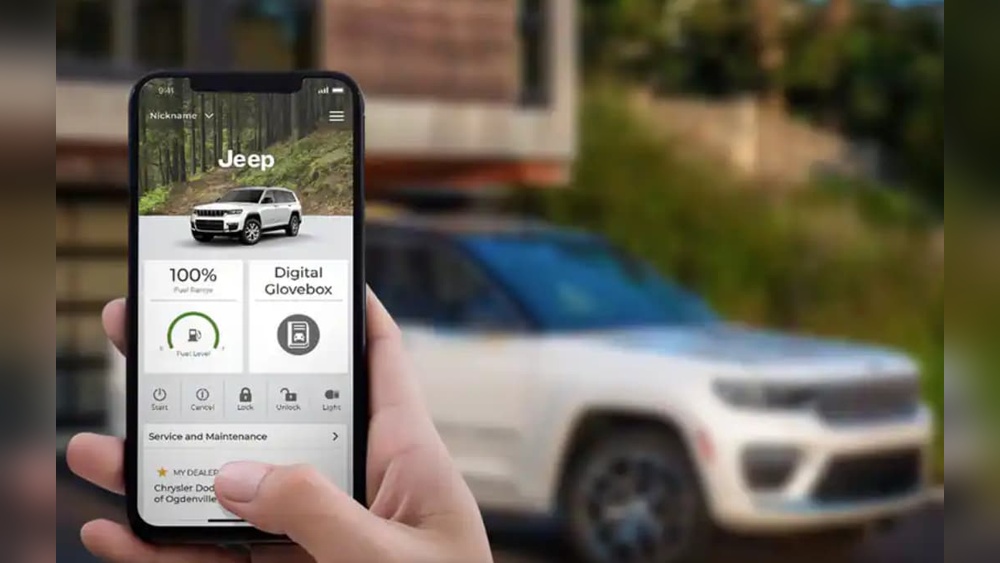
Key Features Of The Jeep App
The Jeep app offers several helpful features. Here’s a breakdown of what users can do:
Remote Vehicle Controls
With the app, you can control many vehicle functions without being inside your Jeep.
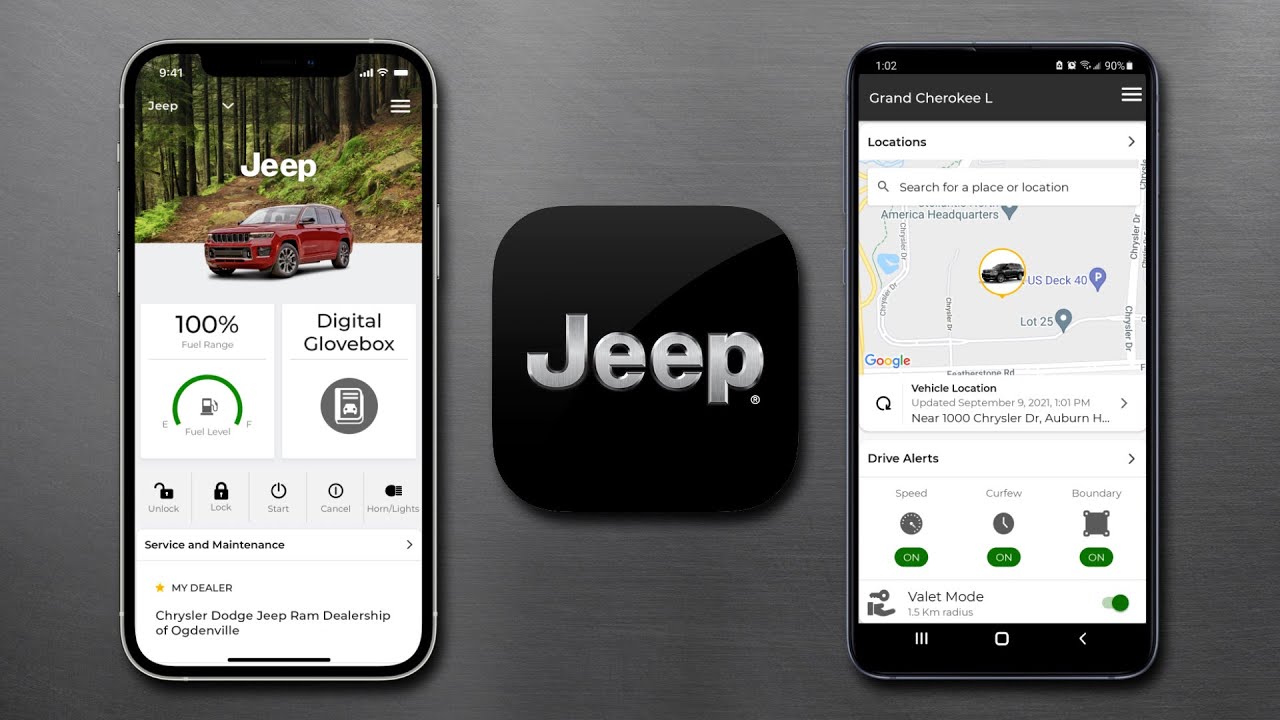
- Remote start: Warm up or cool down your Jeep before you get in.
- Lock and unlock: Secure your doors from any location.
- Horn and lights: Flash the lights or sound the horn to find your Jeep in a parking lot.
Vehicle Health And Maintenance
The app helps you stay updated on your Jeep’s condition.
- Maintenance reminders: Get alerts for oil changes, tire rotations, or service checks.
- Vehicle health reports: Read real-time data on battery, fuel, and fluids.
- Recall notifications: Know instantly if your Jeep has a recall.
Never lose track of your vehicle again.
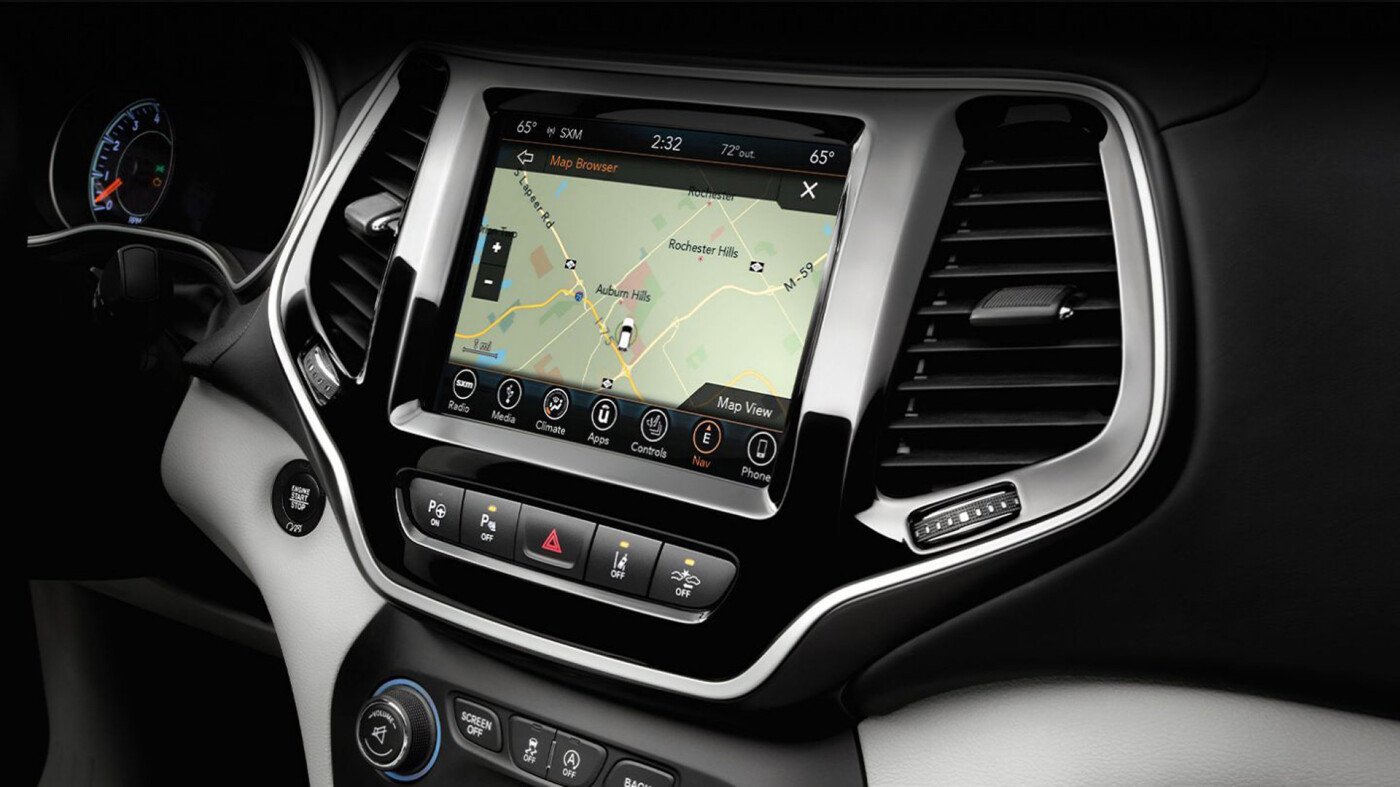
- Vehicle locator: See your Jeep’s location on a map.
- Send destinations: Send addresses from your phone directly to your Jeep’s navigation system.
Emergency And Security Services
Safety is a big part of the Jeep app.
- Roadside assistance: Request help for flat tires, dead batteries, or emergencies.
- Stolen vehicle assistance: If your Jeep is stolen, the app can help authorities recover it.
- SOS button: Quickly call for emergency help from the app.
In-app Information
The app also keeps you informed.
- User manuals: Access the digital owner’s manual for your Jeep.
- Service history: Track all past services and repairs.
How The Jeep App Works
The Jeep app uses cellular data and GPS to connect your phone to your vehicle. After downloading the app, you’ll create an account, register your Jeep using its Vehicle Identification Number (VIN), and follow simple setup steps.
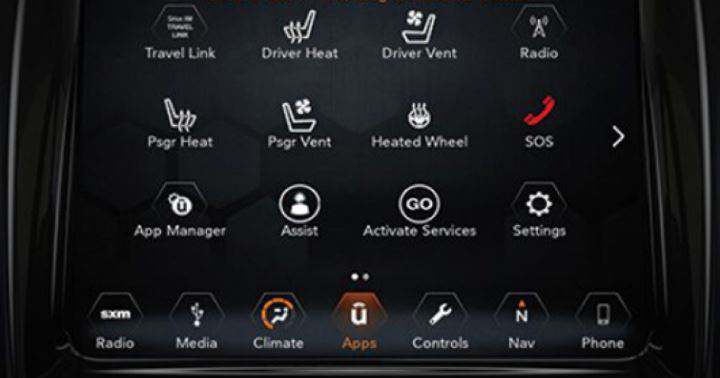
The app communicates with your Jeep’s built-in system, so features may depend on your vehicle’s year and model. For full features, your Jeep usually needs a Uconnect system and an active subscription.
Comparing Jeep App Plans
Different Jeep vehicles and trim levels offer different app functions. Here’s a simple comparison of the main plans:
| Feature | Basic Plan | Premium Plan |
|---|---|---|
| Remote Start/Lock | ✓ | ✓ |
| Vehicle Health Report | ✓ | ✓ |
| Destination Send-to-Car | ✗ | ✓ |
| Stolen Vehicle Assistance | ✗ | ✓ |
| Roadside Assistance | ✓ | ✓ |
Not all features are available in every country or model, so check your Jeep’s compatibility.
Real-world Benefits For Jeep Owners
The Jeep app is more than just a gadget. Here’s how it helps in real life:
- Peace of mind: If you forget to lock your Jeep, you can do it from your phone.
- Time-saving: Start your car on cold mornings without leaving the house.
- Safety boost: Get quick access to help or track your vehicle if it’s stolen.
- Maintenance made easy: No more guessing about service schedules—get reminders and updates directly on your phone.
An insight many owners miss: if you use the app regularly, it can actually increase your Jeep’s resale value. Complete maintenance records and consistent use of security features make a vehicle more attractive to future buyers.
Data Security And Privacy
Many users worry about sharing vehicle data. Jeep uses secure connections and encryption to protect your information. You control what data is shared, and you can opt out of certain features if privacy is a concern.
A non-obvious detail: If you sell your Jeep, always remove your vehicle from the app account. This prevents the new owner from seeing your personal data or using remote controls linked to your profile.
Jeep App Vs. Other Car Apps
How does the Jeep app compare to similar apps from other car brands?
| Brand | Remote Start | Vehicle Locator | Maintenance Alerts |
|---|---|---|---|
| Jeep | ✓ | ✓ | ✓ |
| FordPass | ✓ | ✓ | ✓ |
| Chevrolet MyLink | ✓ | ✓ | ✓ |
| Toyota App | ✓ | ✓ | ✓ |
Most major brands now offer similar features, but the Jeep app is specially designed for off-road and adventure use, like trail logs and special Jeep-only events.
Common Issues And Tips
Sometimes, users face problems with the Jeep app. Here’s how to avoid or fix them:
- Slow response: Make sure both your phone and Jeep have good signal.
- Setup errors: Double-check the VIN when registering your vehicle.
- Subscription lapses: Many advanced features need an active plan; check your subscription status.
- App updates: Always keep the app updated for best performance.
If you get stuck, Jeep customer support or your dealership can help.
Final Thoughts
The Jeep app brings modern convenience to classic adventure. It gives Jeep owners smart tools for security, maintenance, and daily driving.
While it isn’t perfect, understanding its features and limits can help you get more value from your Jeep. For many, the app is now as essential as the vehicle’s keys.
For more detailed technical information, see the official Jeep Uconnect App page.
Frequently Asked Questions
What Jeep Models Support The Jeep App?
Most new Jeep models from 2018 onwards support the app, including Wrangler, Grand Cherokee, Compass, and Renegade. The vehicle needs a Uconnect system for full features.
Is There A Monthly Fee For The Jeep App?
Basic functions may be free, but advanced features (like remote start) often require a paid subscription. Check with your Jeep dealer for current pricing.
Can I Use The Jeep App Outside The Us?
Some features work internationally, but others (like emergency services) are limited to the US and Canada. Always check feature availability for your region.
Is The Jeep App Safe For My Data?
Yes, Jeep uses strong encryption and privacy controls. You can also manage your data sharing settings in the app.
How Do I Remove My Jeep From The App If I Sell The Car?
Go to the app settings, select your vehicle, and choose “remove vehicle. ” This will disconnect your account and protect your personal information.