Mastering Your Jeep Wrangler Battery: Essential Steps For Amp Installation With Extreme Duty Terminals
Installing a new amplifier in your Jeep Wrangler is an exciting upgrade for any audio enthusiast. It promises richer sound, deeper bass, and an overall more immersive listening experience.
However, this process also involves working directly with your vehicle's electrical system, a task that demands precision and safety. One crucial step often overlooked, or misunderstood, is properly managing your Jeep Wrangler battery during the installation, especially when using extreme duty terminals.
These heavy-duty terminals are designed for high-current applications, like powerful amplifiers, but they also require a specific approach to ensure you don't damage your vehicle's electronics or yourself.
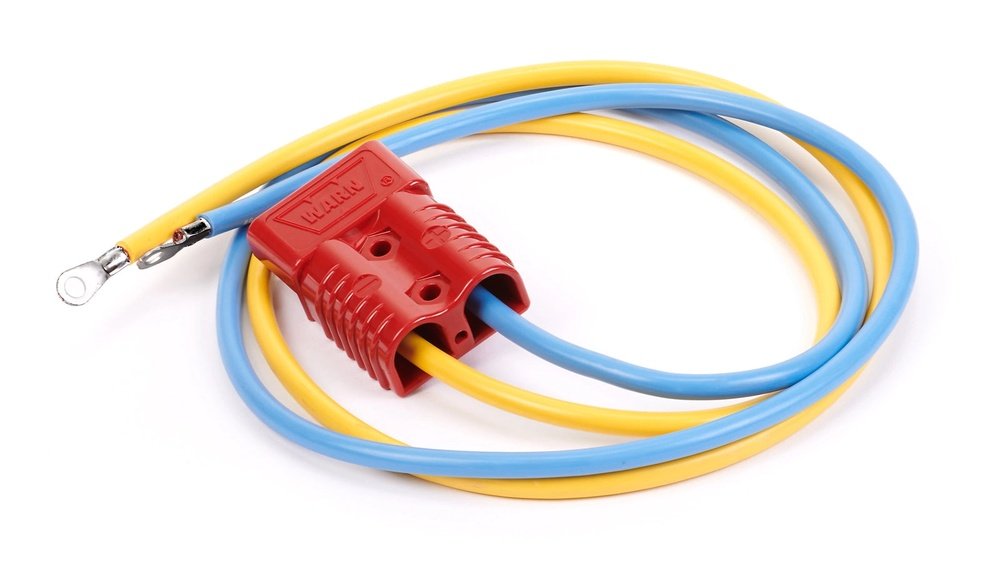
This guide will walk you through the essential steps of disconnecting and reconnecting your battery safely and effectively when installing an amplifier with extreme duty terminals, ensuring your audio upgrade goes smoothly and without incident.
Why Battery Disconnection Is Crucial For Amp Installs
Working on your Jeep’s electrical system without disconnecting the battery is like trying to fix a leaky faucet while the water is still running, it’s messy, dangerous, and likely to cause more problems. The battery is the heart of your vehicle’s electrical system. It provides the power for everything from your headlights to your radio, and crucially, your new amplifier. When you’re running new power wires, making connections, or even just tightening terminals, there’s always a risk of accidental short circuits. A short circuit happens when an electrical current takes an unintended path, often bypassing the intended load. This can happen if a tool touches both a positive battery terminal and a metal part of your Jeep’s chassis simultaneously.
The consequences of a short circuit can range from a blown fuse to significant damage to your Jeep’s sensitive electronic control units (ECUs), wiring harnesses, or even the battery itself. In severe cases, it can lead to sparks, smoke, or even a fire. Disconnecting the battery removes the power source, making the entire system electrically inert. This simple act of prevention is the most important safety measure you can take. It allows you to work with confidence, knowing that there’s no live current flowing through the wires you’re handling.
Furthermore, many modern vehicles, including the Jeep Wrangler, have sophisticated computer systems. Introducing a new, high-power component like an amplifier without properly managing the battery can sometimes confuse these systems, leading to error codes or unexpected behavior.
Disconnecting the battery allows the system to reset and properly recognize the new configuration once power is restored.
Understanding Extreme Duty Terminals
Before we dive into the disconnection process, it’s important to understand what extreme duty terminals are and why they are used. Standard battery terminals are designed for the typical electrical demands of a car. However, high-performance audio systems, especially those with powerful amplifiers, draw significantly more current. This high current flow generates heat.
Extreme duty terminals, often made from high-conductivity copper alloys, are designed to handle these higher currents more efficiently. They typically feature:
- Thicker materials: This provides greater surface area for electrical contact and better heat dissipation.
- Secure clamping mechanisms: Often using bolts or robust clamps, they ensure a very tight and stable connection, minimizing resistance and the potential for arcing.
- Corrosion resistance: Built to withstand harsh environments, common in off-road vehicles like Jeeps.
While these terminals offer superior performance for your amplifier’s power needs, their robust design can sometimes make them a bit trickier to work with if you’re not prepared. The secure clamping means they might require specific tools to loosen or tighten, and their solid construction emphasizes the need for a stable, non-conductive surface when you’re manipulating them.
Tools You’ll Need For Battery Disconnection
To safely disconnect your Jeep Wrangler’s battery, you’ll need a few essential tools. Having these ready beforehand will make the process much smoother and safer.
- Wrench or Socket Set: The most common sizes for battery terminal nuts are 10mm and 13mm. You might need a combination wrench or a socket with a ratchet. An adjustable wrench can also work in a pinch, but be careful not to overtighten or strip the nuts.
- Battery Terminal Cleaner/Wire Brush: Over time, battery terminals can accumulate corrosion, a white or bluish powdery substance. This corrosion increases resistance and hinders electrical flow. Cleaning the terminals and the cable clamps before reconnecting is crucial for optimal performance and to prevent future issues.
- Safety Glasses: Always wear safety glasses when working with car batteries. Batteries can contain corrosive acid, and there’s always a small risk of sparks or debris.
- Gloves (Optional but Recommended): Nitrile or mechanic’s gloves can protect your hands from dirt, grime, and potential acid exposure.
- Terminal Pliers (Optional): These specialized pliers are designed to grip and twist battery cable clamps, making removal easier, especially if they are stuck due to corrosion.
- A Small Piece of Insulating Material (Optional): A piece of thick rubber or plastic can be useful to place under your wrench to prevent accidental contact with the chassis if you’re working in a tight space.
Gathering these tools before you start ensures you’re prepared for each step of the battery disconnection and reconnection process.
Step-by-step Guide: Disconnecting The Jeep Wrangler Battery
Safety is paramount. Always follow these steps in order to minimize risk.
1. Locate Your Jeep Wrangler Battery
In most Jeep Wrangler models, the battery is located under the hood, usually on the passenger side. It’s a rectangular box with two terminals on top. Ensure you have clear access to the battery and its surrounding area. Remove any obstructions like air intake components or covers if necessary.
2. Identify The Negative Terminal First
This is arguably the most critical step. The negative terminal is connected to the vehicle’s chassis and provides the ground path for the electrical system. It is almost always marked with a minus (-) sign. The positive terminal is marked with a plus (+) sign.
3. Loosen The Negative Terminal Clamp
Using the appropriate wrench or socket, carefully loosen the nut on the negative battery cable clamp. You don’t need to remove the nut completely, just loosen it enough so that the clamp can be wiggled free from the battery post.
4. Remove The Negative Terminal Clamp
Once the nut is loose, gently twist and pull the negative cable clamp upwards and away from the battery post. If it’s stuck, a terminal puller or careful wiggling might be necessary. Never pry with excessive force, as you could damage the cable or the battery. Once removed, move the negative cable completely away from the battery. It’s good practice to tuck it aside so it cannot accidentally make contact with the battery post again.
5. Loosen And Remove The Positive Terminal Clamp
Now, repeat the process for the positive battery cable clamp. Again, loosen the nut on the clamp. Be extra cautious here, as this terminal is directly connected to the vehicle’s power. Avoid letting your wrench touch any metal parts of the Jeep’s body or engine while loosening or removing the positive terminal. Once loose, remove the positive clamp from the battery post.
6. Secure Both Terminals
With both cables removed, ensure they are positioned well away from the battery posts. You can even use a zip tie or a piece of tape to secure them to a nearby non-conductive surface if you are concerned about them shifting.
This ensures they remain disconnected.
7. Clean The Terminals And Clamps
This is the ideal time to clean any corrosion from the battery posts and the inside of the cable clamps. Use a battery terminal cleaner or a stiff wire brush. A clean connection is essential for good electrical flow, especially for the high demands of an amplifier.
Reconnecting The Jeep Wrangler Battery After Amp Install
Once your amplifier installation is complete, all power, ground, and signal wires are run and connected correctly, it’s time to reconnect the battery. The reconnection process is just as important as the disconnection and follows a specific order for safety.
1. Ensure All Work Is Complete
Double-check that all your amplifier wiring is secure, properly insulated, and routed safely away from moving parts or heat sources. Make sure no tools are left in the engine bay.
2. Reconnect The Positive Terminal First
This is the reverse of the disconnection process. Always reconnect the positive (+) terminal first. Place the positive cable clamp back onto the positive battery post. Ensure it’s seated correctly. Tighten the nut securely with your wrench or socket. You want a firm connection, but do not overtighten, as this can damage the terminal post or clamp.
3. Reconnect The Negative Terminal Last
Now, place the negative (-) cable clamp back onto the negative battery post. Again, ensure it’s seated properly. Tighten the nut securely. As you tighten the negative terminal, you might see a small spark. This is normal as the vehicle’s electronics are powered up and the system establishes a ground connection.
4. Check Connections And Start The Jeep
Once both terminals are securely reconnected, give them a gentle tug to ensure they won't move. Close the hood, and then start your Jeep Wrangler.
Listen for any unusual noises or warning lights on the dashboard. If everything sounds normal, turn on your stereo system and test your new amplifier.
Safety Precautions And Potential Pitfalls
Working with your Jeep’s battery and electrical system requires constant vigilance. Here are some key safety precautions and common pitfalls to avoid:
- Never Work on a Live Battery: This cannot be stressed enough. Always disconnect the battery, negative terminal first, before beginning any electrical work.
- Avoid Short Circuits: Be mindful of where your tools are. Dropping a wrench that bridges the positive terminal and the chassis can cause sparks, damage components, and potentially injure you.
- Correct Terminal Order: Always disconnect the negative terminal first and reconnect it last. This minimizes the risk of accidental shorts.
- Corrosion is the Enemy: Clean battery terminals and clamps thoroughly. Corrosion creates resistance, which can lead to poor performance, overheating, and premature failure of connections.
- Proper Wire Gauge: Ensure you are using the correct gauge (thickness) of wire for your amplifier’s power and ground connections. Using wire that is too thin can lead to overheating and fire hazards. Consult your amplifier’s manual for recommendations.
- Fuses are Your Friends: Always install an inline fuse on the power wire between the battery and the amplifier, as close to the battery as possible. This fuse acts as a safety device, blowing and cutting power if a short circuit or overload occurs. The fuse rating should match or be slightly above your amplifier’s requirements.
- Grounding is Key: A good ground connection is as important as a good power connection. Ensure the amplifier’s ground wire is connected to a clean, bare metal surface on the Jeep’s chassis. Scrape away any paint or rust to ensure a solid connection. The ground wire should be as short as possible.
Troubleshooting Common Issues
Even with careful work, you might encounter a few issues. Here’s how to address them:
- No Power to the Amplifier:
- Check all connections, starting from the battery.
- Verify the inline fuse is intact.
- Ensure the amplifier’s remote turn-on wire is properly connected to your head unit.
- Confirm the amplifier’s ground connection is solid.
- Check the battery voltage with a multimeter.
- Popping or Hissing Sounds from Speakers:
- This often indicates a poor ground connection for either the amplifier or the head unit.
- Check for interference from other vehicle electronics. Try rerouting power and signal wires away from each other.
- Ensure RCA cables are not damaged.
- Dimming Lights When Bass Hits:
- This is a common sign of insufficient electrical power. Your amplifier is drawing more current than your stock electrical system can comfortably supply, especially during bass-heavy music.
- Solutions:
- Ensure your battery and alternator are in good condition.
- Consider upgrading your Jeep Wrangler’s alternator for higher output.
- Install a capacitor to help smooth out power delivery.
- For very high-power systems, upgrading to a heavy-duty battery or even a secondary battery system might be necessary.
Advanced Considerations For High-power Systems
For those pushing the limits with extremely powerful amplifiers, simply disconnecting and reconnecting the battery might not be the only consideration.
Upgrading The Battery Itself
Standard car batteries are designed for starting the engine and running basic electronics. High-output audio systems can drain them quickly and put them under significant stress.
- Deep Cycle Batteries: These batteries are designed to provide sustained power over longer periods, making them more suitable for audio systems. They can handle being discharged more deeply than a standard starting battery.
- AGM (Absorbent Glass Mat) Batteries: These are a popular choice for car audio. They are spill-proof, vibration-resistant, and can handle higher charge and discharge rates than traditional flooded lead-acid batteries. Many extreme duty terminals are designed to work seamlessly with AGM batteries.
The Role Of The Alternator
Your alternator charges the battery and powers your vehicle’s electrical system while the engine is running. A stock alternator might struggle to keep up with the demands of a powerful amplifier, especially at idle or low RPMs.
- High-Output Alternators: For systems drawing 1000 watts or more, upgrading to a high-output alternator is often a necessity. These can provide significantly more amperage, ensuring your battery stays charged and your amplifier receives consistent power.
Capacitors Vs. Second Batteries
- Capacitors: A capacitor acts like a temporary energy reservoir. It can quickly discharge power to supplement the electrical system during sudden, high-demand moments (like a bass drum hit). This helps prevent voltage drops and dimming lights. However, capacitors don’t replace a good battery or alternator; they are a supplement.
- Second Batteries: For the most demanding systems, installing a second, dedicated battery for the audio equipment is the ultimate solution. This isolates the audio system’s power draw from the vehicle’s starting system, ensuring you can always start your Jeep and preventing damage to sensitive vehicle electronics.
Final Thoughts On Battery Management
Properly managing your Jeep Wrangler battery during an amplifier installation, especially with extreme duty terminals, is not just a technical step; it’s a critical safety procedure. By understanding why disconnecting the battery is vital, using the right tools, and following the correct disconnection and reconnection sequence (negative off first, negative on last), you significantly reduce the risk of electrical damage, sparks, or injury.
The robust nature of extreme duty terminals means ensuring a clean, secure connection is paramount for optimal audio performance and longevity. Don’t underestimate the importance of cleaning corrosion and using the correct tools.