Your Jeep Wrangler is more than just a vehicle; it's a symbol of adventure, freedom, and capability. For many owners, the factory infotainment system, while functional, can feel a bit dated, especially when compared to the seamless integration and advanced features offered by modern smartphone mirroring technology.
If you’re looking to upgrade your Jeep Wrangler navigation and bring your driving experience into the 21st century, installing wireless Android Auto and wireless Apple CarPlay is one of the most impactful and satisfying improvements you can make.
Imagine this: you hop into your Wrangler, your phone connects automatically, and your favorite navigation apps, music, and communication tools are right there on a larger, responsive touchscreen. No more fumbling with USB cables, no more delayed responses. This isn’t a futuristic dream; it’s a readily achievable upgrade that transforms your daily commute and off-road excursions alike. This guide will walk you through why this upgrade is so beneficial, what to expect, and how to approach it.
Why Upgrade To Wireless Android Auto And Carplay In Your Wrangler?
The core appeal of Android Auto and Apple CarPlay lies in their ability to mirror your smartphone’s interface and functions onto your car’s infotainment screen. This means you can safely access apps like Google Maps, Waze, Spotify, Apple Music, WhatsApp, and more, directly from your car’s display, using its controls or voice commands. The “wireless” aspect takes this convenience to a whole new level.
Enhanced Safety And Reduced Distraction
One of the biggest advantages of using Android Auto wireless or CarPlay wireless is the significant boost in safety. When you’re driving, especially off-road where conditions can change rapidly, minimizing distractions is paramount. Relying on your phone directly means taking your eyes off the road to interact with a small screen. With CarPlay or Android Auto, your most-used apps are presented in a simplified, car-friendly interface. Voice commands become your primary tool for navigation, sending messages, or changing music. This hands-free operation keeps your attention where it needs to be, on the road and your surroundings.
Seamless Connectivity Without The Hassle
The “wireless” part is the real magic. Gone are the days of searching for a charging cable that works, or dealing with cables that clutter your dashboard and center console. With a wireless connection, your compatible smartphone automatically pairs with your Jeep’s infotainment system as soon as you start the vehicle. This effortless connection means you can get navigation directions, stream music, or make calls the moment you’re ready to drive. For a vehicle like the Wrangler, often used for spontaneous adventures, this quick and easy setup is invaluable.
Access To Your Favorite Apps And Services
Your smartphone is your digital hub, and with wireless CarPlay or Android Auto, you bring that hub into your Jeep.
- Navigation: Apps like Google Maps and Waze offer real-time traffic updates, speed limit warnings, and detailed turn-by-turn directions, often superior to built-in car navigation systems.
- Music and Podcasts: Stream your entire library from services like Spotify, Apple Music, Pandora, or listen to your favorite podcasts without needing separate subscriptions or devices.
- Communication: Safely send and receive text messages via voice command, or make and receive calls through the familiar interface.
- Other Apps: Depending on your phone and the specific head unit, you can access other compatible apps for weather, audiobooks, and more.
Future-proofing Your Wrangler
Car technology evolves rapidly. While your Jeep Wrangler might have come with a decent infotainment system, it can quickly become outdated. Upgrading to a system that supports the latest wireless Android Auto and CarPlay ensures that your vehicle remains connected to the latest smartphone technology for years to come. Software updates for these platforms are frequent, bringing new features and improved performance, meaning your Wrangler’s tech can get better over time.
Understanding Your Jeep Wrangler’s Infotainment Options
Before diving into the installation, it’s crucial to understand what your Jeep Wrangler currently has and what upgrade paths are available. Wranglers come with various infotainment systems depending on the model year and trim level.
Factory Uconnect Systems
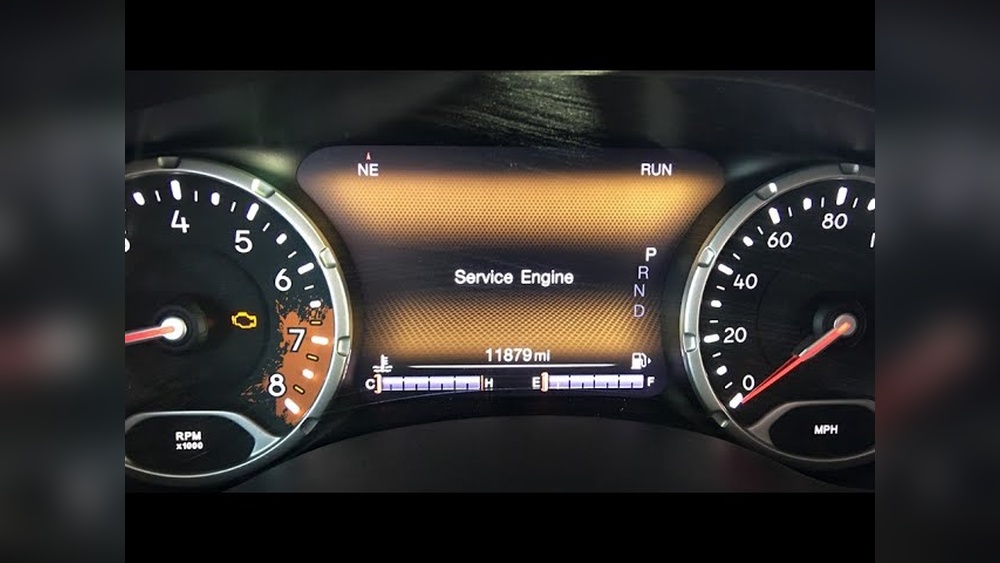
Jeep Wranglers utilize the Uconnect system. Older models might have smaller screens with more basic functionality. Newer models, particularly from 2018 onwards, often feature larger touchscreens and may even come with wired Apple CarPlay and Android Auto compatibility.
- Check Your Current System: The first step is to determine if your Wrangler already supports wired CarPlay or Android Auto. You can usually find this information in your owner’s manual or by checking your Uconnect system’s settings. If it does, you might be closer to a wireless upgrade than you think.
- Wired vs. Wireless: If your Wrangler supports wired CarPlay/Android Auto, the hardware is likely capable of wireless functionality. Often, the upgrade involves replacing the factory head unit or adding a specific adapter module. If your system doesn’t even support wired versions, you’ll likely need a full aftermarket head unit replacement.
Aftermarket Head Units
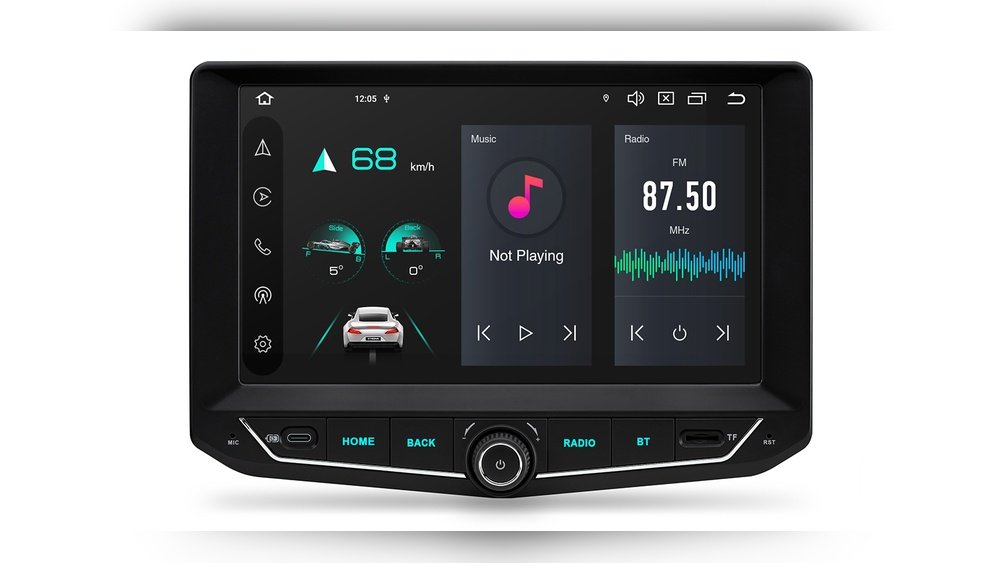
For older Wranglers, or for those seeking a more significant upgrade, replacing the factory head unit with an aftermarket stereo is the most common route. Many modern aftermarket stereos are designed with wireless Android Auto and wireless CarPlay as standard features. Brands like Pioneer, Kenwood, Sony, and Alpine offer excellent options that can transform your driving experience.
When choosing an aftermarket head unit, consider:
- Screen Size and Resolution: Larger screens (7-inch, 9-inch, or even 10-inch units) offer a more immersive experience.
- Features: Look for units that specifically advertise wireless CarPlay and wireless Android Auto. Other desirable features include built-in GPS, satellite radio, HD Radio, Bluetooth connectivity, and multiple USB ports.
- Integration: Ensure the unit is compatible with your Jeep Wrangler’s dash kit, wiring harness, and steering wheel controls. Many kits are specifically designed for Wranglers, making installation smoother.
- Sound Quality: If audio is a priority, research the unit’s amplifier power and sound processing capabilities.
The Installation Process: Diy Vs. Professional
Upgrading your Jeep Wrangler’s navigation system can be done either as a DIY project or by a professional installer. The best choice depends on your comfort level with automotive electronics, the complexity of the upgrade, and the tools you have available.
The Diy Approach
Pros:
- Cost Savings: You save on labor costs, which can be significant.
- Learning Experience: It’s a rewarding experience to upgrade your own vehicle.
- Full Control: You choose the exact parts and take your time.
Cons:
- Time Consuming: It can take several hours, especially for a first-timer.
- Requires Tools: You’ll need specific tools like trim removal tools, screwdrivers, wire strippers, crimpers, and potentially a multimeter.
- Risk of Damage: Incorrect wiring or handling can damage the new unit, your Jeep’s electrical system, or even the vehicle itself.
- Troubleshooting: If something doesn’t work, you’re on your own to figure it out.
Key Steps for a DIY Installation (General Overview):
- Purchase the Right Components:
- Head Unit: Choose a unit with wireless Android Auto/CarPlay.
- Dash Kit: A specific kit for your Jeep Wrangler model year ensures a clean, factory-like fit.
- Wiring Harness Adapter: This crucial component connects your new head unit to your Jeep’s factory wiring without cutting wires.
- Steering Wheel Control Interface: Allows you to retain functionality of your steering wheel buttons (volume, track change, etc. ).
- Antenna Adapter: If needed for your specific Jeep model.
- Disconnect the Battery: Crucial safety step. Always disconnect the negative battery terminal before starting any electrical work.
- Remove the Factory Head Unit: This usually involves carefully prying off trim pieces around the radio and unscrewing the existing unit. Online videos and guides specific to your Wrangler model are invaluable here.
- Wire the New Head Unit: Connect the new head unit’s harness to the vehicle-specific wiring harness adapter. This often involves crimping or soldering connectors. Follow the wiring diagrams meticulously.
- Connect Steering Wheel Controls and Other Adapters: Integrate the steering wheel control module and any other necessary adapters.
- Mount the New Head Unit: Install the new head unit into the dash kit and then into the dashboard cavity.
- Reconnect the Battery and Test: Reconnect the negative battery terminal. Turn on your Jeep and test all functions: radio, Bluetooth, wireless CarPlay/Android Auto, speakers, steering wheel controls.
- Reassemble Trim: Once everything is working correctly, reattach all trim pieces.
Professional Installation
Pros:
- Expertise: Installers have the knowledge and experience to do the job correctly and efficiently.
- Time Savings: They can typically complete the installation in a few hours.
- Warranty: Most professional installers offer a warranty on their work, providing peace of mind.
- Proper Tools: They have all the necessary specialized tools.
Cons:
- Cost: Labor costs can add significantly to the overall price of the upgrade.
- Less Control: You rely on the installer’s choices for certain aspects, though you select the head unit.
What to Expect from a Professional:
A professional installer will handle all the steps listed above. They will ensure all connections are secure, all trim is fitted correctly, and all features are working as they should.
They can also advise on the best head unit and components for your specific Wrangler model and budget.
It’s advisable to seek out reputable car audio shops with good reviews and experience working on Jeeps.
Choosing The Right Head Unit For Wireless Connectivity
Selecting the correct aftermarket head unit is key to unlocking wireless Android Auto and wireless CarPlay in your Jeep Wrangler. Here’s a breakdown of what to look for and some popular options.
Key Features To Prioritize
- Wireless CarPlay/Android Auto Support: This is the main goal. Ensure the product description explicitly states wireless support. Some units only offer wired versions.
- Screen Size: For a Wrangler, a larger screen (7 inches or more) is generally preferred for better usability, especially with navigation apps.
- Operating System: Look for units with a responsive and intuitive OS. Many modern units run on Android-based systems, offering flexibility.
- Connectivity: Beyond wireless CarPlay/Android Auto, check for Wi-Fi and Bluetooth capabilities, multiple USB ports (useful for firmware updates or charging backup devices), and potentially an SD card slot.
- Audio Preamplifier Outputs: If you plan to upgrade your speakers or add amplifiers later, ensure the head unit has sufficient pre-amp outputs (e.g., 3-4V).
- Compatibility: Confirm it fits your specific Wrangler model year and trim. Check if it works with your existing SiriusXM antenna, backup camera, and steering wheel controls.
Popular Aftermarket Head Unit Brands And Series
Several reputable brands offer excellent head units that support wireless connectivity:
- Pioneer: Known for their excellent sound quality and user-friendly interfaces.
- DMH-WC5800NEX: A popular 8-inch NEX unit designed for wireless CarPlay and Android Auto. It offers a modular design, allowing for flexible installation.
- AVH-W4500NEX: A 6.9-inch touchscreen unit that also features wireless connectivity.
- Kenwood: Offers robust features and strong performance.
- DMX957XR: A 6.95-inch receiver with wireless CarPlay and Android Auto, high-res audio support, and advanced sound tuning.
- DMX706S: A more budget-friendly option that still provides wireless connectivity.
- Sony: Known for innovative features and sleek designs.
- XAV-AX7000: A powerful 7-inch unit with a rugged design, featuring wireless CarPlay and Android Auto, and excellent amplification.
- XAV-AX4000: A 6.95-inch model offering wireless connectivity at a competitive price point.
- Alpine: Offers premium sound and integration options.
- I207-WRA: Specifically designed for Jeep Wrangler JK (2011-2018) models, offering a custom fit and supporting wireless CarPlay/Android Auto.
Important Note: Always double-check the exact model specifications to confirm wireless support, as many units have both wired and wireless variants.
Integrating With Your Jeep Wrangler’s Existing Features
A successful upgrade isn’t just about installing a new head unit; it’s about integrating it seamlessly with your Wrangler’s existing features. This ensures you don’t lose valuable functionality and maintain a cohesive driving experience.
Steering Wheel Controls
Retaining your steering wheel controls is crucial for safety and convenience. Most aftermarket head units can be integrated with your Jeep’s steering wheel buttons using a steering wheel control interface module (e.g., from brands like Axxess or Maestro). These modules translate the signals from your steering wheel buttons into commands that the new head unit understands. Professional installers are adept at setting these up, but many DIY kits also include instructions for wiring these modules.
Backup Camera
If your Wrangler came with a factory backup camera, you’ll want to retain its functionality with the new head unit. Many aftermarket head units have dedicated inputs for backup cameras.
You may need a specific adapter harness to connect the factory camera to the new aftermarket stereo.
If your Jeep didn’t have a factory camera, this is an excellent opportunity to add an aftermarket one for enhanced safety, especially when parking or navigating tight off-road trails.
Usb Ports And Charging
While wireless CarPlay and Android Auto eliminate the need for a cable for phone mirroring, you’ll still want USB ports. These are useful for:
- Initial Setup/Firmware Updates: Some head units might require a USB connection for initial setup or software updates.
- Charging: Keeping your phone or other devices charged.
- Wired Connection (Backup): In rare cases where wireless connectivity might be unstable, a wired connection can serve as a reliable backup.
Consider installing a USB port in a convenient location, such as the factory USB port location (if applicable and compatible) or a custom spot in the dash or center console.
Satellite Radio (siriusxm)
If you subscribe to SiriusXM, you’ll want to ensure you can keep listening. Many aftermarket head