Jeep Wrangler Jk Remote Start Install: The Fortin Easy Plug & Play Guide
Imagine this: it’s a cold winter morning, snow is on the ground, and you need to get going. Instead of shivering while your Jeep warms up, you press a button on your key fob from inside your house.
Within minutes, your Wrangler JK is toasty warm, ready for you to hop in and drive. This isn't a luxury reserved for high-end vehicles; with the Fortin remote start system, you can easily add this convenience to your Jeep Wrangler JK.
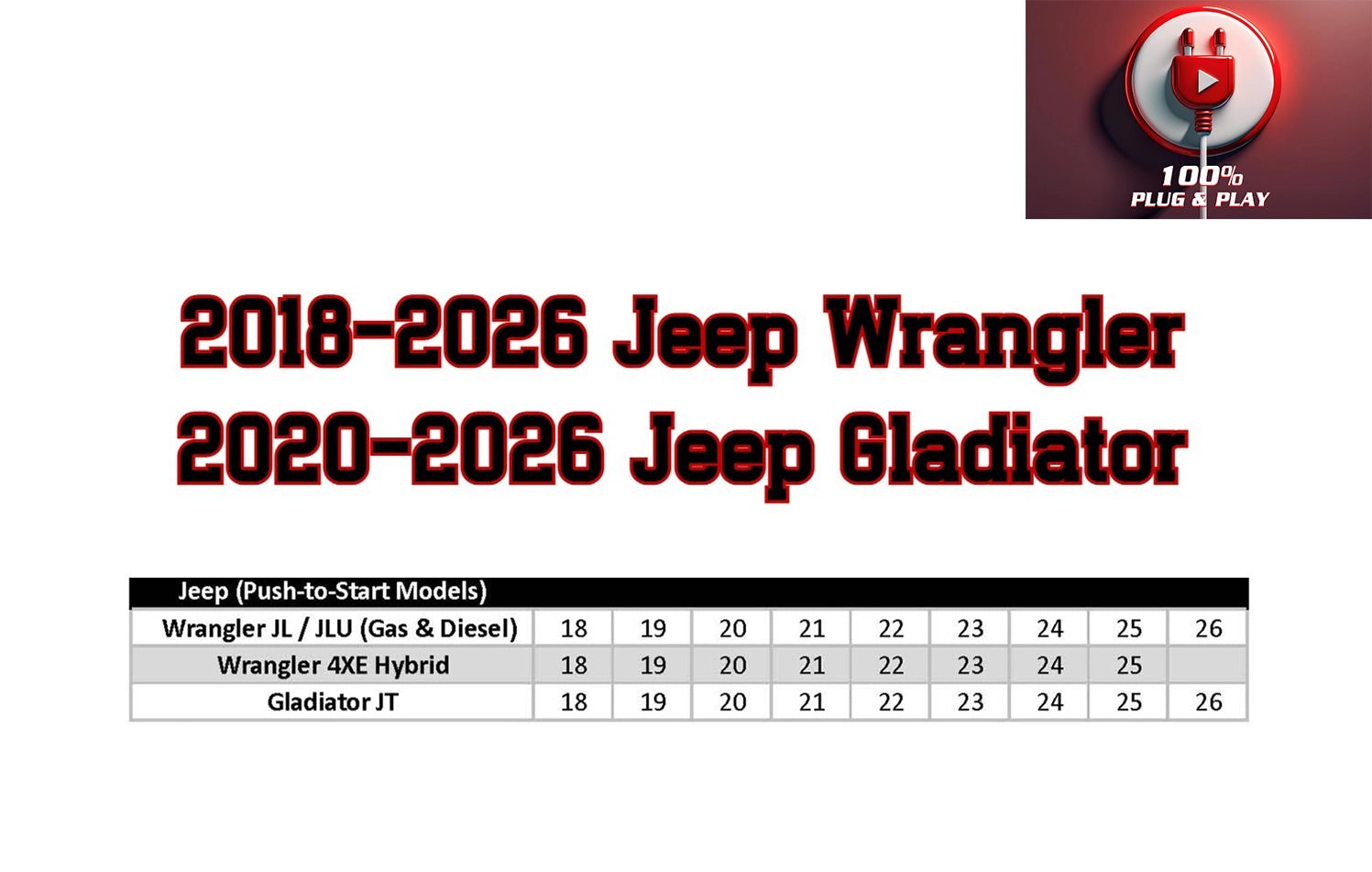
This guide focuses on the Fortin easy plug and play remote start installation for the Jeep Wrangler JK (model years 2007-2018). We’ll break down what makes this system stand out, the tools you’ll need, the installation process step-by-step, and some important considerations. The goal is to make this process as straightforward as possible, even for those who aren’t professional mechanics. We aim for clarity and simplicity, ensuring you understand each step before you begin.
Why Choose A Fortin Easy Plug & Play Remote Start?
Fortin has built a reputation for creating reliable and user-friendly car security and remote start solutions. Their easy plug and play systems are designed to minimize the need for complex wiring and soldering. This is a huge advantage, especially for DIY installers.
The Benefits Of Plug And Play
The core appeal of a plug and play system is its simplicity. Instead of cutting and splicing dozens of wires, you connect specific connectors directly into your vehicle’s existing wiring harness. This significantly reduces installation time and the risk of making mistakes that could damage your vehicle’s electronics. For a Jeep JK, this means fewer connections to worry about, making the process much less intimidating.
Key Features Of The Fortin System
Fortin systems typically offer a range of features that enhance convenience and security:
- Remote Start/Stop: The primary function, allowing you to start and stop your engine remotely.
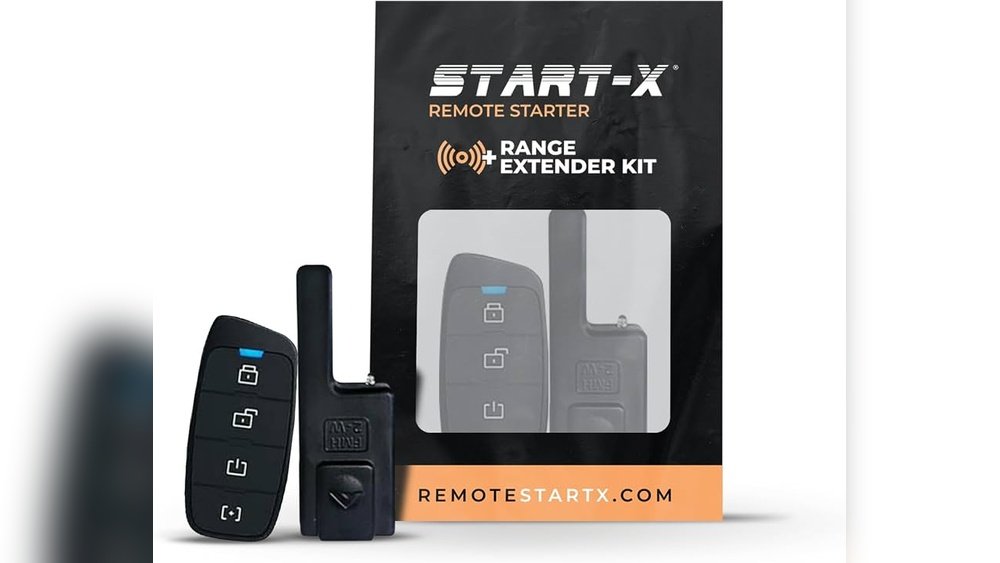
- Range: Depending on the specific kit and your key fob, you can expect a decent range, often sufficient for starting your vehicle from inside your home or office.
- Compatibility: Fortin systems are designed to work with specific vehicle models, ensuring a proper fit and function for your Jeep JK.
- Security Integration: These systems often integrate with your vehicle’s existing factory alarm and keyless entry, maintaining your Jeep’s security features.
- Warm-up Time: Many systems allow you to set a run time for the engine, ensuring it warms up sufficiently before you need to drive.
Fortin Vs. Traditional Remote Starts
Traditional remote start installations often involve extensive wiring, sometimes requiring bypass modules and t-harnesses that still need manual connections. Some older systems might even require cutting wires, which is a big no-no for many DIYers. Fortin’s plug and play approach bypasses much of this complexity. You’re essentially plugging in a pre-configured harness that communicates directly with your Jeep’s computer. This drastically reduces the chances of errors and makes the installation process accessible to a wider range of users.
Preparing For Installation: Tools And Parts
Before you even think about getting under the dash, gather everything you need. Having the right tools and parts ready will make the installation process much smoother and faster.
Essential Tools
You won’t need a professional mechanic’s toolkit, but a few common items will be very helpful:
- Trim Panel Removal Tools: These plastic tools are crucial for safely removing interior trim panels without scratching or damaging them. Metal tools can easily leave marks.
- Socket Wrench Set: You’ll likely need a few common socket sizes to remove bolts or nuts securing certain components.
- Screwdrivers: Both Phillips head and flathead screwdrivers will be necessary for various screws.
- Wire Strippers/Crimpers: While a plug and play system minimizes wiring, you might still need these for optional connections or if you choose to add features later.
- Zip Ties: Essential for tidying up the wiring harness and securing it neatly to existing vehicle wiring.
- Electrical Tape: For securing connections and insulating any exposed wires.
- Flashlight or Headlamp: The area under the dash can be dark, so good lighting is a must.
- A Small Container or Tray: To keep track of removed screws and small parts.
The Fortin Remote Start Kit Components
Your Fortin kit should include the following:
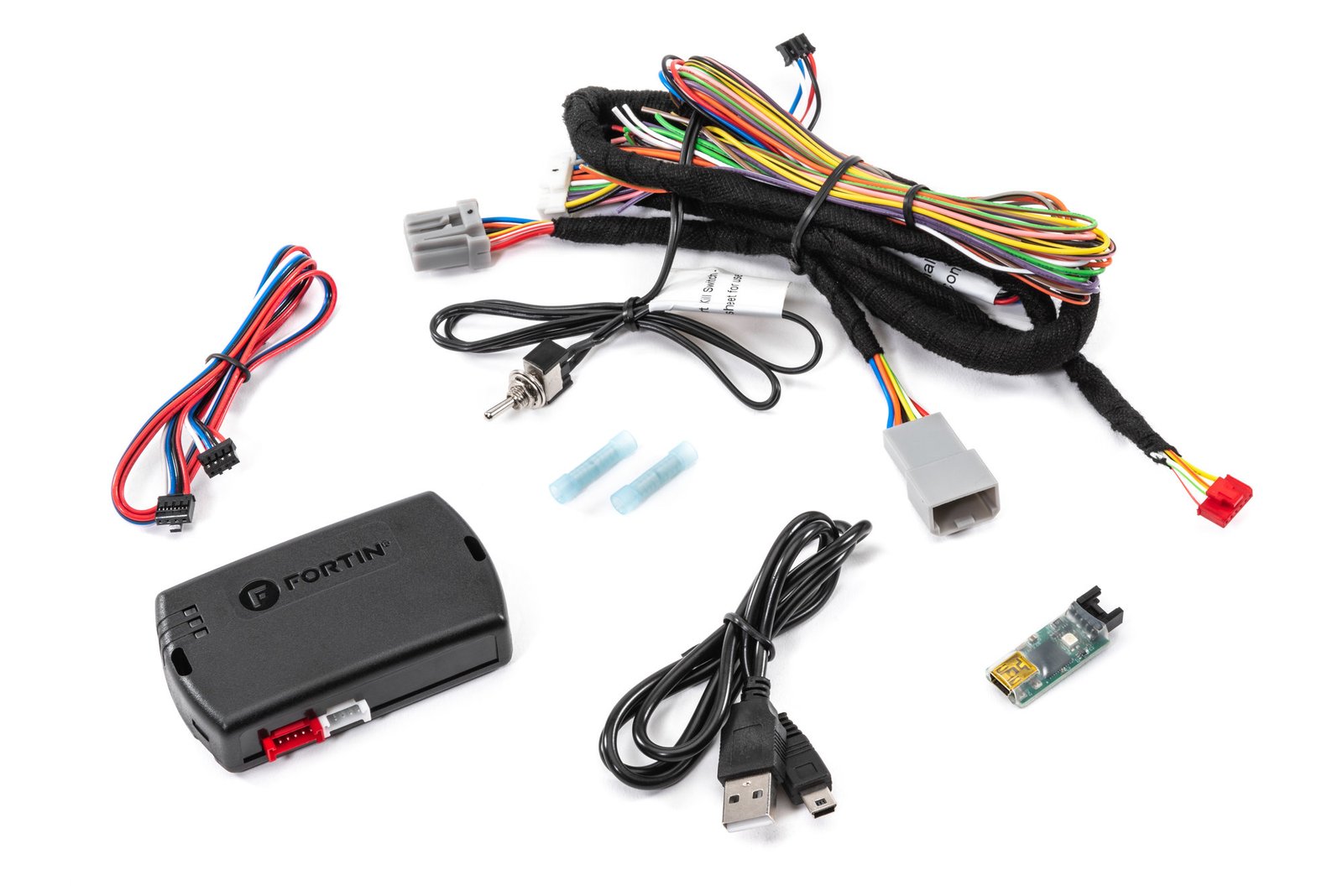
- Main Remote Start Module: The brain of the system.
- Vehicle-Specific Harness: This is the plug and play part. It has connectors designed to match your Jeep JK’s factory wiring.
- Key Fob(s): The remote(s) you’ll use to operate the system.
- Antenna (Optional): Some kits come with an external antenna to improve range.
- Installation Manual: Crucially important! Always refer to the specific manual that came with your kit for detailed wiring diagrams and instructions tailored to your Jeep model year.
Understanding Your Jeep Wrangler Jk’s Electrical System (basic)
For a plug and play installation, you don’t need to be an electrical engineer. However, understanding a few basic concepts helps:
- CAN Bus System: Modern vehicles like the JK use a CAN bus (Controller Area Network) system. This means different modules in your Jeep communicate with each other over a network of wires. The Fortin system is designed to interface with this network without disrupting it.
- Ignition Harness: This is where the remote start system primarily connects. It tells the remote start when the key is in the ignition, when the engine is running, and when to shut off.
- BCM (Body Control Module): This module controls many of the vehicle’s accessories, like power locks, lights, and interior functions. The remote start will tap into certain signals from the BCM.
Pro Tip: Before starting, disconnect the negative terminal of your Jeep’s battery. This prevents any accidental shorts and protects the vehicle’s electronics. It’s a simple but vital safety step.
Step-by-step Installation Guide
This guide provides a general overview. Always refer to the specific installation manual provided with your Fortin kit, as details can vary slightly between kits and Jeep model years.
Step 1: Accessing The Ignition Harness And Bcm
The primary connections for the remote start system are typically located under the driver’s side dashboard.
- Remove Lower Dash Panels: You’ll need to remove the plastic panels below the steering column. This usually involves removing a few screws and then carefully prying the panels away. Use your trim removal tools here to avoid damage.
- Locate Connectors: Once the panels are off, you’ll see a bundle of wires and connectors behind the ignition cylinder and near the BCM. Your Fortin manual will have diagrams showing the exact connectors you need to access. These are often large, multi-pin connectors.
Step 2: Connecting The Fortin Harness
This is where the “plug and play” magic happens.
- Disconnect Factory Connectors: Carefully unplug the factory connectors that the Fortin harness will replace or interface with. There might be a small tab you need to press to release them.
- Connect the Fortin Harness: Align the connectors on the Fortin harness with the corresponding factory connectors and push them together until they click securely. Ensure each connection is firm.
- Inline Connections (If Necessary): Some Fortin kits might require one or two connections that aren’t strictly plug-and-play. These could involve tapping into a specific wire for a signal like the parking lights or brake pedal. Your manual will detail these and provide the necessary connectors (often T-harnesses or quick-connectors). If any wire cutting is required, it’s usually minimal and clearly marked in the instructions.
Step 3: Connecting The Remote Start Module
- Mount the Module: Find a suitable location to mount the main remote start module. It should be secured away from moving parts (like pedals) and extreme heat. Using zip ties to secure it to existing wiring looms is common practice.
- Connect Module to Harness: Connect the main module to the installed harness using its specific connector.
Step 4: Connecting The Bypass Module (if Applicable)
Some Fortin systems include a separate bypass module. This module is essential for bypassing your Jeep’s factory immobilizer system when the remote start is active.
- Connect Bypass Module: The bypass module usually connects between the vehicle’s ignition harness and the remote start module, or it might plug directly into the remote start module itself. Again, follow your manual precisely.
- Programming the Bypass Module: This is a critical step. The bypass module needs to be programmed to recognize your Jeep’s key. The manual will provide a specific procedure, often involving turning the ignition key on and off a certain number of times or pressing buttons on the remote start remote.
Step 5: Connecting Optional Features (parking Lights, Horn, Etc.)
If your kit supports additional features like flashing parking lights upon remote start or honking the horn, now is the time to make those connections.
- Parking Lights: This usually involves connecting a wire from the remote start module to the parking light wire in your Jeep’s fuse box or wiring harness.
- Horn: Similarly, connect to the vehicle’s horn wire if you want the horn to chirp.
Warning: Incorrectly connecting these can cause fuses to blow or even damage components. Double-check your manual and connections.
Step 6: Reassembling The Dash Panels
- Tidy Up Wiring: Use zip ties to secure all the new wiring neatly. Tuck it away so it doesn’t interfere with any moving parts or look messy.
- Replace Panels: Carefully reattach the dash panels in reverse order of removal. Ensure all clips snap into place and screws are tightened.
Step 7: Programming The Remotes And Testing
- Program Key Fobs: Your manual will have a procedure for programming the new key fobs to the system. This usually involves a sequence of ignition key turns and button presses.
- Reconnect Battery: Reconnect the negative terminal of your Jeep’s battery.
- Test Thoroughly:
- Lock/Unlock: Test your factory key fob to ensure it still locks and unlocks the doors.
- Remote Start: Press the start button on your new remote. The engine should start.
- Engine Run Time: Let it run for a minute, then press the stop button.
- Brake Pedal Test: After starting remotely, try pressing the brake pedal. The engine should shut off immediately. This is a crucial safety feature.
- Ignition On: Try starting the vehicle with the key while the remote start is running. It should not crank again, and the remote start should disengage gracefully.
If anything doesn’t work as expected, disconnect the battery again and re-check all your connections and programming steps.
Important Considerations And Troubleshooting
Even with a plug and play system, things can sometimes go wrong. Being prepared can save you a lot of frustration.
Understanding Your Specific Kit
Fortin offers various remote start systems. The “easy plug and play” aspect is a significant selling point, but the exact number of connections and programming steps can differ. Always prioritize the instructions that came with your specific kit. The diagrams in the manual are your best friend.
Common Installation Issues And Solutions
- Remote Start Not Responding:
- Check Battery: Ensure the vehicle battery is charged.
- Connections: Double-check that all harness connectors are fully seated and locked.
- Programming: Re-do the bypass module and remote fob programming steps carefully. Ensure you are following the sequence precisely.
- Fuses: Check any inline fuses the remote start system might have.
- Engine Cranks but Won’t Start:
- Immobilizer Issue: This is often related to the bypass module not being programmed correctly or not communicating with the vehicle. Revisit the programming procedure.
- Wiring: Ensure the connections to the ignition harness are correct.
- Remote Start Shuts Off Immediately:
- Brake Pedal: The system might be detecting the brake pedal being pressed immediately after starting. Ensure the brake pedal switch is functioning correctly.
- Hood Pin (If installed): Some systems have a hood pin switch. If the system thinks the hood is open, it will shut off.
- Parking Lights/Horn Not Working:
- Connections: Verify these optional connections are secure and connected to the correct wires.
- Fuses: Check the vehicle’s fuse box to see if a fuse related to parking lights or horn has blown.
The Importance Of The Manual
I cannot stress this enough: your installation manual is the definitive guide. Generic online guides are helpful for understanding the process, but they cannot replace the specific instructions for your model year Jeep JK and the particular Fortin kit you purchased. If you’ve lost your manual, you can usually find a PDF version on the Fortin website or by contacting their customer support.
When To Seek Professional Help
While this is designed as a DIY-friendly installation, there’s no shame in admitting defeat if you get stuck. If you’ve spent hours troubleshooting and can’t get the system to work, or if you’re uncomfortable with any part of the process, consider taking it to a professional car audio or remote start installation shop.
They have the experience and tools to get it done quickly and correctly. The cost of professional installation is often less than the frustration and potential mistakes of a difficult DIY attempt.
Advanced Features And Options
Fortin systems often offer more than just basic remote start. Depending on the specific module and kit, you might be able to unlock additional functionality.
Smartphone Control Integration
Many modern remote start systems can be upgraded with smartphone control modules. These modules allow you to start, stop, lock, and unlock your Jeep using an app on your phone. This offers virtually unlimited range, meaning you can start your Jeep from anywhere you have cell service. Check with your Fortin kit’s compatibility for these add-ons.
Adding More Key Fobs
If you lose a key fob or want a spare, you can usually program additional fobs to the system. Follow the programming procedure outlined in your manual, which typically involves a specific sequence for adding new remotes.
Dome Light Supervision
Some systems can be configured to turn on your Jeep’s interior dome light when the remote start is activated, making it easier to find your way in the dark.
Turbo Timer Functionality
For those with turbocharged engines (less common on stock JKs, but possible with