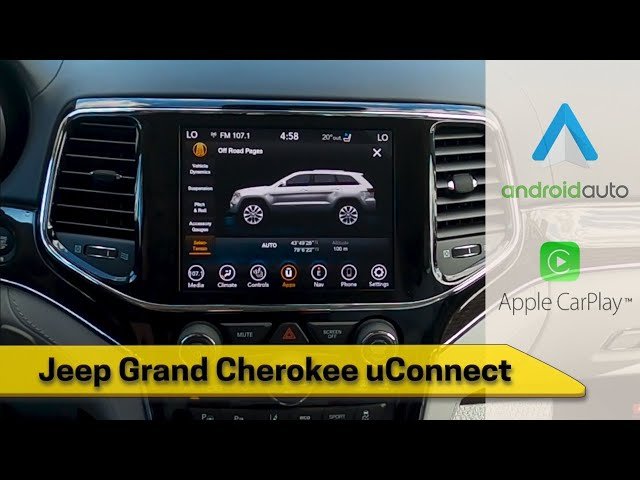
Getting your Jeep’s Uconnect system up and running can make your driving experience much better. Uconnect gives you navigation, hands-free calling, music streaming, and even climate control at your fingertips.
But if you’re new to the system, the process can feel confusing.
Don’t worry activating Uconnect in your Jeep is easier than you think. This guide will help you turn on Uconnect step by step, avoid common mistakes, and unlock features that many owners miss.
Understanding Uconnect In Jeep
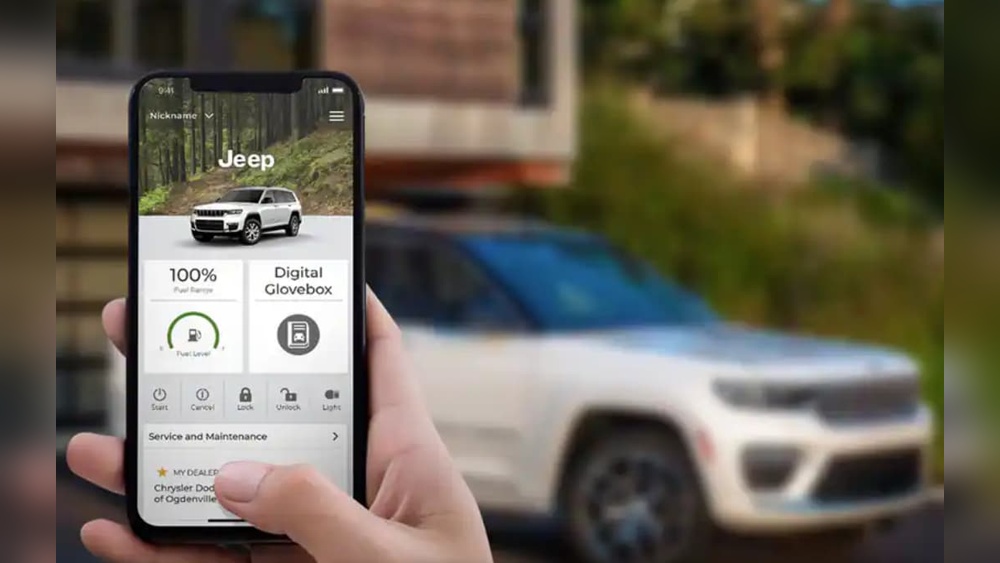
Uconnect is the infotainment system in most modern Jeep vehicles. It connects your smartphone, controls music, displays navigation, and offers helpful apps. Some newer Jeeps also let you control your car remotely through the Uconnect app.
There are different Uconnect versions, such as Uconnect 4, 4C NAV, and Uconnect 5. The basic steps to turn them on are similar, but you may notice a few small differences.
Here’s a quick look at the key features:
| Uconnect Feature | What It Does |
|---|---|
| Navigation | GPS directions, live traffic updates |
| Bluetooth | Hands-free calls and audio streaming |
| Voice Command | Control system with your voice |
| Apple CarPlay/Android Auto | Connect your smartphone apps to the display |
| Wi-Fi Hotspot | Internet access for passengers |
Preparing To Activate Uconnect
Before you start, make sure your Jeep is parked safely with the engine running or in accessory mode. You’ll also need:
- Your smartphone (fully charged)
- Jeep vehicle key fob
- Uconnect system access (usually through touchscreen)
- Personal details (email, phone number)
If you want to use online services (like remote start), you’ll need a Uconnect account. You can create one on the official Uconnect website or through the Uconnect app.
Some owners forget to check their cellular signal or Wi-Fi connection. Uconnect may need an internet connection for the first setup or to download updates. If you’re in a parking garage or remote area, move to a spot with a better signal.
Step-by-step: How To Turn On Uconnect In Jeep
Let’s get your Uconnect system working. These steps cover most Jeep models from 2017 and newer.
- Start your Jeep. Turn the key or press the start button. The Uconnect screen will light up.
- Wait for the system to load. This takes 10-30 seconds.
- Tap the ‘Phone’ or ‘Apps’ button on the touchscreen. If you see a prompt to connect a phone, select ‘Yes’ or ‘Pair Device’.
- Enable Bluetooth on your smartphone. Make your phone ‘discoverable’.
- Select your phone from the list on the Uconnect screen. Confirm the pairing code matches on both screens.
- Allow access if your phone asks for permission to sync contacts and messages.
- Register or log in to your Uconnect account if prompted. Enter your email and create a password.
- Accept terms and activate services. Some Jeeps offer a free trial of connected services—activate them to unlock extra features.
Your Uconnect system is now active! You can make calls, stream music, and use navigation.
Table: Uconnect Activation Steps Vs. Common Issues
| Step | Common Mistake | Solution |
|---|---|---|
| Pairing Phone | Bluetooth not enabled | Turn on Bluetooth in phone settings |
| Account Registration | Incorrect email | Double-check email spelling |
| Service Activation | No internet connection | Move to area with good signal |
Unlocking Advanced Uconnect Features
Many Jeep owners use only the basic features. But Uconnect offers more if you dig a little deeper.
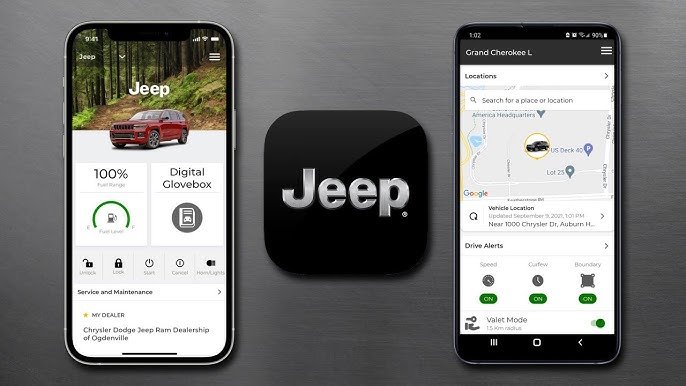
- Remote Start/Stop: Some Jeeps let you start your engine from the Uconnect app. Useful for warming up your car in winter.
- Vehicle Finder: The app can show your Jeep’s location if you forget where you parked.
- Send & Go: Plan a route on your phone and send it to your Jeep’s navigation system.
- SiriusXM Guardian: This service (with subscription) adds emergency assistance, roadside help, and vehicle health reports.
To unlock these, make sure your trial or subscription is active. Open the Uconnect app and explore the ‘Services’ or ‘Connected Services’ menu.

Troubleshooting Uconnect Activation
If you can’t get Uconnect working, try these steps:
- Restart your Jeep and the Uconnect screen.
- Restart your phone and try pairing again.
- Check for software updates. Go to the ‘Settings’ or ‘System Information’ menu on Uconnect.
- Reset Uconnect. Hold the volume and tuner knobs together for about 10 seconds until the screen goes black and restarts.
- Contact support. If nothing works, call Jeep customer service or visit your dealer.
One issue beginners miss: If your Jeep’s battery is weak, Uconnect may not boot up correctly. Make sure your battery is in good shape, especially in cold weather.
Comparing Uconnect Versions
Not all Jeeps use the same Uconnect version. Here’s a quick comparison:
| Uconnect Version | Screen Size | Key Feature |
|---|---|---|
| Uconnect 4 | 7″ or 8.4″ | Apple CarPlay/Android Auto |
| Uconnect 4C NAV | 8.4″ | Built-in navigation |
| Uconnect 5 | 10.1″ | Faster processor, wireless CarPlay |
If you’re not sure which Uconnect version you have, check the bottom of the main menu screen or your Jeep’s owner’s manual.
Tips For A Smooth Uconnect Experience
- Keep your software updated. New updates fix bugs and add features.
- Use a strong password for your Uconnect account.
- Don’t store sensitive info (like credit card numbers) in the system.
- Set up voice commands for safer, hands-free control.
- If you sell your Jeep, remember to remove your Uconnect account and personal info.
For more details, see the official Jeep Uconnect page.
Jeep’s Uconnect system is powerful, but it needs a little setup to reach its full potential. Take time to explore its features, and you’ll get much more from your vehicle.
Frequently Asked Questions
How Do I Know If My Jeep Has Uconnect?
Most Jeep models since 2013 offer Uconnect. If your Jeep has a touchscreen with options for phone, navigation, or apps, you likely have Uconnect. Check your owner’s manual for confirmation.
Is Uconnect Free To Use?
Basic Uconnect features (like Bluetooth and radio) are free. Connected services (such as remote start or vehicle finder) usually need a subscription after a free trial.
Can I Add Uconnect To An Older Jeep?
Adding Uconnect to older Jeeps can be expensive and may require new hardware. Talk to your dealer about compatibility and costs before deciding.
What Should I Do If Uconnect Isn’t Working?
First, restart your Jeep and smartphone. Check your Bluetooth settings.
If problems continue, look for software updates or contact Jeep support for help.
Does Uconnect Work With Both Iphone And Android?
Yes, Uconnect works with both iPhone (Apple CarPlay) and Android (Android Auto). You may need to connect your phone with a USB cable, depending on your Jeep’s Uconnect version.
With these steps and tips, you can enjoy everything Uconnect offers in your Jeep making drives safer, easier, and more fun.