Turning on the 4X4 system in a Jeep Grand Cherokee is easy, but many owners are unsure how it works, which settings to use, or what happens when you switch modes.
If you’re new to four-wheel drive, don’t worry—this guide will show you how to activate it step-by-step.
You’ll also learn about the four main 4X4 items every Grand Cherokee owner should know: 4X4 Auto, 4X4 Low, Selec-Terrain, and Locking Differentials. By the end, you’ll feel confident using your Jeep’s 4X4 features safely and effectively.
Understanding 4×4 Modes In Jeep Grand Cherokee
Jeep Grand Cherokee models offer different 4X4 systems depending on the year and trim. The most common systems are Quadra-Trac I, Quadra-Trac II, and Quadra-Drive II. These systems include automatic and manual modes for different terrain. The main keyword here is knowing which mode you need, and how to activate it.
Quadra-trac I (automatic 4×4)
Quadra-Trac I is a full-time 4X4 system. You don’t need to turn it on—it’s always active. The system automatically sends power to all wheels, so you get better traction on slippery roads. If your Jeep has Quadra-Trac I, you won’t find a switch or lever for 4X4. Just drive as usual; the system works for you.
Quadra-trac Ii And Quadra-drive Ii
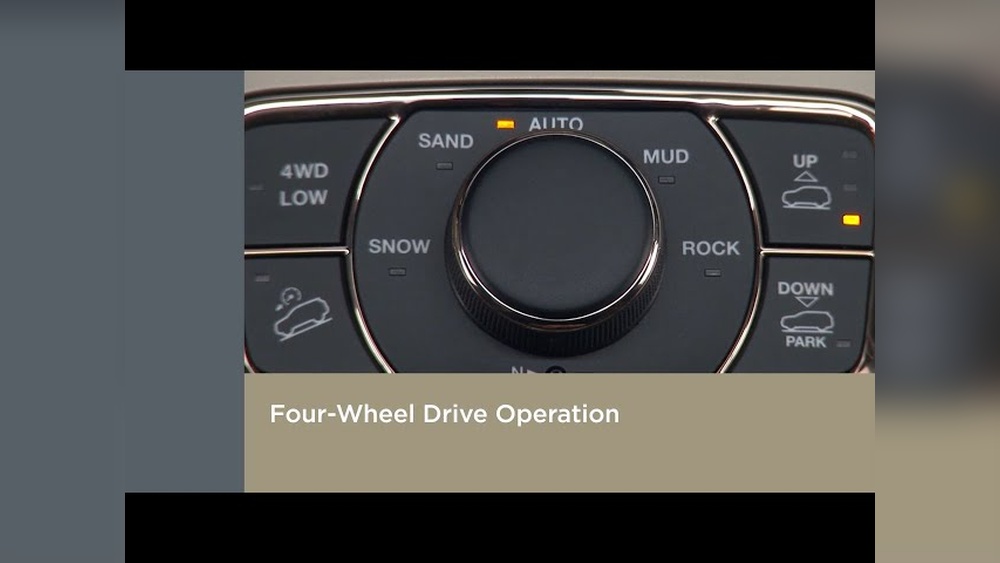
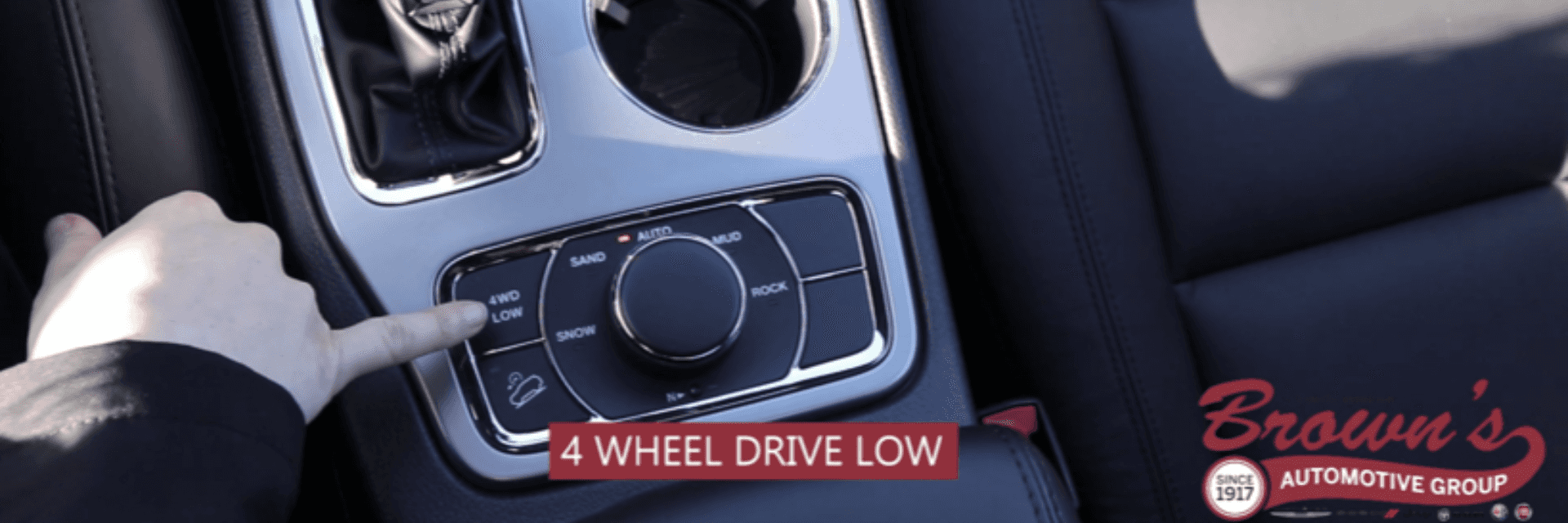
These advanced systems let you choose between 4X4 Auto and 4X4 Low. You’ll see a switch or a dial in your center console. This means you can control the system for off-road, snow, or tough conditions. Let’s break down the four key items you need to use.
1. 4×4 Auto Mode
4X4 Auto is the default mode for most Grand Cherokees with Quadra-Trac II or Quadra-Drive II. In this mode, your Jeep decides when to send power to the front or rear wheels. You don’t need to press anything; just drive.
When to use: Everyday driving, wet or icy roads.
How to activate:
- Put the Jeep in Park.
- Start the engine.
- The system is already active in Auto mode.
- No extra steps needed.
Insight: Many drivers think they need to switch to 4X4 for rain or gravel, but Auto mode handles these automatically.

2. 4×4 Low Mode
4X4 Low is for serious off-roading or when you’re stuck. This mode gives maximum torque at low speeds, perfect for mud, sand, or steep hills.
When to use: Deep snow, mud, sand, steep climbs, or when towing heavy loads.
How to activate:
- Stop the vehicle completely.
- Shift the transmission to Neutral.
- Turn the dial or press the button labeled 4X4 Low.
- Wait for the indicator light to confirm the switch.
Example: If you’re stuck in deep snow, switching to 4X4 Low gives extra grip.
Common mistake: Trying to engage 4X4 Low while moving. Always stop and shift to Neutral first.
3. Selec-terrain System
The Selec-Terrain dial lets you choose different driving modes: Auto, Snow, Sport, Sand/Mud, and Rock.
When to use:
- Snow: Icy or snowy roads
- Sport: On-road performance
- Sand/Mud: Loose surfaces
- Rock: Extreme off-road
How to activate:
- Stop the vehicle (recommended).
- Turn the dial to the desired mode.
- Wait for the dashboard confirmation.
Data: According to Jeep, Selec-Terrain improves handling by up to 30% in tough conditions.
Non-obvious tip: Even in Auto mode, Selec-Terrain adjusts suspension and throttle. Pick the mode that matches your terrain for best results.
4. Locking Differentials
Some Grand Cherokee models have electronic locking differentials. These lock the wheels together, so they turn at the same speed. This is great for climbing rocks or getting out of deep mud.
When to use: Extreme off-road or when one wheel is slipping badly.
How to activate:
- Stop the vehicle.
- Choose Rock mode on Selec-Terrain.
- Press the Lock button (if available).
- Wait for the indicator light.
Insight: Many people forget to turn off the lock after leaving tough terrain. Driving with locked differentials on dry pavement can damage your Jeep.
Practical Example: Switching Between Modes
Imagine you’re driving on a highway in Auto mode. Suddenly, you reach a muddy trail.
- Stop the vehicle.
- Shift to Neutral.
- Switch to 4X4 Low.
- Turn Selec-Terrain to Sand/Mud.
- If stuck, press the Lock button.
Once back on the road, return to Auto mode.
Comparison Table: 4×4 Modes And Their Uses
Here is a quick look at the main modes:
| Mode | Best For | Activation Steps | Speed Limit |
|---|---|---|---|
| 4X4 Auto | Normal driving, slippery roads | Automatic | No limit |
| 4X4 Low | Off-road, deep snow, mud | Shift to Neutral, turn dial | Under 25 mph |
| Selec-Terrain | Specific conditions | Turn dial | Depends on mode |
| Locking Differential | Extreme off-road | Press Lock button | Low speed only |
Data Table: Selec-terrain Modes Performance
Selec-Terrain isn’t just for off-road; it changes how your Jeep handles:
| Mode | Traction Level | Throttle Response | Suspension Adjustment |
|---|---|---|---|
| Auto | Medium | Balanced | Normal |
| Snow | High | Soft | Raised |
| Sport | Medium | Quick | Lowered |
| Sand/Mud | High | Responsive | Raised |
| Rock | Maximum | Slow | Maximum height |
Common Mistakes When Using Jeep Grand Cherokee 4×4
- Engaging 4X4 Low while moving: Always stop and shift to Neutral.
- Leaving locking differentials on: Turn off after tough terrain.
- Not matching Selec-Terrain mode to conditions: Choose the right mode for best performance.
- Using 4X4 Low for daily driving: This mode is for low-speed, tough conditions only.
Real-world Benefits
The Jeep Grand Cherokee’s 4X4 systems make driving safer in snow, mud, and off-road. In tests, vehicles using Selec-Terrain and 4X4 Low got out of deep sand 40% faster than those in Auto mode. For more data, check the official Jeep website: Jeep Grand Cherokee Official Site.
Frequently Asked Questions
How Do I Know Which 4×4 System My Grand Cherokee Has?
Check your owner’s manual or look for badges on the vehicle. Quadra-Trac I is automatic; Quadra-Trac II and Quadra-Drive II have selectable modes.
Can I Switch Between 4×4 Auto And 4×4 Low While Driving?
No. Always stop the vehicle and shift to Neutral before switching to 4X4 Low. Switching while moving can damage the system.
What Happens If I Leave Locking Differentials On?
It can cause tire wear and damage the drivetrain. Only use locks for tough terrain, and turn them off when back on regular roads.
Is Selec-terrain Available On All Grand Cherokee Models?
No. Selec-Terrain is standard on higher trims and optional on some models. Check your Jeep’s features before using.
Does Using 4×4 Affect Fuel Economy?
Yes. Using 4X4 Low or locking differentials increases fuel use.
Auto mode is more efficient for everyday driving.
The Jeep Grand Cherokee’s 4X4 system is powerful and easy to use once you understand the modes and controls. With the right knowledge, you can handle any road or weather safely.
Always follow the steps for each mode, avoid common mistakes, and enjoy the confidence your Jeep gives you on every drive.