Setting up Uconnect in your Jeep can transform your driving experience. With easy access to navigation, music, hands-free calls, and vehicle controls, Uconnect makes your Jeep smarter and safer.
However, many Jeep owners struggle with the initial setup, especially when connecting their phones and customizing features. If you want a simple, step-by-step guide that removes confusion, you’re in the right place.
What Is Uconnect And Why Is It Useful?
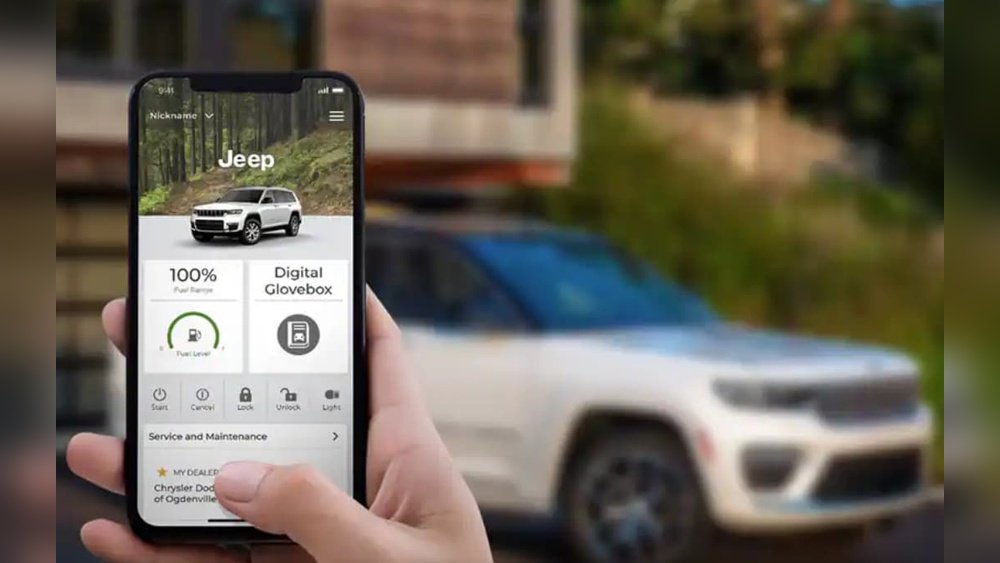
Uconnect is the official infotainment system for Jeep vehicles. It combines a touchscreen, voice controls, Bluetooth, and apps in one place. You can use it for:
- Navigation: Get turn-by-turn directions.
- Music and media: Stream audio from your phone or use built-in radio.
- Hands-free calls: Safely talk while driving.
- Climate control: Adjust cabin temperature.
- Vehicle settings: Customize locks, lights, and more.
According to Jeep, over 70% of buyers say Uconnect makes their driving easier. With over 10 million Uconnect-equipped vehicles on the road, the system is trusted and widely used.
Preparing Your Jeep For Uconnect Setup
Before starting, check these basics:
- Model year: Uconnect is standard in most Jeeps from 2014 onward.
- Touchscreen: Make sure your Jeep has a working Uconnect display.
- Smartphone: Use a phone with Bluetooth. Both Android and iPhone work.
- Wi-Fi or data: For certain features like app updates, you’ll need internet.
If your Jeep is older or missing Uconnect, you can buy upgrade kits. But most newer models already have it installed.
Step-by-step: Initial Uconnect Setup
Follow these steps to set up Uconnect the first time:
1. Power Up Your Jeep
Turn on the ignition. The Uconnect screen will light up. Wait for it to finish loading.
2. Pair Your Smartphone
Pairing connects your phone to Uconnect. Here’s how:
- On your phone, turn on Bluetooth.
- On the Uconnect touchscreen, tap Phone > Add Device.
- Your Jeep will display a code. Confirm the same code on your phone.
- Once paired, Uconnect will ask for access to contacts and messages. Allow permissions.
Most users can complete pairing in under 2 minutes.
3. Connect To Wi-fi (optional)
If your Jeep supports Wi-Fi, connect it for faster updates:
- Tap Settings > Wi-Fi.
- Choose your home network and enter the password.
This step is optional but helps with software updates and streaming.
4. Customize Your Profile
You can set up profiles for different drivers:
- Tap Settings > User Profiles.
- Add your name, preferred seat position, radio stations, and more.
Profiles save time when switching drivers.
Common Uconnect Features And How To Use Them
Uconnect offers many features. Here are the most popular:
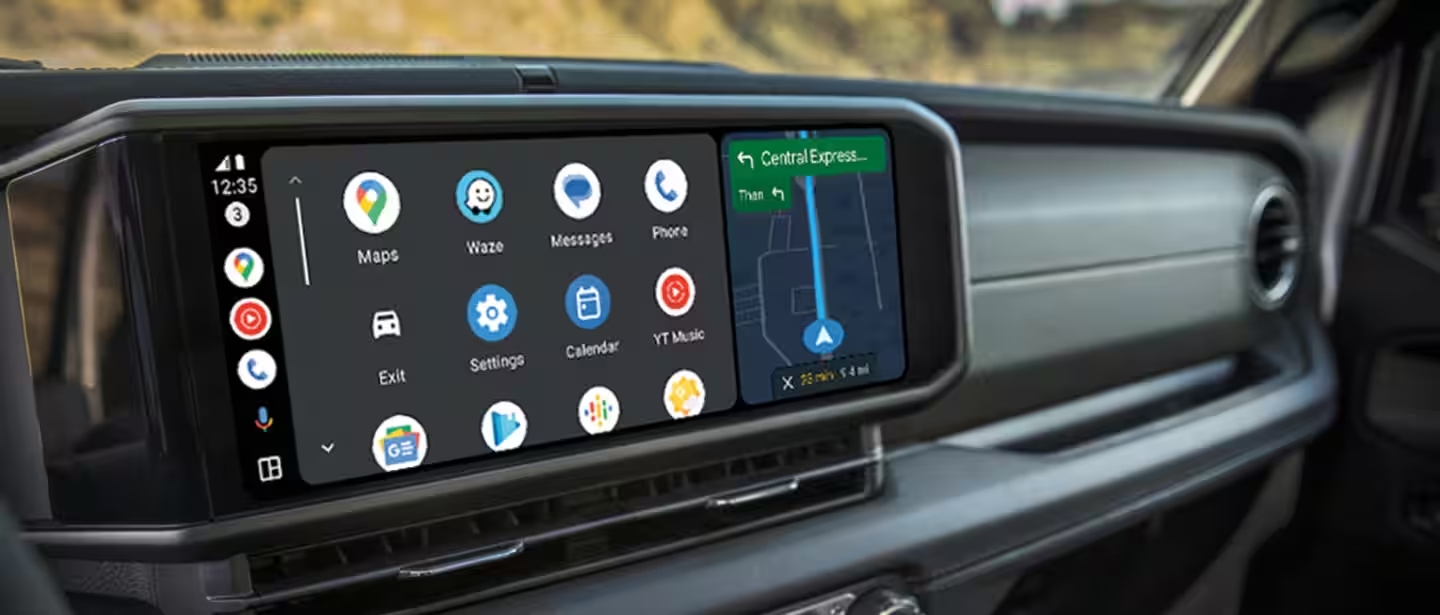
- Tap Nav or Maps.
- Enter your destination. Uconnect will guide you with voice and screen instructions.
- You can zoom, pan, and set favorites.
Music And Media
- Tap Media.
- Choose FM/AM radio, SiriusXM, or Bluetooth Audio.
- If using your phone, you can play Spotify, Apple Music, or podcasts.
Hands-free Calls
- Tap Phone.
- Use voice command: “Call John Smith.”
- Uconnect will dial and route audio through car speakers.
Climate Control
Some Jeeps let you adjust climate from the screen:
- Tap Climate.
- Set temperature, fan speed, and airflow direction.
Vehicle Settings
- Tap Settings.
- Change lights, locks, and display preferences.
- Many settings are customizable per driver profile.

Comparing Uconnect Versions
Jeep offers several Uconnect versions. Here’s a quick comparison:
| Version | Screen Size | Navigation | Wireless CarPlay/Android Auto | Voice Control |
|---|---|---|---|---|
| Uconnect 4 | 7″-8.4″ | Optional | No | Basic |
| Uconnect 5 | 10.1″ | Standard | Yes | Advanced |
Most new Jeeps come with Uconnect 5. It’s faster and supports wireless phone connection.
Troubleshooting Uconnect Setup
If you run into problems, try these fixes:
- Bluetooth won’t connect: Restart both your phone and Uconnect. Remove old device profiles and try again.
- Navigation not working: Check for map updates. Connect to Wi-Fi if possible.
- Voice commands fail: Make sure the microphone isn’t blocked. Speak clearly and use simple phrases.
If problems persist, visit your local Jeep dealer or check the official Jeep Uconnect support.
Practical Tips For Beginners
Many first-time users miss these important tips:
- Always update Uconnect software. Updates fix bugs and add new features. Updates usually take 5–10 minutes.
- Don’t overload the system with too many paired devices. Stick to two or three for best performance.
- Customize home screen shortcuts for quick access to your favorite features.
Here’s a useful example: If you drive with family, set up separate profiles for each person. That way, seat positions and music choices change automatically.
Comparing Uconnect To Other Systems
Some Jeep owners wonder how Uconnect compares to other brands. Here’s a simple comparison:
| System | Ease of Use | Feature Range | Update Frequency |
|---|---|---|---|
| Uconnect | Very Easy | Wide | Regular |
| Ford SYNC | Moderate | Wide | Regular |
| Toyota Entune | Easy | Medium | Less Often |
Uconnect stands out for its simple interface and frequent updates.

Safety And Privacy Considerations
Uconnect collects some data for navigation and app use. You can:
- Review privacy settings in Settings > Privacy.
- Turn off location sharing if you prefer.
- Delete your profile before selling your Jeep.
According to Jeep, all data is encrypted and not sold to third parties. For deeper info, see Jeep Uconnect official site.
Frequently Asked Questions
How Do I Reset Uconnect If It Freezes?
Press and hold the volume and tune buttons together for 10 seconds. The system will reboot. If it stays frozen, disconnect the car battery for a few minutes.
Can I Use Uconnect Without A Smartphone?
Yes, but you’ll miss features like hands-free calls and music streaming. Radio and navigation still work.
Does Uconnect Work With Both Android And Iphone?
Uconnect supports both Android and iPhone. Features like Android Auto and Apple CarPlay are available on Uconnect 5.
How Do I Update Uconnect Software?
Go to Settings > System Updates. If Wi-Fi is connected, updates download automatically. Some older models may require a USB stick.
Is Uconnect Free To Use?
Basic features are free. Some services, like SiriusXM radio and remote start, require subscriptions.
Setting up Uconnect in your Jeep doesn’t have to be complicated. By following these steps and tips, you’ll unlock the best features and enjoy safer, more connected driving.
If you need deeper help, Jeep’s official support is a reliable resource.



















