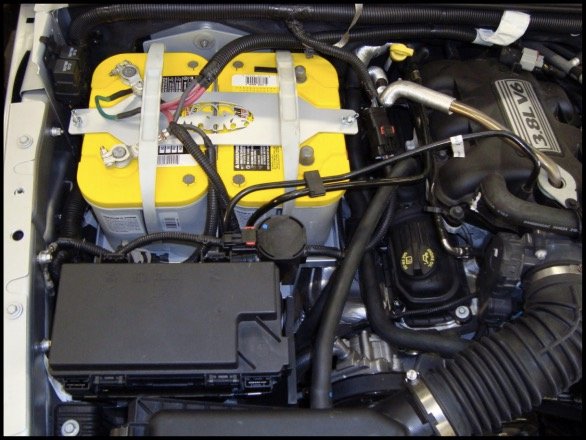
If you own a Jeep Wrangler, sooner or later, you’ll need to remove its battery. Maybe your battery died, or you’re upgrading to a stronger one for off-road adventures.
The process can feel intimidating, especially with modern Wranglers’ tight engine bays and electronic systems. But with a few tools, some preparation, and careful steps, you can remove the battery safely and confidently—no mechanic required.
This guide breaks down the process for most Jeep Wrangler models, especially the popular JK (2007 2018) and JL (2018 present) generations. You’ll learn what tools you need, how to avoid common mistakes, and tips that even experienced DIYers sometimes overlook.

Why Remove A Jeep Wrangler Battery?
There are several reasons you might need to take out your Jeep Wrangler’s battery:
- The battery is dead and won’t charge.
- You want to replace it with a new one.
- You need to reset the electrical system.
- You’re installing accessories that require direct battery access.
- Corrosion or leaks require cleaning or replacement.
No matter your reason, removing the battery is a straightforward process if you know what to expect.
Tools And Preparation
Before you start, make sure you have:
- 10mm wrench or socket (fits most Wrangler battery terminals)
- 13mm wrench or socket (for battery hold-down clamp)
- Gloves and safety glasses
- Battery terminal puller (helpful but not required)
- Rag or towel
Always turn off your Jeep and remove the key before working on the battery. Open the hood and use the hood prop rod to secure it.
Pro tip: Some Wranglers have a battery cover or insulation. Remove this first for full access.
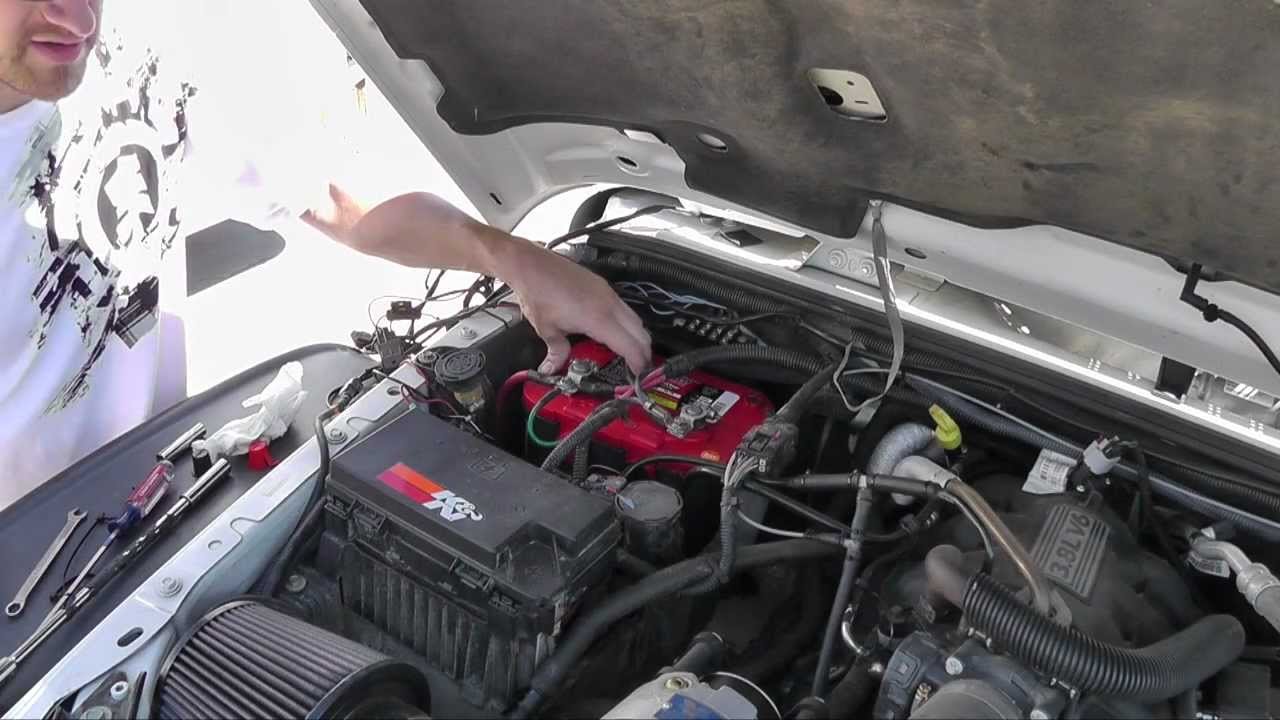
Step-by-step: Removing The Battery
Follow these steps to remove your Jeep Wrangler’s battery safely:
- Locate the battery. For most Wranglers, the battery is on the passenger side near the firewall.
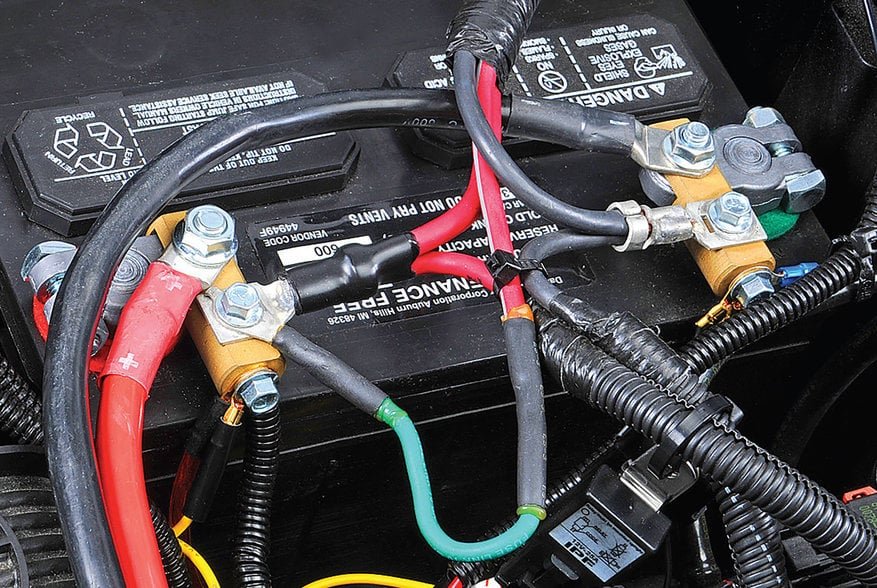
- Disconnect the negative terminal first. Use your 10mm wrench to loosen the nut on the negative (black) terminal. Twist and pull the cable off. Tuck it aside so it doesn’t touch metal.
- Disconnect the positive terminal. Repeat the process on the positive (red) terminal. Be careful not to let your wrench touch any metal parts.
- Remove the battery hold-down. Use the 13mm wrench to remove the bolt and clamp that hold the battery in place.
- Lift out the battery. Batteries are heavy (usually 40–50 lbs). Grip firmly and lift straight up. If it’s stuck, gently rock it side to side.
- Inspect the tray and connectors. Look for corrosion, dirt, or leaks. Clean with a baking soda and water mix if needed.
- Set the battery in a safe place. Keep it upright to avoid spills.
Here’s a quick comparison of battery sizes and weights for common Wrangler models:
| Model Year | Battery Group Size | Approx. Weight (lbs) |
|---|---|---|
| 2007–2011 JK | 34/58 | 38–41 |
| 2012–2018 JK | Group 91 | 40–45 |
| 2018–Present JL | Group 48 | 50–55 |
Tips For A Smooth Removal
- Always disconnect negative first. This prevents accidental sparks or short circuits.
- Wear gloves. Battery acid and corrosion can irritate your skin.
- Check for memory settings. Disconnecting the battery will reset your clock, radio presets, and possibly seat positions. Take note before removal.
- Avoid touching the terminals together or using metal tools across both posts.
- Label your cables if you’re forgetful or if there are extra wires for accessories.
Many beginners miss that some Wranglers (especially JL models with ESS/eTorque systems) have a second, smaller battery for start-stop functions. Removing the main battery may not fully reset the vehicle or fix certain electrical issues. Always check your owner’s manual if your Wrangler has dual batteries.
Common Mistakes To Avoid
- Forgetting to disconnect the negative terminal first. This is the most frequent error and can cause sparks or damage.
- Dropping tools on the battery. Even a loose wrench can cause a short if it bridges the terminals.
- Lifting incorrectly. Batteries are heavier than they look. Use both hands and lift with your legs—not your back.
Here’s a table comparing risks when removing the battery improperly:
| Mistake | Potential Problem | How to Prevent |
|---|---|---|
| Disconnecting positive first | Sparking, short circuit | Always remove negative first |
| Not securing cables | Accidental contact | Move cables away from battery |
| Forgetting safety gear | Skin/eye irritation | Wear gloves and goggles |
What To Do After Battery Removal
- Clean the battery tray. Dirt and corrosion shorten battery life.
- Check the terminals and cables. Replace any worn or damaged parts.
- Install the new battery promptly. Leaving the system disconnected for long periods can trigger electronic errors.
If you plan to store your Jeep for a while with the battery out, cover terminal ends with electrical tape to prevent corrosion.
Replacing The Battery: Quick Overview
When you’re ready to install a new battery:
- Place the battery in the tray.
- Secure it with the hold-down clamp.
- Connect the positive terminal first, then the negative.
- Tighten all connections firmly, but don’t overtighten.
- Reinstall any covers or insulation.
Some Wranglers may trigger a “Check Engine” light or need a drive cycle to relearn idle and transmission settings. This is normal drive as usual, and the computer will adapt.
For detailed battery specs or replacement guides, the official Jeep Website is a reliable resource.
Frequently Asked Questions
How Long Does It Take To Remove A Jeep Wrangler Battery?
With the right tools, most people finish in 10 20 minutes. If there’s corrosion or a stuck clamp, allow extra time.
Do I Need To Reset Anything After Removing The Battery?
Yes, your radio presets, clock, and possibly seat memory will reset. Some models may show warning lights until a short drive cycle completes.
Can I Use Any Car Battery For My Wrangler?
No. Always use the correct group size and cold cranking amps (CCA) for your model year. Check your owner’s manual for the exact specs.
Is It Safe To Remove The Battery Myself?
Yes, if you follow basic safety steps: disconnect negative first, wear gloves, and avoid touching both terminals with metal tools.
What If My Wrangler Has Two Batteries?
Some JL and newer models have a second auxiliary battery. Removing only the main battery may not fully disconnect the system.
Consult your manual or a dealer for the best method.
Removing the battery from your Jeep Wrangler is a manageable job with the right approach. Take your time, stay organized, and double-check each step. You’ll save money, gain confidence, and keep your Jeep running strong for years to come.