Owning a Jeep is exciting, especially when you discover all the features your vehicle offers. One of the most useful is Uconnect, Jeep’s advanced infotainment system. Uconnect lets you access navigation, entertainment, hands-free calls, and even remote control features with your phone. But to enjoy these benefits, you need to register your Jeep for Uconnect. Many new owners feel confused about how to do this, so this guide will walk you through the process step by step. You’ll also learn practical tips, common mistakes, and how to get the most from your registration.
What Is Uconnect And Why Register?
Uconnect is more than just a screen in your Jeep. It connects your vehicle to your smartphone, helps with navigation, and lets you stream music and podcasts. Registering unlocks extra services like vehicle health reports, remote start, and emergency assistance.
Some key benefits of registration:
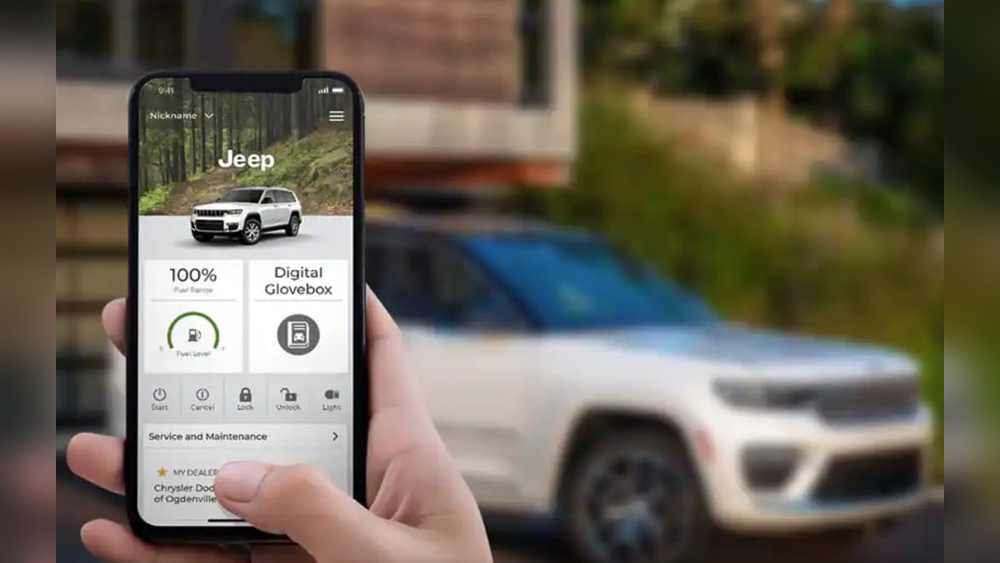
- Remote access: Start your Jeep, lock/unlock doors, and check fuel levels from your phone.
- Safety features: Get roadside help, automatic crash alerts, and stolen vehicle tracking.
- Updates and support: Receive software updates and customer support directly from Jeep.
Without registration, you miss out on many features, and the system may not work as expected.
Step-by-step: How To Register Your Jeep For Uconnect
Registering is simple, but each step matters. Here’s how to do it:
1. Check Your Uconnect System Version
Not all Jeeps have the same Uconnect system. Most models from 2013 onward support registration. Find your system version on the touchscreen by navigating to “Settings” > “System Information. ” If unsure, check your owner’s manual or Jeep’s website.
2. Collect Your Vehicle Information
You’ll need your Vehicle Identification Number (VIN). It’s found on your dashboard, driver’s door, or registration papers. Having your VIN ready speeds up the process.
3. Create A Uconnect Account
Visit the official Uconnect site (https://www.driveuconnect.com) or download the Uconnect app from the App Store or Google Play. Enter your email, set a password, and provide your Jeep’s VIN.
4. Verify Ownership
You may receive an email or app notification asking you to confirm your ownership. This step protects your vehicle security. Follow the instructions to verify.
5. Connect Your Jeep
With your account created, link your Jeep to Uconnect. On your vehicle’s touchscreen, select “Apps,” then “Uconnect Services,” and follow the prompts to log in with your new account.
6. Activate Services
Choose which Uconnect services you want. Some features are free; others require a subscription. Review the options and select what fits your needs.
7. Complete Registration
Finish by confirming all details. You may get a confirmation email. Your Jeep is now registered for Uconnect!
Example Registration Timeline
Most owners complete registration in about 15–30 minutes. However, some steps (like email verification) may take longer if you miss notifications. Always check your spam folder if you don’t see the email.
Comparing Uconnect Packages
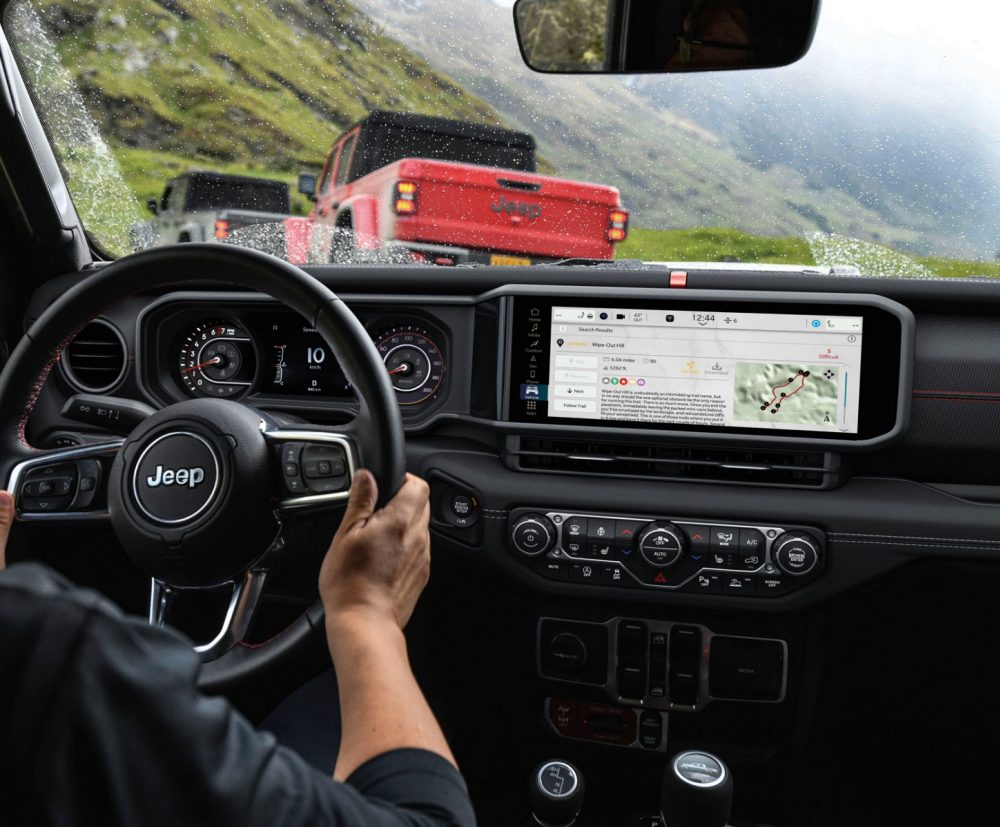
Jeep offers several Uconnect packages. Picking the right one depends on your needs. Here’s a quick comparison:
| Package | Features | Monthly Cost |
|---|---|---|
| Basic | Navigation, Bluetooth, Voice Commands | $0 |
| Uconnect Access | Remote Start, Send-to-Car Navigation, Vehicle Health | $14.99 |
| Guardian | Emergency Assistance, Stolen Vehicle Tracking | $24.99 |
Most new Jeeps come with a trial period for premium packages. You can upgrade or downgrade anytime through the app or website.
Common Registration Mistakes
Many first-time users run into problems. Here are mistakes to avoid:
- Wrong VIN: Double-check your VIN before entering it.
- Missed verification: If you don’t confirm your email, registration stalls.
- App version mismatch: Using an outdated app may cause errors. Update before starting.
- Skipping vehicle connection: Not linking your Jeep to your account means features won’t activate.
If you get stuck, Jeep’s support team can help. For official guidance, see Jeep Uconnect Support.

Jeep Model Compatibility
Some Jeep models have different Uconnect systems. Here’s a quick overview:
| Model | Year Range | Uconnect Version |
|---|---|---|
| Wrangler | 2018–2024 | Uconnect 4/5 |
| Grand Cherokee | 2014–2024 | Uconnect 4/5 |
| Compass | 2017–2024 | Uconnect 4 |
| Renegade | 2015–2024 | Uconnect 4 |
Older models may need dealer assistance or special hardware to register. Always check your Jeep’s year and Uconnect version before starting.
Maximizing Your Uconnect Experience
After registration, you can customize your settings:
- Update software regularly to get new features and security fixes.
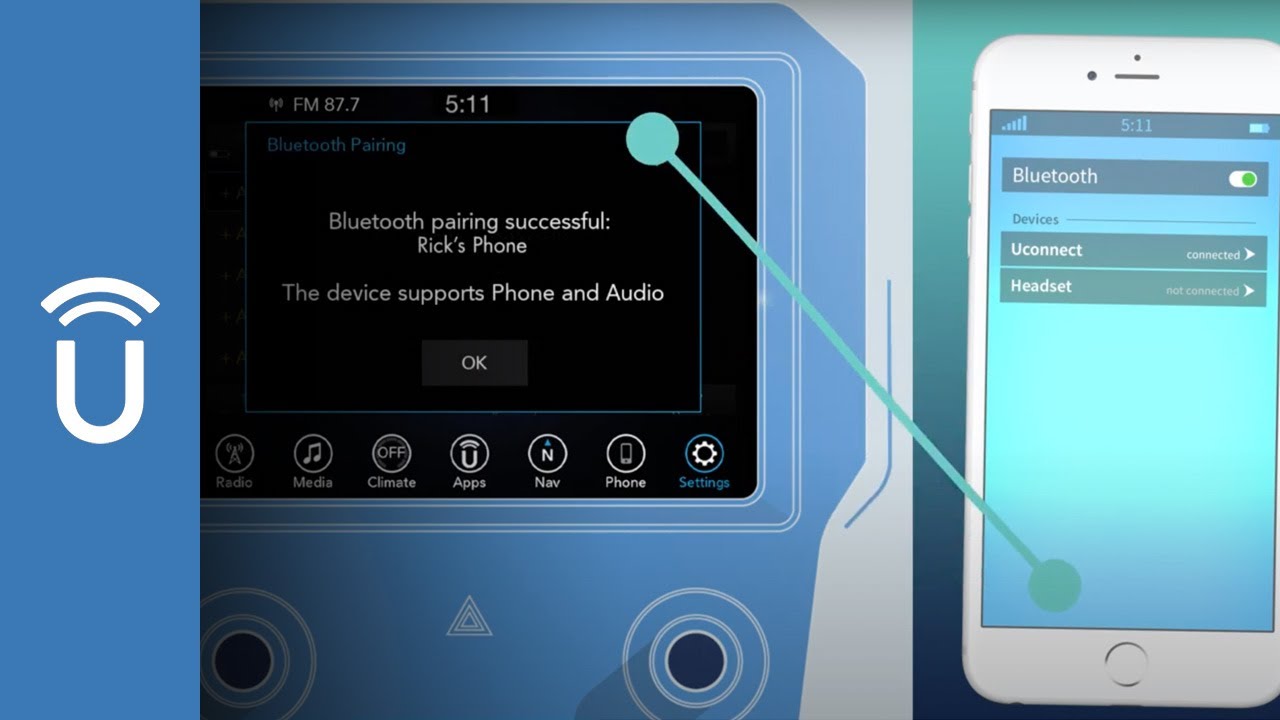
- Sync your phone for hands-free calls and messaging.
- Set up navigation preferences for faster routes.
- Enable emergency alerts for extra peace of mind.
A non-obvious tip: Many users forget to check privacy settings in the app. You can control who sees your vehicle location and what data is shared. This is important if multiple people use your Jeep.
Another insight: If you travel outside the US, some Uconnect features may not work. Check coverage before relying on navigation or emergency services.
Frequently Asked Questions
How Long Does Uconnect Registration Take?
Usually, registration takes 15–30 minutes if you have your VIN and email ready. Delays can happen if you miss verification steps.
What Do I Need For Registration?
You need your Jeep’s VIN, a valid email, and access to your vehicle’s touchscreen. A smartphone or computer is also required for the app or website.
Can I Register Without The App?
Yes, you can register through the Uconnect website. The app is optional but recommended for easy access and remote features.
What Happens If I Enter The Wrong Vin?
Entering a wrong VIN means your Jeep won’t connect to Uconnect. Double-check the number before submitting. If you make a mistake, restart the process.
Do I Have To Pay For All Uconnect Services?
No. Basic features are free, but premium services like remote start and emergency help require a monthly fee. You can choose which services to activate.
Registering your Jeep for Uconnect is a simple process that unlocks powerful features for convenience and safety. Take your time with each step, double-check details, and enjoy the benefits. If you ever run into trouble, Jeep’s support team and community forums are helpful resources.
With Uconnect, your Jeep becomes smarter, safer, and more enjoyable to drive.