If you own a Jeep Liberty, you probably enjoy driving in different conditions—whether it’s rain, snow, mud, or rough terrain. But switching to 4 wheel drive can be confusing, especially for beginners.
Many Jeep Liberty owners are unsure which method to use or when to activate four-wheel drive. This guide will help you understand exactly how to put your Jeep Liberty in 4 wheel drive, step by step, so you can drive safely and confidently.
Understanding Jeep Liberty 4 Wheel Drive Systems
The Jeep Liberty usually comes with two main 4 wheel drive systems: Command-Trac and Selec-Trac. Both systems allow you to switch between 2WD and 4WD modes. The Command-Trac system is simpler and more common, while Selec-Trac offers more flexibility for different road conditions.
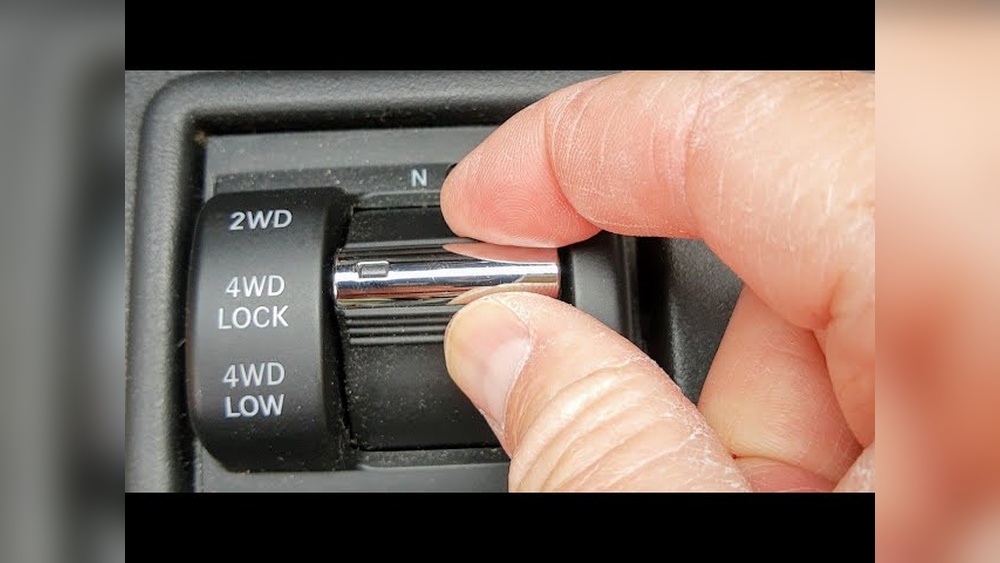
Knowing which system your Jeep Liberty uses is important. You can check your owner’s manual or look for labels near the shifter. Most models have a lever or switch to change drive modes.
| System | Modes | Best Use |
|---|---|---|
| Command-Trac | 2WD, 4WD High, 4WD Low | Off-road, snow, mud |
| Selec-Trac | 2WD, 4WD High, 4WD Low, Full-Time 4WD | Mixed surfaces, daily driving |
Four Steps To Put A Jeep Liberty In 4 Wheel Drive
Each Jeep Liberty has a four-step process to activate 4 wheel drive. These steps are easy, but they must be followed correctly to avoid damage or mistakes. Let’s look at each step in detail.
1. Identify Your 4wd Shifter
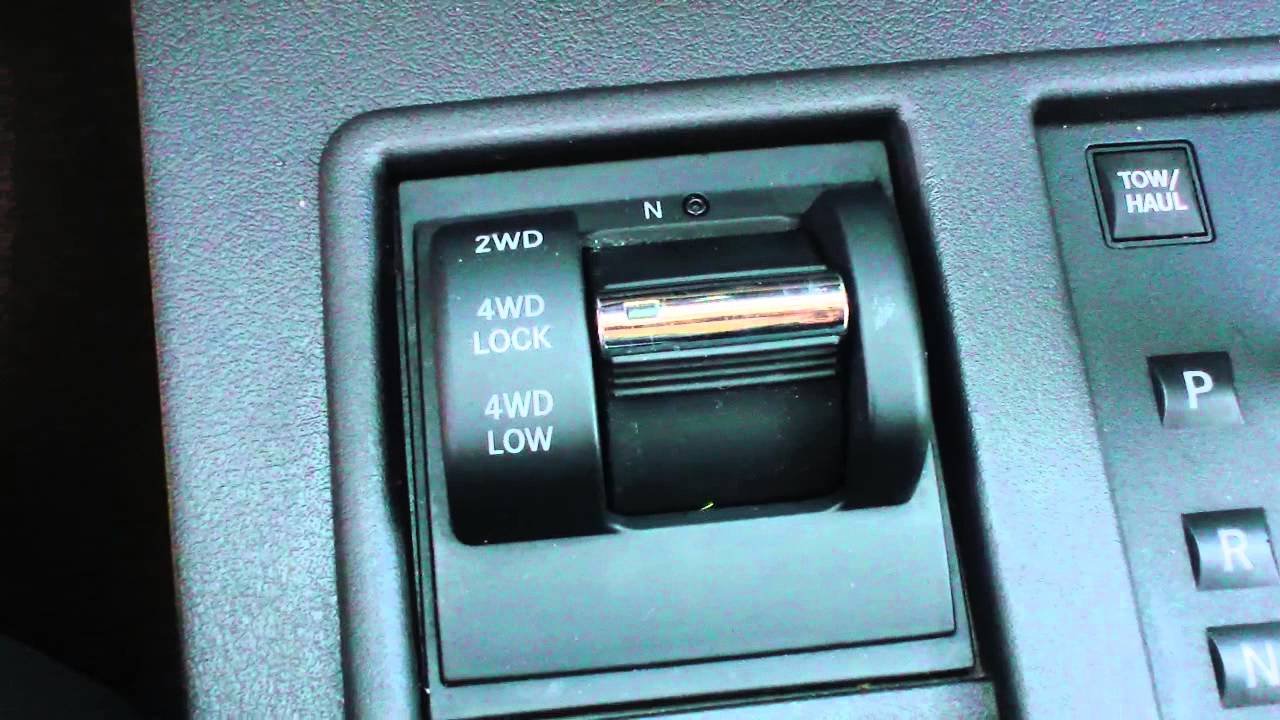
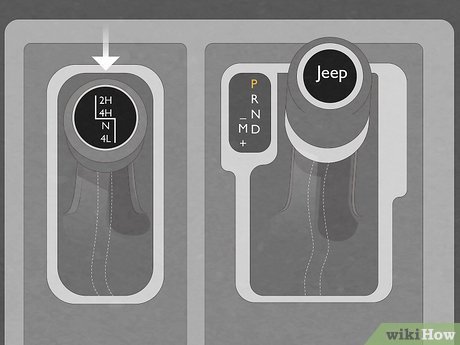
First, locate the 4WD shifter in your Jeep Liberty. This is usually a lever next to the main gear shifter. Some models use a small switch instead. The shifter will have markings like 2WD, 4WD High, and 4WD Low. If you’re not sure, check your manual or look for a diagram on the dashboard.
Many beginners miss this step and try to shift without knowing which lever to use. Using the wrong control could leave you stuck in 2WD when you need extra traction.
2. Shift To 4wd High
To activate 4WD High, drive at a speed under 55 mph (88 km/h). Take your foot off the gas, then pull the lever or push the switch from 2WD to 4WD High. You should feel a slight change, and a light may appear on the dashboard.
4WD High is for slippery roads, light snow, or gravel. Do not use it on dry pavement—this can damage the system. Many drivers mistakenly activate 4WD High on regular roads, causing unnecessary wear.
3. Engage 4wd Low (when Needed)
4WD Low is designed for tough conditions—deep snow, mud, or steep hills. To shift into 4WD Low, stop the Jeep completely. Put the transmission in Neutral (N), then move the 4WD lever from 4WD High to 4WD Low. Wait for the indicator light to confirm the change.
Most drivers skip neutral, but this is a common mistake. Shifting without stopping can damage your transfer case. Only use 4WD Low at slow speeds (under 25 mph) and in severe conditions.
4. Return To 2wd
After you finish driving in difficult terrain, switch back to 2WD for normal roads. Take your foot off the gas, shift the lever or switch from 4WD High or 4WD Low to 2WD. If you’re in 4WD Low, stop the vehicle and shift to neutral first.
This step is important for fuel efficiency and protecting your drivetrain. Some beginners forget to switch back, which can lead to extra wear and poor mileage.
| Mode | Speed Limit | Terrain | How to Activate |
|---|---|---|---|
| 2WD | No limit | Dry, regular roads | Shifter to 2WD |
| 4WD High | Under 55 mph | Snow, rain, gravel | Shifter to 4WD High |
| 4WD Low | Under 25 mph | Deep mud, steep hills | Neutral, then shifter to 4WD Low |
Practical Tips For Using Jeep Liberty 4 Wheel Drive
- Always shift gently; forcing the lever can break internal parts.
- Use 4WD High only when roads are slippery.
- Only use 4WD Low when you’re stuck or need extra torque.
- Don’t drive long distances in 4WD Low—it’s not for highway speeds.
- If the indicator light doesn’t turn on, the system might not be engaged.
Many new owners think 4WD should be used all the time. In reality, using 2WD on regular roads saves gas and reduces wear. Only switch to 4WD when you need extra grip.
| Feature | Command-Trac | Selec-Trac |
|---|---|---|
| Full-Time 4WD | No | Yes |
| Manual Shifting | Yes | Yes |
| Automatic Mode | No | Yes |
Common Mistakes And How To Avoid Them
Many drivers make errors when switching between drive modes. Here are two non-obvious mistakes:
- Shifting to 4WD Low without stopping: Always stop and shift to neutral before going into 4WD Low. This prevents damage to your transfer case.
- Using 4WD High on dry pavement: Only use 4WD High when roads are slippery. Driving on dry roads in 4WD can cause binding and expensive repairs.
Always read your owner’s manual and check dashboard lights. If you notice strange noises or warning lights, consult a mechanic.
For deeper knowledge about four-wheel drive systems, visit Wikipedia.
Frequently Asked Questions
What Is The Difference Between 4wd High And 4wd Low?
4WD High is for driving at normal speeds on slippery roads. 4WD Low is for slow driving in tough terrain, like mud or steep hills.
Can I Switch To 4wd While Driving?
You can shift into 4WD High while moving at low speeds. For 4WD Low, always stop and put the transmission in neutral before shifting.
How Do I Know If 4wd Is Engaged?
Look for indicator lights on the dashboard. You may also feel a slight change in how the Jeep drives.
Is It Safe To Use 4wd On Dry Pavement?
No. Using 4WD High or Low on dry roads can cause damage and make steering harder.
What Should I Do If 4wd Won’t Engage?
Check your speed and make sure you follow the correct steps. If the system still won’t engage, check for warning lights or visit a mechanic.
Switching your Jeep Liberty into 4 wheel drive is simple once you know the steps. By following the correct process and avoiding common mistakes, you’ll keep your vehicle safe and ready for any adventure.



















