Programming the seat in your Jeep Grand Cherokee can make your driving experience much more comfortable. Whether you are setting up your seat for the first time or adjusting it for multiple drivers, knowing how to use the seat memory system can save you time and effort.
Many owners are not aware of all the features their seat controls offer, especially when it comes to programming memory settings. This guide will walk you through the process step by step, highlight useful tips, and show you how to avoid common mistakes.
Understanding Jeep Grand Cherokee Seat Memory
Most modern Jeep Grand Cherokees come with a seat memory system. This feature lets you save your preferred seat position, mirror settings, and sometimes even steering wheel position. You can store these settings for two drivers, so each person can recall their setup with one touch.
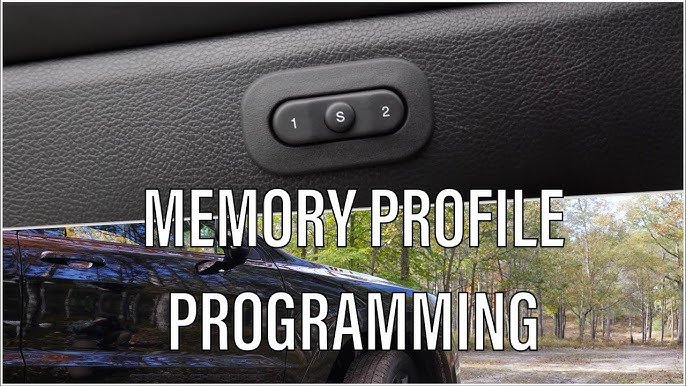
The memory controls are usually located on the driver’s door panel. For models from 2015 and later, look for buttons labeled “1,” “2,” and “SET.
” Older models may have a similar system but with different button placements.
Seat Memory Feature Comparison
Here is a quick comparison between Jeep Grand Cherokee models and their seat memory features:
| Model Year | Seats Programmable | Mirror Memory | Steering Wheel Memory |
|---|---|---|---|
| 2011–2014 | Driver Only | No | No |
| 2015–2021 | Driver & Passenger | Yes | Yes |
| 2022–Present | Driver & Passenger | Yes | Yes |
Not all trim levels have the same memory features, so check your owner’s manual if you are unsure.
Step-by-step Guide To Programming Seat Memory
Programming the seat memory is simple, but missing a step can cause the system not to save your settings. Here’s how to do it correctly:
- Start the Vehicle: Turn on the ignition or start the engine. The seat memory system only works when the vehicle is on.
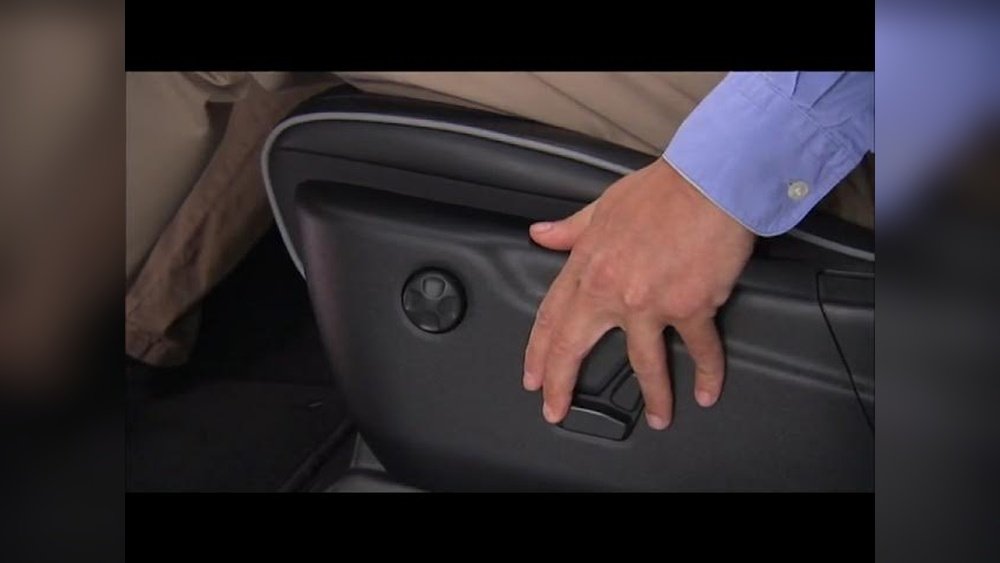
- Adjust the Seat: Move your seat to the desired position using the electric controls. Adjust the seatback, height, lumbar support, and distance from the pedals.
- Set the Mirrors: Adjust side mirrors if your model supports mirror memory.
- Steering Wheel Position: Move the steering wheel if your vehicle includes this feature.
- Press the SET Button: Find the “SET” button on the driver’s door panel.
- Choose Memory Location: Within five seconds, press either “1” or “2” to save your settings to that slot.
- Confirmation: The system will beep or display a message confirming your settings are saved.
Repeat these steps for the second driver if needed. If your Jeep uses a key fob for memory recall, link the memory slot to your fob after saving.
Common Programming Mistakes
Some users face issues because they miss key steps. Here are mistakes to avoid:
- Forgetting to turn on the ignition
- Not pressing the memory button quickly enough
- Trying to program while the vehicle is moving
- Ignoring the key fob linking step
A non-obvious tip: If your seat memory does not save, check for a blown fuse or disconnected battery. Many owners overlook these electrical issues.

Practical Tips For Optimizing Seat Memory
Setting your seat memory is more than saving your position. Here are ways to get the most comfort and convenience:
- Adjust the lumbar support for long drives; it reduces back fatigue.
- Set the seat height for maximum visibility, not just comfort.
- If you share your Jeep, program both slots with very different settings so you can easily tell which slot is yours.
- Link your key fob to your memory slot so the seat adjusts automatically when you unlock the car.
Most recent Grand Cherokees let you recall seat memory in two ways:
| Recall Method | How It Works | Best Use |
|---|---|---|
| Key Fob | Unlocks and adjusts seat automatically | Multiple drivers sharing |
| Button | Press “1” or “2” inside the car | Solo driver, manual recall |
Using the key fob recall is especially helpful if two people regularly drive the same Jeep.
Troubleshooting Seat Memory Problems
Sometimes, the seat memory does not work as expected. Here’s how to fix common problems:
- Settings Not Saving: Double-check the steps, especially ignition status and button timing.
- No Beep or Message: The system might be disabled; check your vehicle’s settings or consult the manual.
- Seat Moves on Its Own: This could be linked to automatic exit/entry features. Disable these in the settings if unwanted.
- Memory Not Linked to Key Fob: Re-link the fob using the instructions in your manual.
A less obvious fix: If the system still fails, reset the memory system by disconnecting the battery for a few minutes, then reconnecting and trying again.

Advanced Seat Settings And Customization
Jeep Grand Cherokee’s seat system offers more than just position memory. You can also customize:
- Heated and ventilated seat settings (for some models)
- Automatic seat movement for easier entry and exit
- Mirror tilt-down when reversing
For advanced options, explore your vehicle’s touchscreen settings. Some features may require activation from the main menu.
Feature Availability By Trim Level
Check which trim levels have advanced seat features:
| Trim Level | Heated/Ventilated Seats | Auto Entry/Exit | Mirror Tilt-Down |
|---|---|---|---|
| Laredo | No | No | No |
| Limited | Heated Only | Yes | Yes |
| Summit | Heated & Ventilated | Yes | Yes |
Refer to your owner’s manual or visit Jeep Official Site for more details.
Frequently Asked Questions
How Many Memory Positions Can I Program In My Jeep Grand Cherokee?
Most models allow two memory positions. This is perfect for two drivers, each with their unique seat and mirror setup.
Can I Program Passenger Seat Memory?
On recent Grand Cherokees, passenger seat memory is available, mainly on higher trim levels. Check your manual or dealer for your model’s features.
Why Doesn’t My Seat Memory Save After Following The Steps?
If your seat memory doesn’t save, check that the ignition is on, you pressed the “SET” button quickly, and there are no electrical issues like a blown fuse.
Can I Recall Seat Memory Using My Key Fob?
Yes, you can link your key fob to a memory slot. When you unlock the Jeep with your fob, your seat, mirrors, and steering wheel will move to your saved position.
Is It Possible To Fix Seat Memory Issues Without Visiting A Dealer?
Many issues can be fixed by resetting the system or checking connections. Only visit a dealer if you have complex electrical or software problems.
Getting your seat programmed correctly in your Jeep Grand Cherokee helps you drive comfortably and saves time every day. By learning how to use the memory system, you avoid small annoyances and make your Jeep feel truly yours.
The process is simple, but understanding the details and tips can make a big difference for both new and experienced owners.