Losing power in your Jeep key fob or needing to check the inside can be frustrating if you don’t know how to open it. Many Jeep owners worry about damaging the fob or voiding their warranty.
But with the right steps, opening a Jeep key fob is simple, safe, and requires just a few minutes. This guide explains everything you need to know—whether you want to replace the battery, check the electronics, or handle an emergency.
Why You Might Need To Open A Jeep Key Fob
The most common reason is a dead battery. If your Jeep does not respond to key fob presses, the battery is likely empty. Sometimes, you may need to access the circuit board if the fob is not working after a drop or if you suspect water damage. Knowing how to open the fob helps you avoid expensive dealer visits and gives you control over minor repairs.
Types Of Jeep Key Fobs
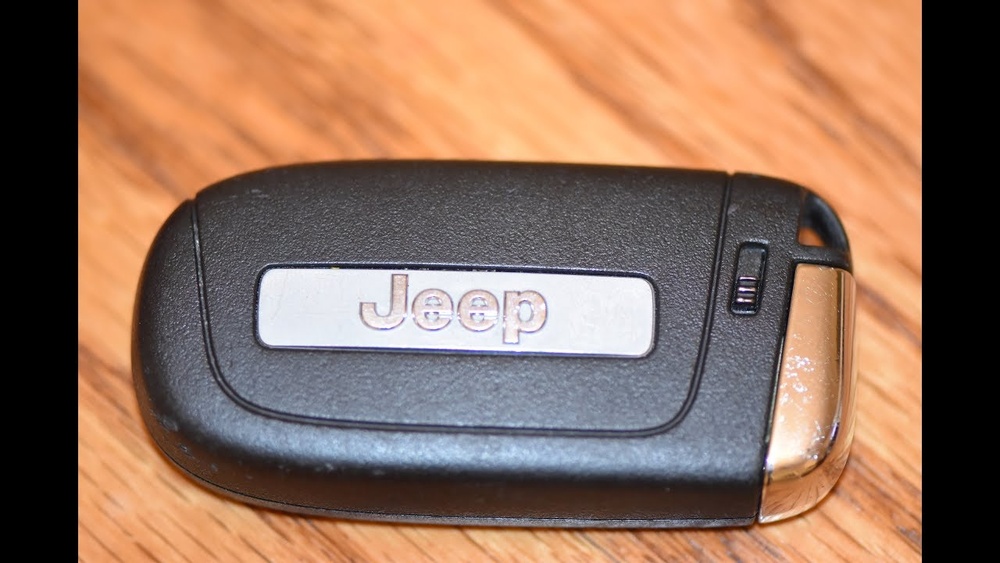
Jeep has used several different key fob styles over the years. The opening method can change depending on the type.
| Fob Type | Common Jeep Models | Main Features |
|---|---|---|
| Flip Key Fob | Wrangler, Cherokee (pre-2018) | Physical key flips out, basic buttons |
| Proximity Key Fob | Grand Cherokee, Compass (2018+) | Push-button start, smart access |
| Remote Start Fob | Renegade, Gladiator | Remote start button, extra functions |
Most modern Jeep models use proximity key fobs. The steps below focus on these, but differences for older styles are noted.
Tools You Will Need
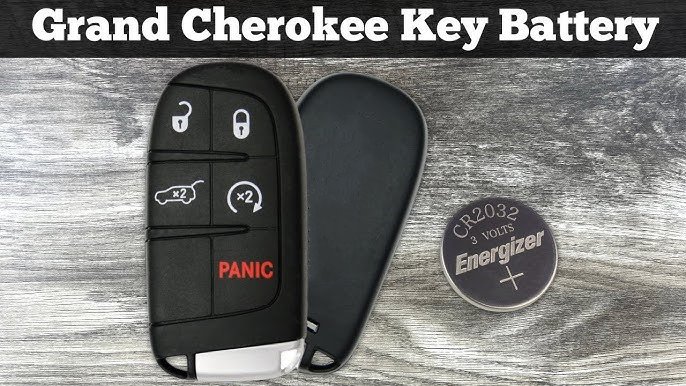
Opening a Jeep key fob does not require special equipment. You only need:
- A small flathead screwdriver (or a coin)
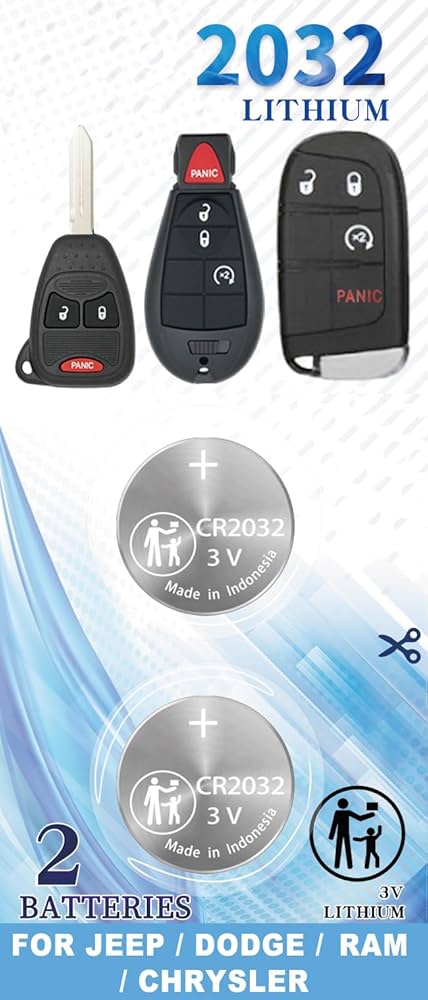
- A new CR2032 battery (check your manual to confirm)
- Clean hands and a tidy workspace
Using the wrong tool is a common beginner mistake. Avoid knives or sharp objects they can damage the fob’s casing.
Step-by-step: How To Open A Jeep Key Fob
Follow these steps for most Jeep key fobs made after 2015.
1. Remove The Mechanical Key
Slide the small switch on the back of the fob. Pull out the physical key inside. This creates a gap for your tool.
2. Find The Seam
Look around the edge of the fob for a thin line the seam. This is where the two halves join.
3. Insert Tool And Twist
Place the flathead screwdriver or coin into the seam near the key slot. Gently twist. The fob should separate with a soft click. If it does not, double-check you are at the seam, not a button.
4. Open The Fob
Use your fingers to pull the fob apart. Set the cover aside.
5. Access The Battery
You will see a round CR2032 battery inside. Note how it sits—face up or down.
6. Replace Or Inspect
Remove the old battery by lifting it gently. Place the new battery in the same position.
If checking electronics, look for moisture or dirt.
7. Close The Fob
Align the two halves and press until they click together. Insert the mechanical key.
Quick Reference: Opening Steps At A Glance
| Step | Action | Time Needed |
|---|---|---|
| 1 | Remove mechanical key | 10 seconds |
| 2 | Find seam and insert tool | 15 seconds |
| 3 | Twist tool to open | 10 seconds |
| 4 | Replace battery/inspect | 30 seconds |
| 5 | Snap together and finish | 15 seconds |
Tips For A Smooth Process
- Work over a towel to catch small pieces.
- Check polarity of the battery before closing.
- Avoid touching electronics with metal tools to prevent static damage.
- If the fob doesn’t close easily, do not force it. Realign the parts and try again.
Many beginners forget to check the battery’s direction or lose the small spring inside, which can affect button feel.
What To Do If Your Fob Won’t Open
If the fob feels stuck, stop and double-check you have removed the mechanical key. Some models have hidden clips.
If the fob is still not opening, search your Jeep’s manual or visit the manufacturer’s guide for your specific model. Forcing it may break the casing.
When To Seek Professional Help
If you see corrosion, broken parts, or the fob does not work after changing the battery, contact a Jeep dealer or locksmith. They can check for deeper electronic issues. Be aware that opening the fob yourself may affect warranty in rare cases, especially if you damage internal parts.
How Long Do Jeep Key Fob Batteries Last?
Most Jeep key fob batteries last 2 to 3 years with normal use. Frequent remote start use or extreme temperatures can reduce battery life. If you notice reduced range or slow response, replace the battery soon. Keeping a spare battery in your glove box is a smart idea.
Key Fob Opening: Common Problems And Solutions
| Problem | Possible Cause | Solution |
|---|---|---|
| Buttons not working | Dead battery, dirty contacts | Replace battery, clean contacts with alcohol |
| Key fob won’t close | Battery misaligned, casing not lined up | Check alignment, reposition battery |
| Fob broken after opening | Too much force, wrong tool | Buy replacement shell, use correct tool next time |
Frequently Asked Questions
How Do I Know Which Battery My Jeep Key Fob Uses?
Most Jeep fobs use a CR2032 battery, but some older models may use CR2025 or another type. Check your manual or look at the old battery after opening the fob.
Can I Open A Jeep Key Fob Without Special Tools?
Yes. A small flathead screwdriver or even a coin works for most fobs. Avoid sharp objects to prevent casing damage.
Will Opening My Key Fob Erase Programming?
No, opening the fob or replacing the battery does not erase programming. The fob will work the same after you change the battery.
What If My Jeep Key Fob Still Doesn’t Work After Changing The Battery?
Check that the battery is installed correctly and the contacts are clean. If it still fails, there may be a deeper issue with the electronics.
Visit a Jeep dealer or locksmith for help.
Where Can I Find An Official Guide For My Jeep Model?
You can find Jeep key fob guides on the official Jeep website. Always match your model and year for the best instructions.
Opening your Jeep key fob is easy with the right steps and tools. Save time, money, and avoid stress by following this guide.
If you have doubts, it’s always safest to get expert help.




















