Connecting your smartphone to your Jeep’s Bluetooth system can completely change your driving experience. With Bluetooth, you can enjoy hands-free calls, stream music, and use voice commands safely while driving.
Many Jeep owners, especially those with newer models, find the process simple.
However, a few small steps and tips can make the connection smoother and help you avoid common issues. In this guide, you’ll learn how to connect to Jeep Bluetooth easily, even if you’re not a tech expert.
Understanding Jeep Bluetooth Compatibility
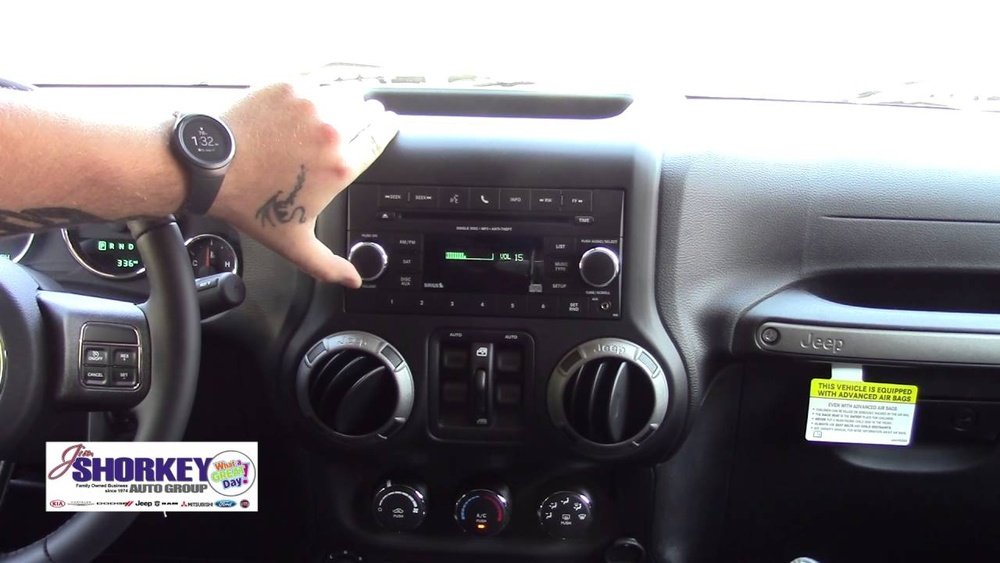
Before you start, it’s important to know if your Jeep model supports Bluetooth. Most Jeep vehicles from 2013 onward come with built-in Bluetooth, but the interface and features may differ.
Here is a quick look at popular Jeep models and Bluetooth availability:
| Jeep Model | Bluetooth Available | First Year with Bluetooth |
|---|---|---|
| Wrangler | Yes | 2013 |
| Grand Cherokee | Yes | 2011 |
| Compass | Yes | 2014 |
| Cherokee | Yes | 2014 |
| Renegade | Yes | 2015 |
If you’re not sure, check your owner’s manual or look for a Uconnect or media button on your dash.
Preparing Your Phone For Connection
To avoid problems, prepare your phone before pairing:
- Turn on Bluetooth in your phone’s settings.
- Delete any old Jeep Bluetooth profiles if you’ve connected before.
- Make your phone visible to other devices (usually in Bluetooth settings).
- Charge your phone, as low battery can sometimes interrupt pairing.
Android and iOS devices both work, but the menu steps may look a bit different.
Step-by-step: Connecting To Jeep Bluetooth
Follow these steps for a smooth setup:
- Start your Jeep and keep it in Park. The system may not allow pairing while driving.
- On the touch screen, press the Phone or Uconnect button.
- Select “Pair a Device” or “Add Device.”
- On your phone, go to Bluetooth settings and search for new devices.
- Choose your Jeep’s system (it usually appears as “Uconnect” or the model name).
- A PIN will appear on your Jeep screen and your phone. Make sure the numbers match.
- Press “Yes” or “Pair” on both the Jeep and your phone.
- Wait for confirmation. Your phone might ask for permission to share contacts and messages—allow this for full features.
You should now see your phone listed as “Connected” on the Jeep’s display.
Common Issues And Solutions
Even if the steps are simple, some problems can happen. Here are solutions for common issues:
| Problem | Possible Cause | Quick Fix |
|---|---|---|
| No Bluetooth option on Jeep screen | Old software or hardware | Update Uconnect or check manual |
| Phone won’t pair | Too many devices stored | Delete old profiles and retry |
| Music doesn’t play | Media permissions not allowed | Enable permissions on phone |
| Calls drop often | Phone signal or software bug | Restart phone and Jeep system |
A non-obvious tip: Some Jeep models need the engine running (not just accessory mode) for the first pairing. Also, if you switch phones often, clear out devices you no longer use. Most Jeep systems only remember up to 8 devices.
Key Features You Can Use After Connecting
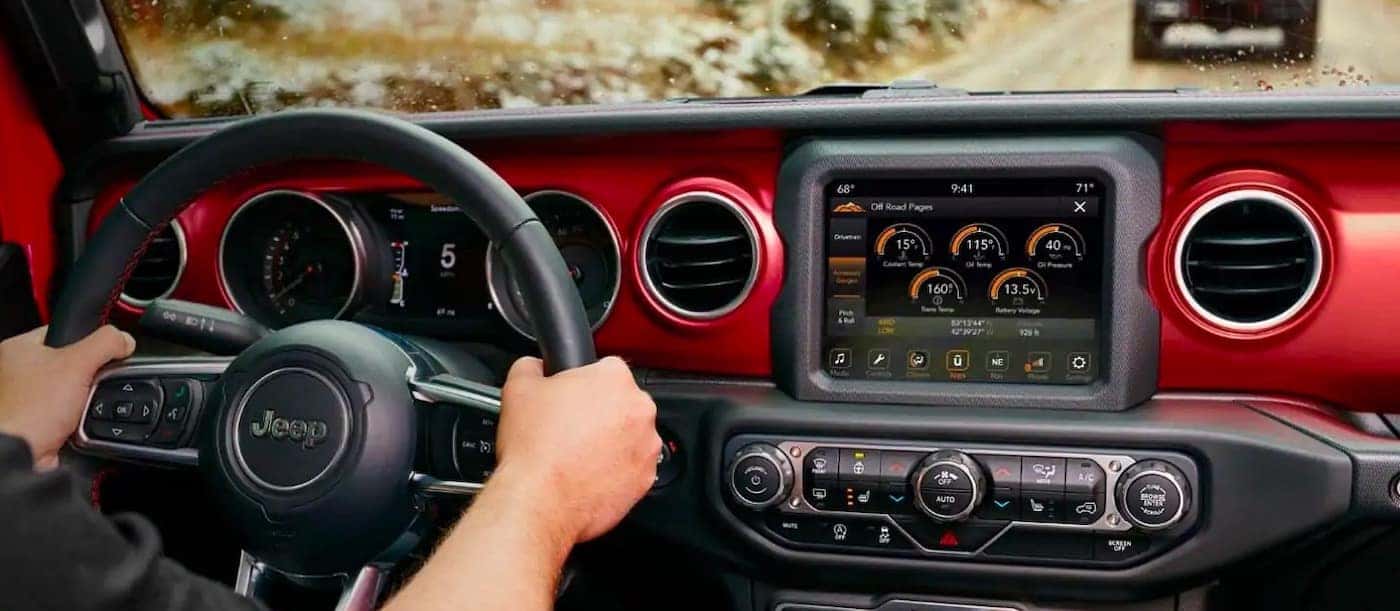
Once connected, you can access many features:
- Hands-free calling: Make and receive calls using steering wheel buttons or voice commands.
- Audio streaming: Play music, podcasts, or audiobooks from your phone.
- Voice control: Ask for directions or send texts (if supported).
- Text message alerts: Some Uconnect systems can read texts aloud.
Not all features are available on every Jeep or phone. For example, sending texts by voice may only work with newer Uconnect versions.
Tips For A Stable Connection
To keep your Jeep Bluetooth working smoothly:
- Keep your phone’s Bluetooth software up to date.
- Don’t connect other Bluetooth devices (like headphones) at the same time.
- If you notice lag or dropped audio, restart both your phone and the Jeep system.
- For best results, connect only one phone at a time.
A useful insight: If your music won’t play, check your Jeep’s audio source. Sometimes it’s set to radio or USB, not Bluetooth. Switch the source to Bluetooth Audio on the Jeep screen.

Comparing Jeep Bluetooth To Other Brands
How does Jeep’s Bluetooth system compare to those in similar SUVs? Here’s a quick comparison:
| Brand | Bluetooth Setup Ease | Max Devices Saved | Voice Command Quality |
|---|---|---|---|
| Jeep (Uconnect) | Easy | 8 | Good |
| Ford (Sync) | Easy | 6 | Very Good |
| Toyota (Entune) | Moderate | 5 | Average |
| Honda (Display Audio) | Easy | 7 | Good |
Jeep’s Uconnect system is known for simple pairing and strong call quality, but some users wish for faster voice response times.
When To Update Or Reset Your Jeep Bluetooth
If you continue to have problems, you might need to update your Jeep’s Uconnect software. Updates can add new features and fix bugs. Visit the Jeep owner site or dealership for instructions. If nothing else works, try a factory reset of the Uconnect system, but remember this will erase all saved data.
For official guidance and downloads, visit the Jeep Uconnect Support.
Frequently Asked Questions
How Many Phones Can I Pair With My Jeep’s Bluetooth?
Most Jeep systems can store up to eight devices. Only one can be connected for calls and audio at a time.
Why Can’t My Jeep Find My Phone?
Check that your phone’s Bluetooth is on and set to discoverable. Delete old devices from Jeep and restart both the phone and the Uconnect system.
Yes, if you use a navigation app on your phone, the audio will play through the Jeep speakers once Bluetooth audio is selected.
Does Jeep Bluetooth Work With Both Android And Iphone?
Yes, Jeep Bluetooth supports most Android and iPhone devices. However, some advanced features might work better with newer phones.
How Do I Update My Jeep’s Bluetooth Software?
Go to the official Jeep Uconnect website, enter your vehicle info, and follow their update instructions. If you’re unsure, your dealership can help.
Connecting your phone to your Jeep’s Bluetooth system is a small step that brings big convenience and safety. With these tips and clear steps, you can enjoy hands-free driving and seamless music, making every trip more enjoyable.