Owning a Jeep Rubicon means you’re ready for adventure—whether it’s muddy trails, snowy roads, or rocky hills. But even experienced drivers sometimes feel unsure about how to use the 4 wheel drive (4WD) system properly. If you’ve ever wondered how to switch your Rubicon into 4WD, or which mode to use, this guide will help you feel confident and safe. With clear steps, real-world tips, and answers to common questions, you’ll learn to unlock the full power of your Jeep Rubicon.
Understanding Jeep Rubicon 4wd Modes
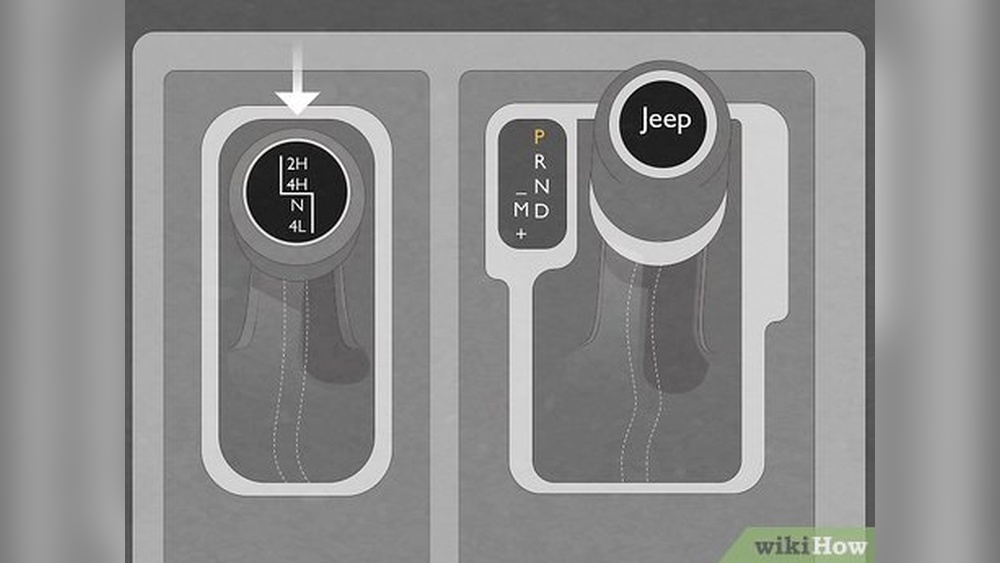
Before you start, it’s important to know that the Jeep Rubicon offers four main 4WD modes. Each mode is designed for a different situation. Here’s a quick overview:
- 2H (Two Wheel High) – Normal driving, only rear wheels powered.
- 4H (Four Wheel High) – For slippery roads (sand, snow, mud), all wheels powered.
- N (Neutral) – Used for towing; disconnects the drive from the wheels.
- 4L (Four Wheel Low) – For tough terrain (steep hills, deep mud), maximum torque.
Understanding these modes helps you choose the right setting for your driving condition. Many beginners forget to switch back to 2H after their off-road adventure, which can cause extra wear on parts.
How To Put Jeep Rubicon In 4 Wheel Drive
Let’s break down each mode, when to use it, and exactly how to switch. Always make sure your tires are properly inflated and you’re driving at a safe speed.
1. Engaging 2h (two Wheel High)
2H is the default for daily driving. When your Rubicon is in 2H, only the rear wheels get power. This gives better fuel economy and is best for dry, paved roads.
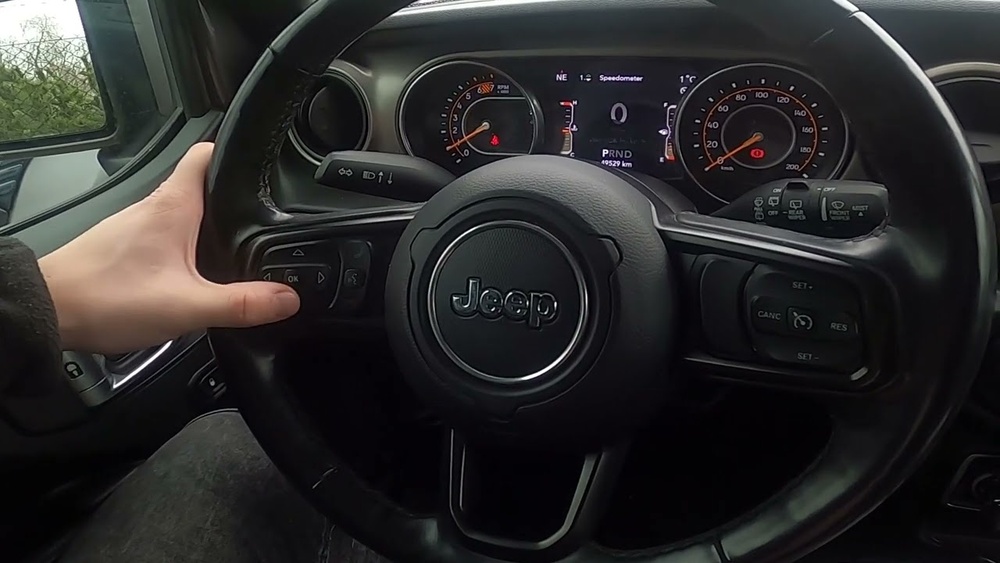
- To check you’re in 2H, look at your dashboard indicator.
- If you’ve been off-roading, shift the lever or knob back to 2H.
- Most Rubicon models use a lever or electronic switch—simply push or pull to 2H.
Tip: Always return to 2H after using 4WD to avoid unnecessary wear and tear.
2. Shifting To 4h (four Wheel High)
4H is your go-to for slippery conditions, like snow, sand, or loose gravel. It sends power to all four wheels, improving grip and control.
To switch from 2H to 4H:
- Slow down to under 55 mph (88 kph).
- Shift the lever from 2H to 4H. In most models, you can do this while driving (known as “shift-on-the-fly”).
- Watch the dashboard—the 4H light will turn on.
Real-world example: If you’re driving on a snowy highway and feel the tires slipping, switch to 4H for better traction.
Common mistake: Don’t use 4H on dry pavement—this can damage the drivetrain.
3. Using N (neutral)
N (Neutral) is not for driving. It’s mainly for towing your Rubicon behind another vehicle, like an RV.
To shift into N:
- Bring your Jeep to a full stop.
- Press the brake.
- Shift the transmission to neutral.
- Move the 4WD lever to N.
Safety note: Never use N while driving; it disconnects the wheels and can cause loss of control.
4. Engaging 4l (four Wheel Low)
4L is for serious off-roading. It gives maximum torque for steep climbs, deep mud, or rocky terrain. Only use 4L at low speeds.
To shift from 2H or 4H to 4L:
- Stop or drive under 3 mph (5 kph).
- Shift the transmission to neutral.
- Move the 4WD lever slowly to 4L.
- Wait for the 4L indicator to light up.
Data: Using 4L increases torque by up to 2.72 times (Rubicon’s transfer case ratio), making it easier to crawl over obstacles.
Expert tip: Don’t forget to shift back to 4H or 2H when you’re done off-roading. Driving in 4L on normal roads can damage your Jeep.

Jeep Rubicon 4wd Modes Comparison
Understanding the differences between each mode makes it easier to choose the right one. Here’s a comparison:
| Mode | Use Case | Speed Limit | Torque |
|---|---|---|---|
| 2H | Daily driving, dry pavement | Any speed | Normal |
| 4H | Snow, sand, mud | <55 mph (88 kph) | Moderate |
| N | Towing | 0 mph | None |
| 4L | Steep hills, rocks | <3 mph (5 kph) | High |
Step-by-step: How To Use The 4wd Lever Or Switch
Most Rubicons use either a lever or an electronic knob. Here’s a quick guide for both:
| Type | How To Shift | Indicator |
|---|---|---|
| Lever | Push/pull into desired mode | Light on dashboard |
| Electronic knob | Turn to desired mode | Light on dashboard |
Practical tip: If the indicator light flashes and doesn’t turn solid, the shift didn’t complete. Try again, making sure you’re at the recommended speed.

Common Mistakes And How To Avoid Them
Many new Rubicon owners make mistakes when using the 4WD system. Here are two that are often overlooked:
- Forgetting to slow down before shifting to 4L: If you try to shift to 4L at high speed, you risk damaging the transfer case.
- Using 4H on dry pavement: This causes binding in the drivetrain and can lead to expensive repairs.
Non-obvious insight: Some drivers think 4WD will help them stop faster, but it doesn’t. 4WD improves traction when accelerating, not braking.
Off-roading And 4wd: What You Need To Know
The Jeep Rubicon is built for off-road. But knowing when and how to use each mode is key. For example:
- Use 4H for sandy or snowy trails.
- Switch to 4L for steep, rocky climbs.
- Always check tire pressure before off-roading.
- Avoid sudden steering or acceleration in 4WD, especially in 4L.
Statistic: According to Jeep, over 70% of Rubicon drivers use 4WD for off-road activities at least once a year.
If you want more details about Jeep’s 4WD system, visit the official Jeep 4×4 Guide.

Frequently Asked Questions
How Do I Know If My Jeep Rubicon Is In 4wd?
Check the dashboard indicator light. If it shows 4H or 4L, you’re in 4WD. The light should be solid, not flashing.
Can I Shift To 4h While Driving?
Yes, you can shift to 4H at speeds below 55 mph. Always check your owner’s manual for your specific model.
Is It Safe To Use 4wd On Dry Roads?
No, using 4WD on dry pavement can cause drivetrain binding. Only use 4H or 4L when roads are slippery or off-road.
What Should I Do If The 4wd Won’t Engage?
Stop the vehicle, shift to neutral, and try again. If the indicator light keeps flashing, there may be an issue with the transfer case. Seek professional help.
Does 4wd Help With Braking?
No, 4WD improves traction when moving forward, not braking. Always drive carefully in slippery conditions.
Learning to use your Jeep Rubicon’s 4WD system is easy with practice. By following these steps and understanding the modes, you’ll be ready for any terrain. Remember to switch back to 2H after your adventure and check your dashboard indicators. With these practical tips, your Rubicon will take you safely wherever you want to go.