Turning on the interior lights in your Jeep Grand Cherokee might seem simple, but small details can make a big difference, especially if you’re new to the vehicle or driving at night. Interior lighting not only helps you find things in the dark, but also increases safety and comfort while on the road. This guide will walk you through all the practical ways to control these lights, explain unique features across different model years, and help you troubleshoot common issues—all in straightforward language.
Understanding Your Jeep Grand Cherokee’s Interior Lighting
Your Jeep Grand Cherokee comes with several types of interior lights. These include overhead dome lights, reading/map lights, footwell lights, and ambient lighting. Each type serves a different purpose:
- Dome lights: Provide general illumination when you open the doors or need full light inside.
- Map/reading lights: Offer focused light for reading or checking items without lighting the whole cabin.
- Footwell lights: Help you see the floor area, especially useful when entering or exiting at night.
- Ambient lighting: Soft glow for aesthetics and orientation, often adjustable in newer models.
The controls for these lights are usually on the overhead console, dashboard, or near the doors.
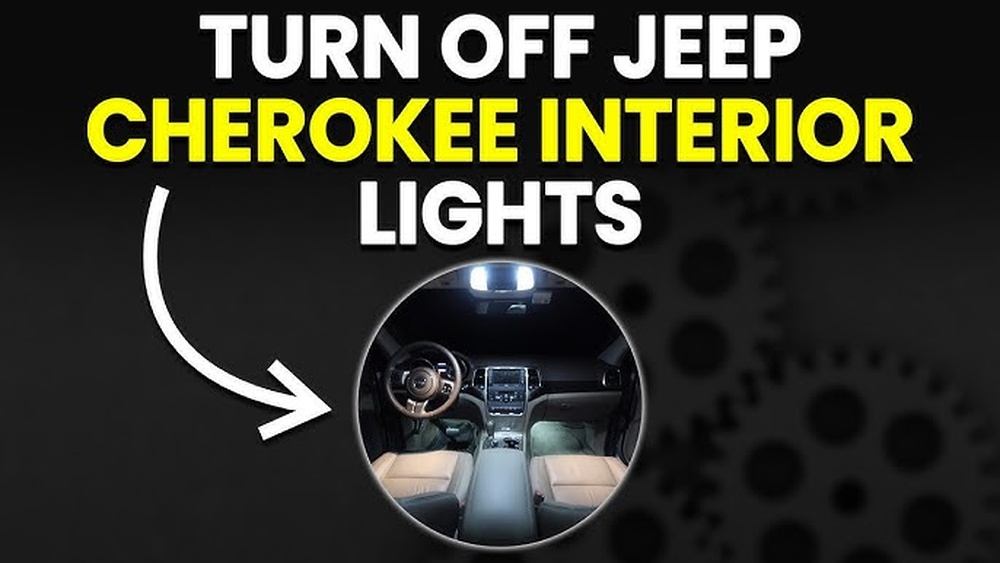
How To Turn On Interior Lights Manually
There are a few common ways to activate the interior lights in a Jeep Grand Cherokee. The process may vary slightly depending on the year and trim, but the basic steps are similar.
Using The Overhead Console
Most models have switches or buttons on the overhead console, often near the rearview mirror. Here’s how to use them:
- Locate the switch: Look for small buttons or a sliding switch labeled with a light bulb icon.
- Press or slide: For push buttons, press once to turn the light on and again to turn it off. For sliders, move to the “ON” position.
Door-activated Lights
When you open any door, the dome lights usually turn on automatically. This is controlled by door sensors.
- If the lights don’t come on, check if the dome override feature is activated (some models have a button to disable door-activated lighting).
Using The Dimmer Switch
The dashboard houses a dimmer switch (often a rotary knob or slider). Besides adjusting the brightness of your dashboard, it also controls the interior dome lights.
- Rotate or slide the dimmer switch to the highest position. In most models, this clicks the dome light on.
- Lower the dimmer to turn the light off or adjust brightness.
Map And Reading Lights
For individual lights above the driver and passenger seats:
- Press the clear plastic lens or dedicated button to turn the light on or off.
Comparing Interior Lighting Features (by Model Year)
Different generations of the Grand Cherokee offer varying lighting controls and features. Here’s a quick comparison for reference:
| Model Year | Lighting Control Type | Ambient Lighting | Common Issues |
|---|---|---|---|
| 2011-2015 | Manual switches, rotary dimmer | No | Dimmer switch confusion |
| 2016-2020 | Touch, manual, dimmer | Optional | Ambient lights not working |
| 2021+ | Touch-sensitive, voice | Standard | Learning new tech |
Newer models may also offer voice commands or controls through the infotainment system.
Automatic And Ambient Lighting Options
Many Grand Cherokees have automatic interior light functions. For example, lights may fade in or out when you unlock or lock the car. Some models let you adjust ambient light color or brightness through the Uconnect infotainment system.
- Go to the Settings menu on your touchscreen.
- Find “Lights” or “Interior Lighting.”
- Adjust brightness or color as desired.
If your model supports it, you can set ambient lights to different colors depending on your mood or driving situation.
Common Issues And Quick Fixes
Sometimes, the interior lights might not work as expected. Here are some troubleshooting steps:
- Check the dimmer: If the dome light doesn’t turn on, the dimmer switch may be turned down.
- Dome override: Make sure the dome override button isn’t pressed.
- Bulb issues: Interior bulbs can burn out over time. Replacing them is usually a simple DIY task.
- Door sensor problems: If the light doesn’t come on when opening doors, the sensor may be dirty or faulty.
A quick tip: If you park with a door slightly ajar, the interior lights may stay on and drain your battery. Always ensure doors are fully closed.
When To Use Each Lighting Mode
Choosing the right lighting can improve comfort and safety. Here are some situations:
- Dome lights: Use when entering, exiting, or searching the cabin.
- Map/reading lights: Great for reading directions or finding items without distracting the driver.
- Footwell lights: Useful for nighttime entry/exit, especially for kids or elderly passengers.
- Ambient lighting: Adds style and helps you locate controls without harsh glare.
Advanced Tips For Maximum Comfort
Most drivers only use the basic functions, but your Grand Cherokee offers more if you look closer.
- If you often forget to turn off the dome light, set it to “door” mode so it switches off automatically.
- In models with Uconnect, you can program lighting to match different driver profiles.
- For night driving, keep ambient lights low to reduce eye strain.
Here’s a quick reference for common controls you’ll find in a modern Grand Cherokee:
| Control | Location | Function |
|---|---|---|
| Dome switch | Overhead console | Main cabin light |
| Dimmer knob | Dashboard, left of wheel | Brightness, dome ON/OFF |
| Map light button | Near reading light | Spot light for driver/passenger |
Safety And Battery Tips
Leaving interior lights on by accident can drain your battery overnight. Most newer Grand Cherokees have automatic timers to switch off lights after a few minutes, but it’s wise to check before leaving your vehicle.
Also, avoid using bright lights while driving, as it can reduce your night vision or distract the driver. Use map lights for focused tasks and keep dome lights off unless the car is parked.
If you have kids, show them how to use their own reading lights but explain why main lights should stay off while driving.

Frequently Asked Questions
How Do I Turn On All Interior Lights At Once In A Jeep Grand Cherokee?
To turn on all interior lights, rotate the dimmer switch on the dashboard fully upward until it clicks. This will activate the dome and other interior lights simultaneously.
Why Won’t My Interior Lights Turn On When I Open The Door?
If your lights don’t come on with the door, check the dome override button or see if the dimmer switch is set to the lowest position. Faulty door sensors or burnt-out bulbs can also cause this issue.
Can I Change The Color Of My Interior Ambient Lights?
Some newer Jeep Grand Cherokee models with the Uconnect system allow you to change ambient light color. Go to the vehicle’s Settings menu on the touchscreen and look for Interior Lighting options.
Will Interior Lights Drain My Battery If Left On?
Yes, leaving interior lights on for a long time can drain the battery, especially in older models without auto-off timers. Always double-check that all lights are off before leaving your car.
Where Can I Find More Details About Jeep Lighting Features?
You can read your owner’s manual or visit the official Jeep website for more information about your model’s specific lighting controls.
Turning on the interior lights in your Jeep Grand Cherokee is simple once you know where to look. With these tips and a little practice, you’ll enjoy a safer, more comfortable driving experience, day or night.