Connecting your iPhone to your Jeep unlocks a world of convenience and entertainment. Whether you want to play music, use navigation, or make hands-free calls, pairing your device helps you stay safer and more connected on the road. Many Jeep models, from the rugged Wrangler to the family-friendly Grand Cherokee, offer modern infotainment systems designed for easy smartphone integration.
But for non-native English speakers or new Jeep owners, the process can seem confusing. This guide explains every step in simple language, shows different connection options, and highlights common mistakes to avoid. You’ll also see useful data, practical tips, and answers to popular questions.
Why Connect Your Iphone To Your Jeep?
Using your iPhone with your Jeep makes driving easier and more enjoyable. You can control music, navigation, and calls without touching your phone. Here are some important benefits:
- Hands-free calling: Keep your eyes on the road while answering calls.
- Music streaming: Listen to Apple Music, Spotify, or podcasts.
- Navigation: Use Apple Maps or Google Maps directly on your Jeep’s screen.
- Voice control: Siri lets you send messages or set reminders by voice.
- Safer driving: Minimizes distractions by keeping your phone out of your hands.
Many Jeep owners don’t realize that connecting their iPhone can also improve resale value. Buyers often look for vehicles with working Bluetooth or Apple CarPlay systems.
Main Ways To Connect Iphone To Jeep
Jeeps offer several options for connecting your iPhone. The best method depends on your Jeep’s model year and features. Here’s an overview:
| Connection Type | Features | Best For |
|---|---|---|
| Bluetooth | Calls, music, basic controls | Most Jeeps (2011 and newer) |
| Apple CarPlay | Advanced apps, navigation, Siri | Jeeps with Uconnect 4/5 (2018+) |
| USB Cable | Music, charging, CarPlay access | When CarPlay or Bluetooth is available |
| AUX Cable | Music only | Older Jeeps |
Most modern Jeeps support Bluetooth and Apple CarPlay. Older Jeeps may only have AUX or USB options.
Step-by-step: Connecting With Bluetooth
Bluetooth is the most common way to connect your iPhone to your Jeep. Here’s how to do it:
- Turn on your Jeep’s infotainment system.
- Open Settings on your iPhone.
- Tap Bluetooth and make sure it’s turned on.
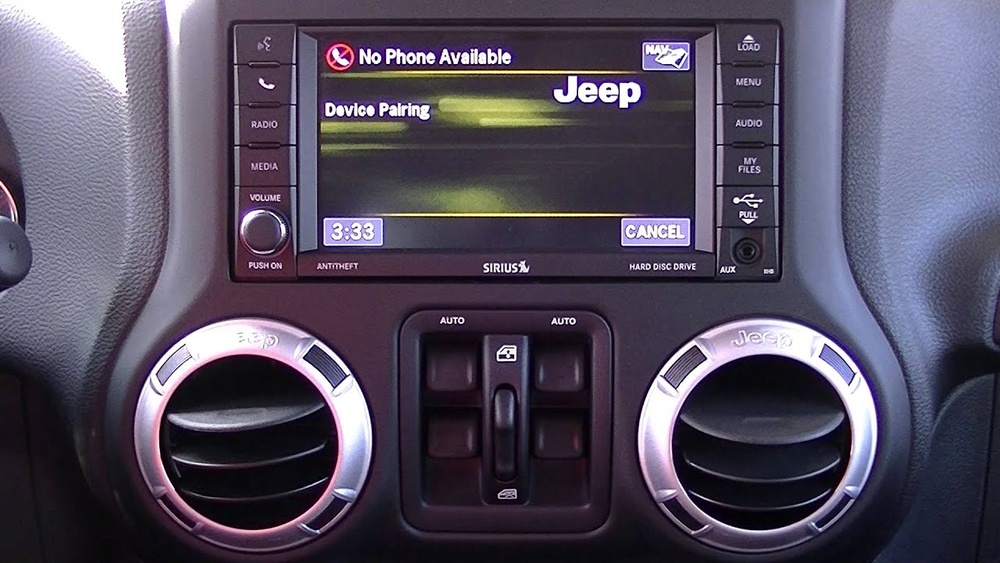
- On your Jeep’s screen, find the Bluetooth menu (usually under “Phone” or “Settings”).
- Select Pair New Device. Your Jeep will search for nearby devices.
- On your iPhone, look for your Jeep’s name under “Other Devices.”
- Tap your Jeep’s name. A pairing code will appear on both screens.
- Confirm the code matches. Tap Pair on your iPhone and Yes on your Jeep.
- Wait for the connection. Your iPhone should now be paired.
Common Bluetooth Problems
- Device not found: Make sure Bluetooth is enabled on both devices.
- Pairing fails: Restart your iPhone and Jeep system, then try again.
- Audio issues: Check volume settings and make sure your Jeep is selected as the output device.
Many people forget to remove old devices from their Jeep’s memory, which can cause pairing issues. Clear unused devices if you have trouble connecting.
Using Apple Carplay In Your Jeep
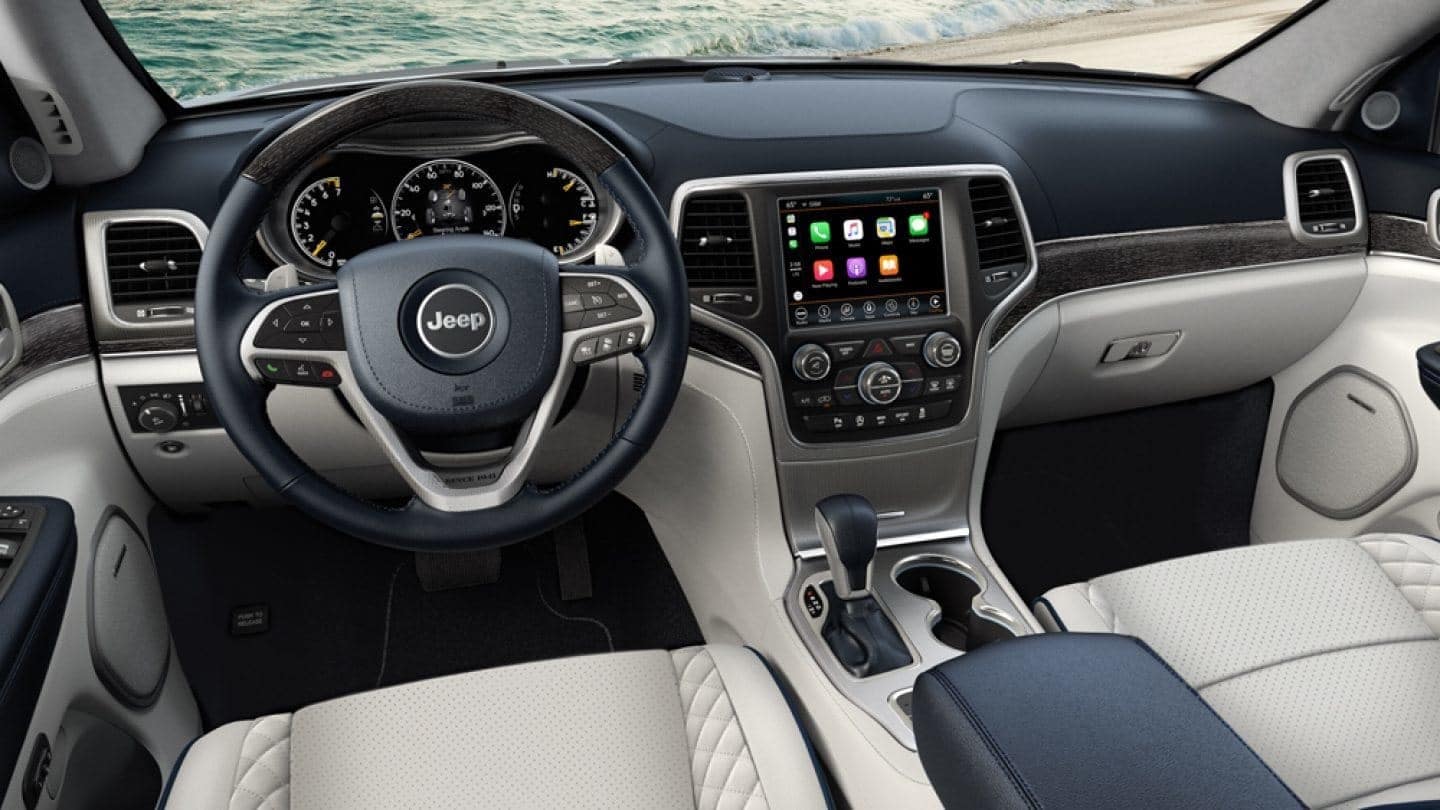
Apple CarPlay offers more features than Bluetooth. It lets you use apps, maps, and Siri right on your Jeep’s screen. Most Jeeps from 2018 onwards support CarPlay.
Connecting With Apple Carplay
- Plug your iPhone into the Jeep’s USB port using a Lightning cable.
- The Jeep screen will show a prompt: “Would you like to use Apple CarPlay?”
- Tap Yes or Enable.
- Your iPhone will ask you to allow CarPlay while locked. Tap Allow.
- CarPlay will launch on the Jeep’s display. You can now use compatible apps.
Some newer Jeeps support wireless CarPlay. To use it:
- Make sure your Jeep’s Wi-Fi and Bluetooth are enabled.
- Follow the pairing instructions on the Jeep’s screen.
- Accept the connection on your iPhone.
Carplay Features
- Access music apps like Spotify and Apple Music
- Use navigation apps (Apple Maps, Google Maps, Waze)
- Send and receive messages with Siri
- Make calls hands-free
- Listen to podcasts and audiobooks
| Apple CarPlay Feature | Function | Example App |
|---|---|---|
| Navigation | Turn-by-turn directions | Google Maps |
| Music Streaming | Playlists and radio | Spotify |
| Messaging | Voice control for texts | Siri |
| Calling | Dial contacts hands-free | Apple Phone |
Practical Tips For Carplay
- Use a good quality Lightning cable. Cheap cables can cause connection errors.
- Keep your iPhone’s iOS updated for best compatibility.
- If CarPlay does not launch, try a different USB port or cable.
Many users don’t know that CarPlay can remember multiple iPhones. You can switch between devices by unplugging and plugging in the desired phone.
Connecting With Usb Or Aux
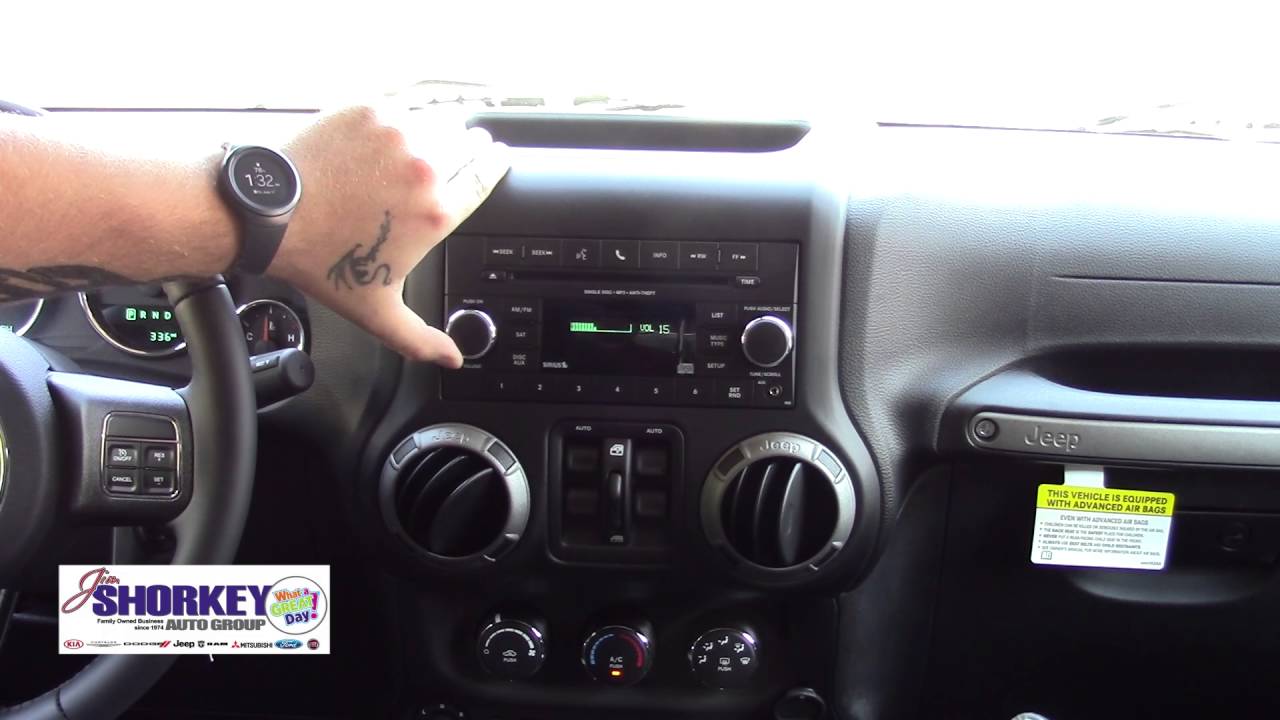
If your Jeep doesn’t support Bluetooth or CarPlay, you can still connect your iPhone for music.
Usb Connection
- Plug your iPhone into the Jeep’s USB port.
- Select Media or USB on the Jeep’s screen.
- Play music from your iPhone. Some Jeeps allow basic controls like skip and pause.
Aux Connection
- Plug a 3.5mm cable from your iPhone’s headphone jack (or Lightning adapter) into the Jeep’s AUX port.
- Select AUX on the Jeep’s screen.
- Control music from your phone.
USB connections are usually better than AUX because they allow charging and sometimes CarPlay. AUX only provides audio.
Which Jeeps Support Which Features?
It’s important to know which features your Jeep supports. Here’s a comparison of popular models and their connectivity:
| Jeep Model | Bluetooth | Apple CarPlay | USB | AUX |
|---|---|---|---|---|
| Wrangler (2011-2017) | Yes | No | Yes | Yes |
| Wrangler (2018+) | Yes | Yes | Yes | No |
| Grand Cherokee (2014-2017) | Yes | No | Yes | Yes |
| Grand Cherokee (2018+) | Yes | Yes | Yes | No |
| Compass (2017+) | Yes | Yes | Yes | No |
Always check your Jeep’s manual or infotainment system for the exact features. Some trims may have different options.
Troubleshooting: Common Problems And Solutions
Connecting your iPhone isn’t always smooth. Here’s how to handle the most frequent issues:
- Bluetooth won’t connect: Delete old pairings on both devices. Restart your Jeep and iPhone.
- CarPlay not working: Try a different cable or USB port. Make sure CarPlay is enabled in your Jeep’s settings.
- Audio not playing: Check if your Jeep is selected as the audio output on your iPhone.
- Connection drops: Update your iPhone’s iOS and your Jeep’s software if possible.
- Siri not working: Enable Siri in your iPhone settings and grant microphone access.
Some Jeep owners don’t realize that software updates can fix many connection problems. Visit your Jeep dealer for updates if you’re having trouble.
Upgrade Options For Older Jeeps
If your Jeep is older and lacks Bluetooth or CarPlay, you can upgrade the system:
- Aftermarket head units: Brands like Pioneer and Kenwood offer CarPlay-enabled units.
- Bluetooth adapters: Plug into AUX or USB to add wireless audio.
- Professional installation: Costs $200–$600 depending on features.
Upgrading your system can make your Jeep feel modern, but check compatibility before buying. Many adapters work well, but some models need special wiring kits.
Tips For A Smooth Connection
To make your iPhone and Jeep work together perfectly:
- Update your iPhone’s software regularly.
- Remove old devices from your Jeep’s Bluetooth memory.
- Use high-quality cables for USB and CarPlay.
- Restart both devices if you have connection issues.
- Check your Jeep’s manual for model-specific instructions.
- Enable Siri and location services for best functionality.
- Don’t use cheap adapters—they often cause problems.
- Clean your USB port—dust can block connections.
Many beginners miss the importance of updating their Jeep’s infotainment software. Ask your dealer about the latest updates for your model.
Safety And Privacy Considerations
Connecting your iPhone to your Jeep is convenient, but remember these safety points:
- Don’t text while driving.
- Use voice commands for navigation and calls.
- Disconnect devices before selling your Jeep to protect your privacy.
- Set up “Do Not Disturb While Driving” on your iPhone for fewer distractions.
Your Jeep stores some data from connected devices. Always remove your phone from the Jeep’s memory before selling or servicing.
Frequently Asked Questions
How Do I Know If My Jeep Supports Apple Carplay?
Most Jeeps with Uconnect 4 or Uconnect 5 systems (2018 and newer) support Apple CarPlay. Check your Jeep’s manual or infotainment screen for a CarPlay option.
Can I Connect My Iphone Wirelessly To My Jeep?
Some newer Jeeps offer wireless CarPlay. If your Jeep supports it, enable Wi-Fi and Bluetooth, then follow the pairing instructions. Otherwise, use a USB cable.
Why Isn’t My Iphone Connecting To My Jeep’s Bluetooth?
Common causes include old device pairings, outdated software, or disabled Bluetooth. Remove unnecessary devices, update your iPhone, and restart both systems.
Is It Safe To Use Carplay While Driving?
Yes, CarPlay is designed for safe, hands-free use. Use voice commands for navigation and calls. Avoid using apps that require manual input while driving.
How Can I Upgrade My Jeep To Support Carplay?
You can install an aftermarket head unit with CarPlay. Brands like Pioneer and Kenwood offer compatible systems. Professional installation is recommended for best results.
Connecting your iPhone to your Jeep can transform your driving experience. With the right setup, you enjoy music, maps, and calls in a safe, easy way. Remember to check your Jeep’s features, use quality cables, and update your devices for the best performance. For more detailed information about Jeep infotainment systems, visit Jeep Uconnect Official Site. With these steps and tips, you’ll enjoy every drive with comfort and confidence.