If your Jeep’s Uconnect system is acting up, freezing, or showing errors, a factory reset can often solve the problem. Many Jeep owners aren’t sure how to reset Uconnect or what happens when they do. This guide explains the reset process step-by-step, so you can get your system working smoothly again—without a trip to the dealership.
What Is Uconnect And When Should You Reset It?
Uconnect is the infotainment system found in many Jeep vehicles. It controls navigation, music, Bluetooth, and vehicle settings. Over time, Uconnect can develop software bugs or glitches, causing it to slow down, disconnect from your phone, or not respond.
You should consider a factory reset if:
- The touchscreen freezes or lags
- Bluetooth won’t connect or drops calls
- Navigation fails to load
- System updates don’t install correctly
A reset clears personal data and settings, returning the system to original factory conditions. This often fixes stubborn software issues, but also deletes all saved profiles, addresses, and customizations.
Understanding Uconnect Versions
Jeep vehicles use several different Uconnect versions. Reset steps vary slightly depending on your model year and system type.
Here’s a comparison of common Uconnect versions:
| Uconnect Version | Touchscreen Size | Common Jeep Models | Release Years |
|---|---|---|---|
| Uconnect 3 | 5-inch | Renegade, Compass | 2013–2018 |
| Uconnect 4 | 7- or 8.4-inch | Cherokee, Grand Cherokee | 2017–2021 |
| Uconnect 5 | 8.4- or 10.1-inch | Grand Cherokee L, Wagoneer | 2021–present |
Not sure which version you have? Look at your touchscreen size or check your vehicle’s manual. Knowing your system helps you follow the correct reset method.

How To Factory Reset Uconnect On Jeep
The steps below cover the most common Uconnect systems found in Jeep vehicles. Before you start, park your Jeep safely and turn the ignition to “Run” (but do not start the engine).
For Uconnect 4 And Uconnect 5
- Tap the ‘Settings’ icon on your touchscreen.
- Scroll down and select ‘System Information’ or ‘System’ (naming may vary).
- Choose ‘Reset’ or ‘Restore Settings’.
- Select ‘Factory Reset’.
- Confirm your choice. You may need to enter a PIN if you set one.
- The system will restart and wipe your personal data.
For Uconnect 3
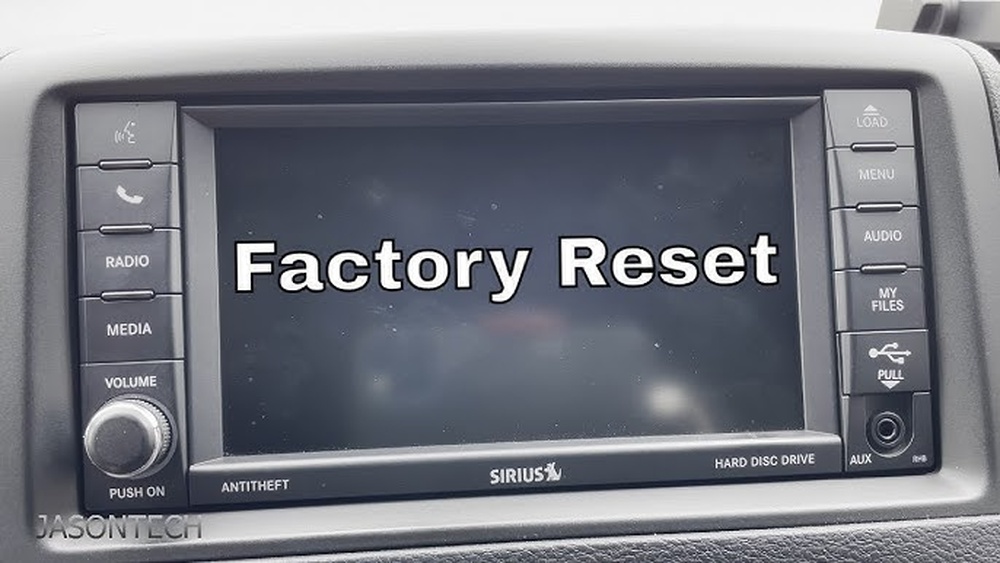
- Press the ‘Menu’ button on the console.
- Select ‘Settings’.
- Scroll to ‘Restore Factory Defaults’.
- Confirm the reset.
The process takes a few minutes. Your system will reboot and load the default settings.
What Gets Erased During A Factory Reset?
Many Jeep owners worry about what data they’ll lose. Here’s what’s removed:
| Data Type | Erased? | Notes |
|---|---|---|
| Bluetooth devices | Yes | All paired phones and devices are deleted. |
| Navigation favorites | Yes | Saved addresses and routes are erased. |
| Radio presets | Yes | All custom stations are lost. |
| Software updates | No | Latest updates stay installed. |
| App subscriptions | No | Linked to your Uconnect/SiriusXM account. |
Pro tip: If you need to keep any information, write it down or take screenshots before resetting.
Common Problems And How A Reset Helps
You might wonder if a reset is really necessary. In many cases, a factory reset is the fastest way to fix:
- Screen not responding: Software errors can cause the touchscreen to freeze. A reset wipes out the faulty data.
- Bluetooth connection issues: If your phone won’t pair or drops calls, clearing old connections often solves the issue.
- Navigation glitches: Saved locations and routes can sometimes corrupt the navigation system.
However, a reset does not fix hardware problems such as a cracked screen or faulty wiring. If the system still doesn’t work after a reset, it’s time to visit a Jeep dealer.
Important Tips Before You Reset
Many owners make mistakes during the reset process. Here’s how to avoid common pitfalls:
- Backup your data: Write down radio presets and navigation favorites.
- Keep your car in Park: The reset won’t work if you’re driving.
- Stay patient: The reboot can take 3-5 minutes. Don’t turn off the ignition during this time.
- Check your warranty: If your Jeep is under warranty, confirm with your dealer before resetting. Some issues may be covered.
Another detail most people miss: resetting Uconnect will not remove software updates. Your system keeps the latest version, so you don’t need to update again.
After The Reset: Setting Up Uconnect Again
Once your Jeep’s Uconnect system reboots, you’ll need to set it up like new. Here’s what to do:
- Pair your phone with Bluetooth
- Re-enter navigation addresses
- Set your favorite radio stations
- Adjust sound and display preferences
You’ll notice the system runs smoother and responds faster after a factory reset.

When A Reset Isn’t Enough
Sometimes, a factory reset won’t solve deeper issues. For example, a failing hardware component or a critical software bug might need a dealer’s repair. If you see error messages like “Service Uconnect” or the screen stays blank, contact your Jeep service center.
For more details about Uconnect and software updates, visit the official Jeep Uconnect page.
Frequently Asked Questions
How Often Should I Factory Reset My Uconnect?
You should only reset Uconnect when you have persistent problems, not as regular maintenance. Repeated resets can be frustrating and are not necessary for normal operation.
Will A Factory Reset Remove My Uconnect Subscription?
No, your Uconnect subscription (like SiriusXM or Wi-Fi) is tied to your account, not your system settings. After resetting, simply log in again to restore these services.
Can I Reset Uconnect If The Touchscreen Is Completely Unresponsive?
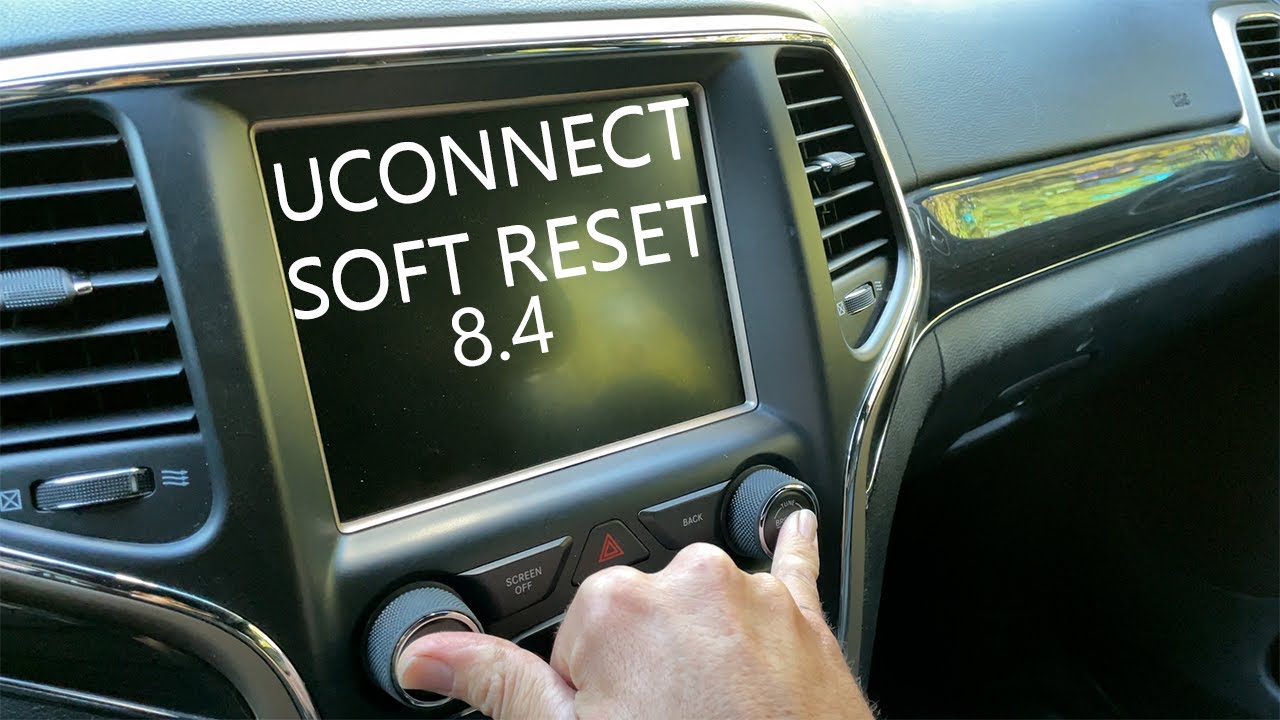
If your screen does not respond at all, try a soft reset first: press and hold the volume and tuner knobs together for about 10 seconds. If that fails, professional help may be needed.
Is It Safe To Reset Uconnect Myself?
Yes, a factory reset is safe for most users and does not harm the vehicle. Just remember to back up important data and follow the correct steps for your system version.
What Should I Do If Uconnect Keeps Having Problems After A Reset?
If problems return after a reset, your Uconnect may have a deeper software or hardware issue. Contact your local Jeep dealer for diagnostics and possible repair.
A factory reset is a simple but powerful tool for fixing Uconnect issues in your Jeep. With the steps above, you can restore your system and enjoy a smoother driving experience.